1. Produktas baigtasview
The TechniSat DIGITRADIO 50 SE is a compact alarm clock radio designed for versatile audio reception and convenient alarm functions. It supports both DAB+ digital radio and FM analog radio, allowing access to a wide range of stations. Key features include a dimmable LCD display, dual programmable alarms, snooze, and sleep timer functions. Additionally, it offers a USB port for charging external devices and a headphone jack for private listening.

1.1 vaizdas: priekis view of the TechniSat DIGITRADIO 50 SE.
2. Pakuotės turinys
Prašome patikrinti, ar pakuotėje yra visi reikalingi daiktai:
- TechniSat DIGITRADIO 50 SE unit
- Vielinė antena
- Power adapter (cable length 1.80 m)
- User manual (English version)
3. Sąranka
3.1 Maitinimo prijungimas
- Prijunkite maitinimo adapterį prie DC IN 5.5V/2.0A prievadą radijo gale.
- Įjunkite maitinimo adapterį į standartinį sieninį lizdą.
3.2 Antenos prijungimas
Extend the wire antenna for optimal DAB+ and FM radio reception. Position the antenna away from other electronic devices to minimize interference.
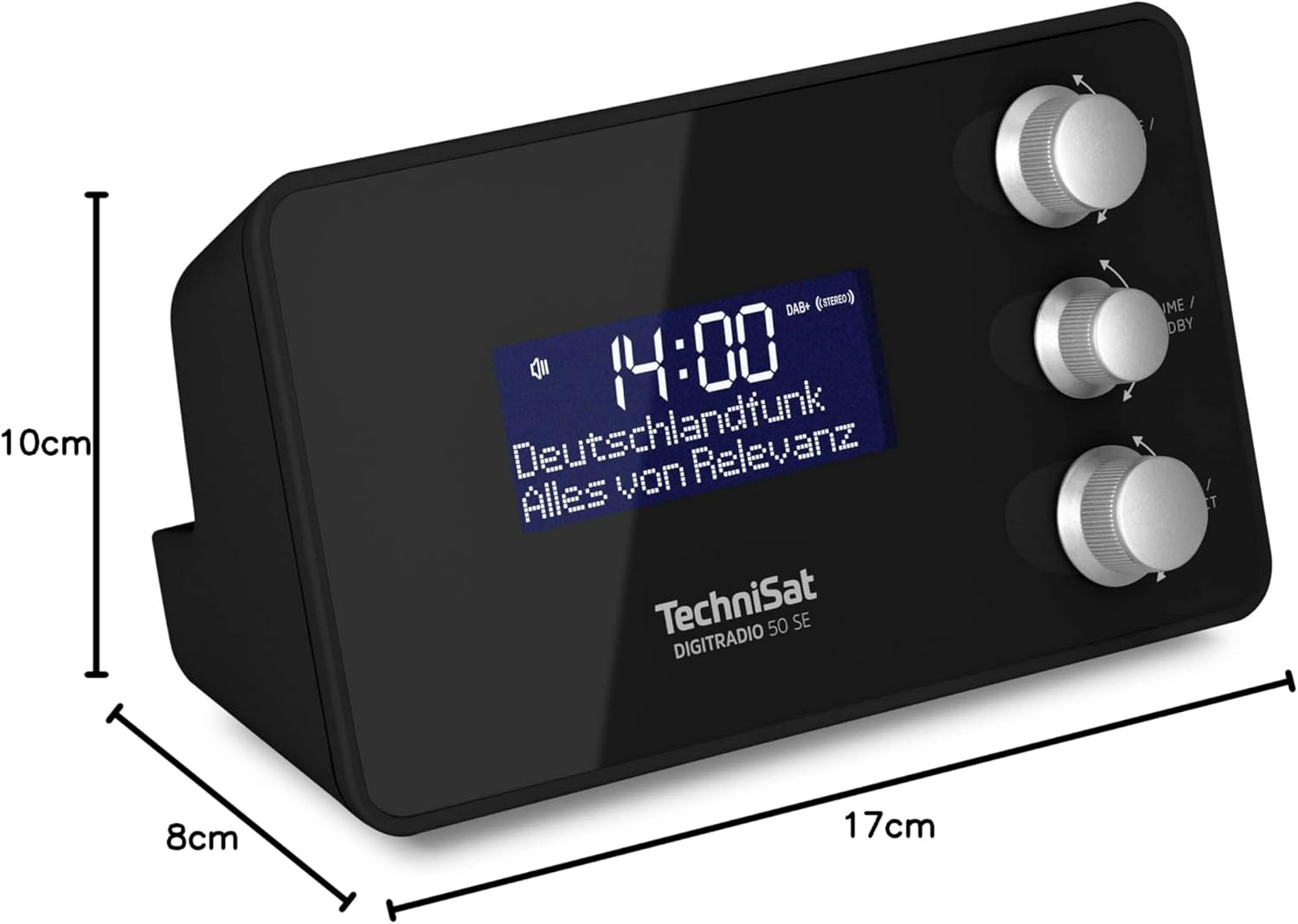
Image 3.1: Rear panel connections including DC IN, Headphone Jack, and USB OUT.
3.3 Pradinis įjungimas ir kalbos pasirinkimas
- Paspauskite REŽIMAS / MENIU mygtuką, kad įjungtumėte radiją.
- Upon first use, the device may prompt you to select a language. Use the DERINTI / PASIRINKTI knob to navigate and press to confirm your choice. Available OSD languages include English, German, French, Italian, Danish, and Slovenian.
- The radio will automatically scan for DAB+ stations and set the time.
4. Naudojimo instrukcijos
4.1 Įjungimas / išjungimas ir budėjimo režimas
- To turn on the radio, press the REŽIMAS / MENIU mygtuką.
- To put the radio into standby mode, press the VOLUME / STANDBY mygtuką.
4.2 Radio Tuning (DAB+/FM)
The DIGITRADIO 50 SE supports both DAB+ and FM radio reception.
- Paspauskite REŽIMAS / MENIU button repeatedly to switch between DAB+ and FM modes.
- In DAB+ mode, the radio will automatically scan for available stations. Use the DERINTI / PASIRINKTI knob to browse the station list and press to select.
- FM režimu naudokite DERINTI / PASIRINKTI knob to manually tune to a frequency or press and hold to auto-scan for the next available station.

Image 4.1: Display showing DAB+ radio reception.
4.3 Storing and Recalling Favorite Stations
You can store up to 20 favorite stations (10 for DAB+ and 10 for FM) for quick access.
- Nustatykite norimą stotį.
- Paspauskite ir palaikykite DERINTI / PASIRINKTI knob until "Preset Store" appears on the display.
- Pasukite DERINTI / PASIRINKTI rankenėlę, kad pasirinktumėte iš anksto nustatytos nuostatos numerį (1–10), ir paspauskite , kad patvirtintumėte.
- Norėdami iškviesti mėgstamą stotį, trumpai paspauskite DERINTI / PASIRINKTI knob, then rotate to select the desired preset and press to confirm.

Image 4.2: Storing a favorite radio station.
4.4 Signalų nustatymas
The radio features two independent programmable alarms.
- Telefonui veikiant laukimo režimu, paspauskite ir palaikykite REŽIMAS / MENIU mygtuką, kad patektumėte į meniu.
- Navigate to "Alarm" using the DERINTI / PASIRINKTI knob and press to select.
- Choose "Alarm 1" or "Alarm 2".
- Set the alarm time, alarm source (Buzzer, DAB+, or FM), alarm rhythm (Once, Daily, Weekdays, Weekends), and alarm volume.
- Patvirtinkite nustatymus, kad įjungtumėte žadintuvą.

4.3 vaizdas: Baigtaview of alarm and comfort functions.
4.5 Atidėjimo ir miego laikmatis
- Snausti: When an alarm sounds, press the large button on top of the unit to activate snooze. The alarm will pause for a set period (e.g., 9 minutes) and then sound again.
- Miego laikmatis: Norėdami nustatyti miego laikmatį, paspauskite REŽIMAS / MENIU button to enter the menu, navigate to "Sleep", and select the desired duration (e.g., 15, 30, 60 minutes). The radio will play for the set time and then automatically switch to standby.
4.6 Ekrano ryškumo reguliavimas
The LCD display brightness can be adjusted to suit your preference, especially for bedroom use.
- In operating mode or standby, briefly press the large button on top of the unit to cycle through brightness levels (High, Medium, Low, Off).
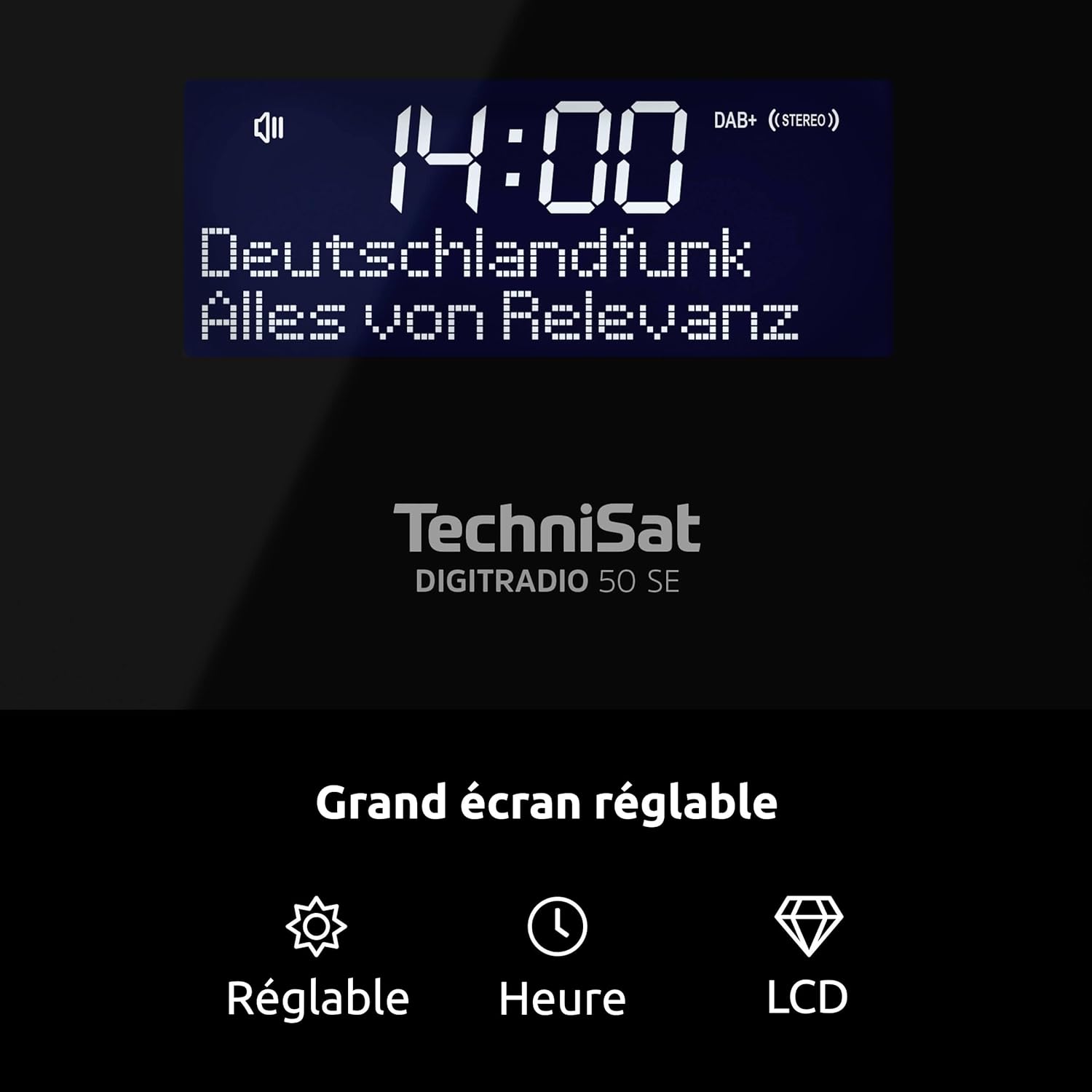
Image 4.4: Dimmable LCD display with time and date.
4.7 USB įkrovimo funkcija
The DIGITRADIO 50 SE features a USB charging port (DC OUT 5V/1A) on the rear panel.
- Connect your smartphone or other compatible USB-powered device to the DC OUT 5V/1A port using a suitable USB cable.
- The device will begin charging. Note that charging speed may vary depending on the connected device.
4.8 Ausinių naudojimas
For private listening, connect standard 3.5mm stereo headphones to the headphone jack on the rear of the unit. The internal speaker will be muted automatically.
5. Priežiūra
- Valymas: Radijo imtuvo išorę valykite minkštu, sausu skudurėliu. Nenaudokite abrazyvinių valiklių, vaško ar tirpiklių, nes jie gali pažeisti apdailą.
- Vieta: Place the radio on a stable, flat surface. Avoid placing it in direct sunlight, near heat sources, or in areas with high humidity or dust.
- Antena: Atsargiai elkitės su laidine antena, kad jos nepažeistumėte.
6. Problemų sprendimas
| Problema | Galima priežastis | Sprendimas |
|---|---|---|
| Nėra maitinimo / Įrenginys neįsijungia. | Maitinimo adapteris neprijungtas arba sugedęs. | Įsitikinkite, kad maitinimo adapteris yra tvirtai prijungtas prie radijo imtuvo ir veikiančio maitinimo lizdo. Išbandykite kitą lizdą. |
| Prastas radijo signalo priėmimas (DAB+/FM). | Antenna not extended or poorly positioned. Interference from other electronics. Weak signal in the area. | Fully extend and adjust the wire antenna. Move the radio away from other electronic devices. Try repositioning the radio. |
| Signalizacija neskamba. | Alarm not activated or incorrectly set. Alarm volume too low. | Check alarm settings (time, source, rhythm, volume). Ensure the alarm is enabled. |
| Ekranas per ryškus/tamsus. | Reikia pakoreguoti ryškumo nustatymą. | Briefly press the large button on top of the unit to cycle through brightness levels. |
| USB įkrovimas neveikia. | USB cable faulty. Device not compatible or requires more power. | Išbandykite kitą USB laidą. Įsitikinkite, kad jūsų įrenginys suderinamas su 5 V / 1 A įkrovimu. |
7. Specifikacijos
- Prekinis ženklas: TechniSat
- Modelio numeris: 0000/3979
- Spalva: Juoda
- Ryšio technologija: USB (įkrovimui)
- Ypatingos savybės: 2 Alarms, USB Charging, Dimmable Display
- Suderinami įrenginiai: Headphones, USB-chargeable devices
- Gaminio matmenys (I x P x A): 17 cm x 8 cm x 9.5 cm
- Tiuningo technologija: DAB+/FM
- Maitinimo šaltinis: Corded Electric (External Power Supply DC 5.5V/2.0A)
- Palaikomos radijo juostos: DAB+, FM
- Įtraukti komponentai: DIGITRADIO 50 SE unit, Power adapter, User manual, Wire antenna
- OSD kalbos: English, German, French, Italian, Danish, Slovenian
- Gamintojas: TechniSat
- Kilmės šalis: Kinija
8. Garantija ir palaikymas
The TechniSat DIGITRADIO 50 SE comes with a manufacturer's warranty of 2 years.
For technical support, warranty claims, or further assistance, please contact TechniSat customer service. Refer to the official TechniSat website or the contact information provided in your product packaging for details.
Note: The availability of spare parts is indicated as 1 year. Software updates are not guaranteed beyond the initial purchase.


