
1. Įvadas
Thank you for choosing the Jadfezy 4K 30fps Sports Camera J-5000. This camera is designed to capture high-quality videos and photos of your adventures. It features 4K/30fps video recording, 20MP photo resolution, a 170° wide-angle lens, Wi-Fi connectivity, and a waterproof housing for underwater use up to 30 meters (98 feet). Please read this manual carefully to ensure proper operation and to maximize your camera's performance.

Image: The Jadfezy 4K 30fps Action Camera capturing a surfing moment.
2. Kas yra dėžutėje
Patikrinkite, ar pakuotėje yra visi toliau išvardyti daiktai:
- 1 x Jadfezy 4K Action Camera
- 2 x Rechargeable Batteries (1350 mAh each)
- 1x nuotolinio valdymo pultas
- 1x USB laidas
- 1 x naudojimo instrukcija (šis dokumentas)
- 1 x vandeniui atsparus dėklas
- Various Mounting Accessories (e.g., helmet mounts, bicycle mount, straps)
- 1 x Dual Battery Charging Base
- 1 x išorinis mikrofonas

Paveikslėlis: pilnas view of the Jadfezy 4K Sports Camera and its included accessories.
3. Produktas baigtasview
3.1 Kameros komponentai
Familiarize yourself with the main parts of your camera:
- Objektyvas: 170° wide-angle lens for expansive shots.
- 2 colių HD ekranas: Tiesioginiam naudojimui view, atkūrimas ir naršymas meniu.
- Maitinimo / režimo mygtukas: Įjungia / išjungia fotoaparatą ir perjungia režimus.
- Užrakto / Gerai mygtukas: Starts/stops recording, takes photos, confirms selections.
- Aukštyn/žemyn mygtukai: Navigates menu options.
- Mikrofonas: Integruota garso įrašymo funkcija.
- Pranešėjas: Garso atkūrimui.
- MicroSD kortelės lizdas: For storage (supports up to 64GB, Class 10 or higher recommended).
- USB prievadas: Įkrovimui ir duomenų perdavimui.
- External Microphone Port: Skirta prijungti pridedamą išorinį mikrofoną.
4. Sąranka
4.1 Baterijos įdėjimas ir įkrovimas
- Atidarykite baterijų skyriaus dangtelį, esantį fotoaparato apačioje.
- Insert a fully charged 1350 mAh battery, ensuring the contacts align correctly.
- Saugiai uždarykite akumuliatoriaus skyriaus dangtelį.
- To charge, place the batteries in the dual charging base and connect the USB cable to a power source. The indicator light will show charging status.

Image: The dual battery charging base with two batteries inserted for charging.
4.2 „MicroSD“ kortelės įdėjimas
- Raskite „microSD“ kortelės lizdą kameros šone.
- Insert a Class 10 or higher microSD card (up to 64GB) with the gold contacts facing the back of the camera until it clicks into place.
- Norėdami išimti, švelniai stumkite kortelę, kol ji iššoks.
4.3 Vandeniui atsparaus dėklo naudojimas
The waterproof case allows the camera to be used underwater up to 30 meters (98 feet).
- Ensure the camera is dry and clean before placing it in the case.
- Atidarykite vandeniui atsparaus dėklo fiksatorių ir atsargiai įdėkite kamerą.
- Tvirtai uždarykite skląstį, kad susidarytų vandeniui nepralaidus sandariklis.
- Before first use, test the waterproof case without the camera by submerging it in water for a few minutes to check for leaks.

Image: The Jadfezy 4K Sports Camera enclosed in its waterproof housing, submerged in water.
4.4 Montavimo priedai
Various mounts are included to attach your camera to helmets, bicycles, wrists, and other surfaces. Refer to the accessory diagram for specific attachment methods. Ensure all mounts are securely fastened before use.
5. Fotoaparato valdymas
5.1 Maitinimo įjungimas/išjungimas
- Norėdami įjungti: Paspauskite ir kelias sekundes palaikykite maitinimo / režimo mygtuką.
- Norėdami išjungti: Dar kartą paspauskite ir palaikykite maitinimo / režimo mygtuką, kol ekranas išsijungs.
5.2 Basic Controls and Mode Switching
- Maitinimo / režimo mygtukas: Short press to cycle through Video, Photo, Playback, and Settings modes.
- Užrakto / Gerai mygtukas: In Video mode, press to start/stop recording. In Photo mode, press to take a picture. In menu, press to confirm selection.
- Aukštyn/žemyn mygtukai: Used for navigating menu options and zooming (if applicable).
5.3 Vaizdo įrašymas
- Ensure the camera is in Video mode (indicated by an icon on the screen).
- Press the Shutter/OK button to start recording. A red indicator light will flash, and a timer will appear on the screen.
- Norėdami sustabdyti įrašymą, dar kartą paspauskite mygtuką „Užraktas / Gerai“.
5.4 Nuotraukų fotografavimas
- Switch to Photo mode using the Power/Mode button.
- Kadruokite kadrą naudodami ekraną.
- Norėdami nufotografuoti, paspauskite užrakto / gerai mygtuką.
5.5 Meniu naršymas ir nustatymai
From any mode, press the Power/Mode button repeatedly until you reach the Settings menu. Use the Up/Down buttons to navigate and the Shutter/OK button to select. Common settings include:
- Video Resolution (e.g., 4K/30fps, 1080P/60fps)
- Photo Resolution (e.g., 20MP)
- Ciklo įrašymas
- Laikas
- Poveikis
- Baltos spalvos balansas
- Data/Laikas
5.6 Wi-Fi Connection (X-Sport Pro App)
Connect your camera to your smartphone via Wi-Fi using the 'X-Sport Pro' app.
- Download and install the 'X-Sport Pro' app from your mobile app store.
- On the camera, enable Wi-Fi (usually found in the settings menu or by a dedicated Wi-Fi button/shortcut). The camera screen will display the Wi-Fi name (SSID) and password.
- On your smartphone, go to Wi-Fi settings and connect to the camera's Wi-Fi network using the provided password.
- Open the 'X-Sport Pro' app. You should now be able to control the camera, view gyvas kvailystage, and download files.
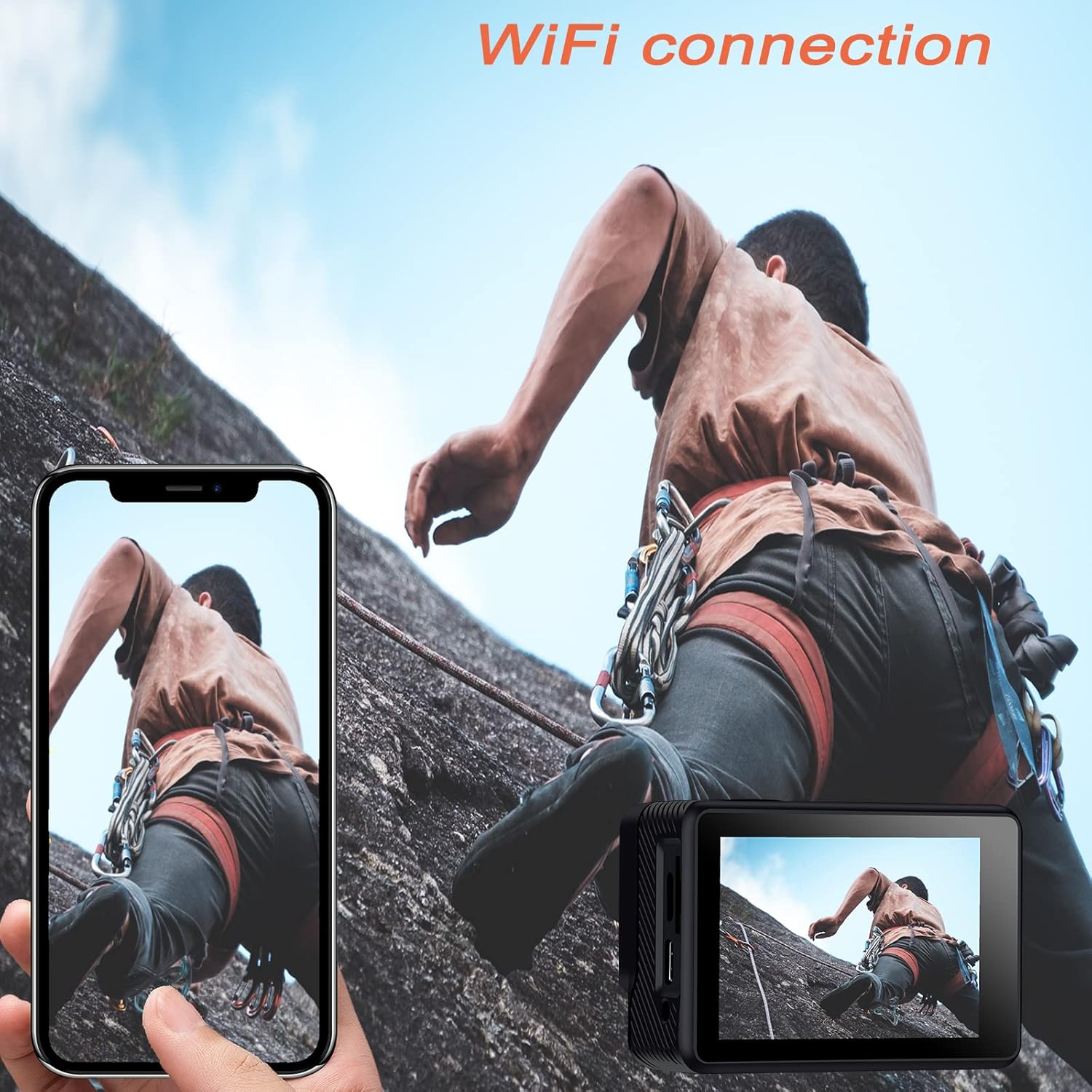
Image: The Jadfezy 4K Sports Camera displaying its screen, with a smartphone showing a live view via Wi-Fi connection.
5.7 Nuotolinio valdymo pulto naudojimas
The 2.4G wireless remote control allows for convenient operation from a distance.
- Vaizdo įrašo mygtukas: Paspauskite norėdami pradėti/sustabdyti vaizdo įrašymą.
- Nuotraukos mygtukas: Paspauskite norėdami nufotografuoti.

Image: A person wearing the remote control on their wrist, operating the Jadfezy 4K Sports Camera from a distance.
5.8 plataus kampo objektyvas
The 170° wide-angle lens captures a broader field of view, ideal for landscapes and action shots. This setting is fixed and provides a comprehensive perspective.

Image: A visual comparison demonstrating the expansive view captured by the 170° wide-angle lens compared to a narrower 140° view.
5.9 Išorinis mikrofonas
For enhanced audio quality, connect the included external microphone to the camera's external microphone port. This is particularly useful in noisy environments or when clearer voice recording is desired.

Image: The Jadfezy 4K Sports Camera with the external microphone plugged into its port.
5.10 Special Recording Modes
The camera offers several specialized modes:
- Laiko trukmės vaizdo įrašas: Captures a series of photos at set intervals and stitches them into a video.
- Lėtas judėjimas: Įrašo vaizdo įrašą didesniu kadrų dažniu, kad būtų galima atkurti sulėtintu režimu.
- „Loop Video“: Records video continuously, overwriting the oldest footage kai atminties kortelė pilna.
- Laikmatis: Delays photo capture for group shots or self-portraits.

Image: The Jadfezy 4K Sports Camera capturing a skateboarder performing a trick, demonstrating its use in action sports.
6. Priežiūra
6.1 Valymas
- Use a soft, lint-free cloth to clean the camera body and screen.
- Objektyvui valyti naudokite specializuotą objektyvo valymo šluostę ir tirpalą. Venkite liesti objektyvo pirštais.
- After using the waterproof case, rinse it with fresh water and allow it to air dry. Ensure no debris is caught in the seal.
6.2 Saugykla
- Fotoaparatą laikykite vėsioje, sausoje vietoje, toliau nuo tiesioginių saulės spindulių ir ekstremalių temperatūrų.
- Išimkite baterijas, jei fotoaparatas bus nenaudojamas ilgesnį laiką.
6.3 Akumuliatoriaus priežiūra
- Fully charge batteries before each use.
- Avoid completely draining the batteries to prolong their lifespan.
- Senas baterijas išmeskite pagal vietinius reikalavimus.
7. Problemų sprendimas
| Problema | Galima priežastis | Sprendimas |
|---|---|---|
| Kamera neįsijungia | Low battery; Battery incorrectly installed; Faulty battery | Charge battery; Reinstall battery; Try a different battery |
| Nepavyksta įrašyti vaizdo / fotografuoti | No microSD card; MicroSD card full; MicroSD card error | Insert microSD card; Delete files or use new card; Format microSD card (backup data first) |
| „Wi-Fi“ ryšys nepavyksta | Incorrect password; Camera Wi-Fi not enabled; App issue | Re-enter password; Enable Wi-Fi on camera; Restart app/phone/camera |
| Nuotolinio valdymo pultas neveikia | Remote battery low; Not paired; Out of range | Replace remote battery; Re-pair remote (refer to camera settings); Operate within range |
| Prasta garso kokybė | Built-in mic obstructed; No external mic connected; Environmental noise | Ensure mic is clear; Connect external mic; Reduce ambient noise |
8. Specifikacijos
| Funkcija | Detalė |
|---|---|
| Modelio numeris | J-5000 |
| Vaizdo raiška | 4K/30 kadrai per sekundę |
| Nuotraukų raiška | 20 MP |
| Objektyvas | 170° platus kampas |
| Ekrano dydis | 2 colių HD |
| Atsparus vandeniui gylis | Up to 30m (98ft) with waterproof case |
| Baterijos talpa | 2 x 1350 mAh rechargeable batteries |
| Sandėliavimas | MicroSD card (up to 64GB, Class 10+) |
| Ryšys | Wi-Fi (X-Sport Pro App), USB |
| Ypatingos savybės | Remote Control, Anti-vibration, Time-lapse, Slow Motion, Loop Video, Self-timer |
| Matmenys | 6 x 3 x 3.9 cm |
| Svoris | 420 g |
9. Garantija ir palaikymas
For warranty information and technical support, please refer to the contact details provided on the product packaging or the official Jadfezy websvetainėje. Išsaugokite pirkimo kvitą kaip pirkimo įrodymą bet kokiems garantiniams prašymams.


