Įvadas
The HerQs Connected Digital Dome Thermometer is designed to transform your standard barbecue into a smart grilling system. This device replaces your existing dome thermometer, providing real-time temperature monitoring directly on its digital display and via a connected smartphone or tablet application. It allows for precise control over your cooking process, ensuring professional BBQ results every time.
With the ability to connect up to four temperature probes, you can monitor both the ambient temperature inside your grill and the internal temperature of multiple food items simultaneously. The intuitive HerQs app offers advanced features such as temperature graphs, customizable alarms, and preset cooking temperatures for various meat types.
Pakuotės turinys
Įsitikinkite, kad jūsų siuntinyje yra visi daiktai:
- HerQs Connected Digital Dome Thermometer Unit
- 2 x Professional Stainless Steel Temperature Probes
- 2 x AA baterijos
- Vartotojo vadovas (šis dokumentas)
Produktas baigtasview
Familiarize yourself with the components and features of your HerQs Connected Digital Dome Thermometer.

3.1 paveikslas: Priekyje view of the HerQs Connected Digital Dome Thermometer, showing its digital display with temperature readings and probe indicator.
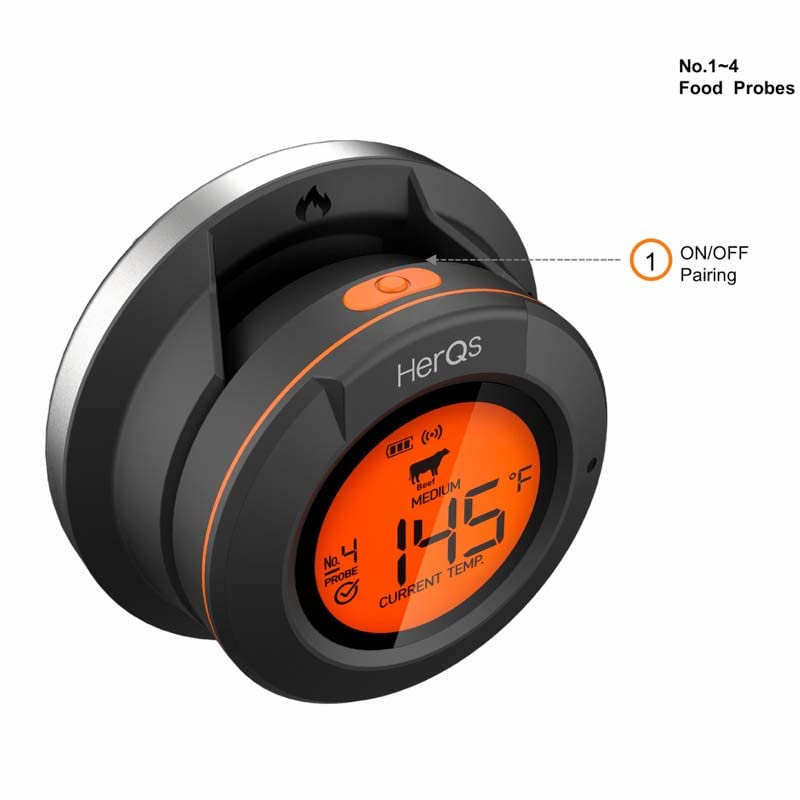
3.2 paveikslas: Kampuotas view of the thermometer, illustrating the location of the ON/OFF and pairing button for Bluetooth connectivity.
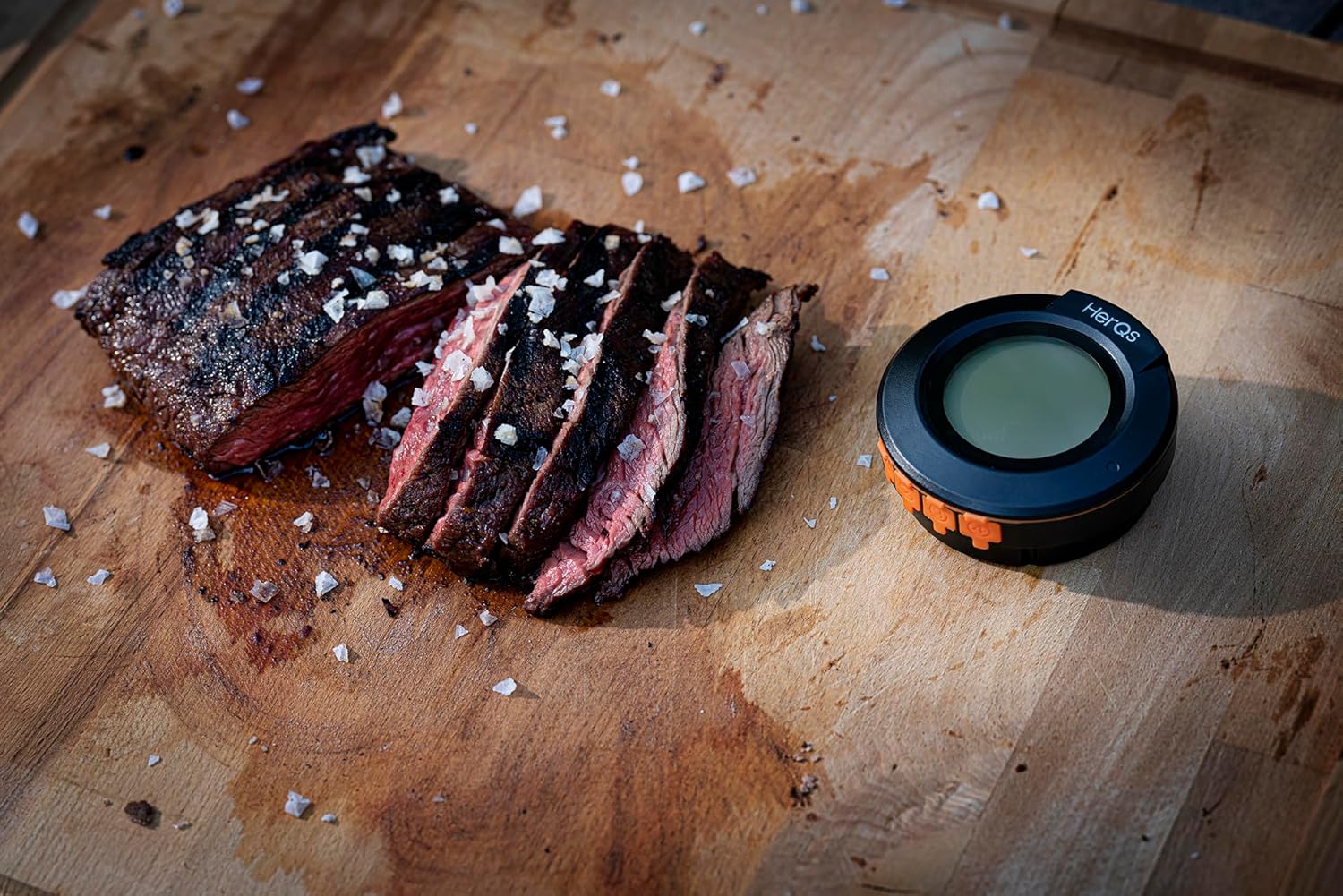
3.3 paveikslas: The HerQs thermometer in a real-world cooking scenario, positioned beside a sliced grilled steak, demonstrating its compact size and utility.

3.4 paveikslas: A screenshot of the HerQs mobile application interface, showing detailed cook information including current temperature, target temperature, and a temperature trend graph.
Sąrankos vadovas
- Įdėkite baterijas: Open the battery compartment on the back of the thermometer. Insert the two included AA batteries, ensuring correct polarity. Close the compartment securely.
- Replace Existing Dome Thermometer: Carefully remove the existing dome thermometer from your barbecue lid. Insert the HerQs Connected Digital Dome Thermometer into the opening. Ensure it is securely fitted. If your barbecue does not have a dome thermometer opening, you can use the included stand to place the thermometer where desired.
- Connect Temperature Probes: Insert the stainless steel temperature probes into the designated ports on the side of the thermometer. The device supports up to 4 probes; 2 are included.
- Download the HerQs App:
Download the free HerQs app from the App Store (for iOS devices) or Google Play Store (for Android devices). Ieškokite "HerQs".
- Supported iOS Devices: iPhone 6S or later, iPod touch 6th generation or later, iPad 4th generation or later, all generations of iPad mini.
- Palaikomi Android įrenginiai: Android version 4.3 or newer with Bluetooth 4.0 modules.
- Susiekite su įrenginiu:
Turn on the HerQs thermometer by pressing the ON/OFF button. Open the HerQs app on your smartphone or tablet. The app will automatically search for and connect to your thermometer via Bluetooth. Follow any on-screen prompts within the app to complete the pairing process. The wireless range is approximately 60 meters (200 feet) in an open environment.
Naudojimo instrukcijos
Once set up, your HerQs thermometer is ready for use. The device displays the current ambient temperature, and the app provides comprehensive monitoring for all connected probes.
- Temperatūros stebėjimas:
The digital display on the dome thermometer shows the current ambient temperature inside your grill. For detailed food temperatures, open the HerQs app. The app displays current temperatures for each connected probe, along with target temperatures and cooking progress.
- Using the HerQs App:
The app is your primary interface for advanced features:
- Temperature Graphs: View real-time temperature trends for each probe, allowing you to track the cooking progress over time.
- Iš anksto nustatytos temperatūros: Select from a variety of preset temperatures for different types of meat (e.g., rare, medium-rare, medium, medium-well, well-done). These presets are optimized for common cooking results.
- Custom Target Temperatures: Manually set your desired target temperature for any probe.
- Signalų nustatymas:
The HerQs app allows you to set various alarms to notify you when specific conditions are met:
- Aukštos/žemos temperatūros pavojaus signalas: Set a maximum or minimum temperature threshold. An alarm will sound if the temperature goes above or below this range.
- Temperature Range Alarm: Define a specific temperature range. An alarm will activate if the temperature falls outside this range.
- Virtuvės laikmatis: Use the integrated timer function for timed cooking, independent of temperature.
You can customize notification settings within the app to receive alerts on your smartphone or tablet.
- Zondo vieta:
For accurate food temperature readings, insert the probe tip into the thickest part of the meat, avoiding bone or gristle. For ambient temperature, ensure the dome thermometer is securely placed in the grill lid.
Priežiūra ir priežiūra
Proper maintenance ensures the longevity and accuracy of your HerQs thermometer.
- Valymas: After each use, clean the stainless steel probes with a damp cloth and mild detergent. Do not immerse the main thermometer unit in water. Wipe the unit with a clean, dry cloth.
- Saugykla: Store the thermometer and probes in a dry place when not in use. Avoid extreme temperatures.
- Baterijos keitimas: Replace batteries when the low battery indicator appears on the display or in the app. Use 2 AA batteries.
- Zondų priežiūra: Avoid bending the probe cables sharply, as this can damage the internal wiring. Do not expose the probe handles to direct flame.
Trikčių šalinimas
If you encounter issues with your HerQs thermometer, refer to the following common solutions:
| Problema | Galima priežastis | Sprendimas |
|---|---|---|
| Termometras neįsijungia. | Neišsikrovusios arba neteisingai įdėtos baterijos. | Patikrinkite baterijų poliškumą. Pakeiskite naujomis AA baterijomis. |
| Cannot connect to HerQs app. | Bluetooth is off on your device; thermometer is out of range; app not updated; thermometer not in pairing mode. | Ensure Bluetooth is enabled. Move closer to the thermometer (within 60m). Restart the app and thermometer. Check for app updates. |
| Netikslūs temperatūros rodmenys. | Probe not fully inserted; probe tip touching bone/gristle; damaged probe. | Ensure probe is fully inserted into the thickest part of the meat, away from bone. Test probe in boiling water (should read 100°C/212°F). If damaged, replace probe. |
| App notifications not working. | Notification settings disabled in app or phone settings. | Check notification settings within the HerQs app and your smartphone's system settings. |
Specifikacijos
| Funkcija | Detalė |
|---|---|
| Modelio numeris | HERQS003 |
| Maitinimo šaltinis | 2 x AA baterijos (pridedamos) |
| Baterijos veikimo laikas | Iki 200 valandų |
| Temperature Range (Peak) | 1–350 °C / 33–572 °F |
| Temperature Range (Continuous) | 1–250 °C / 33–482 °F |
| Temperatūros nuokrypis | daugiausiai 1 proc. |
| Zondo talpa | Up to 4 probes (2 professional stainless steel probes included) |
| Ekrano tipas | Digital LCD (backlit) |
| Ryšys | Bluetooth 4.0 |
| belaidis diapazonas | Iki 60 metrų (200 pėdų) |
| Medžiaga (išorė) | Silikonas |
| Matmenys (I x P x A) | 6 x 6 x 5 cm |
| Svoris | 480 gramų |
| Sertifikatai | Atitinka CE |
| Kilmės šalis | Kinija |
Garantija ir palaikymas
HerQs products are manufactured to high-quality standards. This product comes with a commitment to spare parts availability for 2 years from the date of purchase.
For technical support, troubleshooting assistance, or warranty inquiries, please refer to the HerQs official website or contact their customer service through the contact information provided in the HerQs application or on their official product page. Please have your model number (HERQS003) and purchase details ready when contacting support.
Norėdami gauti naujausią informaciją ir pagalbos išteklius, apsilankykite: www.herqs.com (Pastaba: tai yra vietos rezervavimo ženklas URL, prašome kreiptis į faktinį gamintojo webpalaikymo svetainė.)


