1. Įvadas
This user manual provides essential information for the safe and efficient operation, maintenance, and troubleshooting of your Generac GB2000 Portable Power Station. Please read this manual thoroughly before using the device.
The Generac GB2000 is a 2106Wh portable power station designed to provide clean, emission-free power for various applications, including home use, camping, RVs, and outdoor activities. It features a lithium-ion battery, wireless charging, and multiple output ports.
2. Saugos informacija
Visada laikykitės šių saugos nurodymų, kad išvengtumėte sužalojimų ar įrenginio pažeidimo:
- Neišardykite, neremontuokite ir nekeiskite įrenginio.
- Laikykite įrenginį atokiau nuo ugnies, šilumos šaltinių ir tiesioginių saulės spindulių.
- Venkite vandens ar kitų skysčių poveikio.
- Nenaudokite įrenginio, jei jis pažeistas arba buvo numestas.
- Naudojimo ir įkrovimo metu užtikrinkite tinkamą vėdinimą.
- Laikyti vaikams nepasiekiamoje vietoje.
3. Produkto komponentai ir savybės
The Generac GB2000 Portable Power Station is designed for versatility and ease of use. Below is an overview pagrindinių jo komponentų ir savybių.

3.1 pav.: Priekinis skydelisview of Generac GB2000. This image highlights the multi-color display, LED ON/OFF button, diffused LED light, parallel ports, 12V car port, DC output ON/OFF button, USB-A output receptacles, USB-C output receptacles, AC output ON/OFF button, and NEMA 1-15R AC receptacles.
- Multi-Color 4.7" Display: Provides real-time information on battery level, remaining runtime, and output/input wattage.
- AC Outlets (3x NEMA 1-15R): For powering standard household appliances.
- USB-A prievadai (2x): Skirta įkrauti įrenginius, suderinamus su USB-A.
- USB-C prievadai (2x): Skirta įkrauti įrenginius, suderinamus su USB-C.
- 12 V automobilio prievadas: For powering 12V DC devices or charging from a vehicle.
- Wireless Charging Pad (15W): Conveniently charge compatible smartphones by placing them on top of the unit.
- Lygiagretūs prievadai: Leidžia prijungti du GB2000 įrenginius, kad būtų padidinta galia (lygiagretaus jungimo rinkinys parduodamas atskirai).
- Patvarus dizainas: Lightweight and compact with an ergonomic handle for easy transport.
4. Sąranka ir pradinis įkrovimas
Before first use, fully charge your Generac GB2000 Portable Power Station.
4.1 Išpakavimas
Carefully remove the power station and all accessories from the packaging. Verify that all components listed in the packing list are present and undamaged.
4.2 Įkrovimo būdai
The GB2000 offers multiple charging options:
- Wall Outlet (AC): Connect the provided AC charging cable to the AC input port on the unit and then to a standard wall outlet. The unit can achieve 0 to 80% charge in approximately 3.3 hours.
- Solar Panel (DC): Connect compatible solar panels (sold separately) to the DC input port. Ensure the solar panels are positioned for maximum sunlight exposure.
- Car Charger (DC): Use the provided car charging cable to charge the unit from your vehicle's 12V cigarette lighter port.
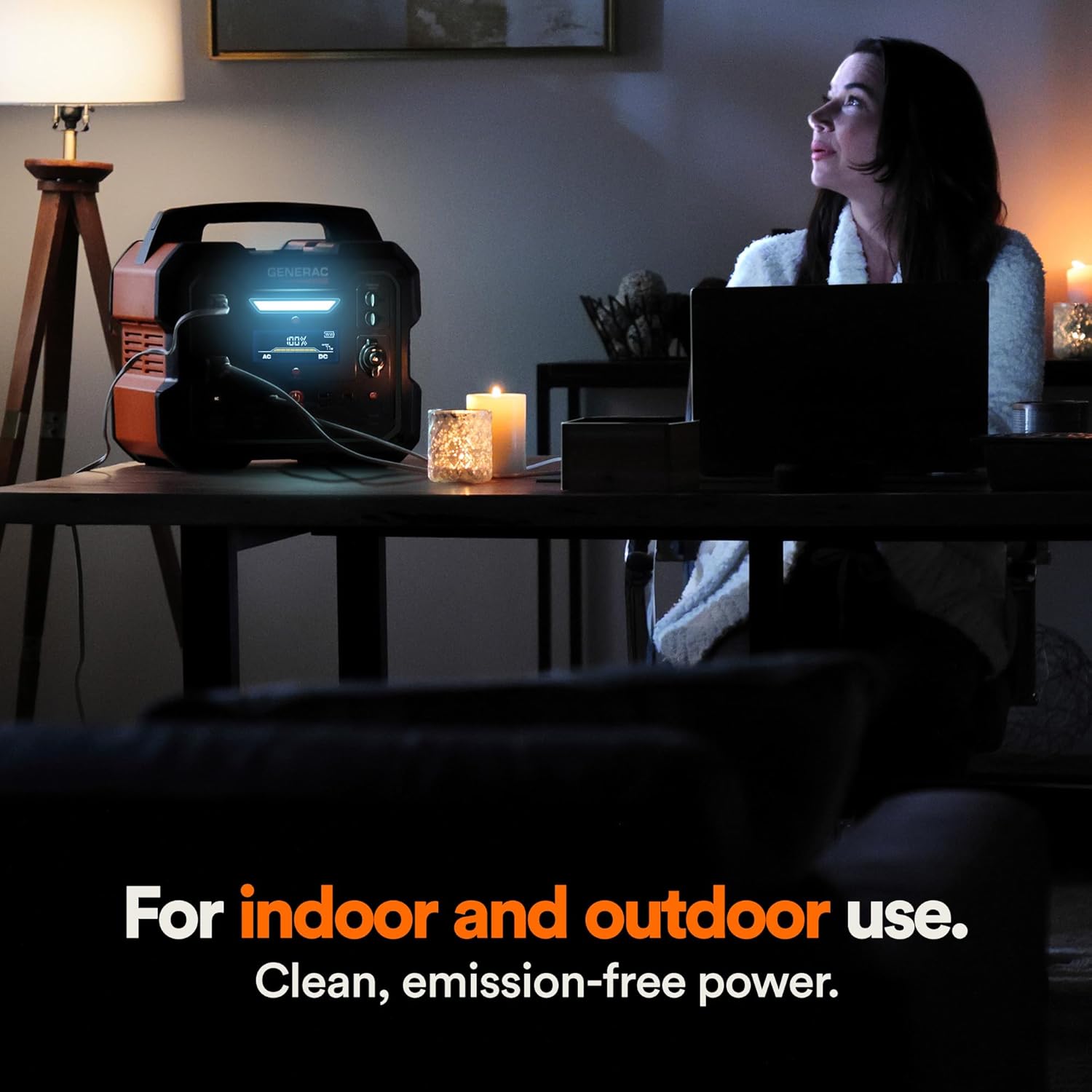
Figure 4.1: Fast Solar Recharging. The Generac GB2000 can be recharged using solar panels (sold separately) for efficient power supply in outdoor environments.
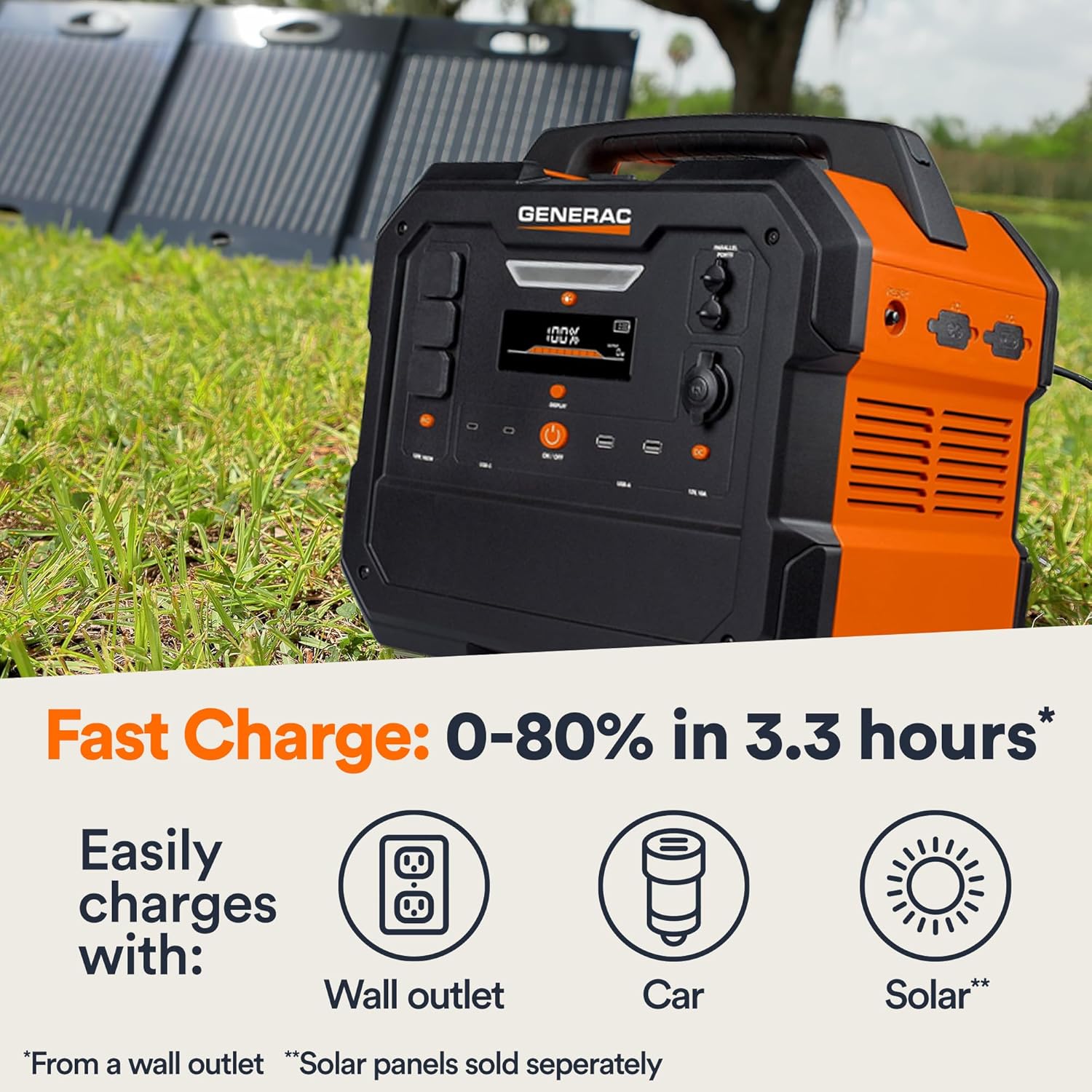
Figure 4.2: Rear Input Ports. This image shows the AC and DC input ports on the back of the Generac GB2000 for various charging methods.
5. Naudojimo instrukcijos
5.1 Įjungimas / išjungimas
Press and hold the main ĮJUNGTA/IŠJUNGTA button located on the front panel to power on or power off the unit. The display will illuminate upon activation.
5.2 Išvesties prievadų naudojimas
To use specific output ports (AC, DC, USB), press the corresponding ON/OFF button for that section. The indicator light next to the button will illuminate when active.
- Kintamosios srovės išėjimas: Connect your devices to the NEMA 1-15R outlets. Ensure the total wattage of connected devices does not exceed 1600W continuous output or 3200W surge.
- DC išėjimas: Use the 12V car port for compatible DC devices.
- USB išvestis: Plug your USB-A or USB-C cables into the respective ports for charging smartphones, tablets, and other USB-powered devices.
- Belaidis įkrovimas: Place your Qi-compatible device on the wireless charging pad on top of the unit.

Figure 5.1: Indoor Use of Generac GB2000. The power station provides clean, emission-free power, making it safe for indoor use to power essential devices like laptops and lighting.
5.3 Powering Electric Vehicles (EVs)
The Generac GB2000 can provide emergency power to electric vehicles. While not a primary charging solution, it can offer enough charge to reach a charging station.
5.4 Runtime and Capacity
The GB2000 has a 2106Wh capacity. The actual runtime depends on the power consumption of connected devices. Refer to the table below for estimated runtimes for common appliances:
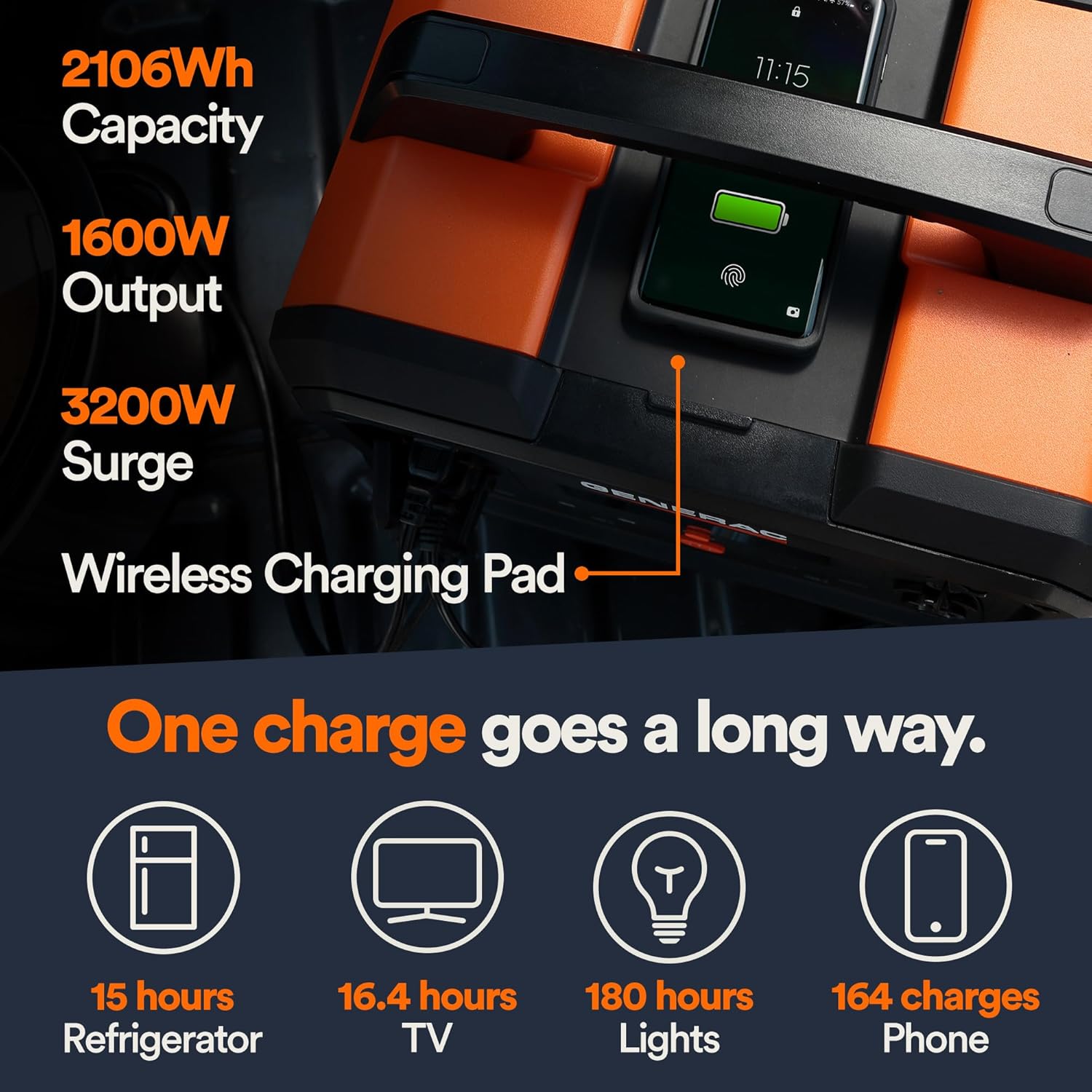
Figure 5.2: Estimated Device Runtimes. This table provides approximate usage durations for various household, jobsite, and recreation devices when powered by the Generac GB1000 and GB2000 models.
| Įrenginys | Running Watts (Approx.) | Estimated Runtime (GB2000) |
|---|---|---|
| Šviesa | 10W | 180 valandos |
| CPAP | 40W | 45 valandos |
| Šaldytuvas | 120W | 15 valandos |
| Mikrobangų krosnelė | 1200W | 1.5 valandos |
| 50 colių televizorius | 110W | 16.4 valandos |
| Phone (164 charges) | 11 Wh | 164 mokesčiai |
6. Priežiūra ir sandėliavimas
6.1 Valymas
Nuvalykite įrenginį sausa, minkšta šluoste. Nenaudokite abrazyvinių valiklių ar tirpiklių.
6.2 Saugykla
Store the Generac GB2000 in a cool, dry place, away from direct sunlight and extreme temperatures. For long-term storage, charge the unit to 50-80% every 3-6 months to maintain battery health.
7. Problemų sprendimas
| Problema | Galima priežastis | Sprendimas |
|---|---|---|
| Įrenginys neįsijungia | Low battery; Main ON/OFF button not pressed long enough. | Charge the unit; Press and hold the ON/OFF button for 3 seconds. |
| AC išvestis neveikia | Kintamosios srovės išvestis neįjungta; suaktyvinta apsauga nuo perkrovos. | Press the AC ON/OFF button; Reduce load, then restart AC output. |
| Belaidis įkrovimas neveikia | Device not Qi-compatible; Device not properly aligned. | Ensure device is Qi-compatible; Reposition device on the charging pad. |
| Įrenginio perkaitimas | Prasta ventiliacija; Per didelė apkrova. | Užtikrinkite laisvą oro cirkuliaciją aplink įrenginį; Sumažinkite prijungtą apkrovą. |
If issues persist, please contact Generac customer support.
8. Techninės specifikacijos
| Specifikacija | Vertė |
|---|---|
| Modelio pavadinimas | GB2000 |
| Prekės modelio numeris | 8026 |
| Baterijos tipas | Ličio jonų |
| Talpa | 2106 Wh |
| Continuous AC Output | 1600W |
| Peak AC Output (Surge) | 3200W |
| Belaidžio įkrovimo išvestis | 15W |
| Matmenys (I x P x A) | 16.8" x 10.4" x 15.1" |
| Svoris | 48.8 svaro |
| Recharge Time (0-80% Wall Outlet) | 3.3 valandos |
9. Galimi priedai
Enhance the functionality of your Generac GB2000 with these optional accessories:

Figure 9.1: Parallel Kit. Connect two Generac Power Stations together for increased power output.
- Lygiagretus rinkinys: Connects two Generac power stations to double the output capacity.
- Įkrovimo stiprintuvas: Provides up to 50% faster charging.
- Saulės elementai: For quick and efficient recharging using solar energy.
10. Garantija ir palaikymas
For warranty information and customer support, please refer to the official Generac websvetainėje arba susisiekite su jų klientų aptarnavimo linija. Išsaugokite pirkimo kvitą garantiniams reikalavimams.
Generac offers protection plans for extended coverage:
- 3 metų apsaugos planas
- 4 metų apsaugos planas
- Visapusiška apsauga: vienas planas apima visus ankstesnius ir būsimus pirkinius, kurie atitinka reikalavimus.


