Įvadas
This manual provides essential information for setting up, operating, maintaining, and troubleshooting your HP 17.3-inch laptop. This device is designed for business and educational use, offering robust performance and connectivity.

Figure 1: HP 17.3-inch Laptop Overview. This image displays the laptop open, revealing the large screen and full-size keyboard with a numeric keypad.
Kas yra dėžutėje
Patikrinkite, ar pakuotėje yra visi daiktai:
- HP 17.3-inch Laptop
- Maitinimo adapteris ir laidas
- Greito paleidimo vadovas (gali būti pridėtas atskirai)
Sąranka
- Prijunkite maitinimą: Plug the power adapter into the laptop's power port and then into a wall outlet. Allow the battery to charge for at least 30 minutes before first use.
- Maitinimas: Atidarykite nešiojamojo kompiuterio dangtį ir paspauskite maitinimo mygtuką, kuris paprastai yra klaviatūros apačioje.
- Pradinė „Windows“ sąranka: Follow the on-screen prompts to complete the Windows 10 Pro setup, including language, region, network connection, and user account creation.
- Prisijunkite prie „Wi-Fi“: During setup or afterward, select your Wi-Fi network from the available list and enter the password. The laptop supports Wi-Fi 5 (802.11ac).
- Pirštų atspaudų skaitytuvo sąranka: If desired, configure the fingerprint reader for secure login through Windows Settings.
- Prijunkite išorinius įrenginius: Use the available ports to connect external devices such as a mouse, keyboard, external display, or USB storage.

Figure 2: Left Side Ports. This image shows the left side of the laptop, featuring a USB 3.0 Type-A port, an HDMI port, a USB 3.0 Type-C port, and a headphone/microphone combo jack.

Figure 3: Right Side Ports. This image displays the right side of the laptop, including a USB 3.0 Type-A port, the power input, and various status indicator LEDs.
Nešiojamojo kompiuterio valdymas
Energijos valdymas
- Maitinimo įjungimas/išjungimas: Press the power button to turn the laptop on. To turn off, go to the Start Menu in Windows and select Power > Shut down.
- Miegojimo rezimas: Close the lid or select Power > Sleep from the Start Menu to put the laptop into a low-power state.
- Paleisti iš naujo: Select Power > Restart from the Start Menu to reboot the system.
Klaviatūra ir jutiklinė dalis
- Nešiojamasis kompiuteris turi pilno dydžio klaviatūrą su skaitmenine klaviatūra.
- Jutiklinė planšetė palaiko kelių lietimų gestus naršymui. Norėdami pritaikyti, žr. „Windows“ nustatymus.
Ekranas ir grafika
- The 17.3-inch Full HD (1920 x 1080) IPS anti-glare display provides wide viewkampų.
- Adjust display settings (brightness, resolution) through Windows Display Settings.
- The integrated AMD Radeon graphics handle visual processing.
Ryšys
- „Wi-Fi“: Connect to wireless networks via Wi-Fi 5 (802.11ac). Manage connections through the network icon in the taskbar.
- Bluetooth: Pair Bluetooth devices (e.g., headphones, mouse) via Windows Bluetooth settings.
- USB prievadai: Utilize the USB 3.0 Type-C and Type-A ports for data transfer and connecting peripherals.
- HDMI: Connect an external monitor or projector using the HDMI port.
- Garso lizdas: Use the headphone/microphone combo jack for audio output and input.
Webkamera ir garsas
- The TrueVision HD Camera is suitable for video calls and online meetings.
- Tuned stereo speakers provide audio output. Adjust volume via the taskbar icon or keyboard function keys.
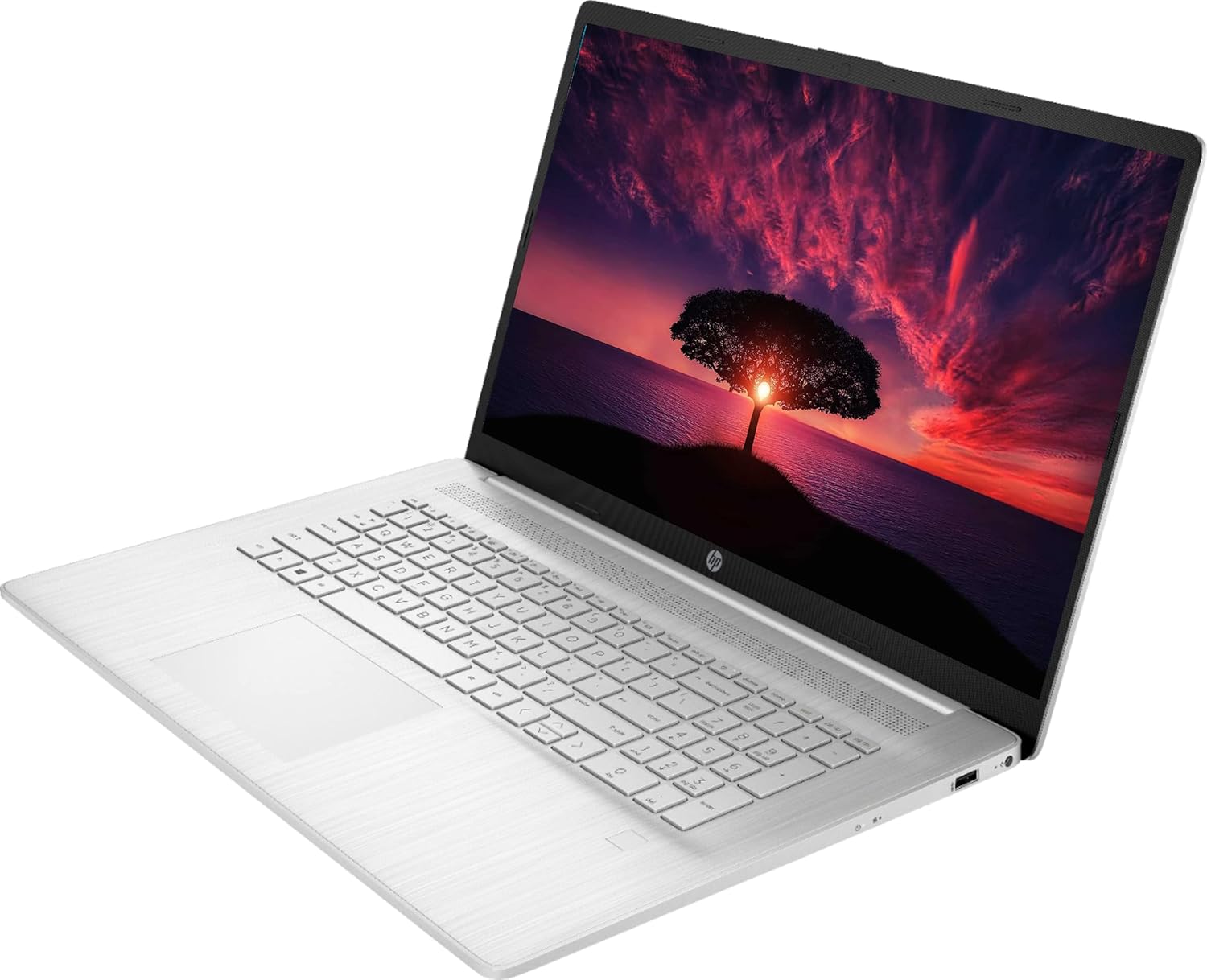
Figure 4: Laptop in Use. This image shows the HP laptop open at an angle, highlighting the display and the keyboard layout during operation.
Priežiūra
Valymas
- Ekranas: Lengvai naudokite minkštą, nepūkuotą audinį dampnuplaukite vandeniu arba ekrano valikliu. Nepurkškite skysčio tiesiai ant ekrano.
- Klaviatūra ir korpusas: Naudokite minkštą, sausą šluostę. Įsisenėjusius nešvarumus lengvai nuvalykite.amp Galima naudoti šluostę su švelniu muilo tirpalu, užtikrinant, kad skystis nepatektų į angas.
- Venkite abrazyvinių valiklių ar tirpiklių.
Akumuliatoriaus priežiūra
- Norėdami pailginti baterijos veikimo laiką, venkite ekstremalių temperatūrų.
- Do not leave the laptop constantly plugged in at 100% charge for extended periods.
- Prieš įkraudami akumuliatorių, periodiškai jį iškraukite iki maždaug 20 %.
Programinės įrangos atnaujinimai
- Regularly check for and install Windows updates via Windows Settings > Update & Security.
- Ensure drivers are up-to-date. HP provides driver updates through its support website or pre-installed utility software.
Sandėliavimo valdymas
- Periodiškai valykite nereikalingus files and applications to maintain optimal performance of the 1TB SSD.
- Consider external storage for large backups.
Trikčių šalinimas
| problema | Galimas sprendimas |
|---|---|
| Nešiojamasis kompiuteris neįsijungia. | Įsitikinkite, kad maitinimo adapteris yra tvirtai prijungtas tiek prie nešiojamojo kompiuterio, tiek prie veikiančio maitinimo lizdo. Patikrinkite, ar maitinimo lizdas veikia. Išbandykite kitą lizdą. |
| Ekrane nėra vaizdo. | Check if the laptop is powered on. Adjust screen brightness using function keys. If an external monitor is connected, ensure it's properly connected and selected as the output. |
| „Wi-Fi“ ryšio problemos. | Verify Wi-Fi is enabled in Windows settings. Restart your router and modem. Ensure you are within range of the Wi-Fi signal. Re-enter the Wi-Fi password. |
| Audio not working. | Check volume levels in Windows and on any connected external speakers/headphones. Ensure correct audio output device is selected in Sound settings. Update audio drivers. |
| Laptop is slow or unresponsive. | Close unnecessary applications. Check Task Manager for high CPU/RAM usage. Ensure Windows and drivers are up to date. Run a system scan for malware. Consider restarting the laptop. |
| Pirštų atspaudų skaitytuvas neveikia. | Ensure your finger is clean and dry. Re-enroll your fingerprint in Windows Settings > Accounts > Sign-in options. Update fingerprint reader drivers. |
Specifikacijos
| Modelio pavadinimas | HP 17 |
| Procesorius | AMD Ryzen 5 5500U (4 GHz, 6 branduoliai) |
| RAM | 32GB DDR4 |
| Sandėliavimas | 1TB SSD |
| Ekranas | 17.3-inch FHD (1920 x 1080) IPS Anti-Glare |
| Grafika | Integruota AMD Radeon grafika |
| Operacinė sistema | Windows 10 Pro |
| Belaidis ryšys | „Wi-Fi 5“ (802.11ac), „Bluetooth 4.2“ |
| Uostai | 2 x USB 3.0 Type-C, 1 x USB 3.0 Type-A, 1 x HDMI, 1 x Headphone/Microphone Combo Jack |
| Webkumštelis | TrueVision HD Camera |
| Ypatingos savybės | Pirštų atspaudų skaitytuvas |
| Baterijos veikimo laikas (vidutinis) | Iki 8.13 valandų |
| Matmenys (IxPxH) | 15.78 x 0.78 x 10.15 colio |
| Svoris | 7.58 svaro |
Garantija ir palaikymas
Your HP 17.3-inch laptop comes with a 1 metų gamintojo garantija. For warranty claims, technical assistance, or additional support, please visit the official HP support websvetainėje arba susisiekite su HP klientų aptarnavimo tarnyba.
HP palaikymas Websvetainė: support.hp.com
Please have your product's serial number ready when contacting support. The serial number is typically located on a sticker on the bottom of the laptop or can be found in the system information within Windows.