Įvadas
This manual provides comprehensive instructions for the ENDORFY Omnis Pudding Onyx White Red mechanical keyboard (Model EY5A036). This full-size keyboard features Kailh Red mechanical switches, durable PBT Pudding keycaps, and customizable ARGB backlighting. It is designed for various applications, including gaming, creative work, and general office use, offering a responsive and comfortable typing experience. Key features include a reinforced chassis, a detachable magnetic wrist rest, and a metal volume wheel for convenient audio control.
Pakuotės turinys
- ENDORFY Omnis Pudding Onyx White Red Mechanical Keyboard
- Detachable USB-A Cable
- Magnetinė riešo atrama
- Vartotojo vadovas (šis dokumentas)
Sąranka
1. Klaviatūros prijungimas
Connect the detachable USB-A cable to the USB-C port on the keyboard and then to an available USB-A port on your computer. The keyboard is plug-and-play and should be recognized automatically by your operating system.
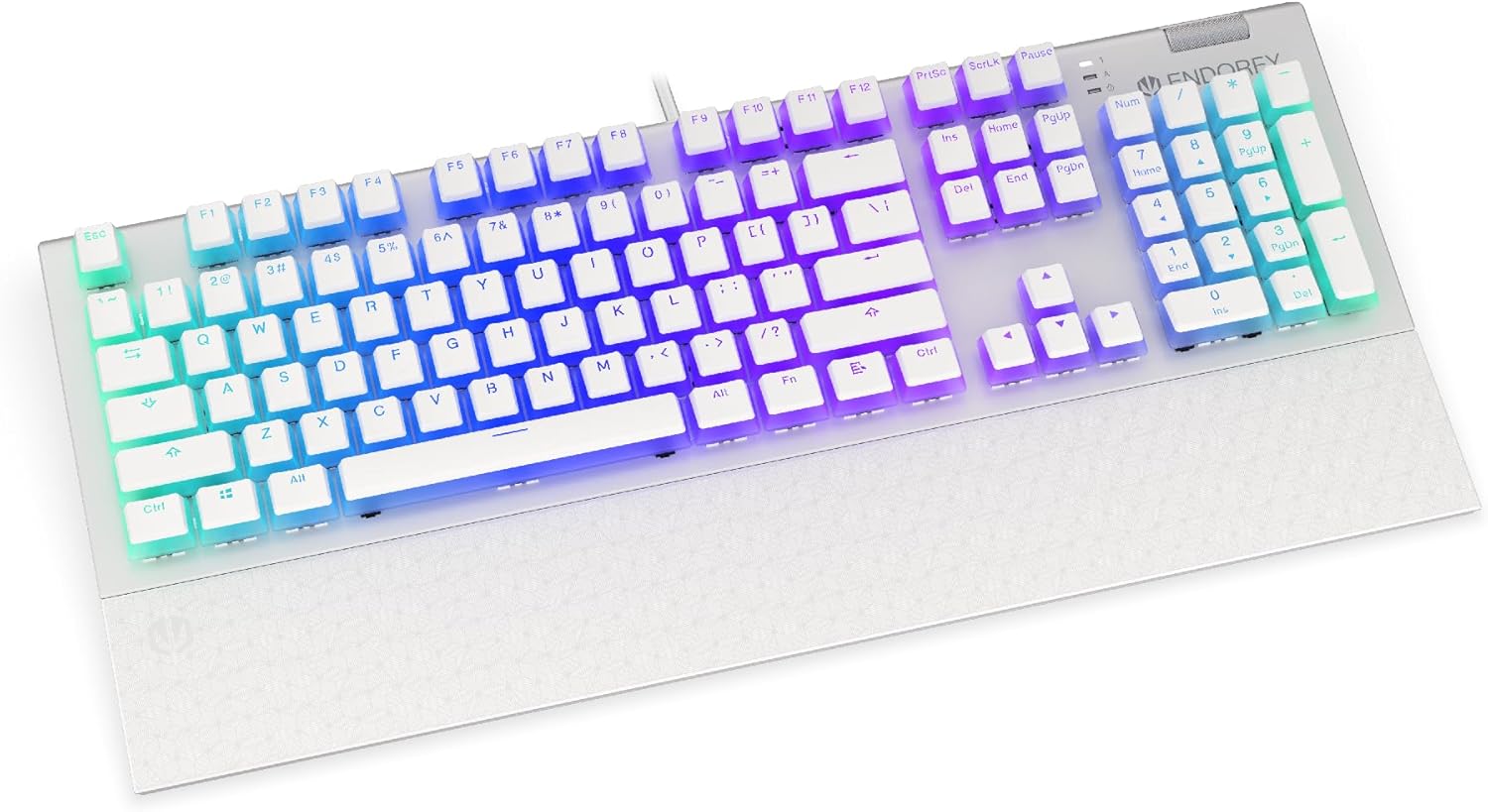
Vaizdas: priekis view of the ENDORFY Omnis Pudding Onyx White Red mechanical keyboard, showcasing its full layout and connected cable.
2. Riešo atramos pritvirtinimas
Align the magnetic wrist rest with the front edge of the keyboard. The magnets will automatically secure it in place, providing ergonomic support during use.

Vaizdas: kampuotas view of the ENDORFY Omnis Pudding Onyx White Red mechanical keyboard with the magnetic wrist rest attached, highlighting the seamless integration.
3. Programinės įrangos diegimas (neprivaloma)
For advanced customization of lighting effects, key assignments, and macros, download the official ENDORFY software from the manufacturer's websvebsaitą. Vadovaukitės ekrane pateikiamomis diegimo instrukcijomis.
Naudojimo instrukcijos
Pagrindinės klaviatūros funkcijos
The keyboard features a standard full-size layout with a dedicated numpad, function keys (F1-F12), and navigation keys. All keys operate as standard input devices for your computer.
Volume Wheel Operation
The metal volume wheel located on the top right of the keyboard allows for quick audio adjustments:
- Rotate Up: Padidinti garsumą.
- Rotate Down: Sumažinti garsumą.
- Paspauskite žemyn: Nutildyti / įjungti garsą.
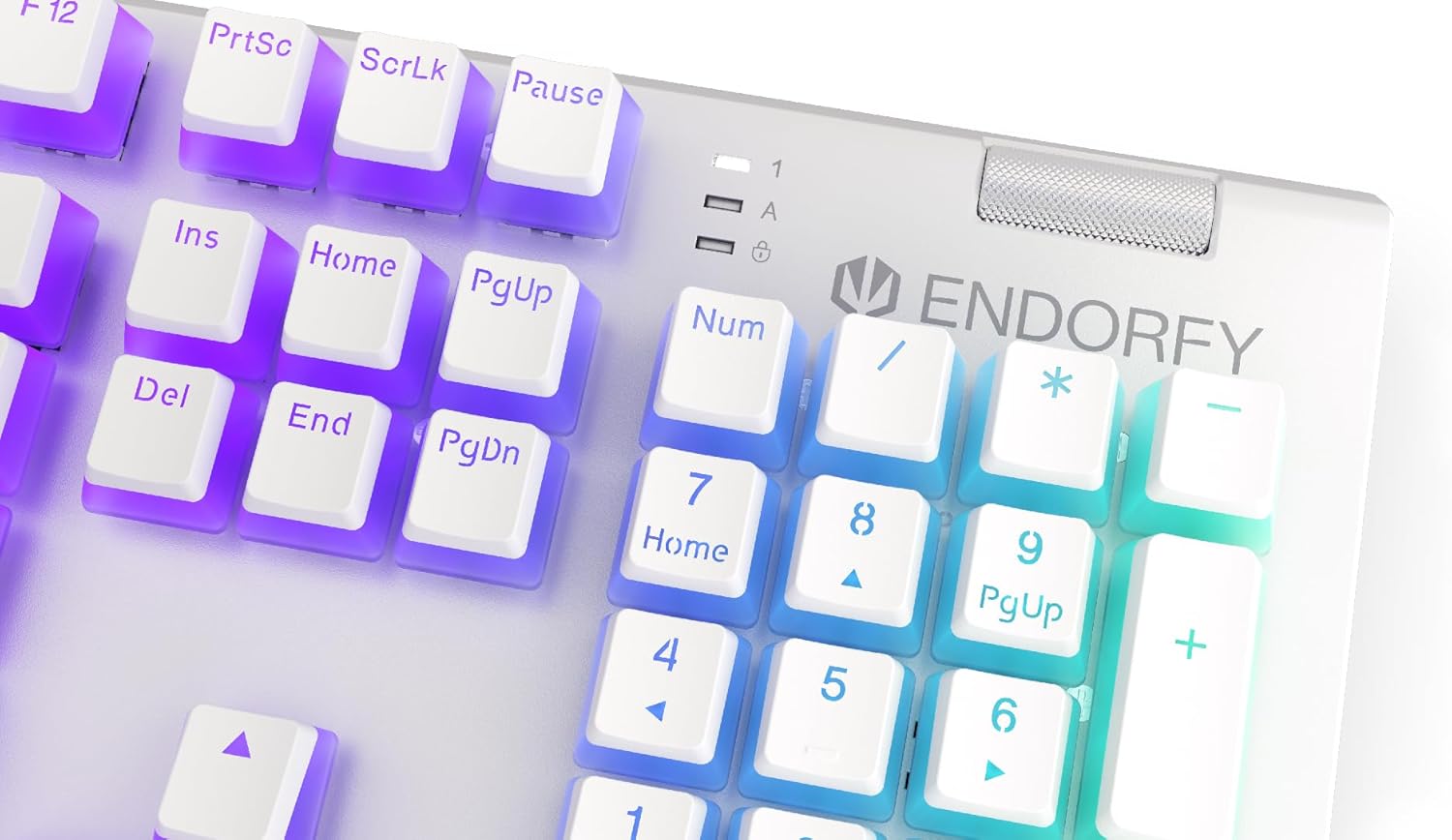
Vaizdas: Stambus planas view of the keyboard's numpad and the prominent metal volume wheel, indicating its position for easy access.
RGB foninio apšvietimo valdymas
The keyboard features customizable ARGB backlighting. Lighting effects and brightness can be adjusted using the dedicated ENDORFY software. Some basic lighting modes and brightness levels may also be accessible via keyboard shortcuts (e.g., Fn + arrow keys or specific function keys), though advanced customization is recommended through the software.

Image: The ENDORFY Omnis Pudding Onyx White Red mechanical keyboard illuminated with vibrant RGB backlighting, showcasing the Pudding keycaps.
N-Key Rollover (NKRO)
The keyboard supports N-Key Rollover, which means every key press is registered independently, regardless of how many other keys are being pressed simultaneously. This feature is particularly beneficial for fast typists and gamers, preventing ghosting or missed inputs.
Programinės įrangos funkcionalumas
The ENDORFY software allows users to:
- Tinkinkite ARGB apšvietimo efektus ir spalvas.
- Pergrupuoti atskirus klavišus.
- Kurkite ir priskirkite makrokomandas sudėtingoms komandų sekoms.
- Tvarkykite kelis profesionalusfiles skirtingoms programoms ar žaidimams.
Priežiūra
Klaviatūros valymas
Norint išlaikyti optimalų našumą ir išvaizdą:
- Prieš valydami atjunkite klaviatūrą nuo kompiuterio.
- Šiek tiek naudokite minkštą, be pūkelių šluostę dampnuvalykite klaviatūros dangtelius ir korpusą vandeniu arba švelniu valymo tirpalu.
- Dulkėms ir šiukšlėms tarp klavišų dangtelių pašalinti naudokite suslėgtą orą.
- Venkite naudoti stiprių cheminių medžiagų ar abrazyvinių medžiagų.
Klaviatūros dangtelio nuėmimas ir pakeitimas
The PBT Pudding keycaps can be removed for thorough cleaning or replacement. Use a keycap puller (not included) to gently lift keycaps straight up. When replacing, align the keycap with the switch stem and press down firmly until it clicks into place.

Vaizdas: Stambus planas view of the Kailh Red mechanical switches, visible when keycaps are removed, illustrating the switch mechanism.
Trikčių šalinimas
- Klaviatūra nereaguoja:
Ensure the USB cable is securely connected to both the keyboard and the computer. Try connecting the keyboard to a different USB port or a different computer to rule out port or system issues. Restart your computer. - Foninis apšvietimas neveikia arba yra netinkamas:
Check the brightness settings via the ENDORFY software or any onboard shortcuts. Ensure the software is up to date. If specific keys have incorrect lighting, reset the lighting profile programinėje įrangoje. - Neregistruojami raktai:
Clean under the affected keycaps to remove any debris that might be obstructing the switch. If the issue persists, it may indicate a hardware fault; refer to the Warranty and Support section. - Wrist Rest Not Attaching Securely:
Ensure there is no debris between the keyboard and the wrist rest that might interfere with the magnetic connection.
Specifikacijos
| Funkcija | Detalė |
|---|---|
| Prekės ženklas | ENDORFY |
| Modelio numeris | EY5A036 |
| Spalva | Baltas |
| Raktų jungikliai | Kailh Red Mechanical |
| Klaviatūros | PBT Pudding |
| Išdėstymas | Full-size (US Layout) |
| Foninis apšvietimas | ARGB (Configurable RGB) |
| Ryšys | USB-A (Detachable Cable) |
| Riešo atrama | Magnetic, Detachable |
| Garsumo valdymas | Metal Volume Wheel |
| N klavišo perkėlimas | Taip |
| Suderinamos operacinės sistemos | Linux, Mac OS X 10.12 Sierra, Windows 7, Windows 8, Windows 10 |
| Rekomenduojamas naudojimas | Žaidimai, Multimedija |
| Medžiaga | Polibutileno terftalatas (PBT) |
Garantija ir palaikymas
ENDORFY products are covered by a manufacturer's warranty. For detailed warranty terms, technical support, or service inquiries, please refer to the official ENDORFY websvetainėje arba susisiekite su vietiniu pardavėju. Išsaugokite pirkimo įrodymą, jei prireiktų pateikti garantinį prašymą.


