1. Įvadas
Thank you for choosing the LTC MOB20RED Senior Phone. This device is designed with ease of use in mind, featuring large keys, a loud voice readout, and essential functions tailored for seniors. It includes a dedicated SOS button for emergencies, a built-in flashlight, and a long-lasting battery. This manual provides detailed instructions for setting up, operating, and maintaining your phone to ensure optimal performance and safety.
2. Saugos informacija
- Baterijos sauga: Use only the original battery and charger provided. Do not short-circuit, puncture, or expose the battery to extreme temperatures or fire. Dispose of batteries properly according to local regulations.
- Įkrovimas: Charge the phone in a well-ventilated area. Do not charge near flammable materials.
- Atsparumas vandeniui: Šis telefonas nėra atsparus vandeniui. Venkite sąlyčio su skysčiais.
- Valymas: Use a soft, dry cloth to clean the phone. Do not use harsh chemicals or abrasive cleaners.
- Klausos apsauga: Venkite ilgai klausytis dideliu garsumu, kad nepažeistumėte klausos.
- Medicinos prietaisai: Maintain a safe distance between the phone and medical devices like pacemakers. Consult your physician and the medical device manufacturer for specific guidelines.
- Vairavimo sauga: Do not use the phone while driving. Always prioritize road safety.
3. Pakuotės turinys
Išpakuodami, patikrinkite pakuotės turinį:
- LTC MOB20RED Senior Phone
- Li-Ion Battery (900 mAh)
- Kintamos srovės adapteris
- Vartotojo vadovas (šis dokumentas)
4. Produktas baigtasview
Familiarize yourself with the key components of your LTC MOB20RED phone.
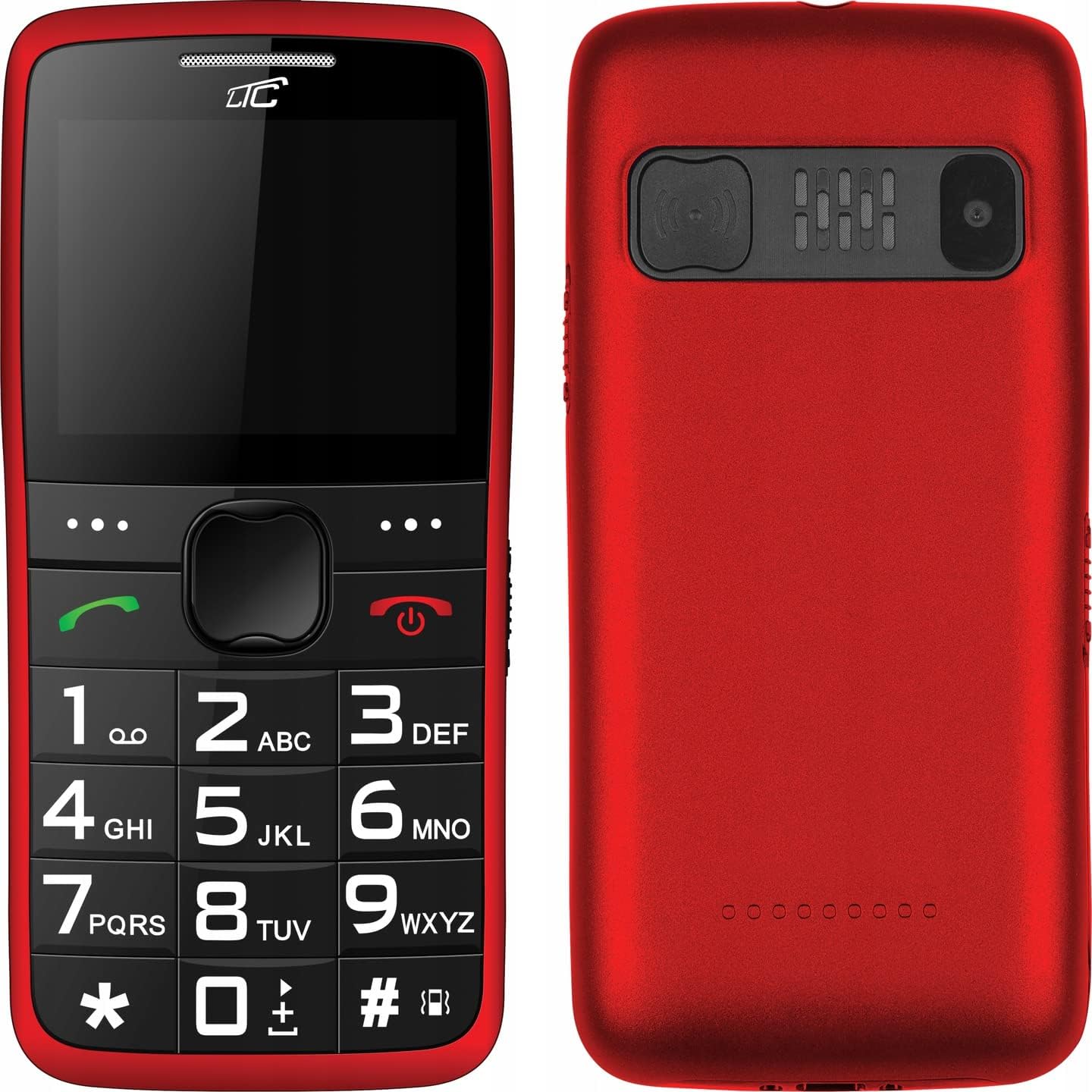
4.1 paveikslas: Priekyje ir gale View of the Phone. This image displays both the front with its large keypad and screen, and the back with the SOS button and camera module.
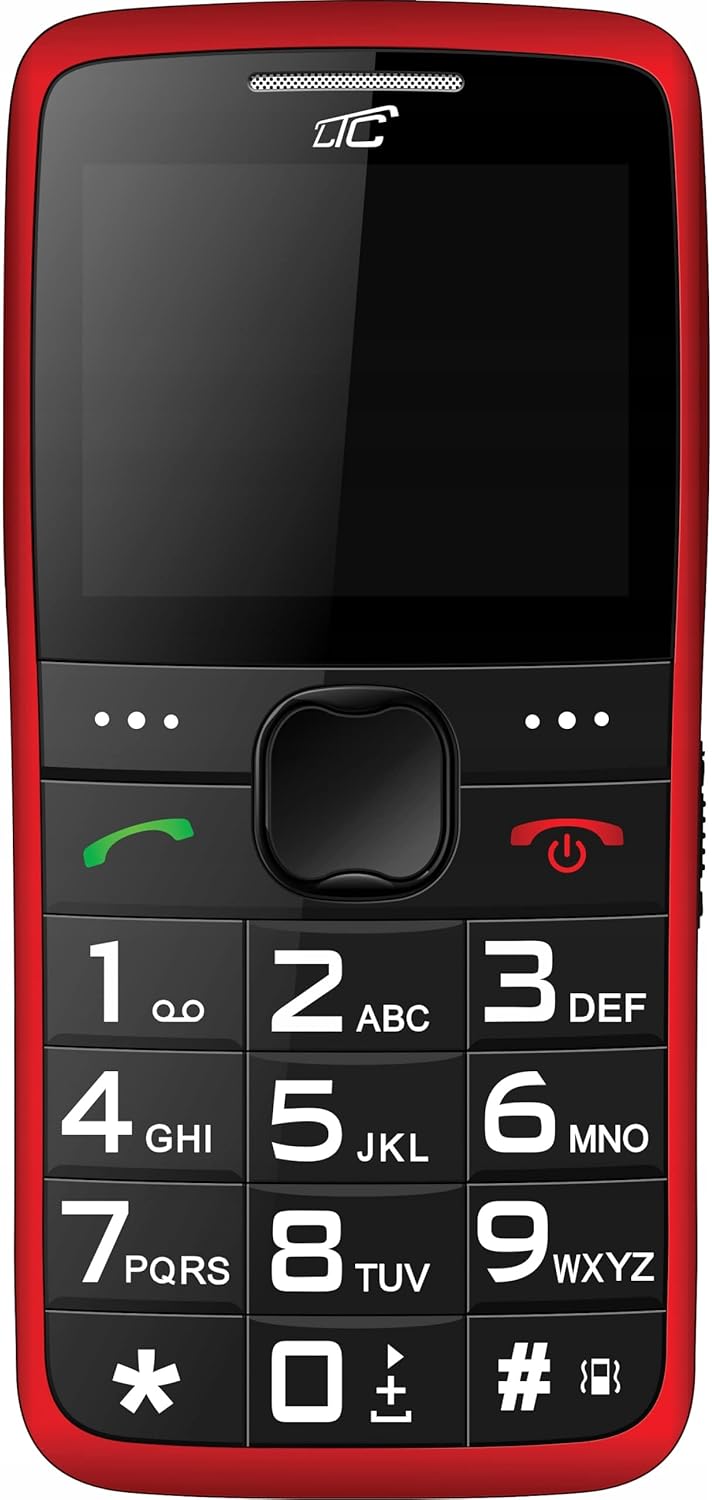
4.2 paveikslas: Priekyje View. A clear view of the phone's front, highlighting the spacious keypad with large, easy-to-read numbers and letters, and the color display.
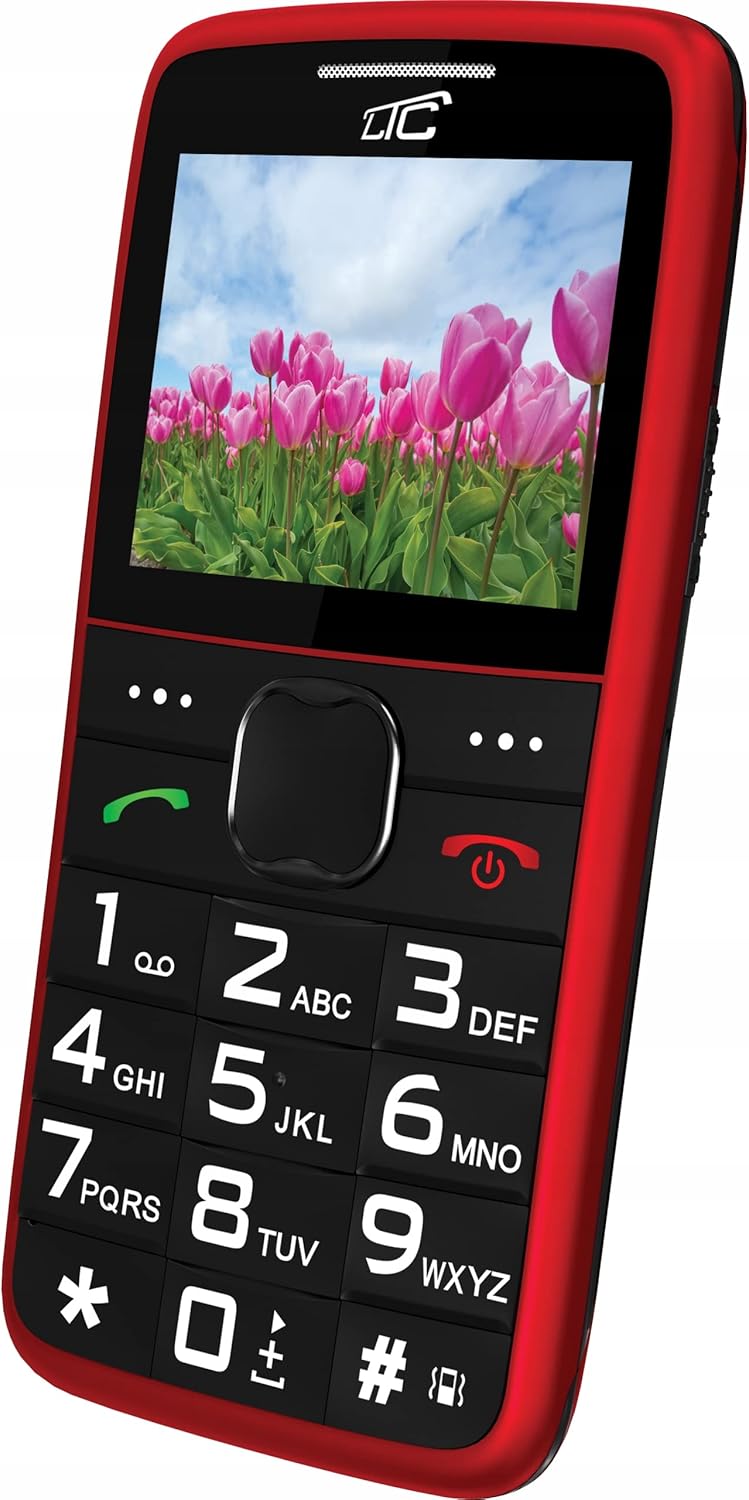
4.3 paveikslas: Kampinis priekis View with Display On. This image shows the phone from an angle, with the screen displaying a vibrant image, demonstrating its color capabilities.
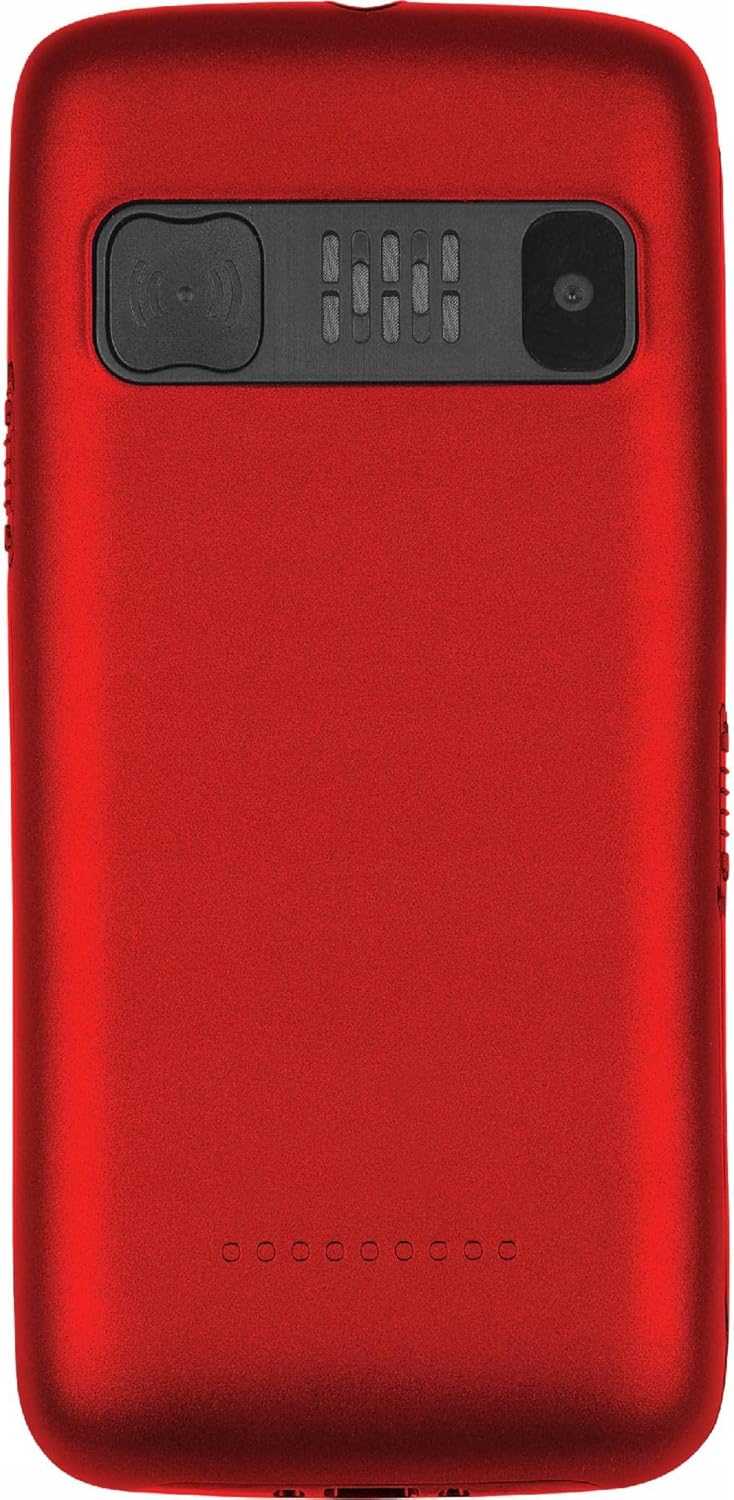
4.4 paveikslas: Atgal View. The rear of the phone is shown, featuring the prominent SOS button, the camera lens, and the speaker grille.
Pagrindinės funkcijos:
- Dideli raktai: Easy to press and read, designed for comfortable dialing and texting.
- Didelis ekranas: 2.2-inch color LCD with clear, large font for easy viewing.
- SOS mygtukas: Located on the back, allows quick access to emergency contacts.
- Loud Voice Readout: Announces pressed keys (numbers, asterisk, hash) for confirmation. This feature can be toggled on/off in settings.
- Didelės talpos baterija: 900 mAh Li-Ion battery provides up to 7-10 days of standby time.
- Žibintuvėlis: Built-in for convenience.
- Dviejų SIM kortelių palaikymas: Leidžia naudoti dvi SIM korteles vienu metu.
- MicroSD kortelės lizdas: Supports up to 32 GB for expanded storage.
- Multimedija: Includes FM Radio, Audio/Video Player, Alarm Clock, Calendar, Calculator, and Voice Recorder.
- Bluetooth: Dėl belaidžio ryšio.
5. Sąranka
5.1 SIM kortelės (-ių) ir „MicroSD“ kortelės įdėjimas
- Nuimkite telefono galinį dangtelį, švelniai jį atlenkdami nuo įpjovos.
- Jei baterija yra įdėta, išimkite ją.
- Locate the SIM card slot(s) and the microSD card slot.
- Insert your SIM card(s) into the designated slot(s) with the gold contacts facing down, ensuring it clicks into place.
- If desired, insert a microSD card (up to 32 GB) into its slot.
5.2 Akumuliatoriaus įdėjimas
- Align the battery's gold contacts with the contacts in the phone's battery compartment.
- Gently press the battery down until it is securely seated.
- Uždėkite galinį dangtelį, tvirtai spausdami, kol jis užsifiksuos vietoje.
5.3 Telefono įkrovimas
- Connect the small end of the charging cable to the charging port on the phone.
- Plug the other end of the charger into a standard wall outlet.
- Ekrane esantis akumuliatoriaus indikatorius rodys įkrovimo būseną.
- Once fully charged, disconnect the charger. A full charge typically takes a few hours.
6. Naudojimo instrukcijos
6.1 Maitinimo įjungimas/išjungimas
- Norėdami įjungti: Paspauskite ir palaikykite raudoną Maitinimas / skambučio pabaiga mygtuką, kol ekranas užsidegs.
- Norėdami išjungti: Paspauskite ir palaikykite raudoną Maitinimas / skambučio pabaiga mygtuką, kol pasirodys išjungimo parinktys, tada pasirinkite „Išjungti“.
6.2 Skambinimas ir skambučių priėmimas
- Norėdami paskambinti: Dial the number using the large keypad. The phone will audibly read out each digit you press (if voice readout is enabled). Press the green Skambinti mygtuką, kad pradėtumėte skambutį.
- Norėdami gauti skambutį: When the phone rings, press the green Skambinti mygtuką atsakyti.
- Norėdami baigti skambutį: Paspauskite raudoną Maitinimas / skambučio pabaiga mygtuką.
6.3 Greitasis rinkimas
You can assign frequently called numbers to keys 0-9 for quick dialing.
- Eikite į Nustatymai > Greitasis rinkimas.
- Select a key (0-9) and assign a contact from your phonebook or enter a new number.
- To use speed dial, press and hold the assigned key until the call is initiated.
6.4 SOS funkcija
The SOS button is a critical safety feature. When pressed, it will automatically call and/or send an SMS to pre-set emergency contacts.
- SOS kontaktų nustatymas: Eikite į Nustatymai > SOS nustatymai.
- Add up to 5 emergency contact numbers. You can also enable/disable SMS sending and customize the SOS message.
- Naudojant SOS funkciją: Avarijos atveju paspauskite ir palaikykite SOS mygtukas on the back of the phone for a few seconds. The phone will then sequentially call the pre-set numbers until one answers, and/or send the emergency SMS.
6.5 Žibintuvėlis
To turn the flashlight on or off, locate the dedicated flashlight button (usually on the side of the phone) and slide or press it. Refer to the phone's physical layout for exact location.
6.6 Kitos funkcijos
- FM radijas: Access from the main menu. You may need to connect headphones (not included) to act as an antenna.
- Audio/Video Player: Use to play media files stored on your microSD card.
- Žadintuvas: Nustatykite kelis žadintuvus su pritaikomais tonais.
- Kalendorius: View datas ir pridėti priminimus.
- Skaičiuotuvas: Atlikti pagrindinius aritmetinius veiksmus.
- Diktofonas: Įrašykite garso užrašus.
- Bluetooth: Enable Bluetooth in settings to pair with compatible devices like headsets.
7. Priežiūra
- Valymas: Reguliariai valykite telefoną minkštu, nepūkuotu skudurėliu. Nenaudokite skystų valiklių ar aerozolių.
- Akumuliatoriaus priežiūra: To prolong battery life, avoid fully discharging the battery frequently. Charge the phone before the battery level drops too low. Do not leave the phone connected to the charger for excessively long periods after it's fully charged.
- Saugykla: Telefoną laikykite vėsioje, sausoje vietoje, toliau nuo tiesioginių saulės spindulių ir ekstremalių temperatūrų.
- Programinės įrangos atnaujinimai: While this phone typically does not receive frequent software updates, ensure you are using the latest available firmware if prompted.
8. Problemų sprendimas
| Problema | Galima priežastis | Sprendimas |
|---|---|---|
| Telefonas neįsijungia. | Baterija išsikrovusi arba netinkamai įdėta. | Įkraukite bateriją. Įsitikinkite, kad baterija tinkamai įdėta. |
| Negalima skambinti arba priimti skambučių. | Nėra tinklo signalo, neįdėta SIM kortelė arba yra SIM kortelės problema. | Patikrinkite tinklo signalo stiprumą. Įdėkite SIM kortelę iš naujo. Susisiekite su savo paslaugų teikėju. |
| Voice readout not working. | Feature is disabled in settings. | Eikite į Nustatymai and enable voice readout for keys. |
| SOS mygtukas neveikia. | SOS contacts not set up or battery is too low. | Ensure SOS contacts are configured in SOS nustatymai. Charge the phone. |
| Baterija greitai išsikrauna. | Heavy usage, poor network signal, or aging battery. | Reduce usage. Move to an area with better signal. Consider replacing the battery if it's old. |
9. Specifikacijos
| Funkcija | Detalė |
|---|---|
| Modelis | MOB20RED |
| Tinklo dažnis | 850 / 900 / 1800 / 1900 MHz (2G) |
| Ekranas | 2.2-inch LCD, 160 x 128 pixels (effective 240 x 320) |
| Fotoaparatas | 0.3 MP |
| Vidinė atmintis | 32 + 32 MB (RAM: 32 MB, Flash: 32 MB) |
| Išplečiama atmintis | Iki 32 GB (microSD) |
| Baterijos talpa | 900 mAh ličio jonų |
| Maksimalus budėjimo laikas | 7 - 10 days |
| Bluetooth | Taip |
| Žibintuvėlis | Įmontuotas |
| SOS funkcija | Yes (Quick button) |
| Matmenys (I x P x A) | 113.3 x 54 x 12.8 mm |
| Svoris | 91 g |
| Operacinė sistema | Symbian 9.1 |
| Garso formatai | MP3 |
10. Garantija ir palaikymas
The LTC MOB20RED Senior Phone comes with a standard manufacturer's warranty. Please refer to the warranty card included in your product packaging or contact your point of purchase for specific warranty terms and conditions.
For technical support, troubleshooting assistance, or service inquiries, please contact the retailer or manufacturer directly. Keep your purchase receipt as proof of purchase for warranty claims.
Gamintojas: LAMEX
Prekinis ženklas: LTC


