1. Įvadas
Thank you for choosing the PUREMIC Wireless Karaoke Microphone Q1PRO. This handheld, rechargeable microphone system is designed to provide crystal clear sound quality and versatile connectivity for various entertainment setups, including cars, speakers, phones, TVs, laptops, and tablets. Enjoy 8 unique sound effects to enhance your karaoke experience.
This manual provides detailed instructions for setting up, operating, and maintaining your PUREMIC Q1PRO microphone to ensure optimal performance and longevity.

Figure 1: Wide Compatibility of PUREMIC Q1PRO
2. Kas yra dėžutėje
Patikrinkite pakuotės turinį, kad įsitikintumėte, jog yra visi reikalingi daiktai:
- Mikrofonas x 1
- Mikrofono imtuvas x 1
- C tipo kabelis x 1
- Nešiojamas krepšys x 1
- Naudotojo vadovas x 1 (šis dokumentas)

2 pav. Pakuotės turinys
3. Sąrankos vadovas
3.1. Įrenginių įkrovimas
Both the microphone and the receiver have built-in rechargeable batteries. Ensure both devices are fully charged before first use for optimal performance.
- Connect the provided Type-C cable to the charging port on both the microphone and the receiver.
- Plug the other end of the Type-C cable into a standard USB power adapter (not included).
- The indicator light on the devices will show charging status (refer to device for specific light behavior).
- A full charge provides approximately 15 hours of playtime for the microphone and up to 4 hours for the receiver.

3 pav.: Baterijos veikimo laikasview
3.2. Connecting to a Car Audio System
Follow these steps to connect your PUREMIC Q1PRO to your car's audio system via the AUX input:
- Insert the 3.5mm AUX cable of the receiver into your car's AUX connection socket.
- Press and hold the receiver's power button to turn it on. The indicator light will illuminate.
- Turn on the microphone by pressing its power button. The blue indicator light will turn on.
- Išmaniajame telefone arba planšetiniame kompiuteryje eikite į „Bluetooth“ nustatymus ir ieškokite galimų įrenginių.
- Select 'Loostone PureMic Q1PRO' (or similar name) from the list to pair.
- Once paired, you can play music from your phone through the car's speakers and use the microphone for karaoke.
Video 1: How to Connect Puremic Q1 Microphone to Car/Speaker/Phone. This video demonstrates the connection process for both car and speaker setups.

Figure 4: Connecting to Car Audio System
3.3. Connecting to a Speaker or Other Devices
To connect your PUREMIC Q1PRO to a speaker, TV, or other compatible device:
- Insert the 3.5mm AUX cable of the receiver into the AUX input of your speaker or device.
- Press and hold the receiver's power button to turn it on.
- Turn on the microphone by pressing its power button.
- On your smartphone, tablet, or other Bluetooth-enabled device, go to Bluetooth settings and search for 'Loostone PureMic Q1PRO' (or similar name).
- Select the device to pair. Once connected, audio from your device will play through the speaker, and the microphone will be ready for use.

Figure 5: Connecting to a Portable Speaker
4. Naudojimo instrukcijos
4.1. Įjungimas / išjungimas ir garsumo valdymas
- Maitinimas: Paspauskite ir palaikykite maitinimo mygtuką (⏻) on both the microphone and the receiver until the indicator light turns on.
- Išjungti: Paspauskite ir palaikykite maitinimo mygtuką (⏻) dar kartą, kol užges indikatoriaus lemputė.
- Garsumo valdymas: Naudokite aukštyn (▲) ir žemyn (▼) arrow buttons on the microphone to adjust the microphone's volume.
4.2. Garso efektai
The PUREMIC Q1PRO features 8 unique sound effects to enhance your singing. Press the effect button (⊞) on the microphone to cycle through the available effects:
- Standard Effect
- Male Effect
- Female Effect
- Children Effect
- Monster Effect
- Concert Effect
- Living Room Effect
- K.T.V. Effect
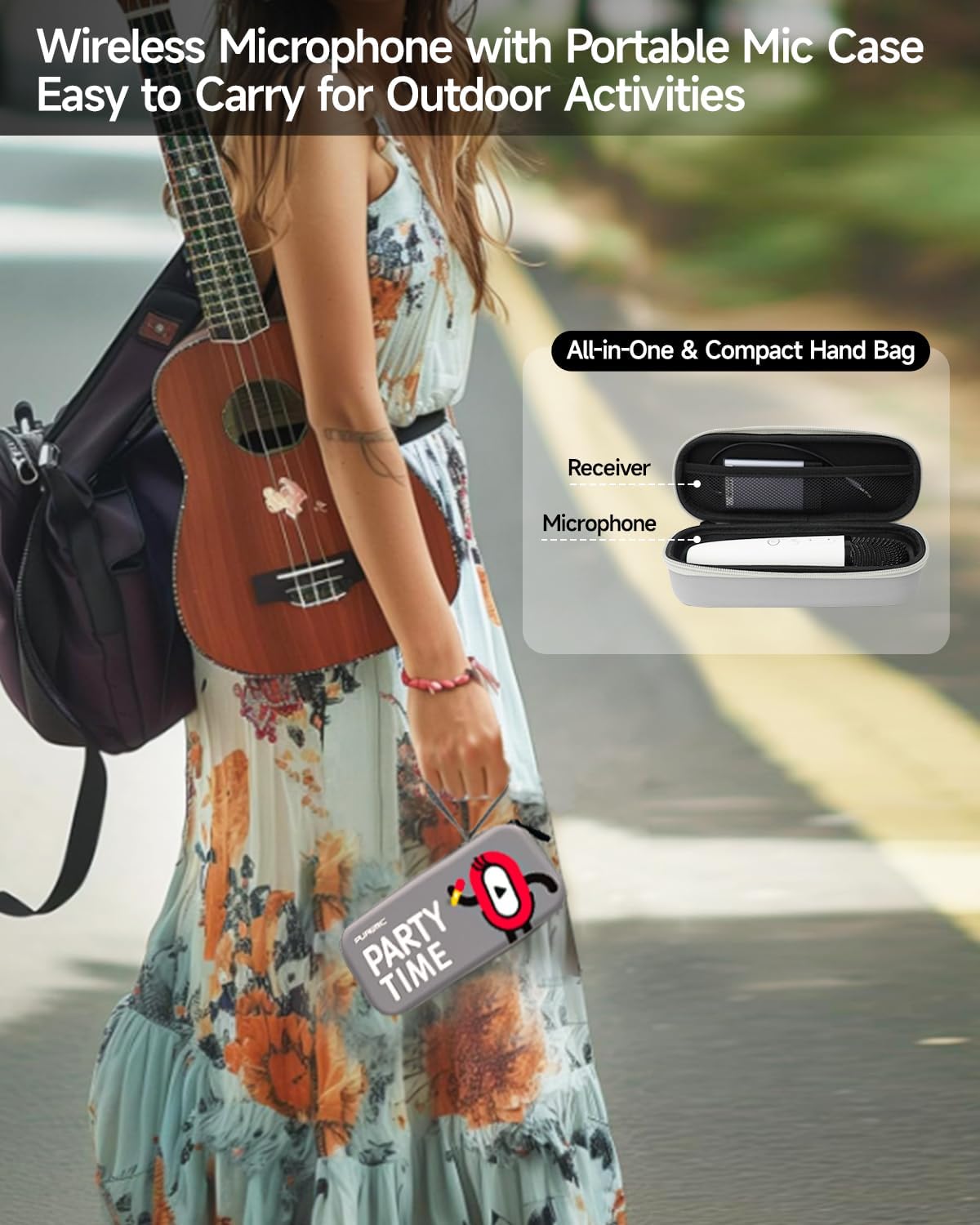
Figure 6: Available Sound Effects
5. Priežiūra
- Valymas: Wipe the microphone and receiver with a soft, dry cloth. Do not use harsh chemicals or abrasive cleaners.
- Saugykla: When not in use, store the microphone and receiver in the provided portable bag to protect them from dust and damage.
- Akumuliatoriaus priežiūra: Norėdami pailginti akumuliatoriaus veikimo laiką, venkite dažnai visiškai iškrauti įrenginius. Reguliariai juos įkraukite, net jei jie nėra nuolat naudojami.
- Aplinkos sąlygos: Venkite prietaisų laikymo ekstremaliose temperatūrose, tiesioginiuose saulės spinduliuose ar didelėje drėgmėje.

Figure 7: Portable Storage Bag
6. Problemų sprendimas
| Problema | Galima priežastis | Sprendimas |
|---|---|---|
| Nėra garso iš mikrofono | Microphone or receiver is off; Low battery; Incorrect connection; Volume too low. | Ensure both devices are powered on and charged. Check AUX cable connection. Increase microphone and speaker volume. |
| „Bluetooth“ susiejimas nepavyko | Receiver not in pairing mode; Device too far; Interference. | Ensure receiver is on and ready to pair. Move devices closer. Turn off other Bluetooth devices. Restart both devices and try again. |
| Garso iškraipymas arba grįžtamasis ryšys | Mikrofonas per arti garsiakalbio; per didelis garsumas; aplinkos trukdžiai. | Increase distance between microphone and speaker. Lower microphone or speaker volume. Move away from other electronic devices. |
| Trumpas baterijos veikimo laikas | Nepilnas įkrovimas; Sena baterija. | Ensure devices are fully charged. If battery life significantly degrades, contact customer support. |
7. Specifikacijos
| Funkcija | Detalė |
|---|---|
| Modelio pavadinimas | Bluetooth Microphone-Q1PRO |
| Prekės svoris | 12 uncijos (0.75 svaro) |
| Gaminio matmenys | 8.46 x 3.15 x 2.36 colio |
| Medžiaga | Akrilnitrilo butadieno stirenas |
| Spalva | Baltas |
| Maitinimo šaltinis | Maitinamas su baterijomis (pridedama 1 ličio polimero baterija) |
| Ryšio technologija | UHF |
| Jungties tipas | 3.5 mm lizdas |
| Mikrofono formos faktorius | Rankinis |
| Polinis raštas | Vienakryptis |
| Dažnių diapazonas | 657 MHz–662 MHz |
| Dažnio atsakas | 20000 Hz |
| Signalo ir triukšmo santykis | 75 dB |
| Ypatingos savybės | Battery Indicator Light, Volume Control, Mute Function, Noise Reduction, 8 Sound Effects |
| Suderinami įrenginiai | Television, Car, Smartphone, Karaoke Machine, Speaker |
| Gamintojas | LOOSTONE |
| Kilmės šalis | Kinija |
| Pasiekiama pirmoji data | 21 m. spalio 2022 d |

8 pav.: Gaminio matmenys
8. Garantija ir palaikymas
PUREMIC products are designed for quality and reliability. For warranty information, technical support, or any inquiries regarding your PUREMIC Wireless Karaoke Microphone Q1PRO, please refer to the contact information provided on the product packaging or visit the official PUREMIC websvetainę.
Išsaugokite pirkimo įrodymą, kad galėtumėte kreiptis dėl garantijos.


