1. Saugos informacija
Prieš surinkdami ir naudodami, atidžiai perskaitykite visas instrukcijas. Išsaugokite šį vadovą ateičiai.
- Ensure not to exceed the maximum weight capacity of 300 svaroPerkrovimas gali sukelti žalos arba sužalojimų.
- Adjust the chair according to the user's height and follow the assembly instructions precisely for safe use.
- Laikykite vaikus atokiau nuo surinkimo zonos. Mažos dalys gali kelti užspringimo pavojų.
- Regularly check all bolts and screws to ensure they are tightened. Re-tighten if necessary.
- Nestovėkite ant kėdės.
- Use the chair only for its intended purpose as an office or desk chair.

Image: SGS BIFMA certified gas lift, indicating compliance with safety and durability standards.
2. Pakuotės turinys
Prieš pradėdami surinkimą, patikrinkite, ar yra visi komponentai. Jei trūksta kokių nors dalių arba jos pažeistos, susisiekite su klientų aptarnavimo tarnyba.
- Atlošo mazgas (1)
- Sėdynės pagalvėlė (1)
- Galvos atrama (1)
- Porankiai (2)
- Dujų kėlimo cilindras (1)
- Žvaigždės bazė (1)
- Ratukai (5)
- Mechanizmo plokštė (1)
- Hardware Kit (Screws, Washers, Allen Wrench) (1)
- Vartotojo vadovas (1)
3. Surinkimo instrukcijos
Assembly typically takes 10-15 minutes. Follow these steps carefully.
- Pritvirtinkite ratukus prie pagrindo: Įkiškite penkis ratukus į skylutes kiekvienos žvaigždės formos pagrindo kojelės gale, kol jie tvirtai užsifiksuos.
- Įdėkite dujų keltuvą: Įstatykite dujų kėlimo cilindrą į žvaigždės formos pagrindo centrinę angą.
- Mechanizmo plokštės pritvirtinimas prie sėdynės: Align the mechanism plate with the pre-drilled holes on the underside of the seat cushion. Ensure the lever is on the right side when facing the front of the seat. Secure with screws from the hardware kit using the provided Allen wrench.

Paveikslėlis: Apatinė pusė view of the chair's mechanism plate, which attaches to the seat and controls adjustments.
- Pritvirtinkite porankius prie sėdynės: Pritvirtinkite porankius prie sėdynės pagalvėlės šonų naudodami tam skirtus varžtus. Įsitikinkite, kad jie tvirtai pritvirtinti.
- Pritvirtinkite atlošą prie sėdynės: Align the backrest with the mounting points on the seat cushion and armrests. Secure with screws.
- Pritvirtinkite galvos atramą: Insert the headrest into the top of the backrest until it is securely in place.
- Prijunkite sėdynę prie dujinio keltuvo: Atsargiai uždėkite surinktą sėdynę ir atlošą ant dujinio pakėlimo cilindro, užtikrindami, kad jie būtų centre ir visiškai įstatyti.

Vaizdas: Priekinė ir galinė dalys view of the fully assembled Flysky Ergonomic Office Desk Chair.
4. Naudojimo instrukcijos
The Flysky Ergonomic Office Desk Chair offers multiple adjustments for personalized comfort.
4.1 Adjusting Chair Height
- To raise the seat: While standing, pull the lever located under the right side of the seat upwards. The seat will rise. Release the lever at the desired height.
- Norėdami nuleisti sėdynę: sėdėdami patraukite svirtį, esančią po dešine sėdynės puse, aukštyn. Sėdynė nusileis. Atleiskite svirtį pasiekę norimą aukštį.

Paveikslėlis: aukščio reguliavimo svirties, esančios po sėdyne, stambus planas.
4.2 Adjusting Recline and Tilt Tension
- Recline Function (90°-120°): Push the same lever used for height adjustment inwards to lock the backrest in an upright position (90° work mode). Pull the lever outwards to unlock the recline function, allowing the backrest to tilt back (up to 120° rest/sleep mode).
- Pakreipimo įtempimas: Rotate the round knob located under the front-center of the seat. Turn clockwise to increase tilt tension (making it harder to recline) or counter-clockwise to decrease tension (making it easier to recline).

Image: Diagram illustrating the tilt and rocking function, showing the height lock lever and tilt tension knob.
4.3 Adjusting Headrest
- Aukščio reguliavimas: Gently pull the headrest up or push it down to adjust its vertical position (up to 3.2 inches).
- Kampo reguliavimas: Rotate the headrest forward or backward (up to 90°) to find the optimal angle for neck support.
Vaizdas: Išsamus view of the adjustable headrest, showing lift, down, forward, backward, and rotation capabilities.
4.4 Adjusting Lumbar Support
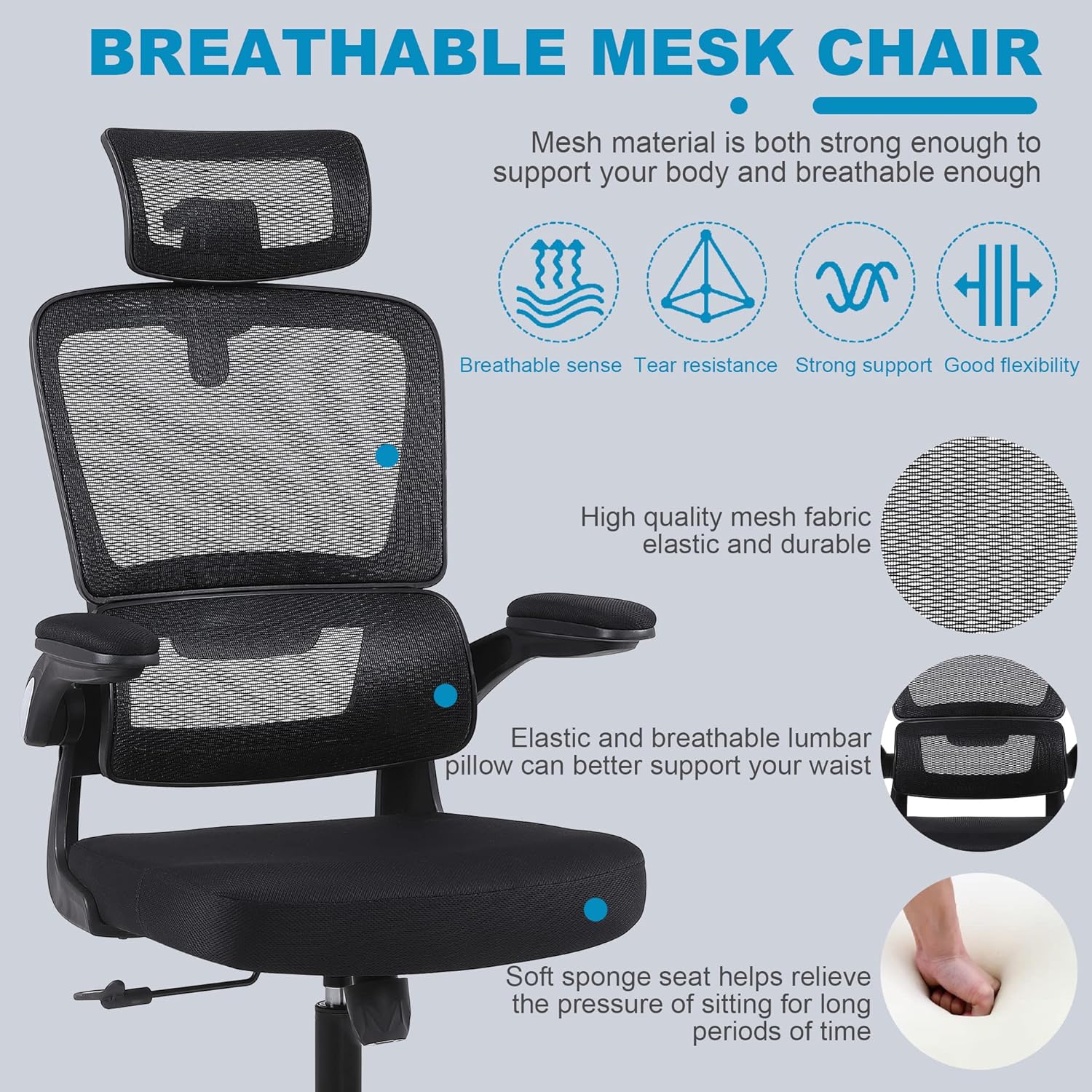
- The chair features a 3D self-adaptive elastic lumbar pillow designed to conform to your lower back. No manual adjustment is typically required for its position, as it flexes with your posture.

Vaizdas: Viršview of ergonomic design, highlighting headrest, back support, lumbar support, and hip support.
4.5 Using Flip-Up Armrests
- To flip up the armrests: Gently lift the armrests upwards until they lock into a vertical position. This allows the chair to be pushed closer to a desk or stored more compactly.
- To lower the armrests: Pull the armrests downwards until they return to their horizontal position.

Image: Illustration of the flip-up armrest feature, showing the armrest in both down and up positions.
5. Priežiūra
Tinkama priežiūra prailgins jūsų kėdės tarnavimo laiką ir išvaizdą.
- Valymas: Nuvalykite skelbimuamp cloth. For mesh areas, use a soft brush or vacuum cleaner to remove dust and debris. Avoid harsh chemicals or abrasive cleaners.
- Patikra: Periodically check all screws and bolts for tightness. Re-tighten as needed to prevent loosening and ensure stability.
- Ratukų priežiūra: Kad ratukai sklandžiai riedėtų, laikykite juos be plaukų ir šiukšlių.

Image: Close-up of the breathable mesh fabric used for the chair's backrest and headrest.
6. Problemų sprendimas
Dažniausiai pasitaikančias problemas ir jų sprendimus rasite šiame skyriuje.
| problema | Galima priežastis | Sprendimas |
|---|---|---|
| Kėdė kliba arba jaučiasi nestabili | Atsilaisvinę varžtai arba netolygus surinkimas. | Check and tighten all screws, especially those connecting the seat, backrest, and mechanism plate. Ensure casters are fully inserted. |
| Kėdės aukštis nereguliuojamas | Gas lift lever not engaged correctly or gas lift cylinder malfunction. | Ensure the lever is fully pulled up. If the issue persists, the gas lift cylinder may need replacement. Contact customer support. |
| Ratukai nesisuka sklandžiai | Ratukuose užstrigusios šiukšlės arba ratukai pažeisti. | Nuvalykite nuo ratukų plaukus ar šiukšles. Jei ratukai pažeisti, juos galima pakeisti. |
| Atlošas neatlenkiamas arba neužsifiksuoja | Recline lever not engaged or tilt tension too high. | Pull the recline lever outwards to unlock. Adjust the tilt tension knob counter-clockwise to reduce tension. |
7. Specifikacijos
Key technical specifications for the Flysky Ergonomic Office Desk Chair Model S5016.
| Funkcija | Detalė |
|---|---|
| Modelio pavadinimas | S5016 |
| Prekės ženklas | Flysky |
| Spalva | Tinklelis juodas |
| Gaminio matmenys (D x P x A) | 28"D x 22"W x 42"H (Adjustable height) |
| Didžiausio svorio rekomendacija | 300 svaro |
| Prekės svoris | 20 svaro |
| Nugaros stilius | Tinklelio nugara |
| Ypatingos savybės | Adjustable Height, Arm Rest (Flip-Up), Ergonomic, Head Support, Rolling, Lumbar Support |
| Gulimosios padėties skaičius | >=2 (90°-120°) |
| Užpildymo medžiaga | Tinklelis |
| Baldų pagrindo judėjimas | Pasukamas |

Image: Diagram showing the key dimensions of the Flysky Ergonomic Office Desk Chair.

Image: Illustration of the chair's sturdy base, highlighting its 300 lbs weight capacity.
8. Garantija ir palaikymas
For warranty information, technical support, or to inquire about replacement parts, please contact Flysky customer service. Refer to the contact information provided with your purchase or visit the official Flysky websvetainę.
We are committed to assisting you with any questions or concerns regarding your product.


