1. Įvadas
Thank you for choosing the LAMAX HighComfort ANC Wireless Headphones. This manual provides essential information for the proper use, setup, and maintenance of your headphones. Please read it carefully before use.
The LAMAX HighComfort headphones offer a premium audio experience with advanced features:
- aptX HD Bluetooth Codec: Delivers high-quality wireless audio with enhanced detail.
- Aktyvus triukšmo slopinimas (ANC): Reduces ambient noise by up to 30 dB using hybrid technology with two microphones.
- Ilgas baterijos veikimo laikas: Up to 50 hours of playback on a single charge (25 hours with ANC activated).
- Universalus ryšys: Bluetooth 5.1 for wireless connection up to 10 meters, or wired via a standard 3.5 mm audio jack.
- Patogus dizainas: Features soft ear pads and an ergonomic design for extended wear.
- Patvari konstrukcija: Luxurious finish with titanium elements and high-quality workmanship.
2. Pakuotės turinys
Prašome patikrinti, ar pakuotėje yra visi reikalingi daiktai:
- LAMAX HighComfort ANC Wireless Headphones
- USB-C įkrovimo laidas
- 3.5 mm garso laidas
- Kelioninis dėklas
- Instrukcijų vadovas
3. Produktas baigtasview
Familiarize yourself with the various parts and controls of your LAMAX HighComfort headphones.

Vaizdas: Viršview ausinių valdiklių ir prievadų.
Headphone Components and Controls:
- Active Noise Cancellation (ANC) On/Off Switch: Activates or deactivates the ANC function.
- ANC LED Indicator: Shows the status of the ANC function.
- 3.5mm Audio Cable Port: Laidiniam prijungimui prie garso šaltinių.
- Headphone Power LED Indicator: Rodo maitinimo ir susiejimo būseną.
- Mikrofonas: Skambučiams ir balso komandoms.
- USB-C įkrovimo prievadas: Ausinėms įkrauti.
- Track and Call Control Buttons: Used for volume adjustment, track skipping, and managing phone calls.

Vaizdas: Išsprogdintas view highlighting key features like 40mm drivers, soft leather earpads, and titanium finish.
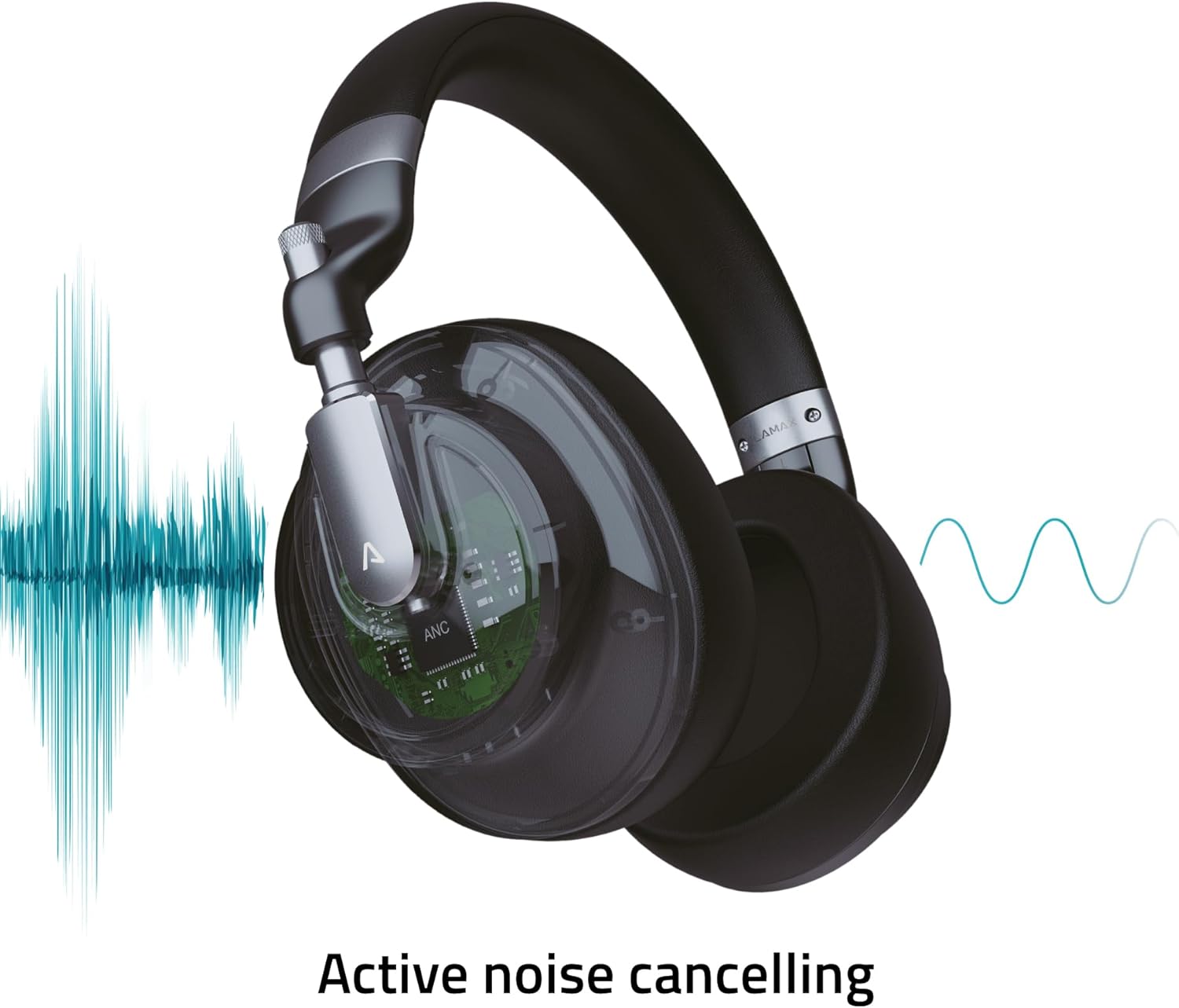
Image: Visual representation of the Active Noise Cancellation (ANC) process.
4. Sąranka
4.1 Ausinių įkrovimas
Before first use, fully charge your headphones. Use the provided USB-C cable to connect the headphones to a USB power source (e.g., computer USB port, wall adapter).
- LED indikatorius rodys įkrovimo būseną (pvz., raudona spalva rodo įkrovimą, išjungta arba mėlyna – visiškai įkrauta).
- A full charge provides up to 50 hours of playback, or 25 hours with ANC enabled.
4.2 Bluetooth poravimas
Norėdami belaidžiu būdu prijungti ausines prie įrenginio:
- Įsitikinkite, kad ausinės yra įkrautos ir išjungtos.
- Paspauskite ir palaikykite maitinimo mygtuką, kol LED indikatorius mirksės mėlynai ir raudonai, rodydamas susiejimo režimą.
- Savo įrenginyje (išmaniajame telefone, planšetiniame kompiuteryje, nešiojamajame kompiuteryje) įjunkite „Bluetooth“ ir ieškokite galimų įrenginių.
- Select "LAMAX HighComfort" from the list of devices.
- Prijungus, LED indikatorius paprastai šviečia mėlynai arba lėtai mirksi.
4.3 Laidinis ryšys
You can also use the headphones with a 3.5mm audio cable:
- Connect one end of the 3.5mm audio cable to the headphone's audio port.
- Kitą galą prijunkite prie savo įrenginio 3.5 mm garso išvesties.
- The headphones will function as passive wired headphones, even if the battery is depleted.
5. Ausinių valdymas
5.1 Maitinimo įjungimas/išjungimas
- Maitinimas: Press and hold the Power button for approximately 3 seconds. The LED indicator will light up.
- Išjungti: Press and hold the Power button for approximately 3 seconds. The LED indicator will turn off.
5.2 Aktyvus triukšmo slopinimas (ANC)
The ANC feature helps to reduce ambient noise, providing a more immersive listening experience.
- Suaktyvinti ANC: Slide the ANC switch to the 'On' position. The ANC LED indicator will illuminate.
- Išjungti ANC: Slide the ANC switch to the 'Off' position. The ANC LED indicator will turn off.
5.3 Muzikos atkūrimas
Use the control buttons to manage your music:
- Leisti / pristabdyti: Press the Multi-function button (often the center button on the control cluster).
- Pagarsink: Paspauskite mygtuką „+“.
- Patildyti: Paspauskite mygtuką „-“.
- Kitas takelis: Paspauskite ir palaikykite nuspaudę mygtuką „+“.
- Ankstesnis takelis: Paspauskite ir palaikykite nuspaudę mygtuką „-“.
5.4 Skambučių valdymas
Prisijungę per „Bluetooth“, galite valdyti telefono skambučius:
- Atsiliepti / Baigti skambutį: Paspauskite daugiafunkcį mygtuką.
- Atmesti skambutį: Paspauskite ir palaikykite daugiafunkcį mygtuką.
- Suaktyvinti „Voice Assistant“: Double-press the Multi-function button (if supported by your device).
6. Priežiūra ir priežiūra
Tinkama priežiūra užtikrina ausinių ilgaamžiškumą ir našumą.
6.1 Valymas
- Ausines nuvalykite minkštu, sausu, nepūkuotu skudurėliu.
- Nenaudokite abrazyvinių valiklių, tirpiklių ar cheminių purškiklių.
- Keep moisture out of openings.
6.2 Saugykla
- When not in use, store the headphones in the provided travel case to protect them from scratches and damage.
- Laikyti vėsioje, sausoje vietoje, toliau nuo ekstremalių temperatūrų ir tiesioginių saulės spindulių.

Image: Headphones folded, demonstrating their portable design for storage in the travel case.
7. Problemų sprendimas
Jei kyla problemų dėl ausinių, žr. šiuos dažniausiai pasitaikančius sprendimus:
| Problema | Galima priežastis | Sprendimas |
|---|---|---|
| Ausinės neįsijungia | Senka baterija | Visiškai įkraukite ausines naudodami USB-C laidą. |
| Nepavyksta susieti per „Bluetooth“ | Ausinės neįjungtos susiejimo režimu; įrenginio „Bluetooth“ išjungtas; per toli nuo įrenginio | Ensure headphones are in pairing mode (flashing blue/red LED). Turn Bluetooth on your device. Move headphones closer to the device (within 10 meters). |
| Nėra garso ar mažas garsumas | Per mažas garsumas; netinkamas garso šaltinis; neprijungtos ausinės | Increase volume on both headphones and connected device. Check if headphones are properly paired or if the 3.5mm cable is securely connected. Ensure the correct audio output is selected on your device. |
| ANC neveikia efektyviai | ANC not activated; environmental noise too high | Ensure the ANC switch is in the 'On' position. ANC is most effective against consistent low-frequency noise. |
| Prasta skambučio kokybė | Weak Bluetooth connection; microphone obstructed | Move closer to your device. Ensure the microphone is not covered. |
8. Specifikacijos
Technical details of the LAMAX HighComfort ANC Wireless Headphones:
| Funkcija | Detalė |
|---|---|
| Modelio pavadinimas | HighComfort |
| Ryšio technologija | „Bluetooth 5.1“, 3.5 mm lizdas |
| Belaidis ryšys | Bluetooth |
| Triukšmo valdymas | Active Noise Cancellation (ANC) up to 30 dB |
| Ausų išdėstymas | Virš ausies |
| Formos faktorius | Virš ausies |
| Medžiaga | Titanium and Fabric |
| Baterijos veikimo laikas (vidutinis) | 50 valandos (25 valandos su ANC) |
| Įkrovimo prievadas | C tipo USB |
| Ypatingos savybės | Microphone Included, Noise Cancellation, aptX HD |
| Gaminio matmenys | 25.4 x 5.08 x 6.86 cm |
| Prekės svoris | 750 g |
| Suderinami įrenginiai | Laptops, Telephones, Tablets, Smart Speakers, Car Audio Systems, Gaming Consoles, Televisions, Desktops, Cellphones |
9. Palaikymas ir garantija
For further assistance, troubleshooting not covered in this manual, or warranty information, please contact LAMAX customer support through their official websvetainėje arba jūsų pardavėjui.
Išsaugokite pirkimo įrodymą, kad galėtumėte kreiptis dėl garantijos.


