1. Įvadas
The Maxcom MM724 is a simple mobile phone designed for ease of use, featuring straightforward software and practical functions. It is particularly suitable for users who prefer a device without complicated menus. Key features include an emergency SOS button, a built-in flashlight, and Bluetooth connectivity for hearing aid compatibility.
2. Pakuotės turinys
Pažymėkite langelį prie šių elementų:
- 1 Maxcom MM724 Mobile Phone
- 1 Desktop Charger
- 1 Matching Cords (for charger)
- 1 Naudotojo vadovas (šis dokumentas)
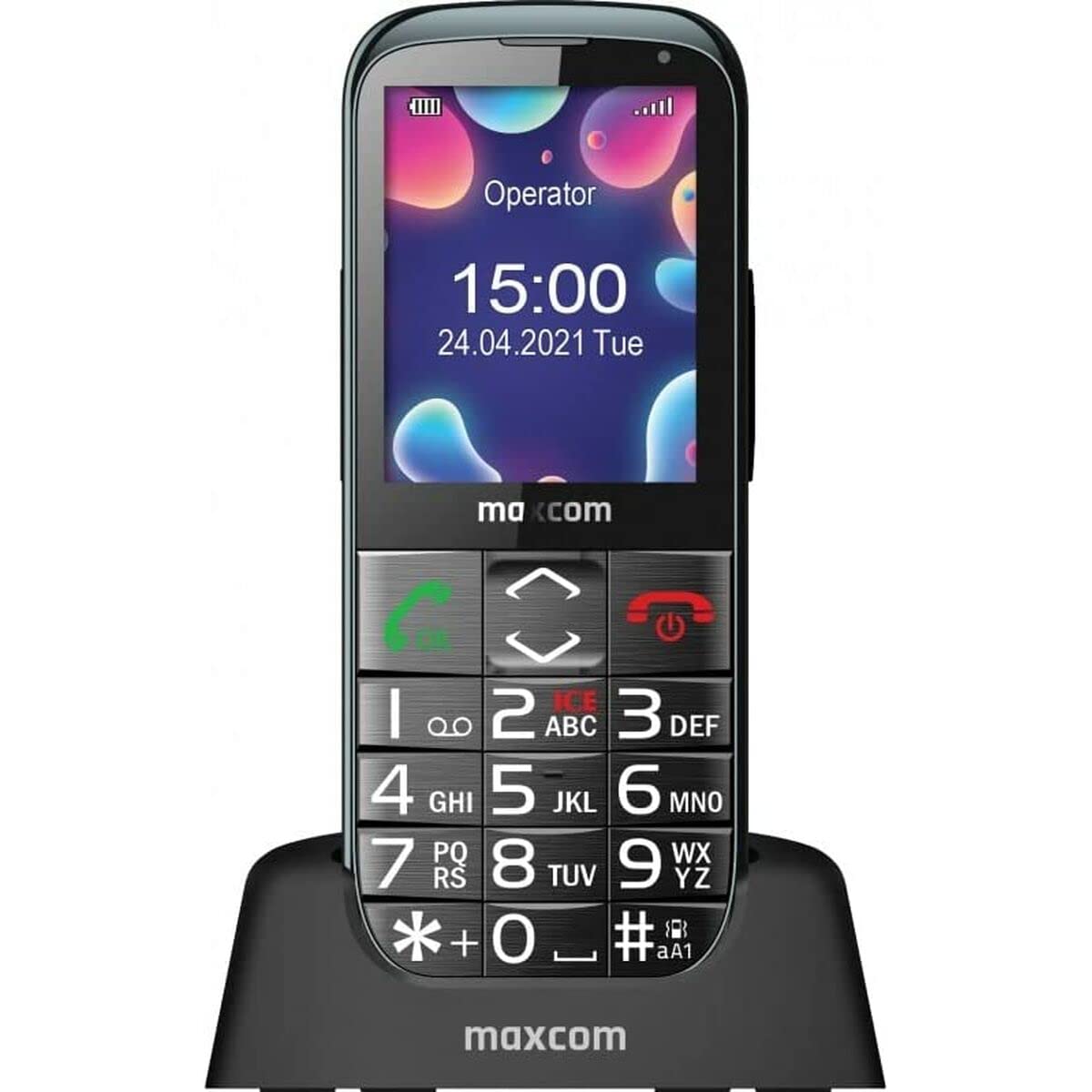
Image: The Maxcom MM724 simple mobile phone, typically black, with a clear display and large buttons.
3. Sąranka
3.1. SIM kortelės ir akumuliatoriaus įdėjimas
- Atsargiai nuimkite telefono galinį dangtelį.
- Įdėkite SIM kortelę (-es) į tam skirtą (-us) lizdą (-us) auksiniais kontaktais žemyn.
- Įdėkite bateriją, užtikrindami, kad kontaktai būtų tinkamai sulygiuoti.
- Uždėkite galinį dangtelį, kol jis spragtelėdamas tvirtai užsifiksuos.
3.2. Įrenginio įkrovimas
The Maxcom MM724 uses a convenient desktop charger. To charge your phone:
- Connect the charger cord to a power outlet.
- Place the phone upright into the desktop charging cradle.
- Ensure the charging indicator on the phone or cradle illuminates, indicating that charging has begun.
- For optimal battery life, keep the phone in the cradle when not in use to ensure it is always charged.
4. Naudojimo instrukcijos
4.1. Įjungimas/išjungimas
- Norėdami įjungti: Paspauskite ir palaikykite maitinimo / skambučio baigimo mygtuką (paprastai raudoną), kol ekranas užsidegs.
- Norėdami išjungti: Press and hold the Power/End Call button until the power-off options appear, then confirm.
4.2. Skambinimas ir skambučių priėmimas
- Norėdami paskambinti: Dial the number using the keypad and press the Call button (usually green).
- Norėdami gauti skambutį: Press the Call button when the phone rings. The phone is designed to ring very loudly to ensure calls are not missed.
- Norėdami baigti skambutį: Paspauskite maitinimo / skambučio baigimo mygtuką.
4.3. Pranešimų siuntimas ir gavimas
Navigate to the 'Messages' menu to compose new SMS messages or read incoming ones. Use the keypad to type your message.
4.4. SOS mygtuko naudojimas
The SOS button is located on the back of the phone and is designed for emergencies.
- Sąranka: Access the phone's settings to pre-define a list of emergency contacts.
- Aktyvinimas: In an emergency, press and hold the SOS button. The phone will automatically call the pre-defined contacts in sequence until one answers.
4.5. Žibintuvėlio įjungimas
The phone features a dedicated button for the flashlight, making it easy to activate when needed. Refer to your phone's specific button layout for its location.
4.6. Bluetooth and Hearing Aid Compatibility
The Maxcom MM724 supports Bluetooth connectivity, allowing it to pair with compatible devices, including certain hearing aids. This enables hands-free calling.
- Poravimas: Go to the Bluetooth settings on your phone and enable Bluetooth. Put your hearing aid into pairing mode (consult your hearing aid's manual). Select your hearing aid from the list of available devices on the phone to pair.
- Pastaba: Compatibility with hearing aids depends on the hearing aid's features. Consult your audiologist for specific compatibility information. The phone also features a ring line and additional gain for improved audio performance with or without hearing aids.
5. Priežiūra
- Valymas: Telefono ekraną ir korpusą valykite minkšta, sausa šluoste. Venkite naudoti skystus valiklius ar abrazyvines medžiagas.
- Akumuliatoriaus priežiūra: Keep the battery charged regularly. Avoid extreme temperatures, which can affect battery performance and lifespan.
- Saugykla: Kai ilgesnį laiką nenaudojate telefono, laikykite jį vėsioje, sausoje vietoje.
6. Problemų sprendimas
- Telefonas neįsijungia: Ensure the battery is correctly inserted and charged. Connect the phone to the charger and try again.
- Nėra tinklo signalo: Patikrinkite, ar SIM kortelė tinkamai įdėta. Persikelkite į vietą, kurioje geresnis tinklo ryšys. Jei problema išlieka, susisiekite su savo paslaugų teikėju.
- Negalima skambinti / priimti skambučių: Verify that you have sufficient credit or an active plan. Check network signal strength.
- „Bluetooth“ susiejimo problemos: Ensure both devices are in pairing mode and within range. Try restarting both the phone and the Bluetooth device.
7. Specifikacijos
| Prekės ženklas | Maxcom |
| Modelio pavadinimas | MM724 |
| Operacinė sistema | Android |
| Ekrano dydis | 3 colių |
| Ryšio technologija | Bluetooth |
| Korinio ryšio technologija | 4G |
| Belaidžio tinklo technologija | GSM |
| Spalva | Juoda |
| Prekės svoris | 85 gramų |
| Belaidis nešiklis | Atrakinta |
8. Garantija ir palaikymas
Warranty information for the Maxcom MM724 mobile phone is typically provided with your purchase documentation or can be found on the official Maxcom website. For technical support or service inquiries, please refer to the contact information provided by your retailer or the manufacturer.


