Įvadas
The Amazon Echo Show 8 (3rd Gen) is a smart display designed to enhance your daily life with its HD touchscreen, spatial audio, and integrated smart home hub. This manual provides essential information for setting up, operating, maintaining, and troubleshooting your device.
Pagrindinės funkcijos:
- Immersive entertainment with spatial audio and an 8" HD touchscreen.
- Enhanced video calling with a 13 MP camera and noise reduction.
- Built-in smart home hub supporting Zigbee, Matter, and Thread.
- Adaptive Content for glanceable information and personalized experiences.
- Amazon Photos integration for a digital photo frame.
Sąranka
Kas įtraukta
- „Echo Show 8“ įrenginys
- Maitinimo adapteris (30 W) su laidu (4.9 pėd.)
- Greitos pradžios vadovas
Sistemos reikalavimai
The Echo Show 8 requires a WiFi connection. The Alexa app is compatible with Fire OS, Android, and iOS devices, and is also accessible via a web browser. Certain skills and services may require subscriptions or additional fees.
Pradinė sąranka
- Connect the power adapter to your Echo Show 8 and plug it into a power outlet.
- Follow the on-screen instructions to connect to your WiFi network.
- Log in with your Amazon account.
- Complete the setup process, including language selection and personal preferences.
The device supports Amazon WiFi simple setup for easy connection to your network.
„Echo Show“ valdymas 8
Valdymas balsu su Alexa
Your Echo Show 8 is primarily controlled using your voice with Alexa. Simply say "Alexa" followed by your command or question. Alexa speaks English and Spanish.

1 paveikslas: The Echo Show 8 displaying a music interface, indicating voice control capabilities. Users can control music, shows, and other functions using voice commands.
Entertainment and Media
Enjoy content from Prime Video, Netflix, Fire TV Channels, Amazon Music, Apple Music, and Spotify on the 8" HD display with spatial audio. Say "Alexa, play [content]" or "Alexa, stream [music service]."

2 paveikslas: The Echo Show 8 showcasing a music playlist, highlighting its compatibility with various streaming services like Amazon Music, Spotify, Apple Music, Prime Video, Netflix, and Fire TV Channels.
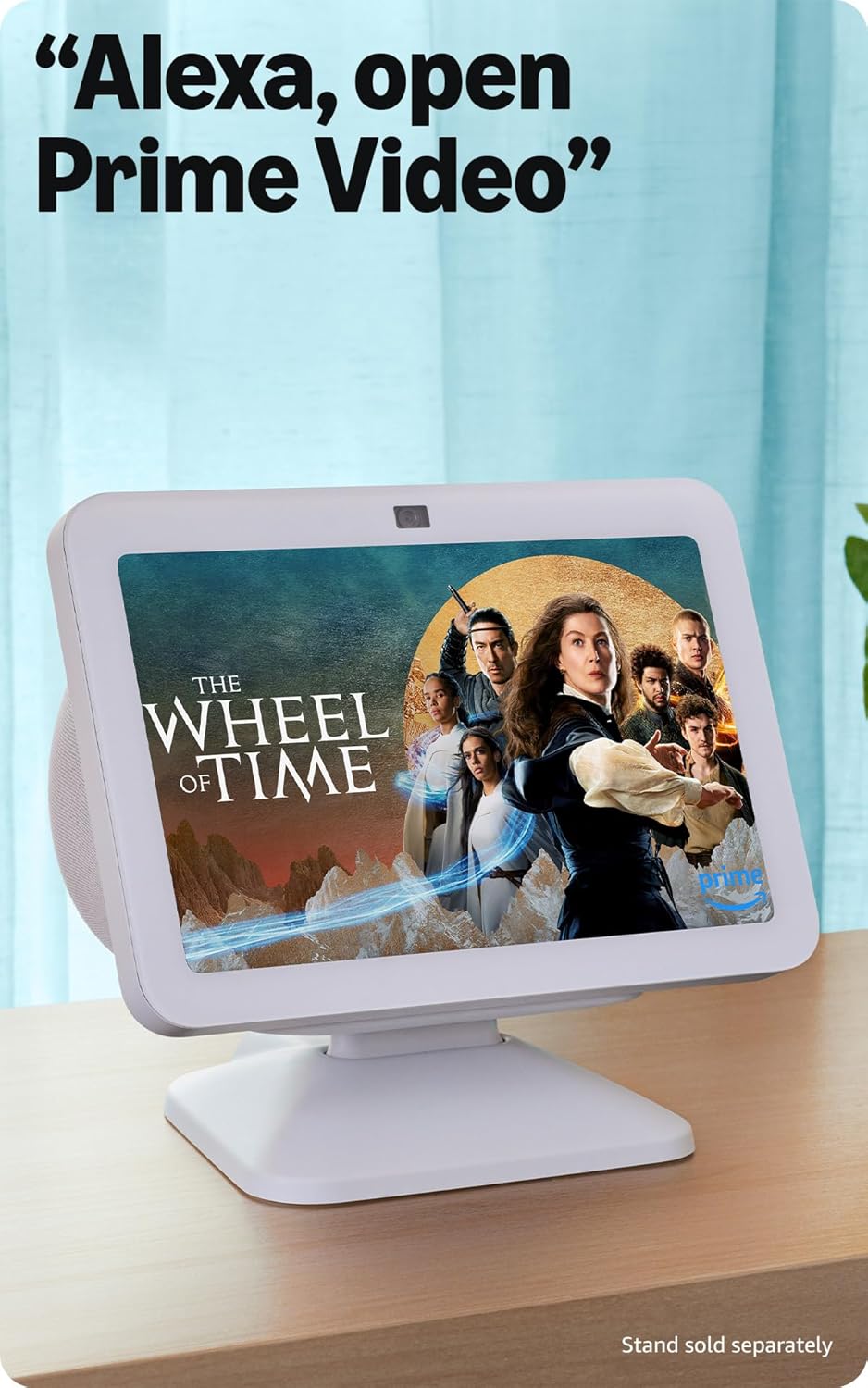
3 paveikslas: The Echo Show 8 displaying a video from Prime Video, demonstrating its capability to stream content from various platforms.
Išmaniojo namo valdymas
The Echo Show 8 features a built-in smart home hub compatible with Zigbee, Matter, and Thread devices. You can pair and control smart cameras, lights, thermostats, and more using the display or your voice. Activate routines via motion detection.

4 paveikslas: The Echo Show 8 showing a smart home control interface, allowing users to manage connected devices like thermostats and lights directly from the screen.
Video Calling and Communication
Make hands-free video calls using your voice. The 13 MP camera features auto-framing and noise reduction for clearer conversations. Use the Top Connections widget for quick calls.
Nuotraukų ekranas
Turn your Echo Show 8 into a digital photo frame with Amazon Photos. Adaptive color technology ensures your photos look great in any lighting condition. You can also invite family and friends to share photos to your device.
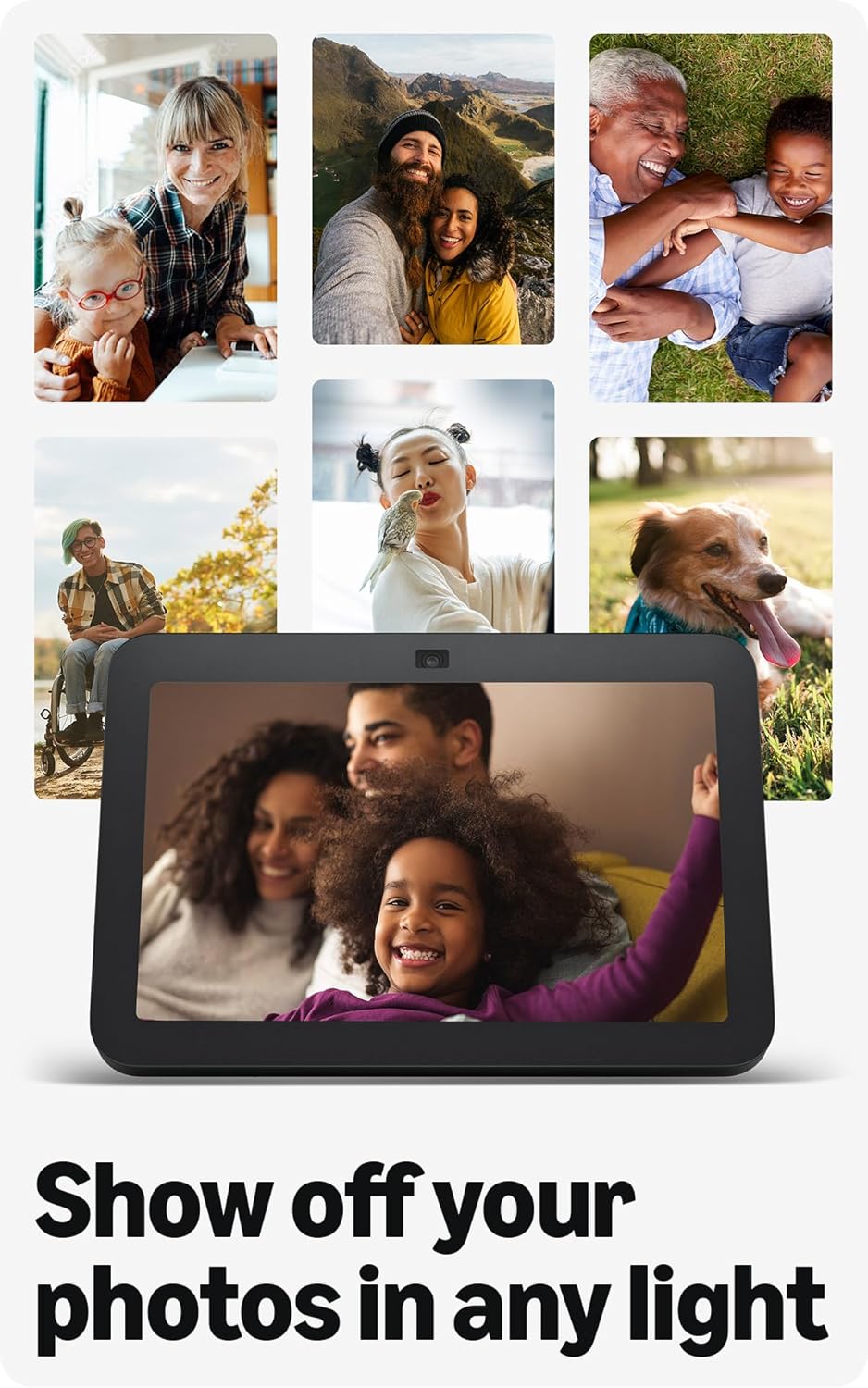
5 paveikslas: The Echo Show 8 displaying a collection of personal photos, demonstrating its use as a digital photo frame with adaptive color technology.
Prisitaikantis turinys
Adaptive Content allows you to view glanceable information like calendars or reminders from a distance, and more detailed content when you are closer to the device. Shortcut icons on the home screen provide quick access to frequently used widgets.
Priežiūra
To ensure optimal performance and longevity of your Echo Show 8:
- Valymas: Use a soft, lint-free cloth to clean the screen and device exterior. Avoid abrasive cleaners or sprays.
- Vieta: Padėkite įrenginį ant stabilaus, lygaus paviršiaus, atokiau nuo tiesioginių saulės spindulių, šilumos šaltinių ir drėgmės.
- Programinės įrangos atnaujinimai: Ensure your device receives regular software security updates. These are typically automatic when connected to Wi-Fi.
Trikčių šalinimas
Jei kyla problemų dėl „Echo Show 8“, apsvarstykite šiuos įprastus sprendimus:
- Nėra galios: Įsitikinkite, kad maitinimo adapteris yra tvirtai prijungtas tiek prie įrenginio, tiek prie veikiančio maitinimo lizdo.
- „Wi-Fi“ ryšio problemos: Check your router and internet connection. Try restarting both your router and the Echo Show 8. Ensure the device is within range of your Wi-Fi network.
- Alexa neatsako: Verify that the microphone is not muted (check the microphone/camera off button). Speak clearly and ensure you are within hearing range of the device.
- Ekranas nereaguoja: Pabandykite iš naujo paleisti įrenginį, atjungdami jį kelioms sekundėms ir vėl prijungdami.
- Fotoaparato problemos: Ensure the built-in camera shutter is open.

6 paveikslas: Iš arti view of the Echo Show 8's top edge, illustrating the camera lens and the physical camera shutter for privacy control.
For more detailed troubleshooting or persistent issues, refer to the Amazon Alexa app help section or the official Amazon support websvetainę.
Specifikacijos
| Dydis | 7.9 x 5.5 x 4.2 col. (200 mm x 139 mm x 106 mm) |
| Svoris | 36.6 gramų (1034 uncijos) |
| Ekranas | 8.0 colių HD jutiklinis ekranas |
| Fotoaparatas | 13 MP centrinė kamera su integruotu užraktu |
| „WiFi“ ryšys | Dual-band WiFi (802.11a/b/g/n/ac) |
| „Smart Home Hub“ | „Zigbee“ + „Matter“ + gijų kraštų maršrutizatorius |
| Bluetooth ryšys | A2DP support for audio streaming, AVRCP for voice control of mobile devices |
| Garsas | 2 x 2” full range neodymium drivers with passive bass radiator |
| Procesorius | Octa-Core SoC with Amazon AZ2 Neural Network Engine |
| Kalba | Alexa kalba angliškai ir ispaniškai |

7 paveikslas: The Echo Show 8 with its physical dimensions clearly marked, illustrating its compact size.
Privatumo funkcijos
Amazon Echo Show 8 is designed with multiple layers of privacy controls:
- „Wake Word“ technologija: Įrenginys pradeda klausytis tik aptikęs žadinimo žodį („Alexa“).
- Srautinio perdavimo indikatoriai: Vizualiniai indikatoriai rodo, kada garsas transliuojamas į debesį.
- Mikrofono / kameros išjungimo mygtukas: Fizinis mygtukas leidžia elektroniniu būdu atjungti mikrofonus ir kamerą.
- Integruotas kameros užraktas: Fizinis užraktas leidžia uždengti fotoaparato objektyvą.
- Balso įrašų valdymas: Gebėjimas view ir ištrinti savo balso įrašus.
Daugiau informacijos rasite „Alexa“ privatumo centre.
Prieinamumo funkcijos
„Echo Show 8“ turi įvairias pritaikymo neįgaliesiems funkcijas, skirtas suasmeninti „Alexa“ pagal jūsų galimybes. Prie jų galima prisijungti per Nustatymai → Prieinamumas savo įrenginyje.
- Palieskite, kad pasiektumėte Alexa: Sąveikaukite su „Alexa“ lietimu naudodami ekrano plyteles arba klaviatūrą.
- Adaptyvus klausymasis: Suteikia daugiau laiko baigti kalbėti prieš Alexa atsakant.
- Pageidaujamas kalbėjimo tempas: Valdykite Alexa kalbėjimo greitį.
- Subtitrai su „Alexa“, skambučių subtitrai, uždarieji subtitrai: Text captions for supported content and calls.
- Parodyk ir papasakok: Padeda silpnaregiams atpažinti produktus, pasakant „Alexa, ką aš laikau“.
- BalsasView Ekrano skaitytuvas: Provides audio feedback for visually impaired users.
- Ekrano didintuvas: Priartinkite / atitolinkite ir judinkite ekraną.
- Pranešti, kai bus netoliese: Leidžiami pranešimų garsai, kai aptinkamas šalia įrenginio.
- „Kindle“ skaitymas garsiai: Alexa gali garsiai skaityti „Kindle“ knygas.
- Tekstas realiuoju laiku: Type live text during a video call.
- Papildomi nustatymai apima spalvų inversiją, spalvų korekciją ir garso užklausą.
Garantija ir palaikymas
Informacija apie garantiją
The Echo Show 8 (3rd Gen) includes a 1-year limited warranty and service. An optional 1-year extended warranty is available for U.S. customers and sold separately. This device, being a Certified Refurbished Amazon device, comes with the same limited warranty as a new device.
Pagalba klientams
Dėl papildomos pagalbos, techninės pagalbos ar garantinių pretenzijų apsilankykite oficialioje „Amazon“ palaikymo svetainėje website or contact Amazon customer service. You can also find helpful resources within the Alexa app.


