Įvadas
This manual provides comprehensive instructions for the Nillkin Magnetic Tablet Mount, Model B0BMPJCKVR. This product is designed to securely hold tablets and e-readers on various flat surfaces, offering hands-free viewing in locations such as bedrooms, kitchens, bathrooms, and vehicles. Please read these instructions carefully before installation and use to ensure proper function and safety.
Produkto savybės
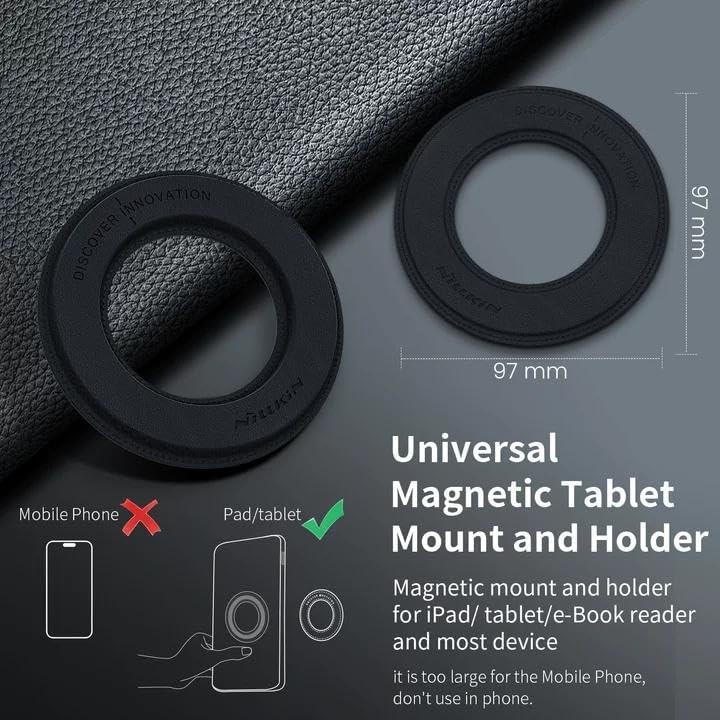
- Visuotinis suderinamumas: Designed for most tablets and e-readers with screen sizes between 9-15 inches, including various iPad Pro, iPad Air, and iPad Mini generations. Not compatible with mobile phones or Samsung tablets (due to potential S Pen function interference).
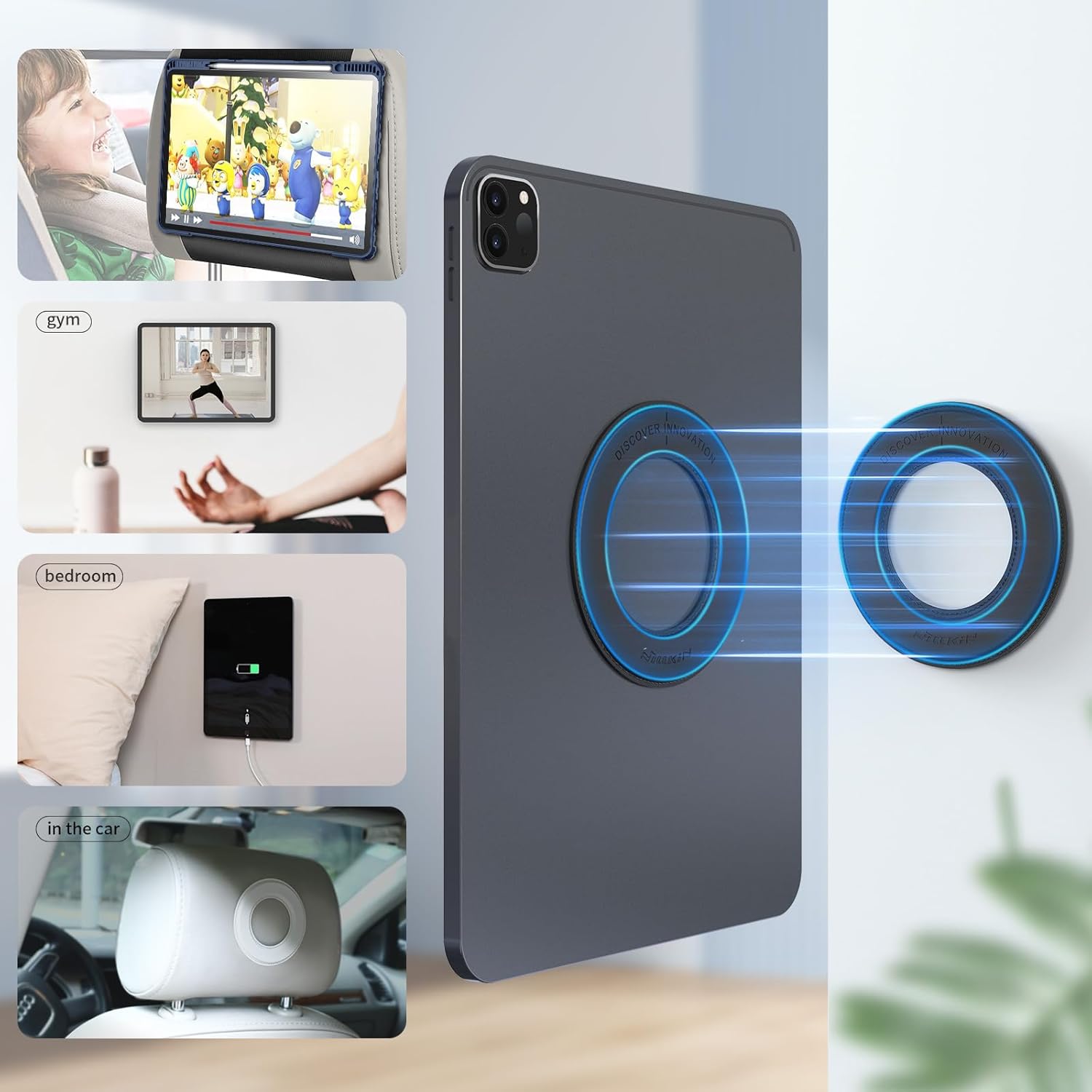
- Stipri magnetinė adsorbcija: Features 38 built-in quadruple magnet rings for a secure hold without signal interference. The magnet is covered in PU leather for device protection.
- Automatic Attraction Design: Allows for easy attachment and detachment, ideal for watching videos, making video calls, or using as a magnetic holder in various settings.
- Lengvas montavimas: Utilizes strong adhesive for simple, stable installation on walls and other flat surfaces.
- Aukštos kokybės medžiaga: Constructed with 6 sturdy magnetic ring circles and scratch-proof, water-resistant PU leather.
Pakuotės turinys
The Nillkin Magnetic Tablet Mount package typically includes:
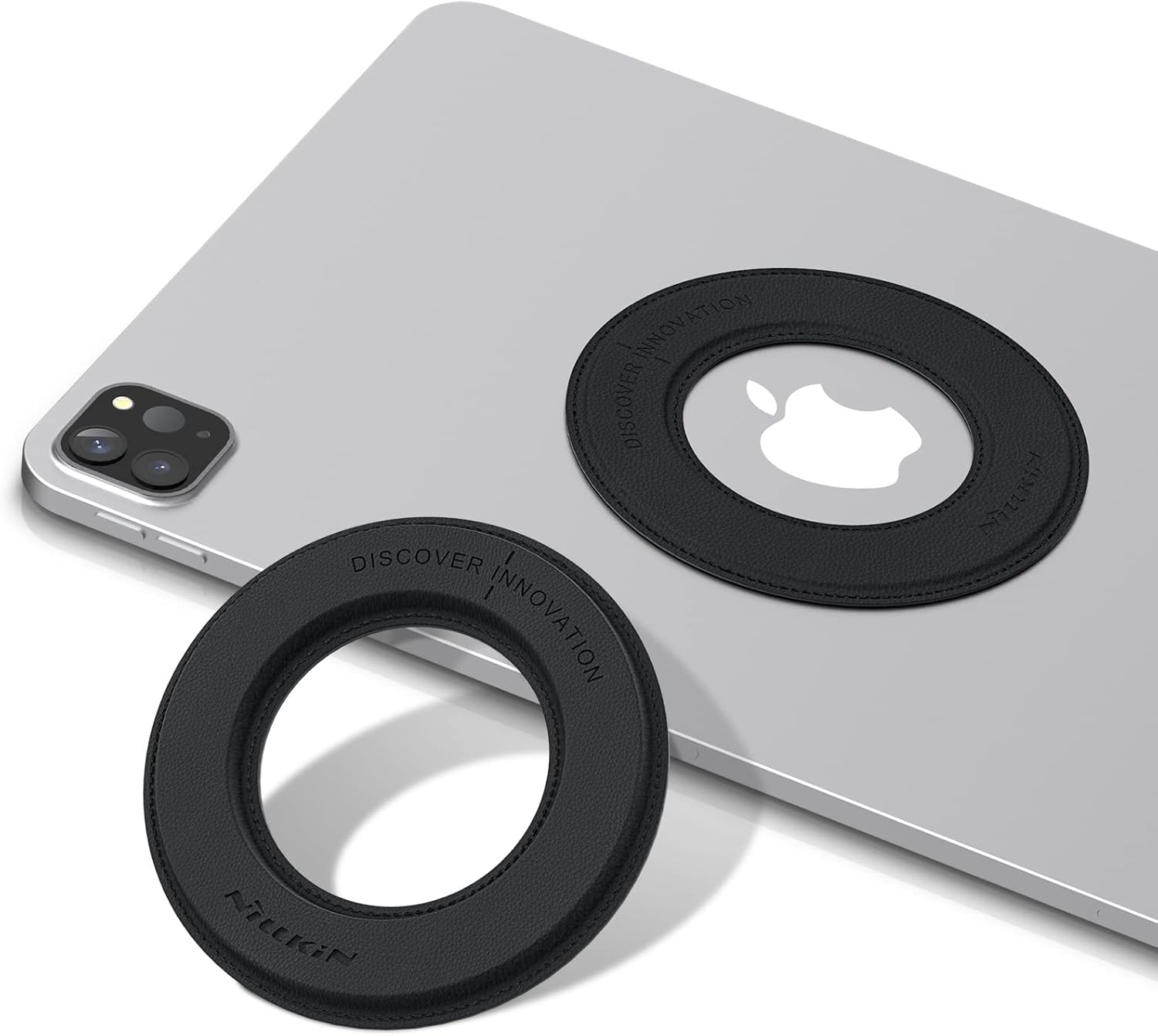
- SnapHold (Wall-side magnetic sticker)
- SnapLink (Tablet-side magnetic sticker)
- Installation Guide (This manual)
Note: Specific contents may vary. Please check your product packaging.
Sąranka ir diegimas
Follow these steps for proper installation of your Nillkin Magnetic Tablet Mount.
Step 1: Prepare Your Tablet
- Ensure the back surface of your tablet or tablet case is clean and dry.
- Carefully peel off the protective film from the back of the SnapLink (tablet-side magnetic sticker).
- Align the SnapLink centrally on the back of your tablet or tablet case. Press firmly for 30 seconds to ensure strong adhesion.


Step 2: Prepare Your Mounting Surface
- Choose a clean, flat, and smooth surface for mounting (e.g., wall, car dashboard, fridge). Avoid textured or porous surfaces.
- Clean the chosen surface thoroughly and allow it to dry completely.
- Peel off the protective film from the back of the SnapHold (wall-side magnetic sticker).
- Press the SnapHold firmly onto the desired surface for 30 seconds.
- Allow the adhesive to cure for at least 24 hours before attaching your tablet to ensure maximum strength.


Naudojimo instrukcijos
Once both the SnapLink and SnapHold are securely installed, using your Nillkin Magnetic Tablet Mount is simple.
- Hold your tablet with the installed SnapLink close to the installed SnapHold on the wall.
- The magnets will automatically attract, securely holding your tablet in place.
- To remove, gently pull the tablet away from the SnapHold.
- The mount allows for both horizontal and vertical orientation of your tablet.

Priežiūra
To ensure the longevity and optimal performance of your Nillkin Magnetic Tablet Mount, follow these maintenance guidelines:
- Valymas: PU odos paviršius nuvalykite minkšta, d šluosteamp audiniu. Venkite stiprių cheminių medžiagų ar abrazyvinių valiklių, nes jie gali pažeisti medžiagą.
- Klijų priežiūra: The adhesive is designed for strong, long-lasting hold. Avoid repeatedly removing and re-sticking the SnapHold or SnapLink, as this can weaken the adhesive.
- Magnetinis paviršius: Keep the magnetic surfaces free from dust and debris to ensure a strong connection.
- Temperatūra: Avoid exposing the mount to extreme temperatures, which could affect the adhesive or material integrity.
Trikčių šalinimas
If you encounter any issues with your Nillkin Magnetic Tablet Mount, refer to the following common problems and solutions:
| Problema | Galima priežastis | Sprendimas |
|---|---|---|
| Tablet does not stick securely. |
|
|
| Adhesive peels off the surface. |
|
|
| Magnetic interference with Samsung S Pen. | Inherent magnetic properties of the mount. | This product is not recommended for Samsung tablets due to potential interference with S Pen functionality. |
Specifikacijos
| Funkcija | Detalė |
|---|---|
| Prekės ženklas | Nillkin |
| Modelio numeris | B0BMPJCKVR |
| Prekės svoris | 4.6 uncijos |
| Spalva | Juoda |
| Formos faktorius | Žiedas |
| Ypatingos savybės | Hands-Free, Heat Resistant, Lightweight, Magnetic Wall Mount |
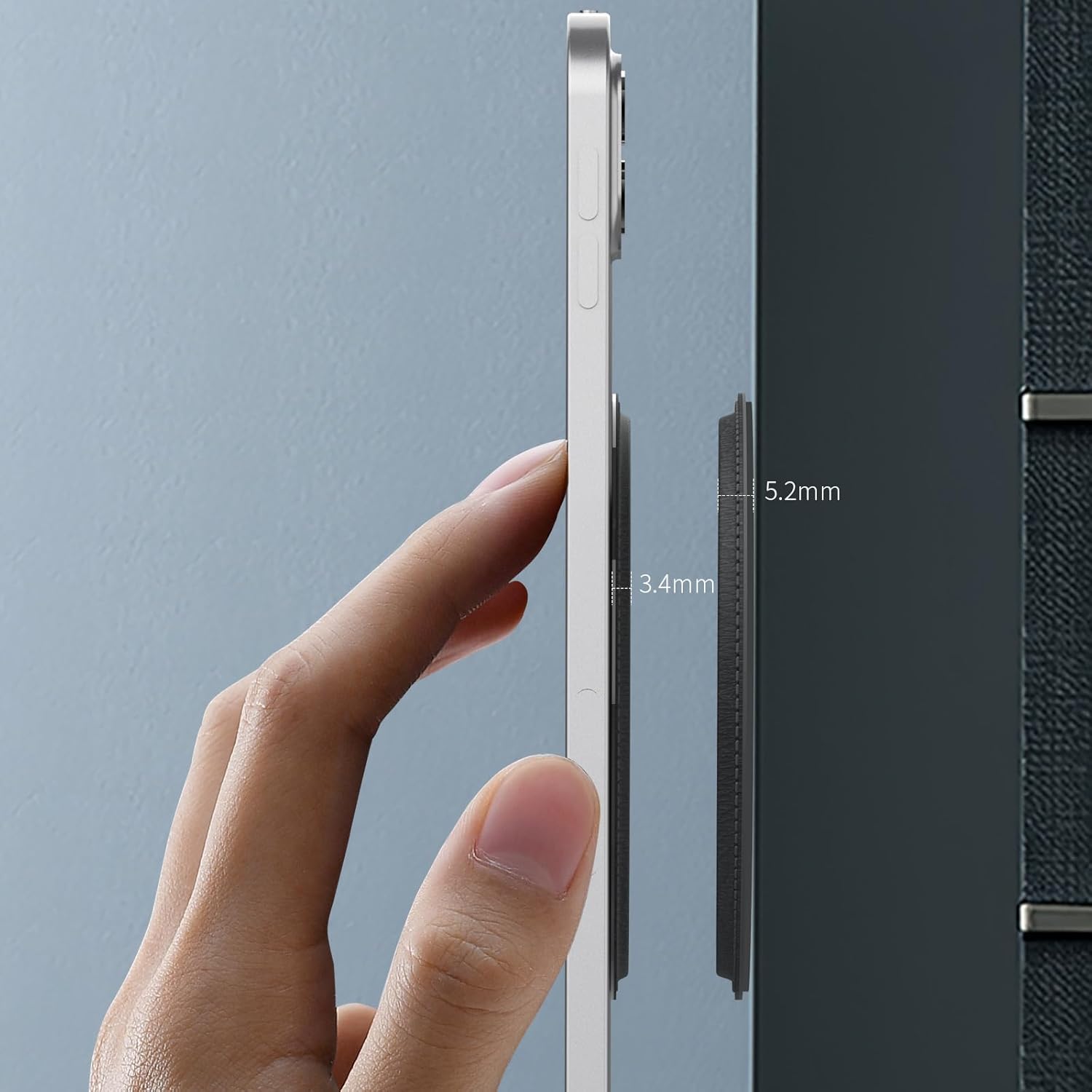
| SnapHold Size (Wall) | 97*97*5.2 mm |
| SnapLink Size (Tablet) | 97*97*3.4 mm |
Suderinamumas
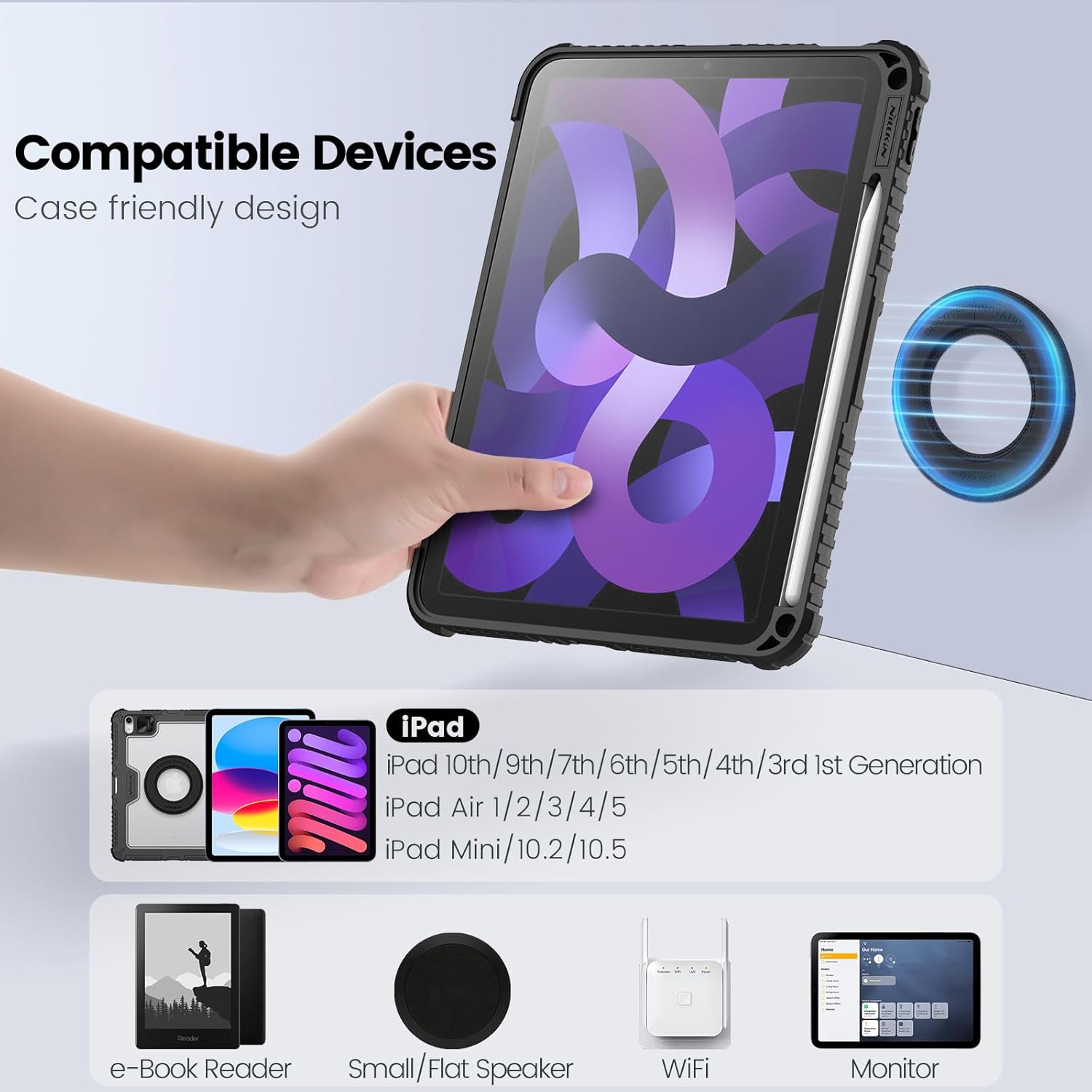
The Nillkin Magnetic Tablet Mount is compatible with a wide range of tablets and e-readers. It is designed for devices with screen sizes between 9 and 15 inches.
Suderinami įrenginiai:
- iPad Pro 13 inch M5/M4
- iPad Pro 11 inch M4
- iPad Air M2 and M3
- iPad 10th/9th/8th/7th/6th/5th/4th/3rd/2nd/1st Generation
- iPad Pro 12.9 (2016/2017/2018/2019/2020/2021/2022 models)
- iPad Mini
- iPad Air 3/4/5
- Microsoft Surface tablets
- Most e-Book Readers
Svarbios suderinamumo pastabos:
- Not Compatible with Mobile Phones: This mount is specifically designed for tablets and e-readers, not smartphones.
- Samsung Tablets: Not recommended for Samsung tablets, as the magnetic field may interfere with the functionality of the Samsung S Pen.
- Draugiškas atvejis: The design is case-friendly, but ensure the tablet case is not excessively thick (ideally less than 2mm) to maintain optimal magnetic connection.

Saugos informacija
Please observe the following safety precautions to prevent damage to the product or your devices, and to ensure user safety:
- Saugus montavimas: Always ensure both the SnapLink and SnapHold are firmly attached and the adhesive has fully cured (24 hours) before mounting your tablet.
- Paviršiaus pasirinkimas: Only apply the SnapHold to clean, dry, and smooth surfaces. Avoid wallpaper, painted walls with satin finish, or other delicate/textured surfaces that may not provide adequate adhesion.
- Svorio limitas: Do not exceed the recommended weight for the mount. This product is designed for tablets and e-readers within the specified size range (9-15 inches).
- Magnetiniai laukai: Keep the magnetic mount away from sensitive electronic devices, credit cards, pacemakers, or other items that may be affected by strong magnetic fields.
- Vaikai: Keep small components out of reach of children to prevent choking hazards.
- Šiluma: Avoid installing the mount in areas exposed to extreme heat, as this can degrade the adhesive.
Garantija ir palaikymas
Warranty information for the Nillkin Magnetic Tablet Mount is not explicitly provided in the product details. For specific warranty terms, return policies, or technical support, please refer to the seller's information on the purchase platform or contact Nillkin customer service directly.
You can visit the official Nillkin store for more products and support: Nillkin Official Store


