1. Produktas baigtasview
The AUKEY LS02 Smart Watch is designed to help you monitor your daily activities and stay connected. It features a large 1.4-inch TFT screen with a 320 x 320 pixel resolution, providing clear display of information.
Pagrindinės funkcijos apima:
- Display of daily activity information and phone notifications.
- Synchronization with the AUKEY Fit App for call, text, and chat message alerts.
- Control of your phone's music playlist directly from your wrist.
- Accurate fitness tracking for various activities like running, cycling, and walking.
- Monitoring of performance data such as steps, activity minutes, distance, and calories burned.
- Compatibility with both iPhone and Android smartphones.

1.1 pav.: priekis view of the AUKEY LS02 Smart Watch, showing the display with time, date, and various health metrics.
2. Sąrankos vadovas
2.1. Kas yra dėžutėje
Išpakuodami patikrinkite, ar yra visi komponentai:
- AUKEY LS02 Smart Watch (with strap attached)
- Įkrovimo kabelis
- Instrukcijų vadovas (šis dokumentas)
2.2. Pradinis įkrovimas
Before first use, fully charge your AUKEY LS02 Smart Watch.
- Prijunkite magnetinį įkrovimo laidą prie įkrovimo kontaktų laikrodžio gale.
- Prijunkite įkrovimo laido USB galą prie standartinio USB maitinimo adapterio (rekomenduojama 5 V / 1 A) arba kompiuterio USB prievado.
- Laikrodžio ekrane bus rodoma įkrovimo būsena. Visiškas įkrovimas užtruks maždaug 2 valandas.
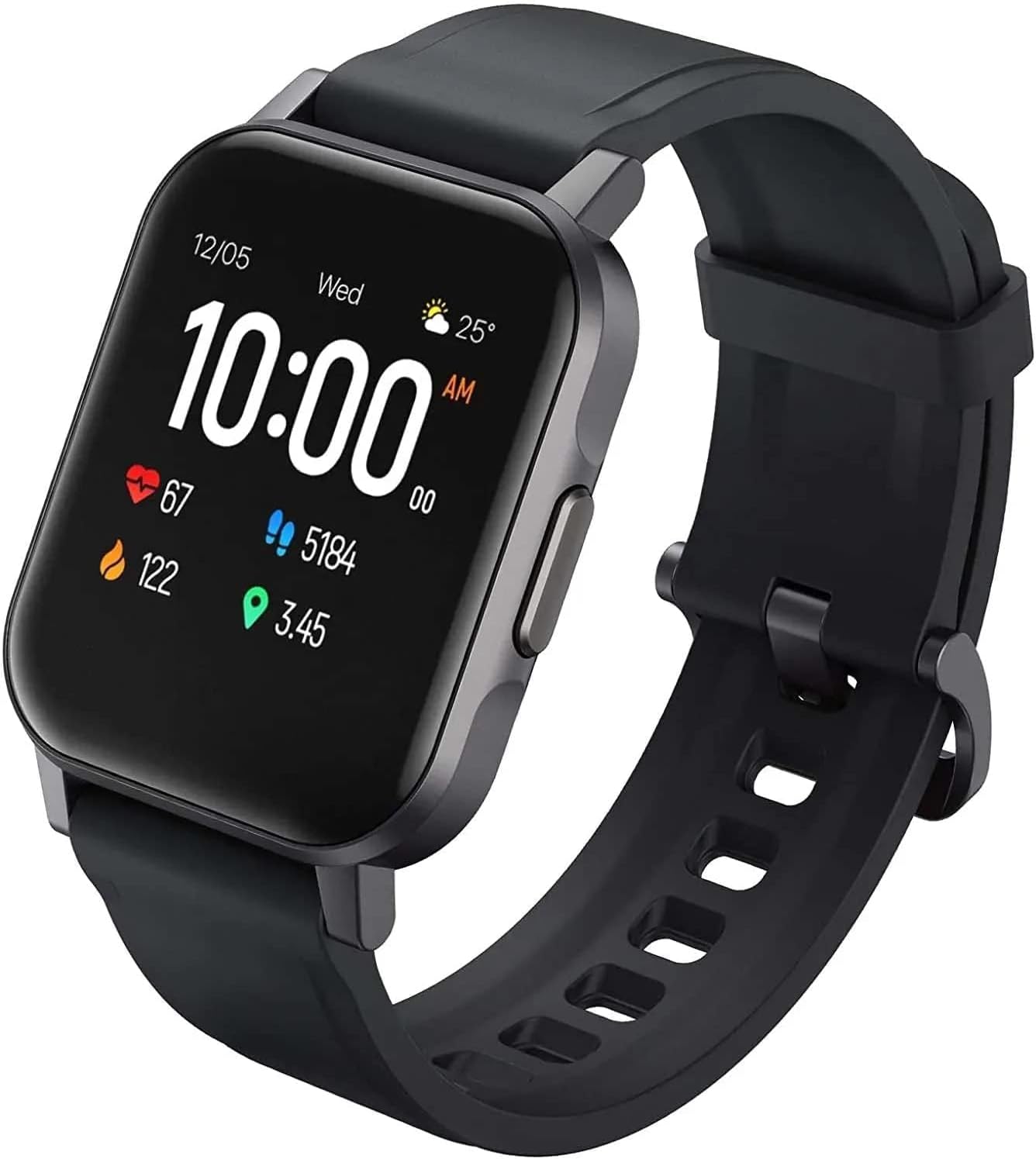
2.1 pav.: Kampinis view of the AUKEY LS02 Smart Watch, highlighting the watch body and strap connection.
2.3. Susiejimas su išmaniuoju telefonu
To unlock the full features of your smartwatch, pair it with the AUKEY Fit App.
- Download the AUKEY Fit App: Ieškokite "AUKEY Fit" in your smartphone's app store (Google Play Store for Android or Apple App Store for iOS) and install it.
- Įjungti Bluetooth: Įsitikinkite, kad jūsų išmaniajame telefone įjungtas „Bluetooth“.
- Atidarykite programą: Launch the AUKEY Fit App and follow the on-screen instructions to create an account or log in.
- Pridėti įrenginį: In the app, navigate to the "Device" or "Add Device" section. The app will search for nearby AUKEY smartwatches.
- Pasirinkite savo laikrodį: From the list of found devices, select "AUKEY LS02" or a similar identifier.
- Patvirtinkite susiejimą: Ir telefone, ir laikrodyje gali būti parodytas susiejimo prašymas. Patvirtinkite susiejimą abiejuose įrenginiuose.
- Sinchronizavimas: Once paired, the watch will synchronize data with the app, including time, date, and personal settings.
Pastaba: Keep your watch close to your smartphone during the pairing process to ensure a stable connection.
3. Išmaniojo laikrodžio valdymas
3.1. Pagrindinė navigacija
- Jutiklinis ekranas: Braukite kairėn / dešinėn, aukštyn / žemyn, kad naršytumėte meniu ir ekranus. Palieskite, kad pasirinktumėte parinktį.
- Šoninis mygtukas: Press the side button to wake the screen, return to the home screen, or access the main menu (functionality may vary based on context).
3.2. Rodyti informaciją
The main watch face typically displays:
- Laikas ir data
- Baterijos lygis
- Bluetooth ryšio būsena
- Daily Steps Count
- Širdies ritmas
- Sudegintos kalorijos
- Nuvažiuotas atstumas
Swipe through different screens to access more detailed information or specific functions.
3.3. Pranešimai
Once paired with the AUKEY Fit App, your watch can receive notifications from your smartphone.
- Ensure notification permissions are enabled for the AUKEY Fit App in your phone's settings.
- Within the AUKEY Fit App, select which applications you wish to receive notifications from (e.g., calls, SMS, WhatsApp, Facebook).
- When a notification arrives, the watch will vibrate and display the message content.
- Braukite laikrodžio ciferblatu aukštyn arba žemyn, kad view naujausi pranešimai.
3.4. Fitneso stebėjimas
The watch automatically tracks your daily activity and offers modes for specific exercises.
- Kasdieninė veikla: Monitors steps, distance, calories, and active minutes throughout the day.
- Treniruočių režimai: Select from various activities such as running, cycling, mountain climbing, and walking. The watch will record specific metrics for the chosen activity.
- Širdies ritmo stebėjimas: Laikrodis nuolat stebi jūsų širdies ritmą. View your current heart rate on the watch or detailed historical data in the AUKEY Fit App.
3.5. Muzikos valdymas
Valdykite savo išmaniojo telefono muzikos atkūrimą tiesiai iš savo laikrodžio.
- Įsitikinkite, kad jūsų laikrodis prijungtas prie išmaniojo telefono per „Bluetooth“.
- Navigate to the music control interface on your watch (usually by swiping or through the main menu).
- You can play/pause, skip tracks (next/previous), and adjust volume (if supported by the watch model).
4. Priežiūra ir priežiūra
4.1. Išmaniojo laikrodžio valymas
Reguliarus valymas padeda išlaikyti laikrodžio išvaizdą ir funkcionalumą.
- Nuvalykite ekraną ir laikrodžio korpusą minkštu, nepūkuotu skudurėliu. Jei reikia, šiek tiek pamirkykite.amplt audinį supilkite vandeniu.
- For the strap, use a mild soap solution and rinse thoroughly. Ensure the strap is completely dry before reattaching to the watch or wearing.
- Venkite naudoti stiprias chemines medžiagas, abrazyvinius valiklius ar tirpiklius, nes jie gali pažeisti laikrodžio apdailą ar vidinius komponentus.
4.2. Atsparumas vandeniui
The AUKEY LS02 Smart Watch is designed to be splash-proof and resistant to sweat and light rain. It is ne suitable for swimming, showering, or diving. Avoid prolonged exposure to water.
Svarbu: Water damage is not covered under warranty if the watch is used beyond its specified water resistance capabilities.
4.3. Sandėliavimas
When not in use for extended periods, store your watch in a cool, dry place away from direct sunlight and extreme temperatures. Ensure the watch is partially charged (around 50%) before long-term storage to preserve battery health.
7. Garantija ir palaikymas
AUKEY products are designed with quality and reliability in mind. For specific warranty terms and conditions applicable to your AUKEY LS02 Smart Watch, please refer to the warranty card included with your purchase or visit the official AUKEY websvetainę.
If you require technical assistance, have questions about product functionality, or need to report a defect, please contact AUKEY customer support through their official channels. Details for contacting support can typically be found on the AUKEY website or within the AUKEY Fit App.
Please have your product model number (AUKEY-LS02BLK) and purchase details ready when contacting support.


