Įvadas
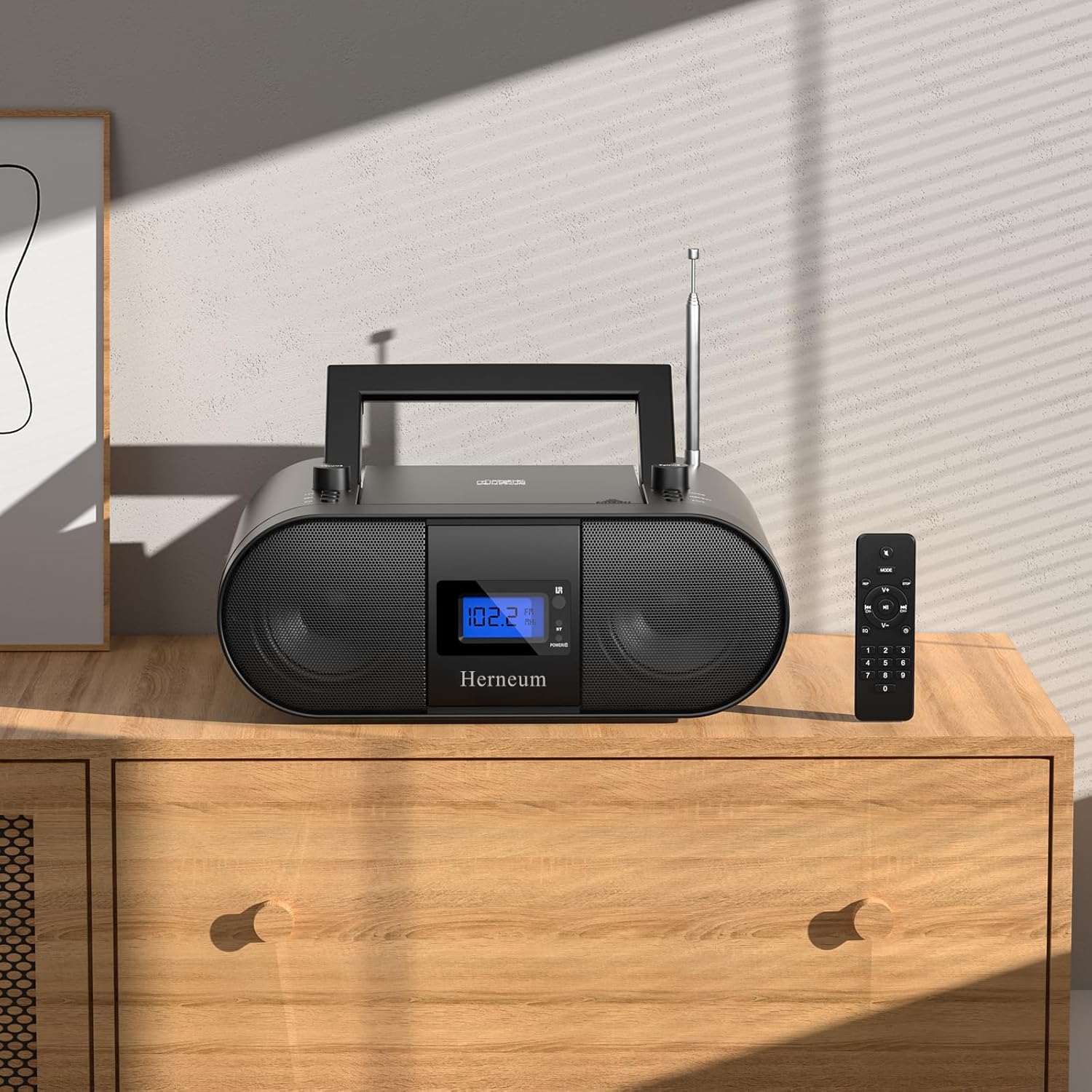
This manual provides essential instructions for the safe and efficient operation of your Herneum FC Portable CD Player Boombox. Please read this manual thoroughly before using the device and retain it for future reference.
Produkto savybės
- Nešiojamasis CD grotuvas: Top-loading CD player with play/pause, skip, and repeat functions.
- FM radijas: Built-in FM radio with telescopic antenna for enhanced reception.
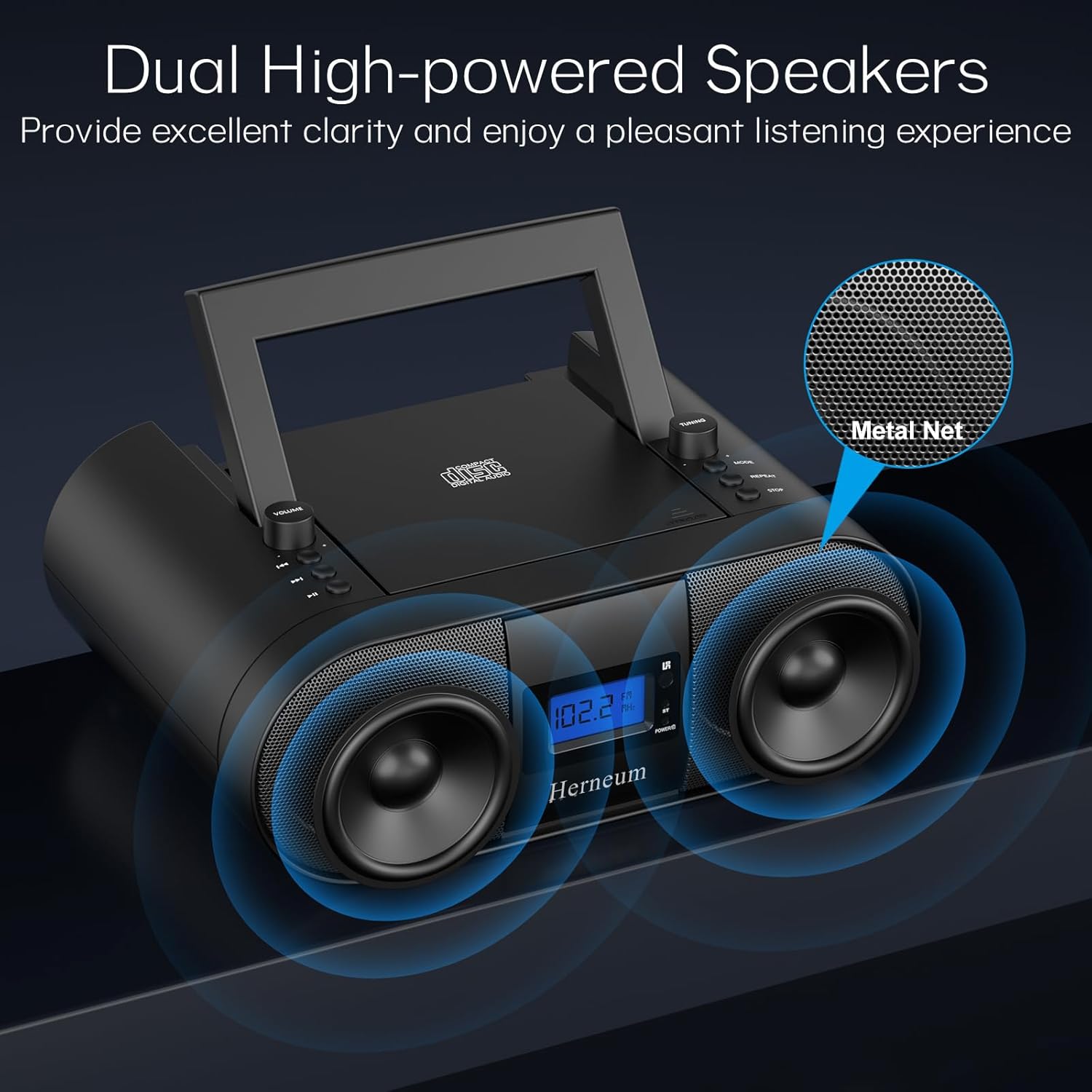
- Dual Stereo Sound System: High-performance speakers for clear audio.
- Įkraunama baterija: Integrated 2000mAh battery providing 4-5 hours of playback.
- Bluetooth ryšys: Belaidis garso transliavimas iš suderinamų įrenginių.
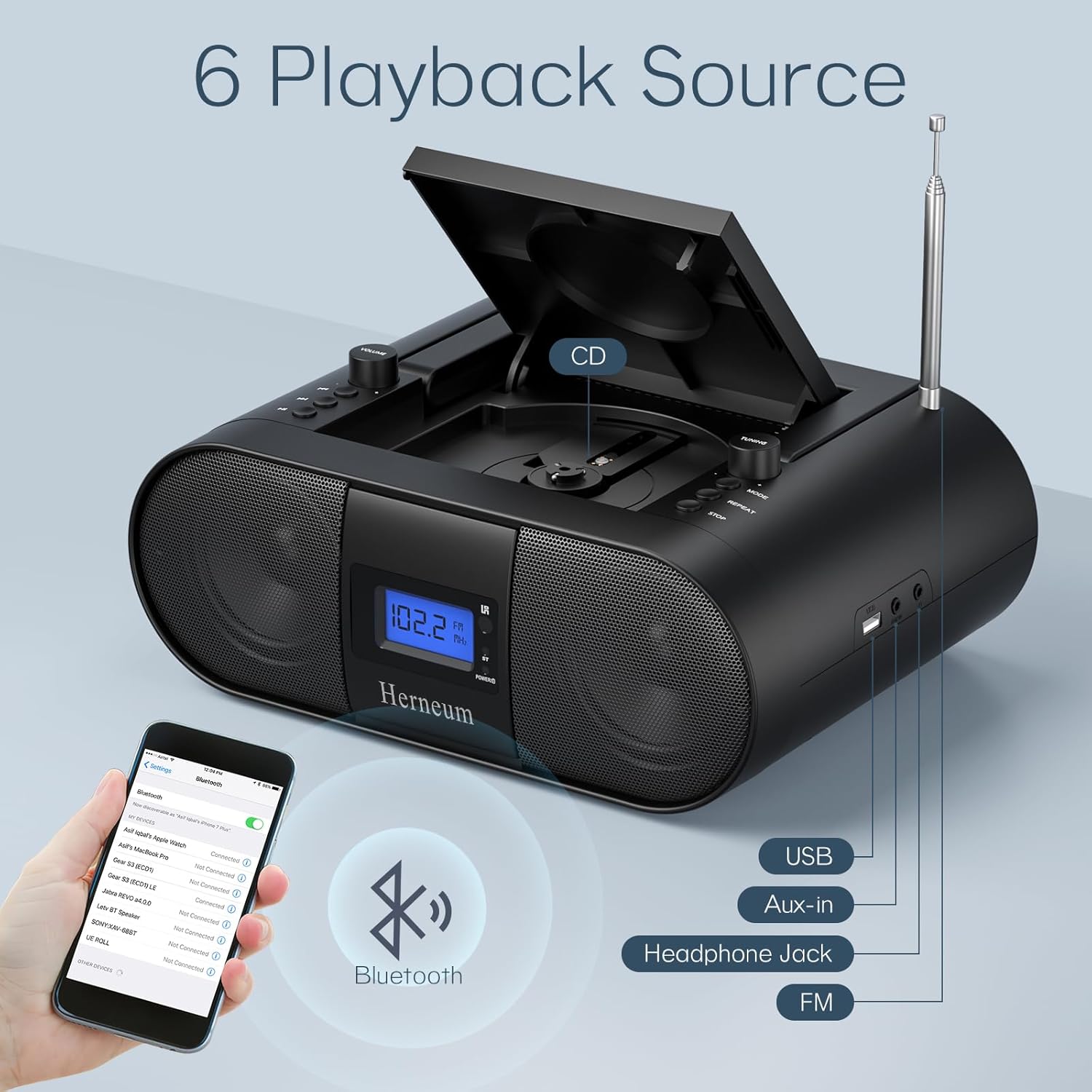
- Keli įėjimai: Supports USB and AUX-in for versatile audio sources.
- Ausinių išvestis: Privačiam pasiklausymui.
- Nuotolinio valdymo pultas: Convenient operation from a distance, including sleep timer function.
Pakuotės turinys
Išpakuodami įsitikinkite, kad yra visi daiktai:
- Herneum FC Portable CD Player Boombox
- Nuotolinio valdymo pultas
- Vartotojo vadovas
- Maitinimo kabelis
Saugos informacija
- Saugokite prietaisą nuo lietaus ar drėgmės.
- Nestatykite prietaiso šalia šilumos šaltinių arba tiesioginiuose saulės spinduliuose.
- Neatidarykite įrenginio c.asing; techninę priežiūrą patikėkite kvalifikuotiems darbuotojams.
- Laikyti vaikams nepasiekiamoje vietoje.
- Naudokite tik pateiktą maitinimo adapterį.
Sąranka
1. Įrenginio maitinimas
The Herneum FC can be powered by its internal rechargeable battery or by connecting it to an AC power outlet.
- Kintamosios srovės maitinimas: Connect the provided power cable to the "Power socket" (19) on the back of the unit and then to a wall outlet.
- Įkraunama baterija: The unit has a built-in 2000mAh rechargeable battery. It charges automatically when connected to AC power. A full charge provides approximately 4-5 hours of playback.
2. Antenos reguliavimas
For optimal FM radio reception, extend the telescopic antenna fully and adjust its position.

Naudojimo instrukcijos
1. Bendrieji valdikliai
The device features various controls on its top panel and a remote control for convenient operation.

- Maitinimo jungiklis (18): Įsikūręs įrenginio gale.
- Volume +/- (1): Reguliuoja garso išvesties lygį.
- Režimas (7): Switches between CD, FM, Bluetooth, USB, and AUX modes.
- Ekranas (14): Shows current mode, track number, and FM frequency.
2. CD grojimas
- Open the CD compartment (10) by gently lifting the lid.
- Įdėkite kompaktinį diską etikete į viršų.
- Uždarykite CD skyrelį.
- Paspauskite Režimas button (7) to select CD mode.
- Paspauskite Leisti / pristabdyti (4), kad pradėtumėte atkūrimą.
- Naudokite Ankstesnis takelis (2) ir Kitas takelis (3) to navigate tracks.
- Paspauskite Pakartokite (8) for single track or all track repeat.
- Paspauskite Sustok (9), kad baigtumėte atkūrimą.
3. FM radijo veikimas
- Ištraukite teleskopinę anteną.
- Paspauskite Režimas button (7) to select FM radio mode.
- Naudokite Derinimas +/- (6) to manually tune to a station.
- For automatic scanning, press and hold Derinimas +/- (6).
4. Bluetooth ryšys
- Paspauskite Režimas button (7) to select Bluetooth mode. The display will show "BT" and flash, indicating it's ready for pairing.
- On your mobile device, enable Bluetooth and search for "Herneum FC" (or similar device name).
- Select the device to pair. Once connected, the "BT" indicator will stop flashing.
- Dabar galite transliuoti garsą iš savo įrenginio į magnetofoną.
5. USB atkūrimas
- Insert a USB drive containing MP3/WMA files into the USB PORT (11).
- Paspauskite Režimas button (7) to select USB mode.
- Playback will start automatically. Use track navigation buttons to select songs.
6. AUX įvesties jungtis
- Connect an external audio device (e.g., smartphone, MP3 player) to the AUX-in jack (12) using a 3.5mm audio cable.
- Paspauskite Režimas button (7) to select AUX mode.
- Valdykite atkūrimą ir garsumą iš išorinio įrenginio.
7. Ausinių naudojimas
Plug headphones into the Headphone jack (13) for private listening. The speakers will automatically mute.
8. Nuotolinio valdymo pultas
The included remote control allows for convenient operation of all functions from a distance. Insert 2 x AAA batteries (not included) into the remote.
- Nutildyti / įjungti garsą: Temporarily silences or restores audio.
- Praleisti takelį: Navigates to the next or previous track.
- Change Radio: Reguliuoja FM dažnį.
- Valdymo garsumas: Padidina arba sumažina garsumą.
- Stop Playing: Halts current playback.
- EQ režimas: Adjusts sound equalization settings.
- Miego laikmatis: Set preferred running time (15, 30, 45, 60, or 90 minutes).

Priežiūra
- Valymas: Išorinį įrenginio paviršių valykite minkštu, sausu skudurėliu. Nenaudokite abrazyvinių valiklių ar tirpiklių.
- CD priežiūra: Kompaktinius diskus imkite už kraštų. Nešvarius kompaktinius diskus valykite minkštu, nepūkuotu skudurėliu, šluostydami nuo centro į išorę.
- Saugykla: When not in use for extended periods, store the boombox in a cool, dry place.
Trikčių šalinimas
| Problema | Galima priežastis | Sprendimas |
|---|---|---|
| Nėra galios | Power cable not connected; battery drained; power switch off. | Check power cable connection; charge battery; ensure power switch (18) is ON. |
| CD negroja / praleidžia garsą | CD dirty or scratched; CD inserted incorrectly; CD compartment not closed. | Clean or replace CD; ensure CD is label-side up; close compartment firmly. |
| Prastas FM priėmimas | Antena neištiesta / nesureguliuota; silpnas signalas. | Ištieskite ir sureguliuokite anteną; pabandykite perkelti įrenginį į kitą vietą. |
| „Bluetooth“ nesusieja | Device not in pairing mode; Bluetooth disabled on external device. | Ensure boombox is in Bluetooth mode; enable Bluetooth on your device and search again. |
| Nuotolinio valdymo pultas neveikia | Batteries drained or inserted incorrectly; obstruction between remote and unit. | Replace remote batteries; ensure correct polarity; remove obstructions. |
Specifikacijos
- Modelis: FC
- Prekinis ženklas: Herneum
- Gaminio matmenys: 12.6 x 8.66 x 5.9 colio
- Prekės svoris: 4.36 svaro
- Ryšio technologija: Bluetooth, CD, USB, AUX-in, FM Radio
- Spalva: Juoda
- Garsiakalbio tipas: Dvigubas garsiakalbis
- Baterija: Integruota 2000 mAh įkraunama baterija
- Playback Time (Battery): 4-5 valandas
Garantija ir palaikymas
The Herneum FC Portable CD Player Boombox comes with an 18-month warranty. For warranty claims, technical support, or any inquiries, please contact Herneum customer service.
Visit the official Herneum store for more information: Herneum Store


