1. Įvadas
The SABRENT DS-SD6P 6-Port USB-C Docking Station is designed to expand the connectivity of your Steam Deck, ROG Ally, tablets, phones, and USB-C laptops. This versatile hub offers essential ports for enhanced gaming, streaming, and productivity.
- Universal Gaming Dock: Connect your Steam Deck, ROG Ally, tablet, phone, or USB-C laptop with full support for DisplayPort Alt Mode and plug-and-play functionality — no drivers required.
- Power Up While You Play: Delivers up to 95W of PD3.0 charging via the USB-C input to keep your main device powered during heavy use — recommend pairing with a certified 100W adapter for best results.
- Crisp 4K Output: HDMI 2.0 port with HDCP 1.4 support provides up to 4K@60Hz resolution for compatible devices with DP Alt Mode — perfect for gaming, streaming, or extending your workspace.
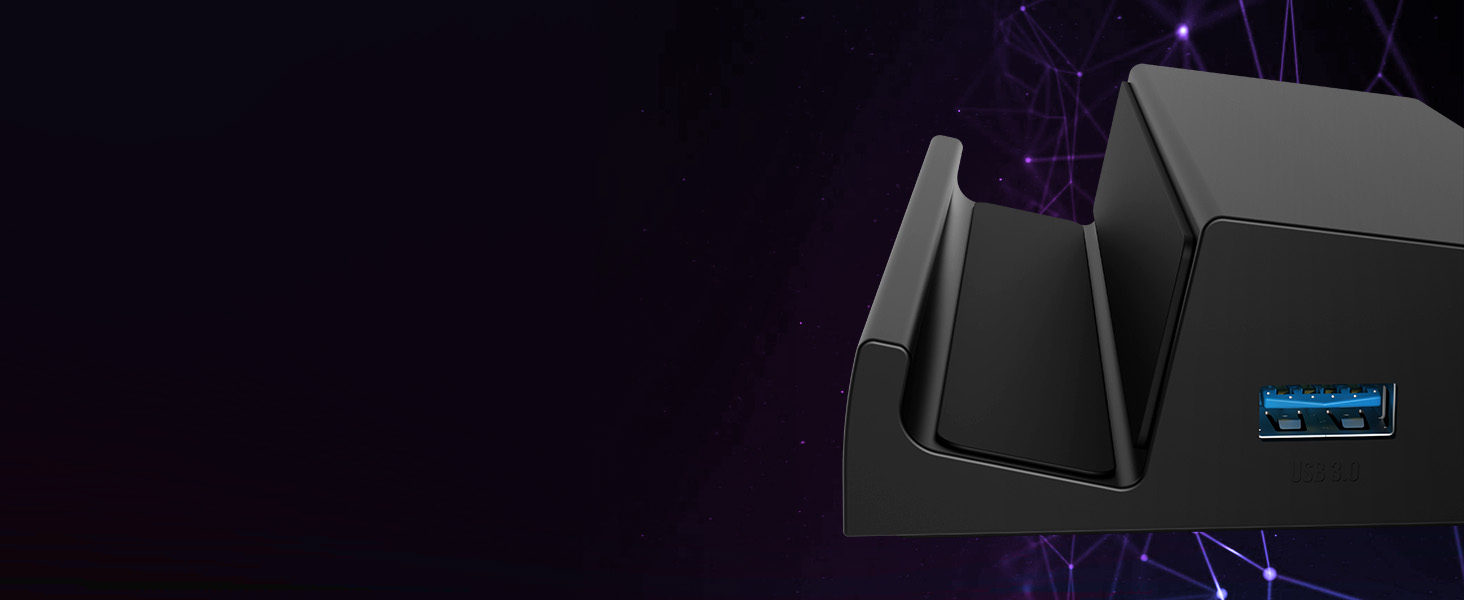
- Multiple Peripheral Ports: Features 3 USB-A 5Gbps ports and an extra USB-C data port for external storage, controllers, keyboards, audio, and more. All ports offer fast, reliable connectivity without lag.
- Designed to Travel: Compact, non-slip form factor with integrated USB-C cable ensures simple setup anywhere. Note: This dock does not include Ethernet or M.2 SSD support — for power and connectivity only.

2. Produktas baigtasview ir uostai
The SABRENT DS-SD6P features a comprehensive set of ports designed to enhance your device's capabilities. Familiarize yourself with the port layout:
- USB-C Input (PD3.0): For power delivery up to 95W. Connect your device's power adapter here.
- USB-C duomenų prievadas: For connecting USB-C peripherals or data transfer.
- HDMI 2.0 prievadas: Palaiko vaizdo išvestį iki 4K @ 60Hz.
- USB-A 5Gbps Ports (x3): For connecting USB-A peripherals like controllers, keyboards, mice, or external storage.

3. Sąrankos instrukcijos
- Padėkite doką: Position the docking station on a stable, flat surface. Its non-slip base will help keep it secure.
- Prijunkite maitinimą: Connect your device's original power adapter (or a certified 100W USB-C PD adapter for optimal performance) to the USB-C PD input port on the dock.
- Prisijungti prie ekrano: Use an HDMI 2.0 cable to connect the dock's HDMI output port to your TV or monitor.
- Prijunkite išorinius įrenginius: Plug in any USB-A devices (e.g., controllers, keyboard, mouse, external storage) into the available USB-A ports. If you have a USB-C peripheral, use the dedicated USB-C data port.
- Prijunkite savo įrenginį: Gently place your Steam Deck, ROG Ally, tablet, or USB-C laptop onto the dock, ensuring the integrated USB-C cable from the dock is securely connected to your device's USB-C port.
- Maitinimas: Power on your device and your display. The dock supports plug-and-play functionality, so your display should automatically detect the input.

Sąrankos vaizdo vadovas
4. Naudojimo instrukcijos
4.1 Maitinimo tiekimas ir įkrovimas
The dock supports PD3.0 charging, delivering up to 95W to your connected device. Ensure you use a power adapter capable of supplying sufficient wattage (100W recommended) to power both the dock and your device during use.
4.2 4K HDMI Output
Connect your device to an external display via the HDMI 2.0 port for resolutions up to 4K at 60Hz. This is ideal for an immersive gaming experience or extending your workspace.

4.3 Peripheral Connectivity
Utilize the 3 USB-A 5Gbps ports and the additional USB-C data port to connect a variety of peripherals. These ports offer fast and reliable connectivity without lag, enhancing your gaming or work setup.
5. Priežiūra
To ensure the longevity and optimal performance of your SABRENT DS-SD6P Docking Station, follow these simple maintenance guidelines:
- Valymas: Use a soft, dry cloth to wipe down the exterior of the docking station. Avoid using harsh chemicals or abrasive materials that could damage the finish.
- Vėdinimas: The dock is designed to allow proper airflow for your device. Ensure that the vents on your Steam Deck or ROG Ally are not obstructed when placed on the dock.
- Kabelių valdymas: Keep cables organized and untangled to prevent strain on the ports and connectors.
- Saugykla: Kai nenaudojate, laikykite įkrovimo stotelę vėsioje, sausoje vietoje, toliau nuo tiesioginių saulės spindulių ir ekstremalių temperatūrų.


6. Problemų sprendimas
If you encounter any issues with your SABRENT DS-SD6P Docking Station, please refer to the following common troubleshooting tips:
- Nėra ekrano išvesties:
- Ensure the HDMI cable is securely connected to both the dock and your display.
- Verify your display is set to the correct HDMI input source.
- Confirm your device supports DisplayPort Alt Mode via its USB-C port.
- Išbandykite kitą HDMI kabelį arba ekraną, kad atmestumėte suderinamumo problemas.
- Nėra įkrovimo:
- Check that your power adapter is connected to the dock's USB-C PD input and is functioning correctly.
- Įsitikinkite, kad jūsų maitinimo adapteris tiekia pakankamai srovėstage (rekomenduojama 100 W).
- Verify the integrated USB-C cable from the dock is fully inserted into your device.
- Neaptikti periferiniai įrenginiai:
- Ensure USB devices are properly inserted into the dock's USB-A or USB-C data ports.
- Try connecting the peripheral directly to your device to confirm it's working.
- Restart your device while connected to the dock.
For further assistance, please contact SABRENT customer support.
7. Specifikacijos
| Funkcija | Detalė |
|---|---|
| Gaminio matmenys | 4.84 x 3.07 x 1.17 colio |
| Prekės svoris | 5.2 uncijos |
| Prekės modelio numeris | DS-SD6P |
| Prekės ženklas | SABRENTAS |
| Spalva | Juoda |
| Techninės įrangos sąsaja | C tipo USB |
| Suderinami įrenginiai | Valve Steam Deck, ASUS ROG Ally |
| Iš viso USB prievadų | 5 (3x USB-A 5Gbps, 1x USB-C Data, 1x USB-C PD) |
| Iš viso HDMI prievadų | 1 (HDMI 2.0, 4K@60Hz) |
| Vattage | 95W (PD3.0 Charging) |
8. Garantija ir palaikymas
SABRENT products are designed for quality and reliability. For information regarding warranty coverage, product registration, or technical support, please visit the official SABRENT websvetainėje arba susisiekite tiesiogiai su jų klientų aptarnavimo tarnyba. Išsaugokite pirkimo kvitą garantiniams reikalavimams.
Dėl papildomos pagalbos ir išteklių galite apsilankyti SABRENT parduotuvė „Amazon“ platformoje.