1. Įvadas
The X-Sense SWS51 Wi-Fi Water Sensor is designed to detect water leaks and floods, providing early warnings to help prevent potential water damage in your home. This sensor operates as an accessory to the X-Sense SBS50 Base Station (not included) and connects to your home's 2.4 GHz Wi-Fi network via the base station. Upon detection of water, the sensor and base station will sound an alarm, and you will receive real-time notifications on your smartphone through the X-Sense Home Security App.
2. Pakuotės turinys
- 1 × X-Sense SWS51 Water Leak Sensor
- 1 × Vartotojo vadovas
- 2 × AAA Replaceable Batteries (Pre-installed)

Figure 1: X-Sense SWS51 Water Sensor and its included accessories.
3. Sąranka
3.1. Akumuliatoriaus įdėjimas
- Open the battery compartment on the back of the SWS51 sensor.
- Insert the two AAA replaceable batteries, ensuring correct polarity (+/-).
- Saugiai uždarykite akumuliatoriaus skyrių.

Figure 2: The SWS51 sensor is powered by two replaceable AAA batteries, offering a 3-year battery life and 5-year product lifespan.
3.2. Connecting to the X-Sense SBS50 Base Station
The SWS51 water sensor requires an X-Sense SBS50 Base Station (not included) to connect to your Wi-Fi network and the X-Sense Home Security App. Ensure your base station is already set up and connected to your 2.4 GHz Wi-Fi network.
- Place the SWS51 sensor near the SBS50 Base Station for initial pairing.
- Press the test/silence/pair button on the SWS51 sensor.
- Follow the instructions in the X-Sense Home Security App to add the new sensor. The app will guide you through the pairing process.
- Once paired, the sensor will communicate with the base station over a long transmission distance of up to 1,700 ft (500 m).
Note: The SWS51 is compatible only with 2.4 GHz Wi-Fi networks (not 5.0 GHz) and does not connect directly to the X-Sense Home Security App. It connects via the base station.

Figure 3: The SWS51 sensor connects to the app via the base station, utilizing 2.4 GHz Wi-Fi for smart remote connectivity.
4. Operacija
4.1. Įdėjimas
Strategically place the SWS51 water sensor in areas prone to water leaks or floods. The sensor is equipped with 2 top sensor probes and 4 bottom sensor probes for high sensitivity. Ideal locations include:
- Po kriauklėmis (virtuvėje, vonios kambaryje)
- Near washing machines or dishwashers
- Rūsiuose arba ūkinėse patalpose
- Šalia vandens šildytuvų ar siurblių
- Behind toilets
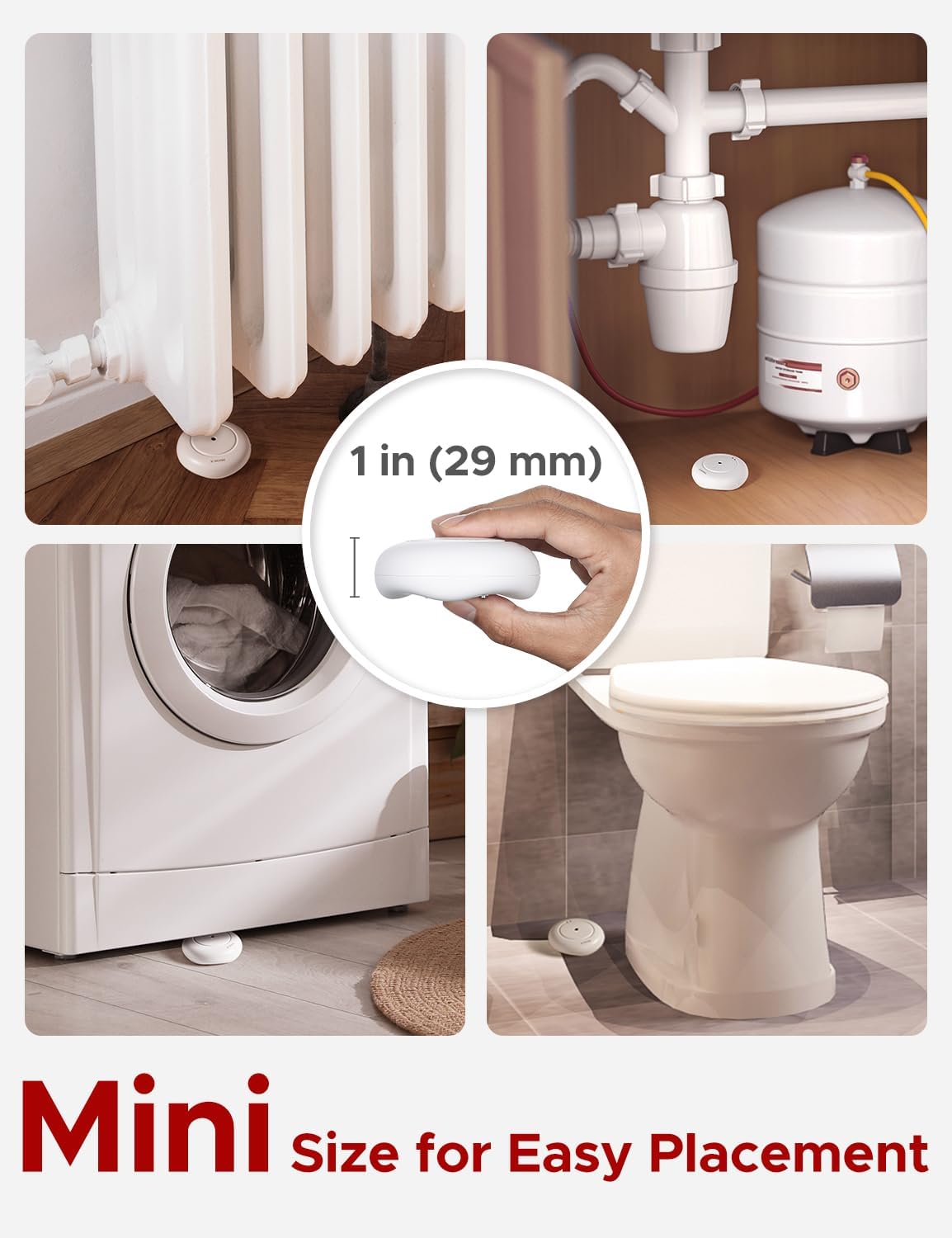
Figure 4: The compact size of the SWS51 sensor allows for easy and discreet placement in various areas prone to water leaks.

Figure 5: The SWS51 sensor features multiple probes for detecting both minor leaks and larger floods.
4.2. Leak Detection and Notifications
When the SWS51 sensor detects water, it will trigger an alarm sequence:
- The water leak sensor and the connected SBS50 Base Station will sound an alarm simultaneously at a volume of up to 110 dB.
- A push alert notification will be sent to your smartphone via the X-Sense Home Security App.
- You can share device access with family members to ensure multiple individuals receive alerts.

Figure 6: Real-time notifications are sent to your phone when a water leak is detected, allowing for immediate action.
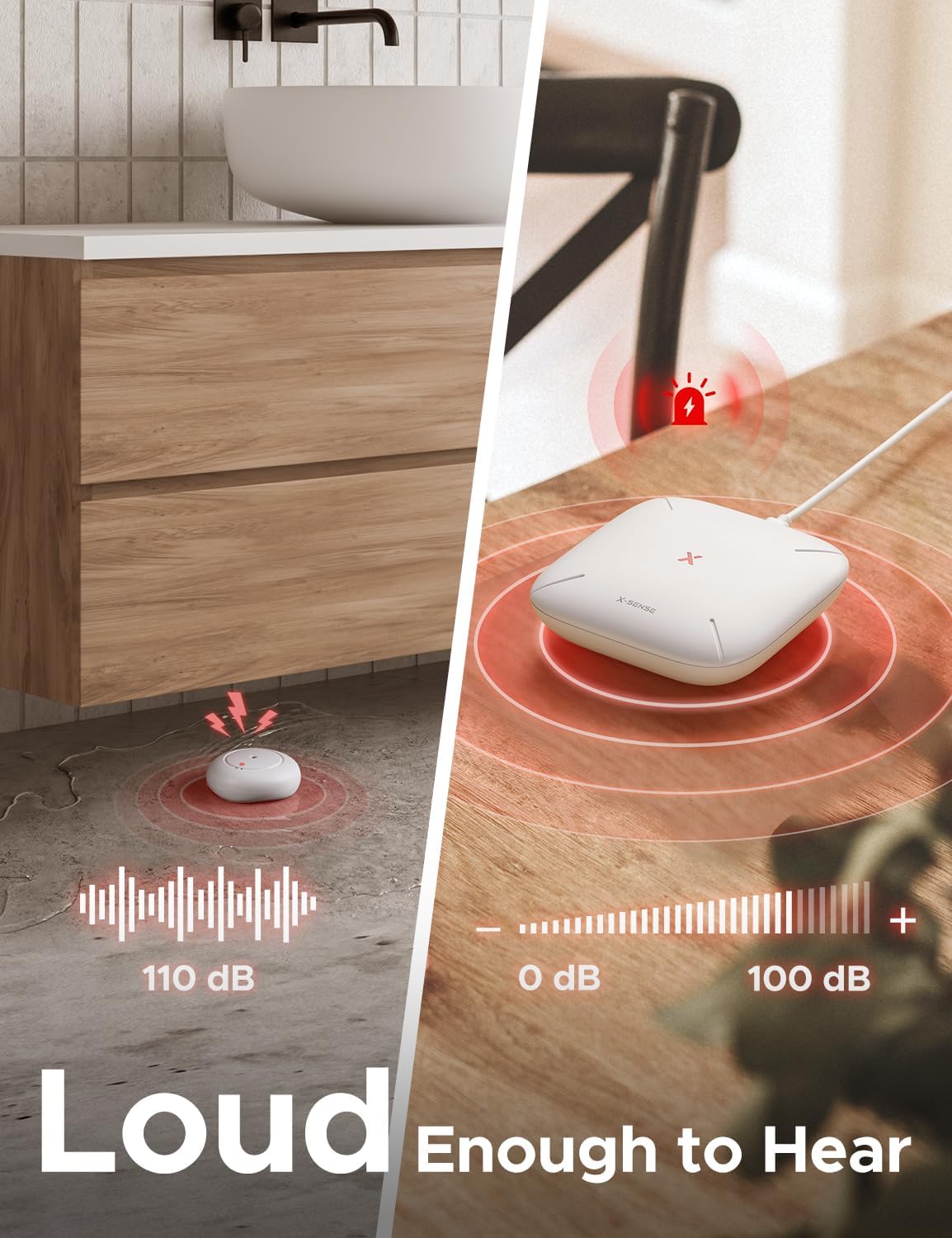
Figure 7: Both the sensor and base station emit a loud alarm (up to 110 dB) when water is detected.
4.3. Signalizacijos nutildymas
To silence an active alarm:
- Mute the alarm directly via the X-Sense Home Security App.
- Press the silence button on the SBS50 Base Station.
- Press the silence button on the SWS51 water leak sensor itself.
5. Priežiūra
5.1. Baterijos keitimas
The SWS51 sensor uses 2 AAA replaceable batteries. When the battery level is low, you will receive a notification via the app. Replace batteries promptly to ensure continuous protection.
- Atidarykite akumuliatoriaus skyrių.
- Išimkite senas baterijas ir išmeskite jas pagal vietinius reikalavimus.
- Įdėkite naujas AAA baterijas, laikydamiesi teisingo poliškumo.
- Uždarykite akumuliatoriaus skyrių.
5.2. Valymas
Periodically clean the sensor probes and the exterior of the device with a soft, dry cloth. Do not use harsh chemicals or abrasive cleaners. Ensure the probes are free from dust or debris that could interfere with detection.
5.3. Jutiklio bandymas
Regularly test your SWS51 sensor to ensure it is functioning correctly:
- Place the sensor on a flat surface.
- Apply a small amount of water (e.g., a few drops) to the sensor probes.
- Verify that the sensor and base station alarm, and you receive a notification on your phone.
- Dry the sensor thoroughly after testing.
6. Problemų sprendimas
6.1. Sensor Not Connecting to Base Station
- Ensure the base station is powered on and connected to a 2.4 GHz Wi-Fi network.
- Verify the sensor batteries are correctly installed and not depleted.
- Bring the sensor closer to the base station during the pairing process.
- Restart both the sensor (by removing and reinserting batteries) and the base station.
- Check the X-Sense Home Security App for any error messages or pairing instructions.
6.2. No Notifications on Phone
- Confirm the sensor is successfully paired with the base station and online in the app.
- Check your phone's notification settings for the X-Sense Home Security App to ensure alerts are enabled.
- Įsitikinkite, kad jūsų telefone yra aktyvus interneto ryšys.
- Ensure the base station has a stable internet connection.
6.3. Klaidingi aliarmai
- Ensure the sensor probes are clean and dry. Dust or condensation can sometimes trigger false alarms.
- Relocate the sensor if it is in an area with high humidity or frequent condensation.
- Verify the sensor is placed on a stable, dry surface.
7. Specifikacijos
| Modelio numeris | SWS51 |
| Maitinimo šaltinis | 2 × AAA Replaceable Batteries (Included) |
| Baterijos veikimo laikas | Iki 3 metų |
| Ryšys | Connects to SBS50 Base Station (2.4 GHz Wi-Fi) |
| Transmisijos diapazonas | Iki 1,700 pėdų (500 m) |
| Signalizacijos garsumas | Iki 110 dB |
| Atsparumas vandeniui | IP66 Atsparus vandeniui |
| Gaminio matmenys | 3.11 × 3.11 × 1.14 colio (7.9 × 7.9 × 2.9 cm) |
| Prekės svoris | 3.17 uncijos (90 g) |
8. Garantija ir palaikymas
X-Sense provides the following for the SWS51 Wi-Fi Water Sensor:
- 60 dienų pinigų grąžinimo garantija: Jei nesate patenkinti pirkiniu, galite jį grąžinti per 60 dienų ir atgauti visus pinigus.
- 5 metų kokybės garantija: Gaminiui suteikiama 5 metų garantija nuo medžiagų ir gamybos defektų.
- Techninis palaikymas visą gyvenimą: Prieiga prie techninės pagalbos visą jūsų produkto naudojimo laiką.
Dėl papildomos pagalbos apsilankykite oficialioje „X-Sense“ svetainėje. websvetainėje arba susisiekite su jų klientų aptarnavimo tarnyba.