1. Produktas baigtasview
Vansiaiview 2K Security Camera W7 is a high-resolution outdoor surveillance camera designed to provide comprehensive home security. Featuring 2K (3MP) video capture, full-color night vision, two-way audio, and advanced motion detection, it offers reliable monitoring day and night. The camera is IP65 waterproof, ensuring durability in various weather conditions, and supports both local SD card storage and cloud storage options.

Figure 1.1: wansview 2K Security Camera W7 and its mobile application interface.
2. Sąrankos vadovas
2.1. Pakuotės turinys
- wansview 2K Security Camera W7
- USB maitinimo laidas
- Maitinimo kištukas
- Diegimo vadovas
- Mounting Screws (2 sets)
2.2. Pradinė sąranka
- Maitinimo jungtis: Connect the USB power cord to the camera and then to the power plug. Plug the power plug into a standard electrical outlet. The camera requires a wired power connection for operation.
- Atsisiųskite programą: Download the "Wansview Cloud" app from the Apple App Store or Google Play Store on your smartphone.
- Paskyros registracija: Atidarykite Wansview Cloud app and register for a new account or log in if you already have one.
- Pridėti įrenginį: Tap the "+" icon in the app to add a new device. Select the W7 camera model.
- „Wi-Fi“ ryšys: Follow the in-app instructions to connect the camera to your 2.4GHz Wi-Fi network. Ensure your Wi-Fi signal is strong at the camera's intended mounting location. You will be prompted to scan a QR code displayed on your phone screen with the camera's lens.
- Montavimas: Once the camera is successfully connected, choose a suitable outdoor location for mounting. Use the provided mounting screws and the installation guide to securely attach the camera to a wall. The camera is designed for wall-mounted installation.

Figure 2.1: Key features and weather resistance of the wansview W7 camera.
3. Naudojimo instrukcijos
3.1. Gyvai View ir panoraminio/pakreipimo valdymas
Access the live video feed from your camera through the Wansview Cloud app. You can remotely control the camera's viewing angle with its 350° pan and 55° tilt capabilities to monitor a wide area.
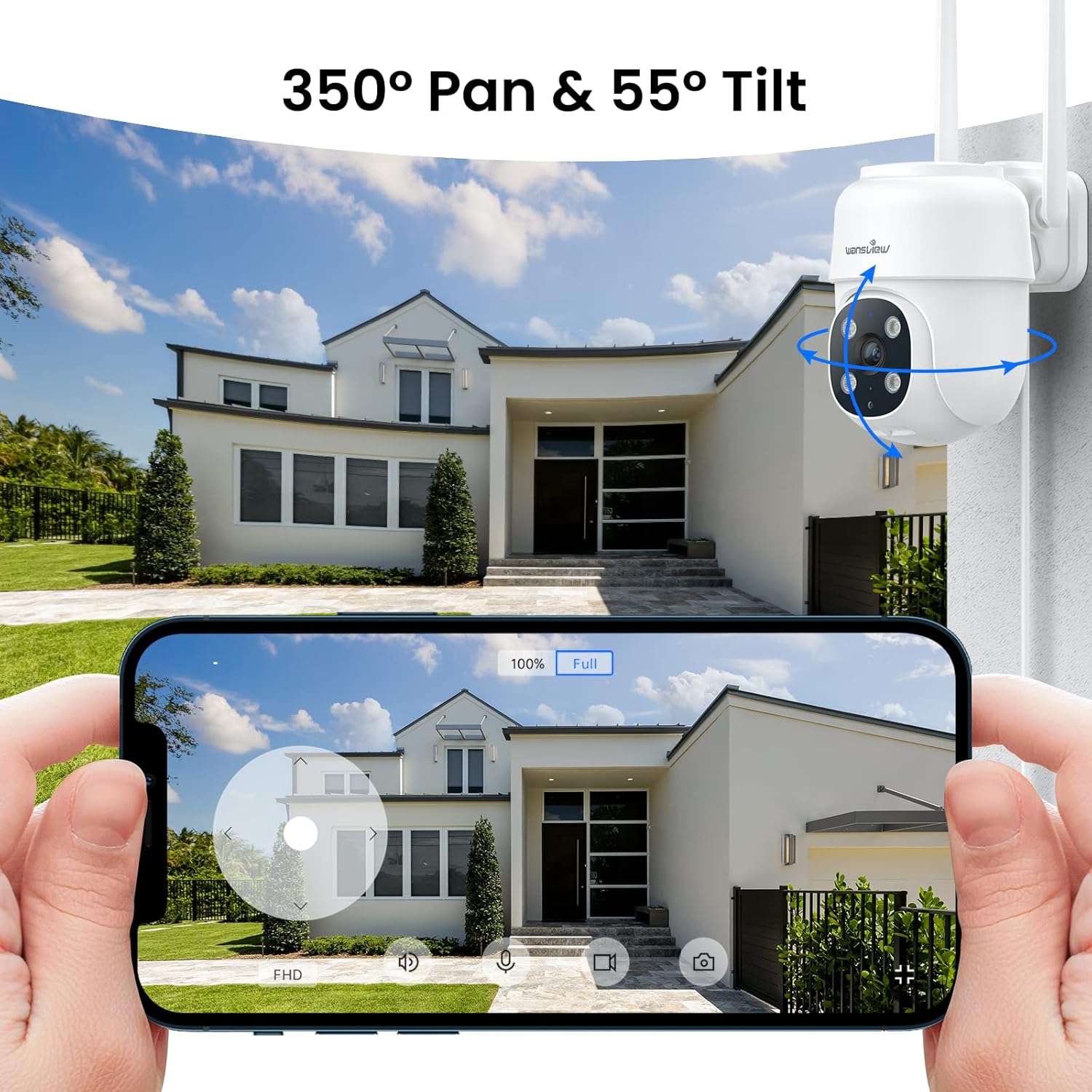
Figure 3.1: Remote pan and tilt control via the Wansview Debesų programa.
3.2. Dvipusis garsas
The camera features a built-in microphone and speaker, enabling two-way communication. Use the app to speak to visitors or deter unwanted guests from your property.
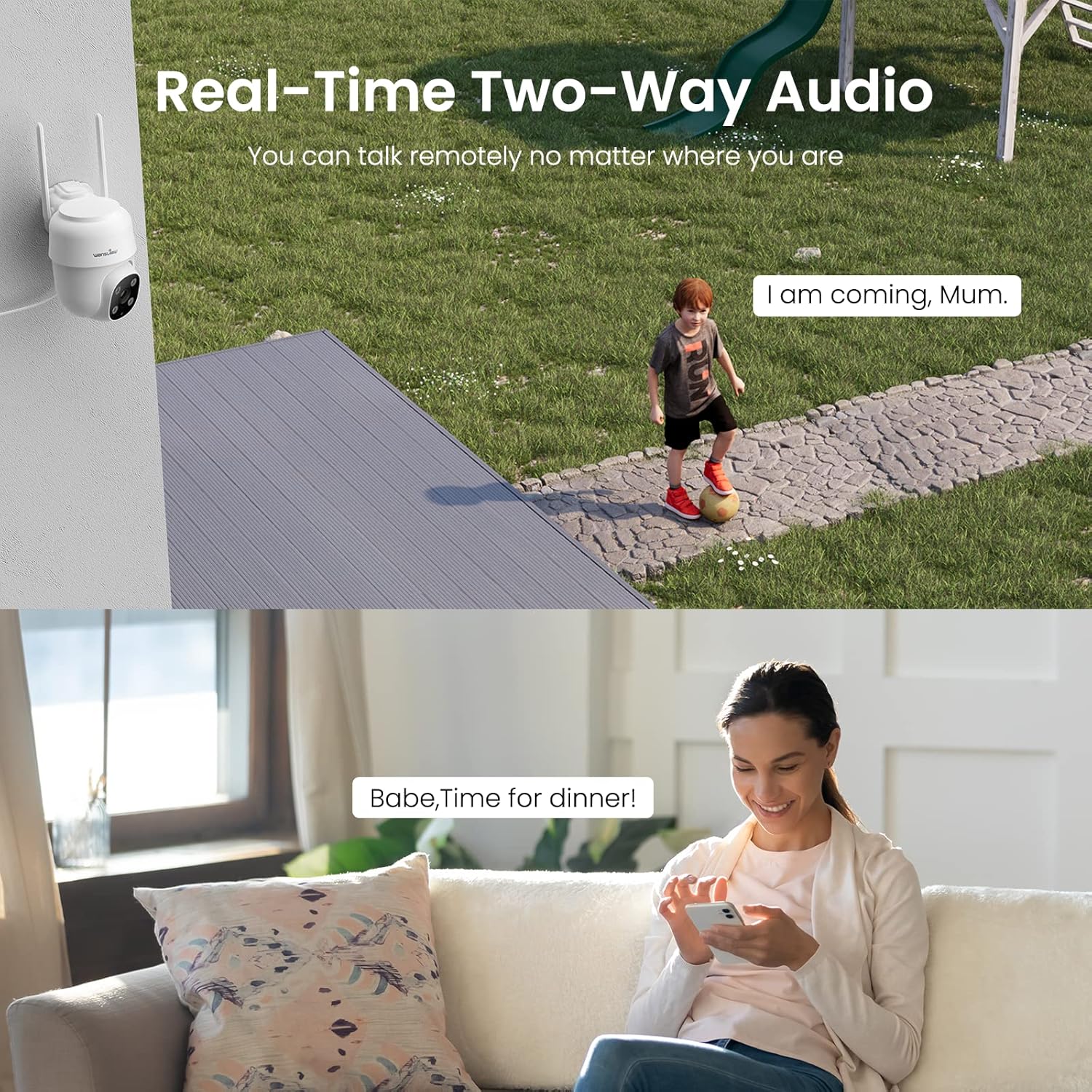
Figure 3.2: Demonstrating the real-time two-way audio functionality.
3.3. Naktinio matymo režimai
The W7 camera offers two night vision modes for clear visibility in low-light conditions:
- Infraraudonųjų spindulių nakties vizija: Pateikia aiškius nespalvotus vaizdus visiškoje tamsoje.
- Spalvotas naktinis matymas: Utilizes built-in white lights to display color images at night when activated.

Figure 3.3: Visual comparison of infrared and full-color night vision.
3.4. Judesio aptikimas ir įspėjimai
The camera's built-in sensor detects motion and can trigger real-time alerts to your phone. You can customize the motion detection sensitivity and define specific detection areas within the app to minimize false alarms.
- Šviesos signalas: The camera's white light can be set to turn on automatically or manually upon motion detection.
- Sirenos signalizacija: An audible siren can be activated to deter intruders.
- Pranešimas: Gaukite tiesioginius pranešimus savo išmaniajame telefone, kai aptinkamas judesys.
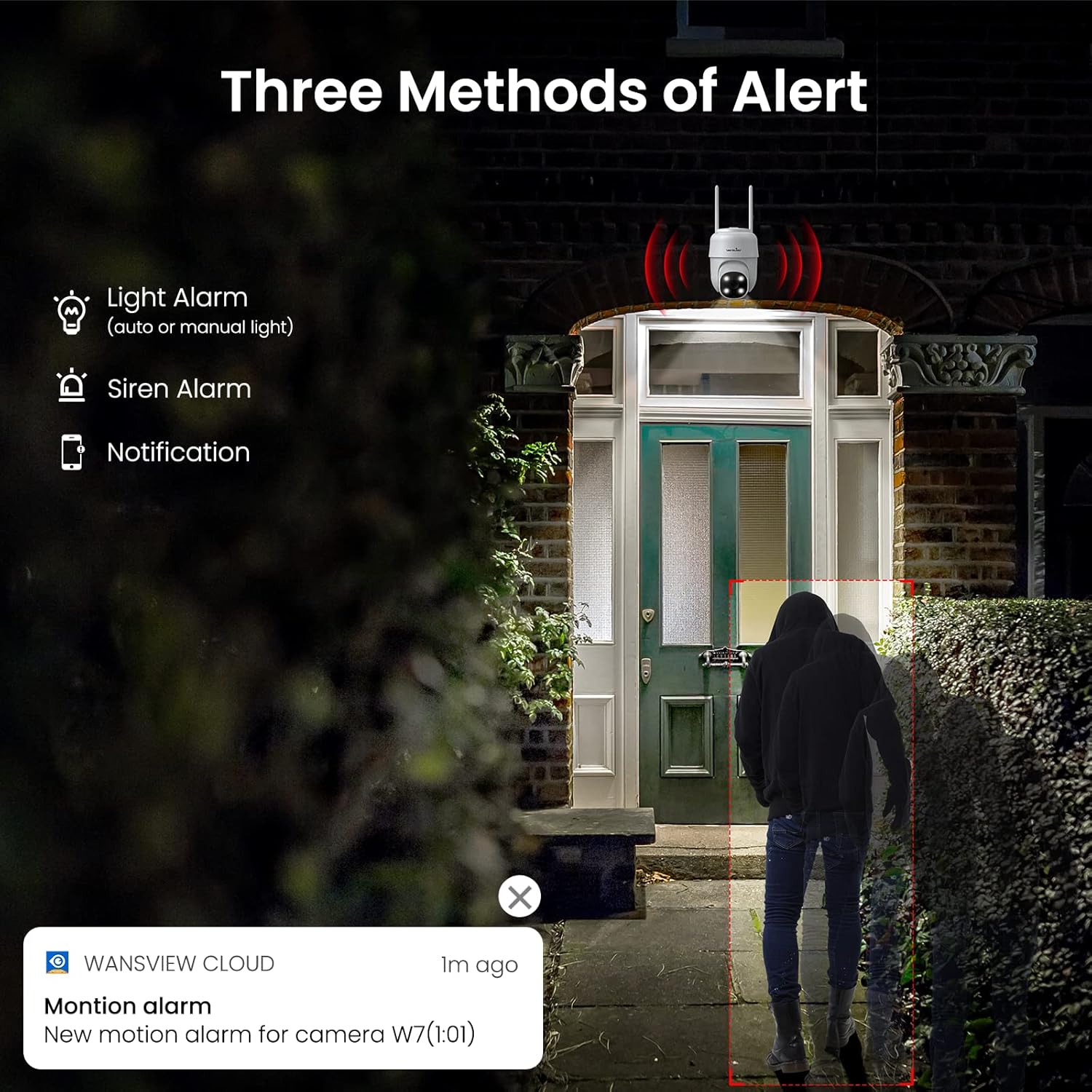
3.4 pav. Baigtaview of the three alert methods available.

Figure 3.5: Customizing the motion detection area for precise alerts.
3.5. Įrašymas ir saugojimas
The W7 camera supports continuous 24/7 recording to ensure no important moments are missed. You have two primary storage options:
- SD kortelės saugykla: Įdėkite į kamerą „microSD“ kortelę (iki 128 GB, nepridedama), kad galėtumėte saugoti įrašus vietoje.
- Saugykla debesyje: Optional cloud storage provides a secure backup for your video footage.
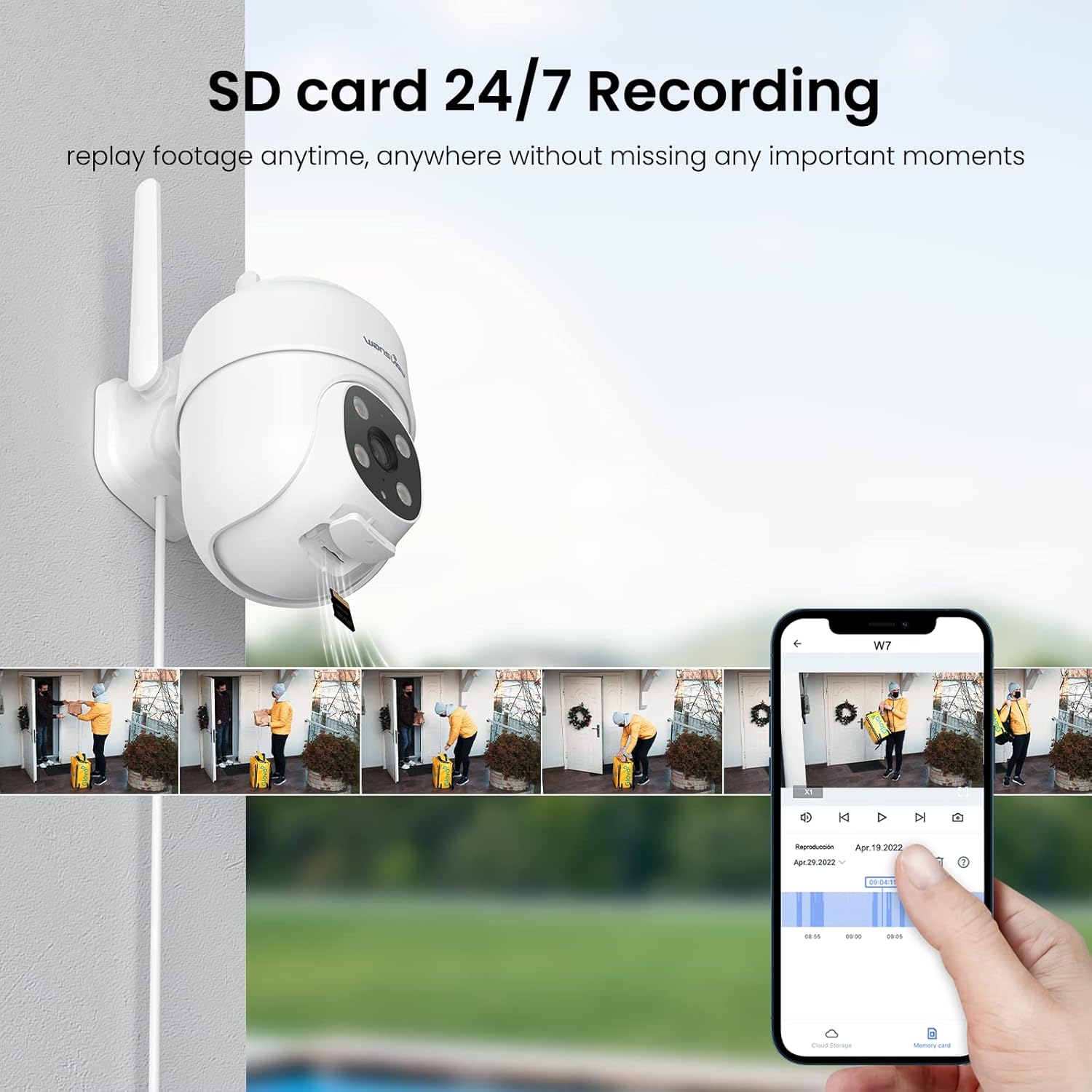
Figure 3.6: SD card storage and playback of recorded footage.
3.6. Išmaniųjų namų integracija
Vansiaiview W7 camera is compatible with Amazon Alexa Echo Show and Google Home. You can use voice commands to view your camera's live feed on compatible smart displays.

Figure 3.7: Integrating the camera with smart home assistants like Alexa.
3.7. Kelių vartotojų prieiga
You can share camera access with family members or trusted individuals through the Wansview Cloud app, allowing multiple users to view the live feed and recordings simultaneously.

Figure 3.8: Sharing camera access with family and friends.
4. Priežiūra
- Valymas: Regularly clean the camera lens and body with a soft, dry cloth to ensure clear image quality. Avoid using harsh chemicals or abrasive materials.
- Maitinimo jungtis: Periodically check the power cord and plug for any signs of damage. Ensure the connection remains secure.
- „Wi-Fi“ signalas: Verify that the camera maintains a strong 2.4GHz Wi-Fi signal at its installed location for optimal performance. Consider a Wi-Fi extender if the signal is weak.
- Firmware atnaujinimai: Keep the Wansview Cloud app updated to the latest version, as this often includes firmware updates for the camera that improve performance and security.
- SD kortelės tvarkymas: If using an SD card for storage, periodically check its status in the app. Format the SD card as needed to maintain optimal recording performance.
5. Problemų sprendimas
5.1. Dažnos problemos ir sprendimai
| Problema | Galima priežastis | Sprendimas |
|---|---|---|
| Camera offline/Cannot connect | No power; Weak Wi-Fi signal; Incorrect Wi-Fi password; Router issues. | Check power connection. Ensure camera is within Wi-Fi range. Verify Wi-Fi password. Restart router and camera. |
| Prasta vaizdo kokybė | Nešvarus objektyvas; nepakankamas apšvietimas; tinklo pralaidumo problemos. | Clean the camera lens. Ensure adequate lighting for optimal 2K resolution. Check network speed. |
| Motion alerts are inaccurate/too frequent | Sensitivity too high; Detection area too broad. | Adjust motion detection sensitivity in the app (e.g., set to 'Normal'). Refine the detection area to focus on critical zones. |
| Night vision not clear/not activating | Obstruction in front of lens; Ambient light interference. | Ensure no objects are blocking the camera's view. Minimize external light sources that might interfere with infrared sensors. |
| Dvipusio garso problemos | Mikrofonas / garsiakalbis užblokuotas; Programėlės leidimai; Tinklo delsa. | Check for obstructions around microphone/speaker. Ensure app has microphone permissions. Check network stability. |
| SD kortelė neįrašo | SD card full/corrupted; Incorrect format; Card not inserted properly. | Format the SD card via the app. Ensure the card is correctly inserted. Replace if corrupted. |
5.2. Kameros nustatymas iš naujo
If issues persist, you can reset the camera to its factory settings through the Wansview Cloud app under device management. This can resolve many software-related problems.
6. Specifikacijos
| Funkcija | Detalė |
|---|---|
| Modelio numeris | W7 |
| Vaizdo raiška | 2 tūkst. (3 megapikselių) |
| Naudojimas viduje / lauke | Lauke |
| Maitinimo šaltinis | Laidinis elektrinis (5 voltų, 5 vatų) |
| Ryšys | 2.4 GHz Wi-Fi |
| Panardinimo / pakreipimo diapazonas | 350° Pan, 55° pakreipimas |
| Viewing kampas | 95 laipsnių |
| Naktinis matymas | Full-Color Night Vision, Infrared Night Vision (up to 10 meters) |
| Atsparumo vandeniui įvertinimas | IP65 |
| Darbinė temperatūra | -10 ℃ iki 50 ℃ (14 °F iki 122 °F) |
| Saugojimo parinktys | „MicroSD“ kortelė (iki 128 GB, nepridedama), debesies saugykla |
| Matmenys (I x P x A) | 4.5 x 3.44 x 4.8 colio |
| Prekės svoris | 13.3 uncijos |
| Įtraukti komponentai | Camera, USB cable, Plug, Installation guide, Mounting screws |
7. Garantija ir palaikymas
For warranty information and technical support, please refer to the official wansview website or contact wansview customer service directly. Customer support can assist with setup, troubleshooting, and product inquiries.
Remiantis pateiktais duomenimis, nebuvo galima įterpti jokių oficialių produktų vaizdo įrašų.


