1. Įvadas
Thank you for choosing the Black Shark BIGBIG WON BLITZ C2PRO Wireless Pro Controller. This manual provides detailed instructions on how to set up, operate, maintain, and troubleshoot your controller. Please read this manual thoroughly before use to ensure optimal performance and longevity of your device.
2. Produktas baigtasview
Pagrindinės savybės
- Kelių platformų suderinamumas: Works with Nintendo Switch, Windows 10, Android 9.0+, and iOS 13.4+ (after system upgrade).
- Mechaniniai mygtukai: Equipped with mechanical switches for crisp, fast input and zero dead zones.
- Pritaikomi grįžimo mygtukai: Four additional buttons (2 back + 2 extra) can be mapped to A/B/X/Y/L/ZL/R/ZR/L3/R3/D for up to 16 combined functions.
- 6 ašių giroskopas: Features "GYROCON+" technology for precise motion control, supporting all somatosensory games on Switch.
- Įtraukianti vibracija: Asymmetrical motors provide realistic haptic feedback.
- Macro & Turbo Functions: Program complex operations to a single button and enable rapid-fire input.
- Dual-Connection Mode: Supports both Bluetooth and wired connections.
- Vieno mygtuko pažadinimas: Conveniently wake up your Switch console with a single button press.
Valdiklio komponentai
The BIGBIG WON BLITZ C2PRO controller features a standard layout with two analog sticks, a D-pad, A/B/X/Y face buttons, L/R bumpers, ZL/ZR triggers, and additional customizable back buttons. It also includes dedicated buttons for Home, Capture, Plus, Minus, and Turbo functions.

Image: The controller's joystick, engineered for zero dead zones, ensuring precise control during gameplay.
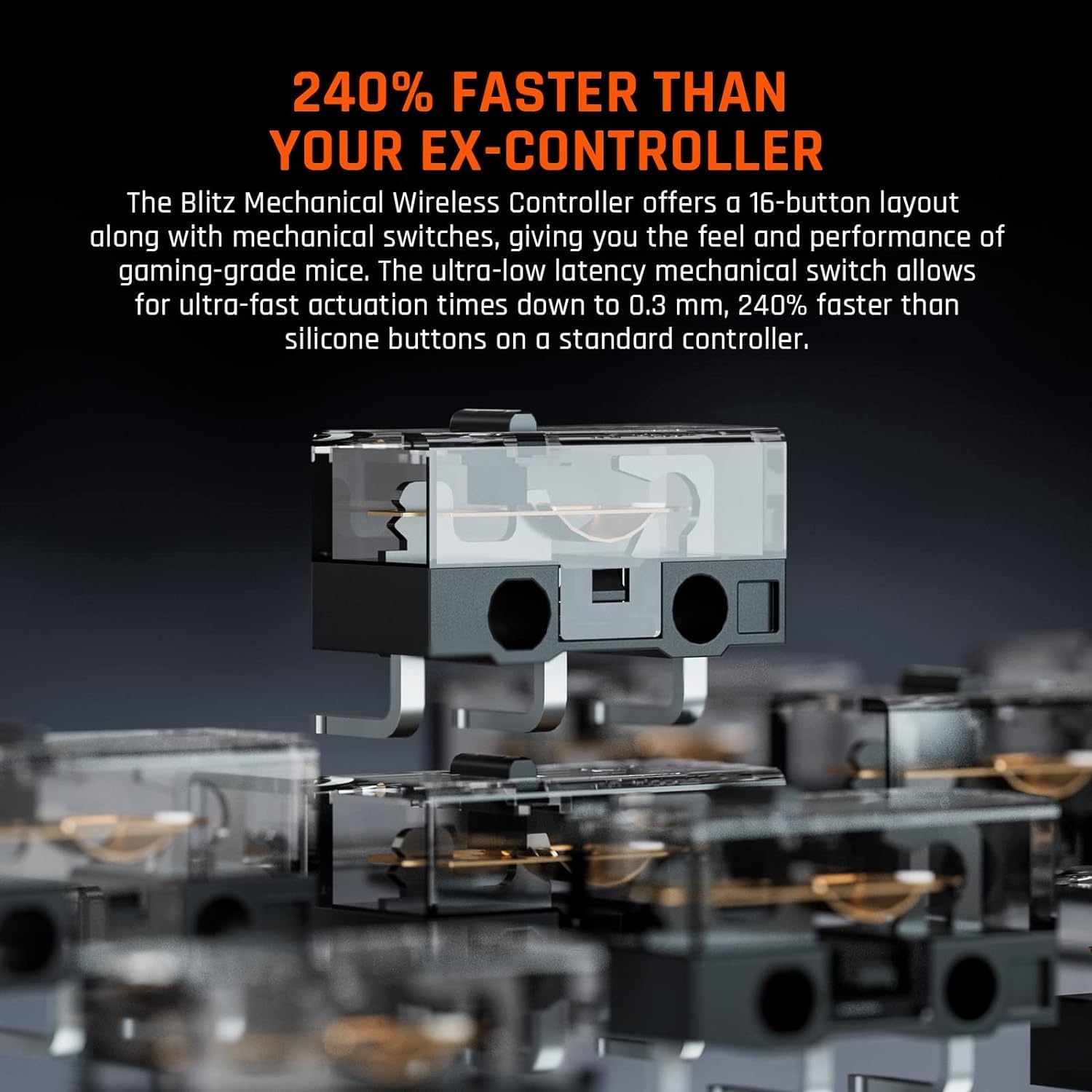
Vaizdas: vidinis view of the mechanical switches, providing ultra-fast actuation times for responsive gameplay.
3. Sąranka
3.1 Pradinis įkrovimas
Before first use, fully charge the controller using the provided Micro USB cable. Connect the cable to the controller's charging port and a USB power source (e.g., computer, USB wall adapter). The charging indicator light will show the charging status and turn off or change color when fully charged.
3.2 Connecting to Nintendo Switch (Wireless)
- „Nintendo Switch“ konsolėje eikite į HOME meniu.
- Select "Controllers" > "Change Grip/Order".
- Press and hold the pairing button on the BIGBIG WON BLITZ C2PRO controller until the indicator lights begin to flash rapidly.
- Once connected, the player indicator light(s) on the controller will illuminate steadily.
3.3 Connecting to Windows 10 (Wireless/Wired)
Belaidis ryšys („Bluetooth“):
- On your Windows 10 PC, go to "Settings" > "Devices" > "Bluetooth & other devices".
- Turn on Bluetooth and click "Add Bluetooth or other device" > "Bluetooth".
- Paspauskite ir palaikykite valdiklio susiejimo mygtuką, kol indikatoriaus lemputės greitai mirksės.
- Iš galimų įrenginių sąrašo pasirinkite valdiklį, kurį norite susieti.
Laidinis:
- Connect the controller to your Windows 10 PC using the Micro USB cable.
- Kompiuteris turėtų automatiškai aptikti ir įdiegti reikiamas tvarkykles.
3.4 Connecting to Android/iOS (Wireless)
Ensure your Android device (9.0+) or iOS device (13.4+) is updated to the latest version for full compatibility.
- Įjunkite „Bluetooth“ savo mobiliajame įrenginyje.
- Paspauskite ir palaikykite valdiklio susiejimo mygtuką, kol indikatoriaus lemputės greitai mirksės.
- Select the controller from the list of available Bluetooth devices to pair.
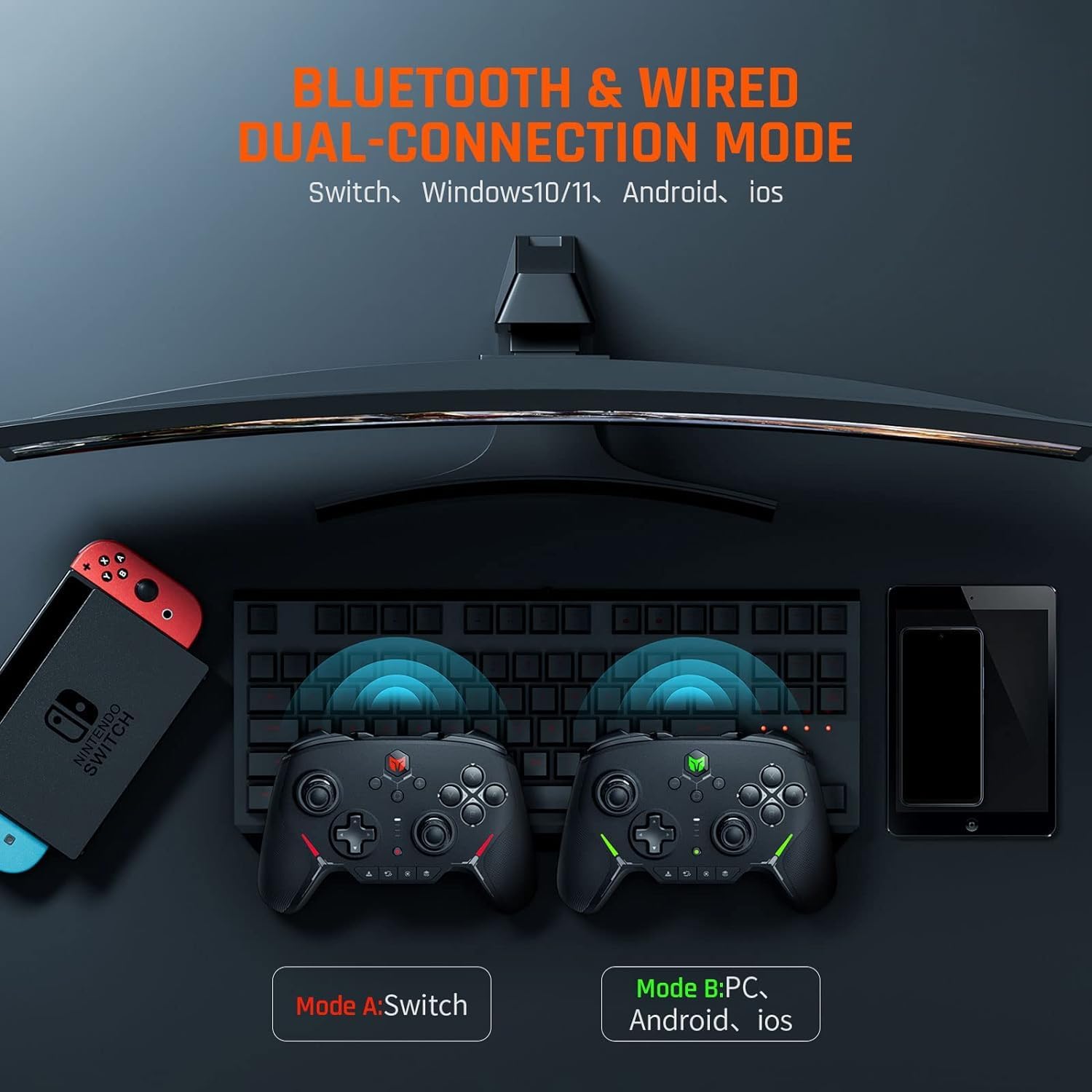
Image: The controller supports both Bluetooth and wired connections across multiple platforms including Switch, Windows, Android, and iOS.
4. Naudojimo instrukcijos
4.1 Pagrindiniai valdikliai
Familiarize yourself with the standard button layout:
- Analoginės lazdelės: Judėjimui ir kameros valdymui.
- D-Pad: For directional input, menu navigation.
- A/B/X/Y mygtukai: Veiksmų mygtukai ir funkcijos priklauso nuo žaidimo.
- L/R Bumpers & ZL/ZR Triggers: Shoulder buttons for various in-game actions.
- Namų mygtukas: Returns to the system's home menu.
- CaptureButton: Takes screenshots or records video clips (Switch).
- Pliuso (+) / Minuso (-) mygtukai: System-specific menu buttons.
4.2 Customizing Buttons (Macro & Back Buttons)
The controller features four customizable back buttons and macro functionality. Refer to the specific instructions provided with the controller's companion software or the official BIGBIG WON website for detailed programming steps. These buttons can be mapped to single or combined functions (up to 16) to enhance your gameplay.

Image: The controller's four customizable back buttons allow for personalized configurations across various games.
4.3 Gyroscope Functionality
The integrated 6-axis gyroscope supports motion control in compatible games, especially on Nintendo Switch. This allows for intuitive aiming, steering, and other actions by tilting the controller.
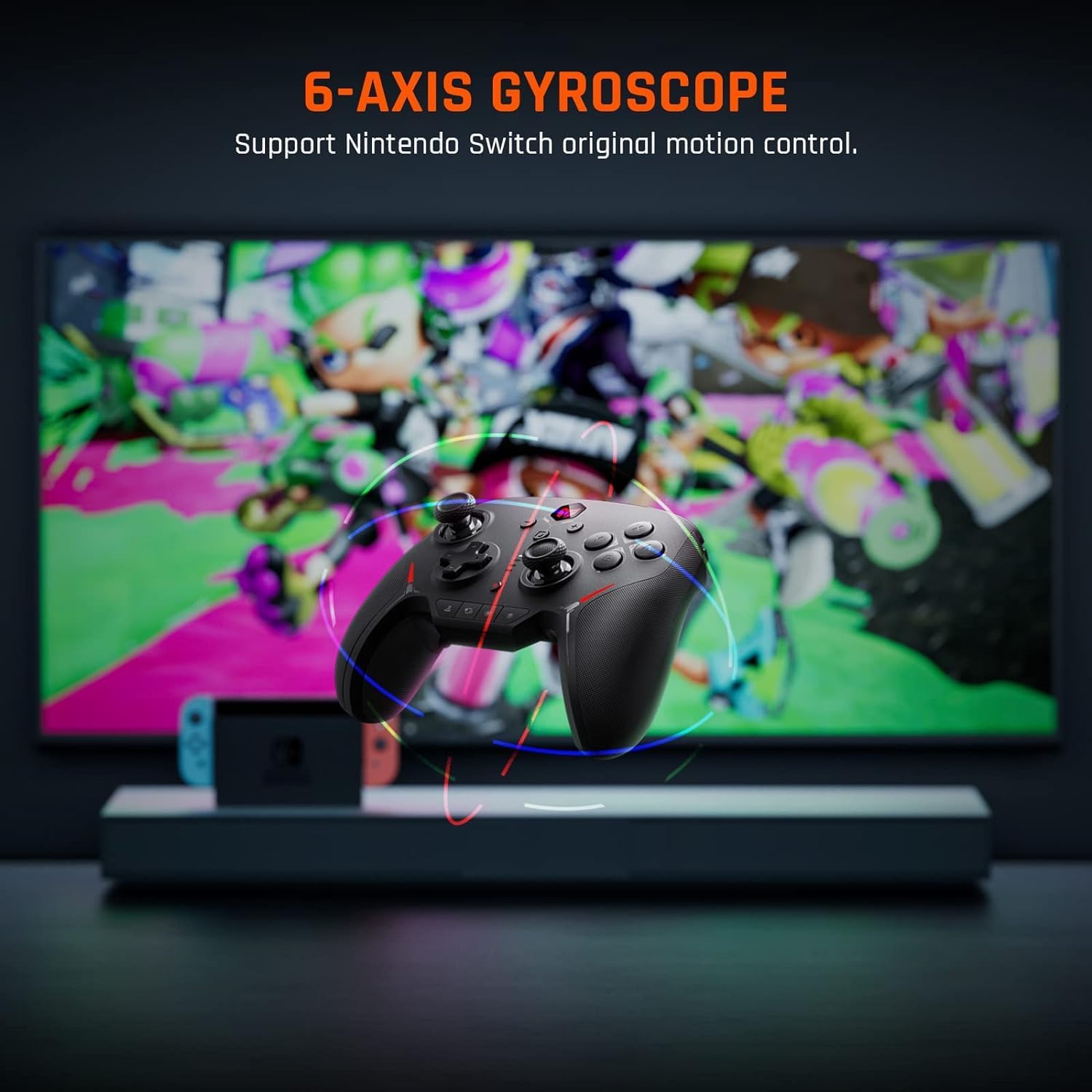
Image: The 6-axis gyroscope enables precise motion control for an enhanced gaming experience on Nintendo Switch.
4.4 Vibracijos grįžtamasis ryšys
The controller's asymmetrical rumble motors provide immersive vibration feedback, reacting to in-game events like impacts, explosions, or environmental effects. The intensity of the vibration can often be adjusted through game settings or the controller's companion software.

Image: Asymmetrical rumble motors deliver immersive haptic feedback, with adjustable intensity levels.
4.5 Turbo funkcija
The Turbo function allows a button to be pressed repeatedly as long as it is held down, which can be useful in games requiring rapid button presses. Consult the controller's specific instructions for how to activate and assign Turbo to desired buttons.
4.6 One-Button Wake Up (Switch)
When connected to a Nintendo Switch, you can wake the console from sleep mode by pressing the Home button on the controller.

Image: The controller features a convenient one-button wake-up function for the Nintendo Switch console.
5. Priežiūra
5.1 Valymas
Valdiklį valykite minkšta, sausa šluoste. Jei nešvarumai sunkiai įveikiami, šiek tiek nuvalykite.ampen the cloth with water or a mild cleaning solution. Avoid using harsh chemicals, abrasive materials, or excessive moisture, as these can damage the controller.
5.2 Saugykla
Store the controller in a cool, dry place away from direct sunlight, extreme temperatures, and high humidity. Keep it away from dust and liquids. If storing for an extended period, ensure the battery is partially charged (around 50%) to preserve battery health.
5.3 Akumuliatoriaus priežiūra
The controller contains a built-in Lithium-polymer battery. To maximize battery life:
- Venkite dažnai visiškai iškrauti akumuliatorių.
- Do not expose the controller to extreme heat or cold.
- Charge the controller regularly, even if not in frequent use.

Image: The controller is compatible with an RGB magnetic charging stand (sold separately or included with specific bundles) for convenient charging and display.
6. Problemų sprendimas
6.1 Ryšio problemos
- Valdiklis neprisijungia: Ensure the controller is charged. Try re-pairing the controller by holding the pairing button. For Switch, ensure "Change Grip/Order" is selected. For PC/mobile, check Bluetooth settings.
- Pertraukiamas ryšys: Ensure no strong interference sources (e.g., Wi-Fi routers, other Bluetooth devices) are nearby. Move closer to the console/device.
6.2 Input Problems
- Mygtukai nereaguoja: Check if the controller is properly connected. Test buttons in a different game or system menu. Ensure no physical obstructions.
- Vairasvirtės poslinkis: Perform joystick calibration through your console's or PC's system settings. If the issue persists, contact support.
6.3 Įkrovimo problemos
- Valdiklis neįkraunamas: Ensure the Micro USB cable is securely connected to both the controller and the power source. Try a different USB cable or power adapter.
- Lėtas įkrovimas: Use a certified USB power adapter with adequate output.
7. Specifikacijos
| Modelio numeris | BIGBIG WON BLITZ |
| Baterijos tipas | 1 ličio polimero (į komplektą įeina) |
| Matmenys (I x P x A) | 6.5 x 8.6 x 4 cm |
| Svoris | 55 gramų |
| Ryšys | Bluetooth, Wired (Micro USB) |
| Suderinamumas | Nintendo Switch, Windows 10, Android 9.0+, iOS 13.4+ |
| Kilmės šalis | Kinija |
8. Garantija ir palaikymas
8.1 Informacija apie garantiją
Your Black Shark BIGBIG WON BLITZ C2PRO controller comes with a 30-day free replacement or full refund policy. Additionally, BIGBIG WON offers lifetime service for any questions or issues you may encounter. Please retain your proof of purchase for warranty claims.
8.2 Pagalba klientams
For technical assistance, troubleshooting, or warranty inquiries, please contact the BIGBIG WON Official Store or visit their official website. Contact information can typically be found on the product packaging or the seller's page where you purchased the item.


