1. Įvadas
This manual provides comprehensive instructions for the assembly, operation, and maintenance of your Trak Racer TR80 Racing Simulator MK5. Designed for serious sim racers, the TR80 offers a robust and highly adjustable platform for an immersive racing experience. Please read this manual thoroughly before beginning assembly or operation to ensure proper setup and safe use.
2. Saugos informacija
ĮSPĖJIMAS: Nesilaikant šių saugos nurodymų, galima susižaloti arba sugadinti gaminį.
- Ensure all bolts and fasteners are securely tightened before use. Periodically check for loose connections.
- Do not exceed the weight capacity of the simulator. Refer to specifications for details.
- Reguliavimo metu laikykite rankas ir pirštus atokiai nuo judančių dalių.
- Assemble the simulator on a flat, stable surface.
- Smulkias dalis laikykite vaikams nepasiekiamoje vietoje.
- Disconnect all electronic peripherals from power before performing maintenance or adjustments.
3. Pakuotės turinys
Verify that all components listed below are present in your package. If any parts are missing or damaged, contact Trak Racer support.
- Aliuminis Profile Frame Components (various lengths and profiles)
- Hybrid Formula & GT Pedal System Mount
- Trak Racer TR One Wheel Mount (or compatible wheel deck/uprights)
- Seat Slider Rails
- Universal TR One Gear Shift Mount
- Heavier Duty Brackets and Fasteners
- Assembly Hardware (bolts, nuts, T-nuts, washers, tools)
- Instrukcijų vadovas (šis dokumentas)
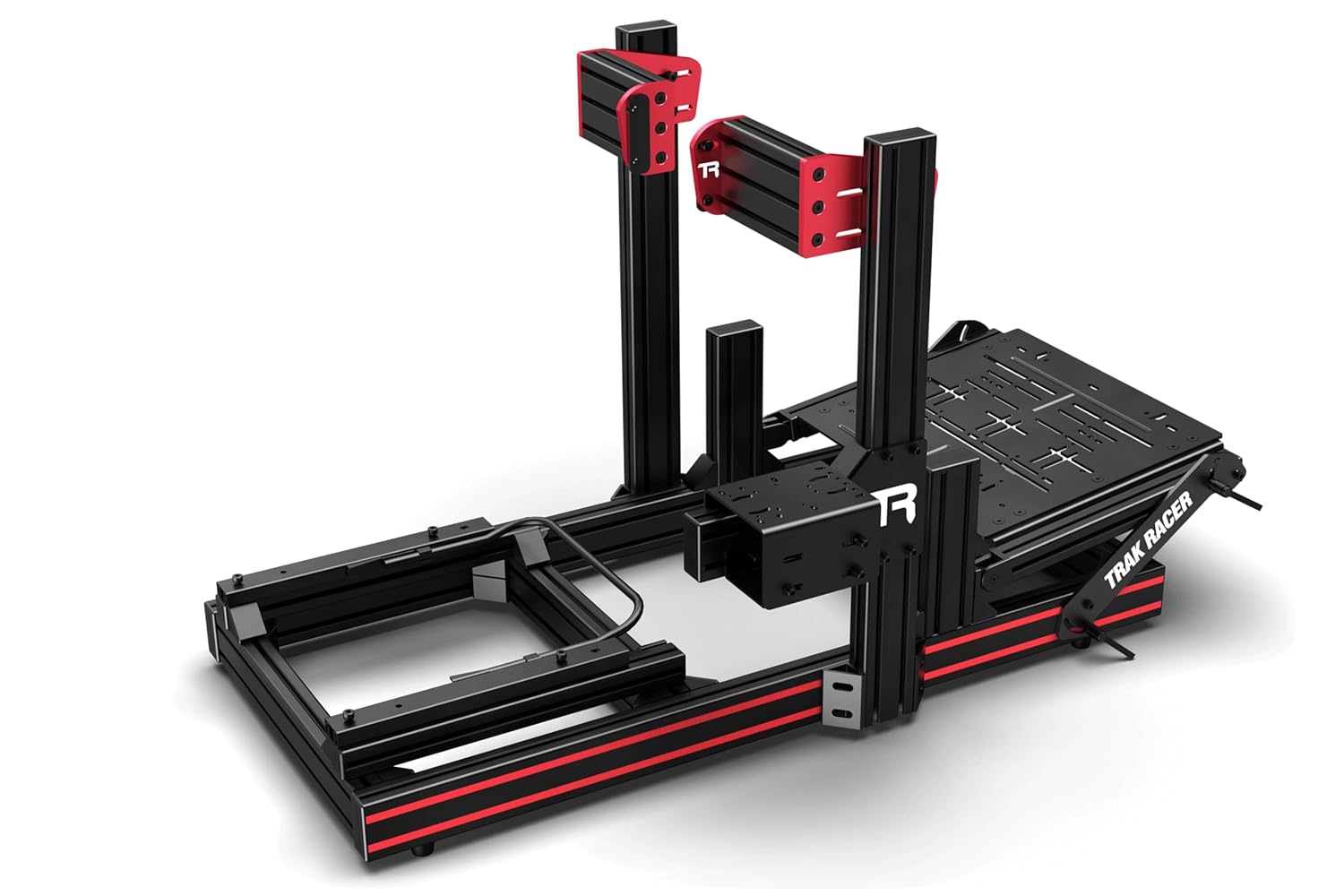
Vaizdas: Viršview of the Trak Racer TR80 Racing Simulator MK5 frame components, showing the aluminum profiles, pedal plate, and wheel uprights.
4. Sąranka ir surinkimas
Assembly of the Trak Racer TR80 requires basic hand tools (often included) and can be completed by one person, though assistance is recommended for certain steps.
4.1. Rėmo surinkimas
- Unpack all components and lay them out. Identify the base frame profiles.
- Assemble the main base frame using the provided brackets and T-nuts. Ensure all connections are snug but do not fully tighten until the frame is squared.
- Attach the uprights for the wheel mount to the main base frame.
- Install the cross-members and supports for the pedal plate and seat.

Image: Partially assembled Trak Racer TR80 frame, highlighting the pedal plate and wheel uprights.
4.2. Pedal System Installation
- Mount your pedal set to the Hybrid Formula & GT Pedal System plate using the appropriate bolts.
- Attach the pedal plate assembly to the designated frame profiles. Adjust the angle and distance as desired before tightening.
4.3. Wheel Mount Installation
- Secure your steering wheel base to the Trak Racer TR One Wheel Mount or compatible wheel deck.
- Attach the wheel mount assembly to the uprights. Adjust height and distance for optimal ergonomics.
4.4. Seat and Gear Shifter Installation
- Install the seat slider rails onto the seat mounting profiles.
- Mount your racing seat to the seat slider rails.
- Attach the universal TR One gear shift mount to the side of the frame. Secure your gear shifter to this mount.
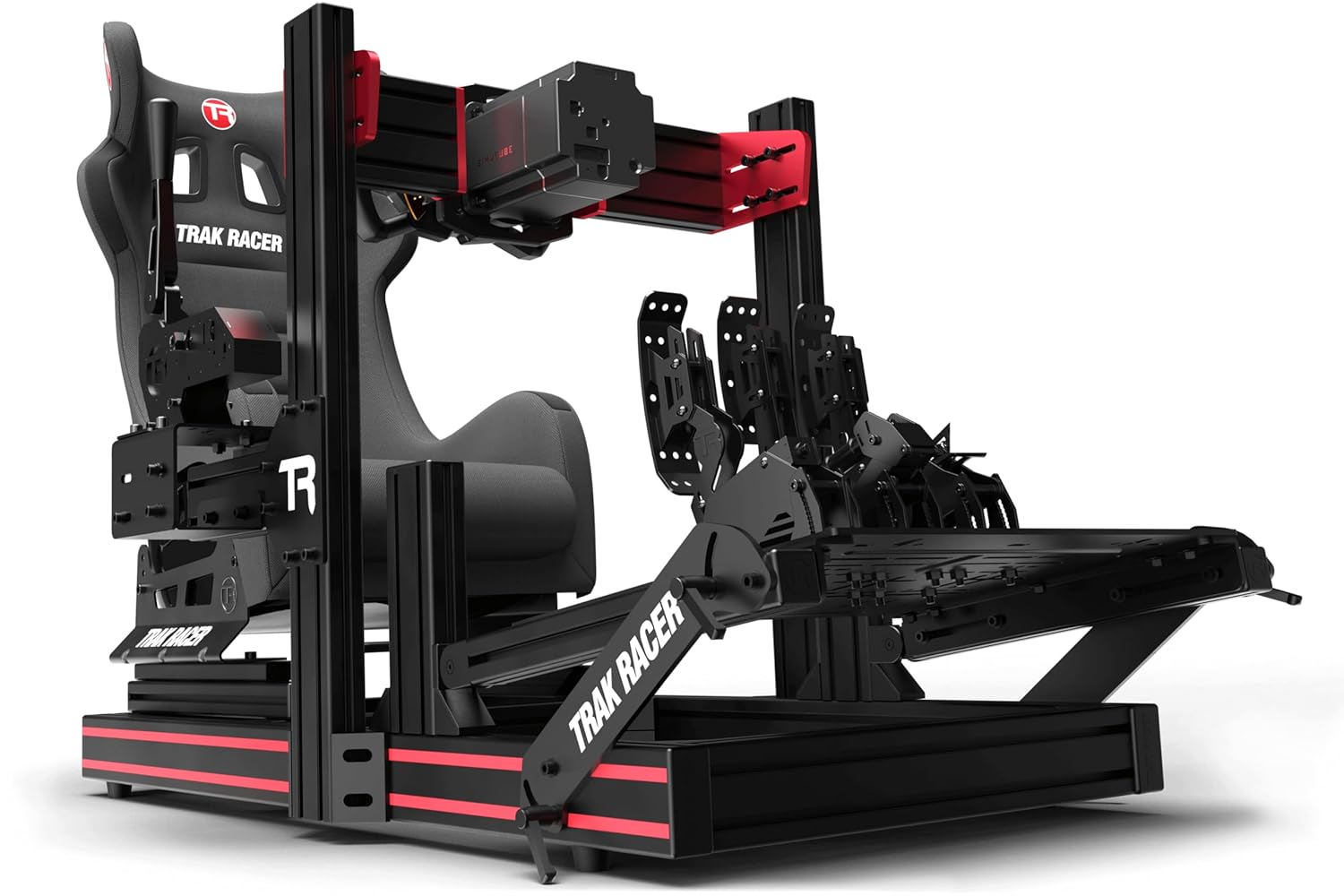
Image: Fully assembled Trak Racer TR80 Racing Simulator MK5, including a racing seat and pedal set.
5. Naudojimo instrukcijos
Once assembled, the TR80 provides a stable platform for your racing peripherals.
5.1. Išorinių įrenginių prijungimas
- Connect your steering wheel, pedals, and gear shifter to your PC or console according to their respective manufacturer's instructions.
- Ensure all cables are routed safely to prevent tripping hazards and cable damage.
5.2. Adjusting Your Setup
- Use the seat slider to adjust your seating position forward or backward.
- The pedal plate and wheel mount offer multiple adjustment points for angle, height, and distance. Loosen the relevant bolts, adjust, and re-tighten securely.
- The gear shifter mount can also be adjusted for optimal reach.
5.3. Programinės įrangos konfigūracija
Refer to the software and driver instructions provided by your peripheral manufacturers for calibration and in-game settings.
6. Priežiūra
Regular maintenance will ensure the longevity and performance of your TR80 simulator.
- Valymas: Wipe down aluminum profiles and other surfaces with a soft, damp audinys. Venkite abrazyvinių valiklių.
- Tvirtinimo detalių patikrinimas: Periodically inspect all bolts, nuts, and connections for tightness. Re-tighten any loose fasteners to maintain rigidity.
- Tepimas: If seat sliders or other moving parts become stiff, apply a small amount of silicone-based lubricant.
7. Problemų sprendimas
Šiame skyriuje aptariamos dažniausiai pasitaikančios problemos, su kuriomis galite susidurti.
| problema | Galima priežastis | Sprendimas |
|---|---|---|
| Simulator feels wobbly or unstable. | Atsilaisvinusios tvirtinimo detalės; netolygus surinkimas. | Check and tighten all bolts and connections. Ensure the frame is square during assembly. |
| Difficulty adjusting seat or peripheral mounts. | Bolts are too tight; debris in tracks. | Loosen bolts slightly before adjusting. Clean tracks if necessary. Apply lubricant to sliders. |
| Trūkstamos arba pažeistos dalys pristatymo metu. | Shipping damage; packing error. | Contact Trak Racer customer support immediately with proof of purchase and details of the issue. |
8. Specifikacijos
- Modelis: Trak Racer TR80 Racing Simulator MK5
- Prekinis ženklas: Trak lenktynininkas
- ASIN: B0BY8GFVTC
- Gamintojas: Trak lenktynininkas
- Pirmą kartą pasiekiama data: 13 m. kovo 2023 d
- Statybinė medžiaga: Thicker-walled Aluminum Profile
- Suderinamumas: PC Compatible (with appropriate peripherals)
- Pagrindinės funkcijos: Hybrid Formula & GT Pedal System, TR One Wheel Mount Compatible, Seat Slider Rails, Universal TR One Gear Shift Mount, Flight Simulator Expandable.
9. Garantija ir palaikymas
For warranty information, technical support, or to purchase additional accessories, please visit the official Trak Racer websvetainėje arba susisiekite su klientų aptarnavimo skyriumi.
Trak Racer Official Websvetainė: www.trakracer.com


