1. Įvadas
Thank you for choosing the BYINTEK U70 Pro Portable 4K 3D DLP Projector. This manual provides essential information for the safe and efficient operation of your device. Please read it thoroughly before use and retain it for future reference.

Image 1.1: The BYINTEK U70 Pro Portable Projector and its remote control.
2. Saugos informacija
- Nežiūrėkite tiesiai į projektoriaus objektyvą, kai lamp yra įjungtas.
- Užtikrinkite tinkamą vėdinimą, kad išvengtumėte perkaitimo. Neužblokuokite ventiliacijos angų.
- Naudokite tik pateiktą maitinimo adapterį.
- Saugokite įrenginį nuo vandens, drėgmės ir ekstremalių temperatūrų.
- Nebandykite patys ardyti ar taisyti projektoriaus. Kreipkitės į kvalifikuotus techninės priežiūros darbuotojus.
- Laikyti vaikams nepasiekiamoje vietoje.
3. Pakuotės turinys
Patikrinkite, ar pakuotėje yra visi reikalingi daiktai:
- 1 x BYINTEK U70 Pro Projector
- 1x nuotolinio valdymo pultas
- 1 x HD kabelis
- 1 x Naudotojo vadovas (šis dokumentas)
- 1 x DC 19V 3.42A maitinimo adapteris
4. Produktas baigtasview
Susipažinkite su projektoriaus komponentais ir sąsajomis.
4.1 paveikslas: Priekinė ir galinė dalys views of the BYINTEK U70 Pro Projector, highlighting its various ports and controls.
Pagrindiniai komponentai:
- Objektyvas: Projection output.
- Klaviatūra: Manual control buttons on top.
- IR imtuvas: Nuotolinio valdymo signalams.
- DC 12V-in: Maitinimo įvesties prievadas.
- USB 3.0 / USB 2.0: For connecting USB storage devices, mouse, or keyboard.
- Maitinimo jungiklis: Įjungti / išjungti projektorių.
- Audio-out (3.5mm Jack): Išoriniams garsiakalbiams arba ausinėms.
- HD-in (HDMI): Skirta išoriniams vaizdo šaltiniams prijungti.
- 5W Speakers: Integruoti stereo garsiakalbiai.
- Detachable Dust Filter: Lengvam valymui ir priežiūrai.
- Universal Bracket Hole (d=1/4inch, 6mm): For mounting on tripods or ceiling mounts.
5. Sąranka
5.1 Įjungimas / išjungimas
- Connect the DC 19V 3.42A Power Adapter to the projector's DC 12V-in port.
- Press the Power Switch to turn the projector on. The indicator light will illuminate.
- To power off, press the Power Switch again.
5.2 Išdėstymas ir projekcija
The BYINTEK U70 Pro supports a projection size of 30-300 inches with a projection distance of 1-8 meters. The optimal aspect ratio is 16:9, but 16:10 and 4:3 are also supported.
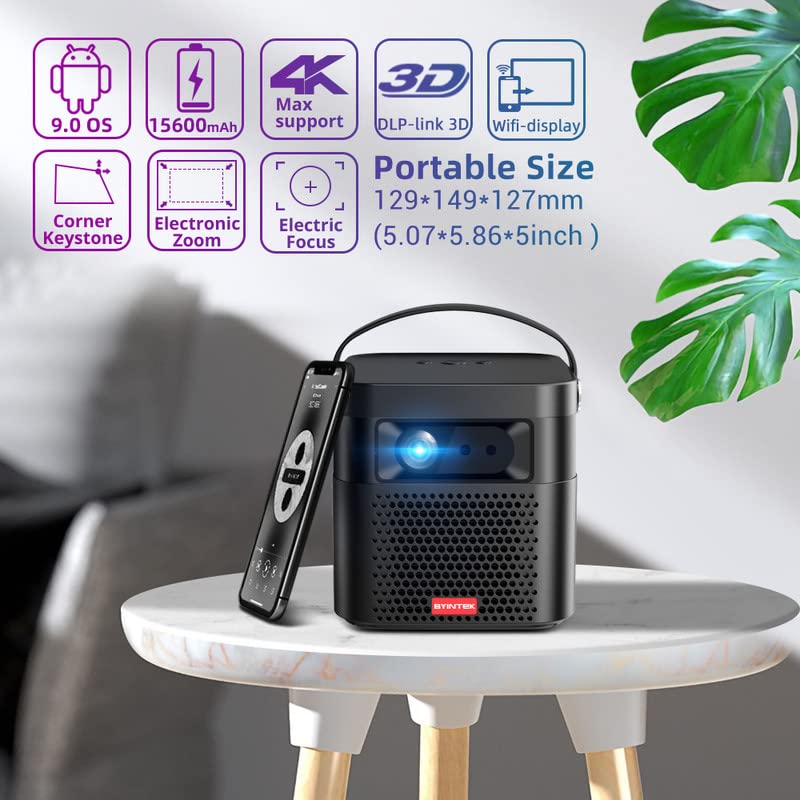
Image 5.1: The BYINTEK U70 Pro Projector highlighting its portable size and advanced features.
5.3 Fokusavimas ir trapecijos korekcija
- Projektoriaus savybės Automatinis fokusavimas greitam vaizdo aiškumui.
- For fine-tuning, use the Elektrinis fokusavimas function via the remote control or on-device keypad.
- Auto Manual Vertical Keystone Correction is available to adjust image distortion when the projector is not perfectly perpendicular to the screen.
- Corner Keystone correction allows for individual corner adjustments.
5.4 Ryšys
The projector offers various connection options:
- HDMI: Connect external devices like TV sticks, X-BOX, PS4, PCs, or laptops using the provided HD Cable.
- USB: Insert USB sticks or SSD hard drives for media playback. Supports USB 2.0 and USB 3.0.
- „Wi-Fi“: Connect to your wireless network for online content and wireless projection.
- Bluetooth: For connecting external Bluetooth speakers or headphones (if supported by the Android OS).
6. Naudojimo instrukcijos
6.1 „Android 9.0“ išmanioji operacinė sistema
The BYINTEK U70 Pro runs on Android 9.0, providing a smart interface with 32GB internal storage. Navigate the interface using the remote control or by connecting a USB mouse/keyboard.

Image 6.1: The Android 9.0 operating system interface, allowing access to various applications.
6.2 Belaidė projekcija
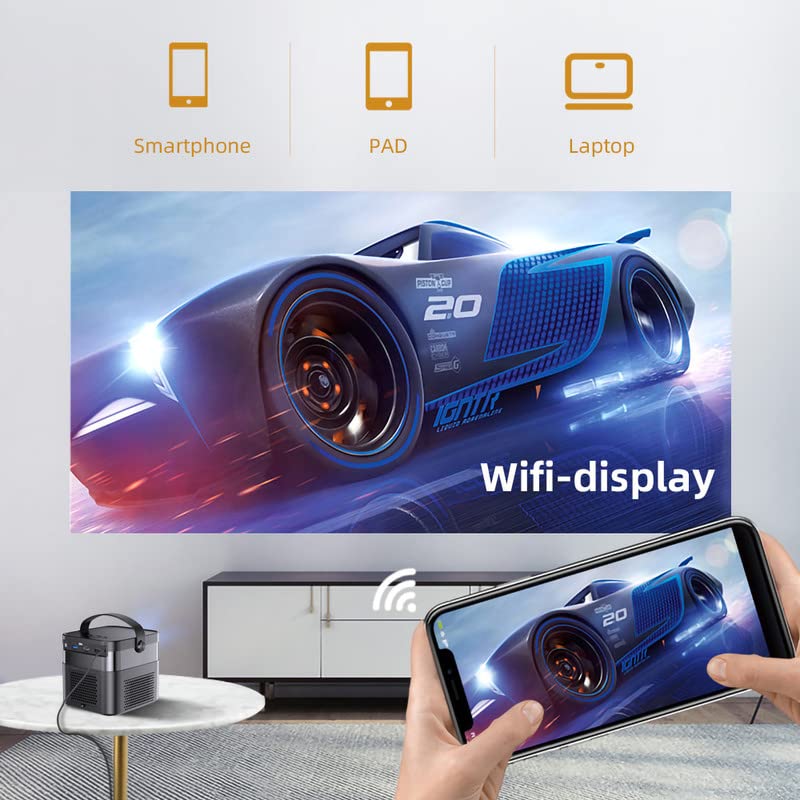
Wirelessly connect your Android or iOS devices for screen mirroring.

Image 6.2: Wireless display functionality, enabling screen mirroring from smartphones, tablets, and laptops.
- Ensure both the projector and your mobile device are connected to the same Wi-Fi network.
- Select the appropriate wireless projection app (e.g., Airplay, Miracast, DLNA, Eshare) on the projector's home screen.
- Follow the on-screen instructions to connect your smartphone, tablet, or laptop.
6.3 3D funkcionalumas
Projektorius palaiko Real 3D content for an immersive viewpatirtį.
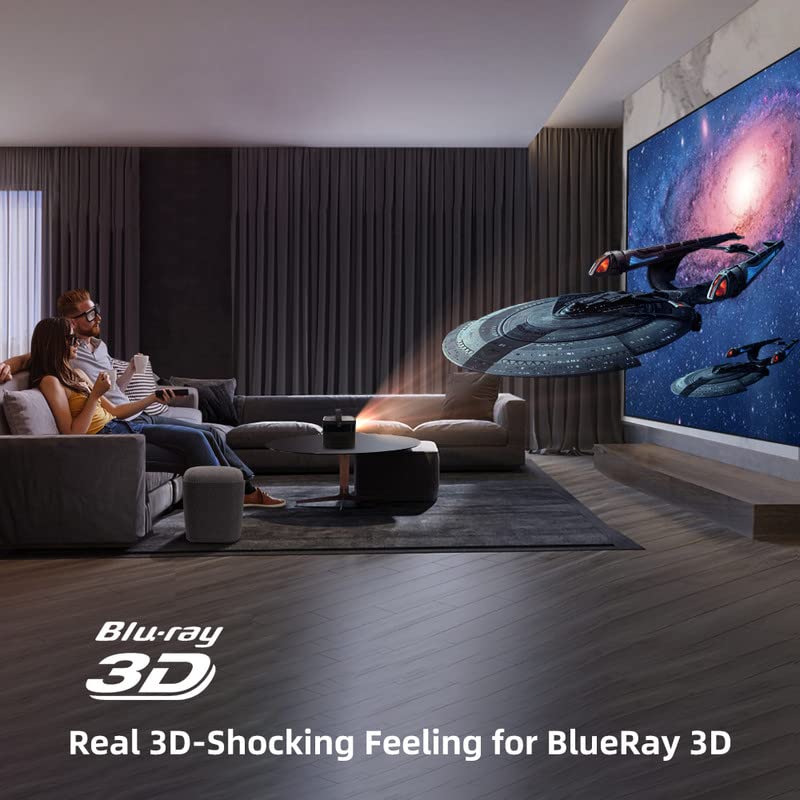
Image 6.3: The projector displaying 3D content for an immersive home theater experience.
- To enjoy 3D content, you will need compatible 3D glasses (sold separately).
- Play 3D-enabled media (e.g., Blu-ray 3D) through a connected device.
- Activate the 3D mode on the projector via the settings menu.
6.4 Garso išvestis
The projector has built-in 2 x 5W speakers. For enhanced audio, connect external speakers or headphones via the 3.5mm Audio Jack or Bluetooth.
7. Priežiūra
7.1 Objektyvo valymas
Naudokite minkštą, nepūkuotą šluostę, specialiai skirtą optiniams lęšiams. Nenaudokite abrazyvinių valiklių ar per didelės jėgos.
7.2 Dulkių filtro valymas
The projector features a detachable dust filter. Regularly remove and clean it to maintain optimal performance and prevent overheating. Refer to Image 4.1 for the location of the detachable dust filter.
7.3 Akumuliatoriaus priežiūra
The projector includes a rechargeable battery. To prolong battery life:
- Venkite dažnai visiškai iškrauti akumuliatorių.
- Store the projector in a cool, dry place if not used for extended periods.
- Charge the battery periodically if stored for a long time.
8. Problemų sprendimas
Jei kyla problemų, žr. toliau pateiktas dažniausiai pasitaikančias problemas ir sprendimus:
| Problema | Galima priežastis | Sprendimas |
|---|---|---|
| Vaizdas nerodomas | Power cable loose, input source incorrect, lens cap on | Check power connection, select correct input source, remove lens cap |
| Vaizdas neryškus | Focus not adjusted, keystone incorrect | Adjust focus using remote/keypad, correct keystone settings |
| Nėra garso | Volume too low, external audio device not connected, source audio issue | Increase volume, check external audio connections, verify source audio output |
| Nuotolinio valdymo pultas neveikia | Batteries dead, IR receiver blocked | Replace batteries, ensure clear line of sight to IR receiver |
| Įspėjimas apie perkaitimą | Blocked ventilation, dusty filter | Ensure clear ventilation, clean dust filter |
9. Specifikacijos
Detailed technical specifications for the BYINTEK U70 Pro Projector:
| Funkcija | Specifikacija |
|---|---|
| Prekės ženklas | BYINTEK |
| Modelis | BYINTEK-UFO-U70-PRO |
| Ekrano technologija | DLP (LED) |
| Vaizdo ryškumas | 500 ANSI liumenai |
| Gimtoji raiška | 1280 x 800 (supports 1080p Full HD Pixels, Max supports 4K signal input) |
| Vaizdo kontrasto santykis | 15000:1 |
| Krašto santykis | 16:9 (also 16:10, 4:3) |
| Projekcijos dydis | 30-300 colių |
| Projekcijos atstumas | 1-8 metrai |
| Operacinė sistema | Android 9.0 |
| Vidinė saugykla | 32 GB |
| Ypatingos savybės | Built-In 3D, Auto Focus, Short Throw, Built-in Speakers, Rechargeable Battery, Wireless Projection |
| Techninės įrangos sąsaja | HDMI, USB 2.0, USB 3.0 |
| Ryšio technologija | Wi-Fi |
| Garso išvestis | 3.5mm Audio Jack, Built-in 2 x 5W Speakers |
| Maitinimo šaltinis | DC 19V 3.42A, Rechargeable Battery |
| Vattage | 65 vatų |
| Gaminio matmenys | 12.9 x 14.9 x 12.7 cm |
| Prekės svoris | 1.36 kg |
| Modelio metai | 2023 |
10. Garantija ir palaikymas
10.1 Informacija apie garantiją
The BYINTEK U70 Pro Projector comes with a 1 metų garantija nuo pirkimo datos. Išsaugokite pirkimo įrodymą garantiniams reikalavimams. Garantija taikoma gamybos defektams, esant įprastoms naudojimo sąlygoms.
10.2 Pagalba klientams
For technical assistance, warranty claims, or any other inquiries, please contact BYINTEK customer support:
- Telefono numeris: +91 8885241706
- El. paštas: care@justshop24x7.com


