1. Saugos informacija
Prieš surinkdami ir naudodami, atidžiai perskaitykite visas instrukcijas. Išsaugokite šį vadovą ateičiai.
- Neviršykite maksimalaus svorio pajėgumo – 88 kg (40 svarų).
- Įsitikinkite, kad jūsų televizoriaus VESA jungtis suderinama (nuo 100 x 100 mm iki 400 x 400 mm).
- Verify that all screws are securely tightened before placing the TV on the stand.
- Neleiskite vaikams lipti ant televizoriaus stovo ar žaisti su juo.
- Pastatykite stovą ant lygaus, stabilaus paviršiaus, kad jis neapvirstų.
- Avoid placing heavy objects on the stand's base that could compromise stability.
2. Pakuotės turinys
Prieš pradėdami surinkimą, patikrinkite, ar yra visi komponentai ir ar jie nepažeisti. Jei trūksta kokių nors dalių arba jos pažeistos, susisiekite su klientų aptarnavimo tarnyba.

Vaizdas: Išsprogdintas view of the TV stand components.
- Grūdinto stiklo pagrindas
- Palaikymo stulpelis
- Televizoriaus tvirtinimo plokštė
- VESA Extension Brackets (if applicable for larger VESA patterns)
- Various Screws, Washers, and Spacers for TV attachment
- Assembly Hardware (bolts, nuts, Allen wrench)
- Neslidžios guminės kojelės
3. Sąranka ir surinkimas
Follow these steps to assemble your XINLEI Universal TV Stand Base.
- Attach Non-Slip Feet to Base: Secure the non-slip rubber feet to the underside of the tempered glass base.
- Assemble Support Column: Attach the support column to the tempered glass base using the provided hardware. Ensure it is firmly secured.
- Pritvirtinkite televizoriaus tvirtinimo plokštę: Pritvirtinkite televizoriaus tvirtinimo plokštę prie atramos kolonos viršaus.
- Paruoškite televizorių montavimui:
- Identify your TV's VESA mounting holes on the back.
- Select the appropriate screws and spacers from the provided hardware kit that fit your TV's VESA pattern.
- Attach the VESA extension brackets to the TV mounting plate if your TV's VESA pattern requires them (e.g., 400x400mm).
- Svarbu: Before attaching the TV to the stand, ensure that the mounting plate and screws will not block any ports or cables on the back of your television.
- Televizoriaus montavimas: Carefully lift your TV and align its VESA holes with the mounting plate/brackets. Secure the TV using the selected screws and spacers. Ensure the TV is level and stable.

Image: Detail of the tempered glass base with non-slip feet.
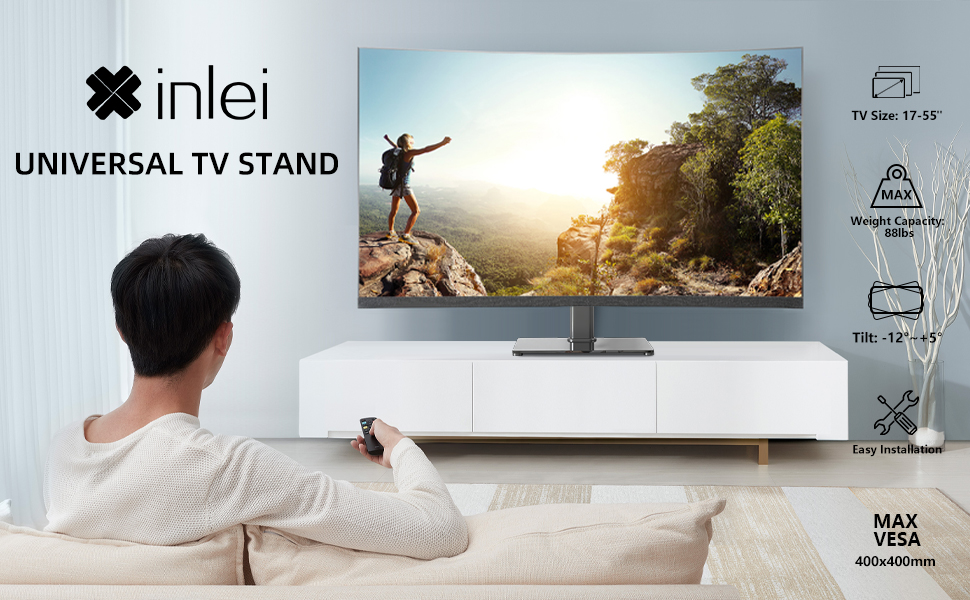
Image: Illustration emphasizing checking for port obstruction.

Image: Fully assembled TV stand with a television.
4. Naudojimo instrukcijos
The XINLEI Universal TV Stand Base offers height adjustment and tilt functionality for optimal viewing.
4.1 Aukščio reguliavimas
This stand provides 3 adjustable height levels. To adjust the height:
- Carefully remove the TV from the mounting plate.
- Adjust the mounting plate's position on the support column to one of the three available height settings (11.1", 13.03", or 14.96" from the base).
- Secure the mounting plate at the desired height using the provided fasteners.
- Re-mount the TV onto the adjusted plate.
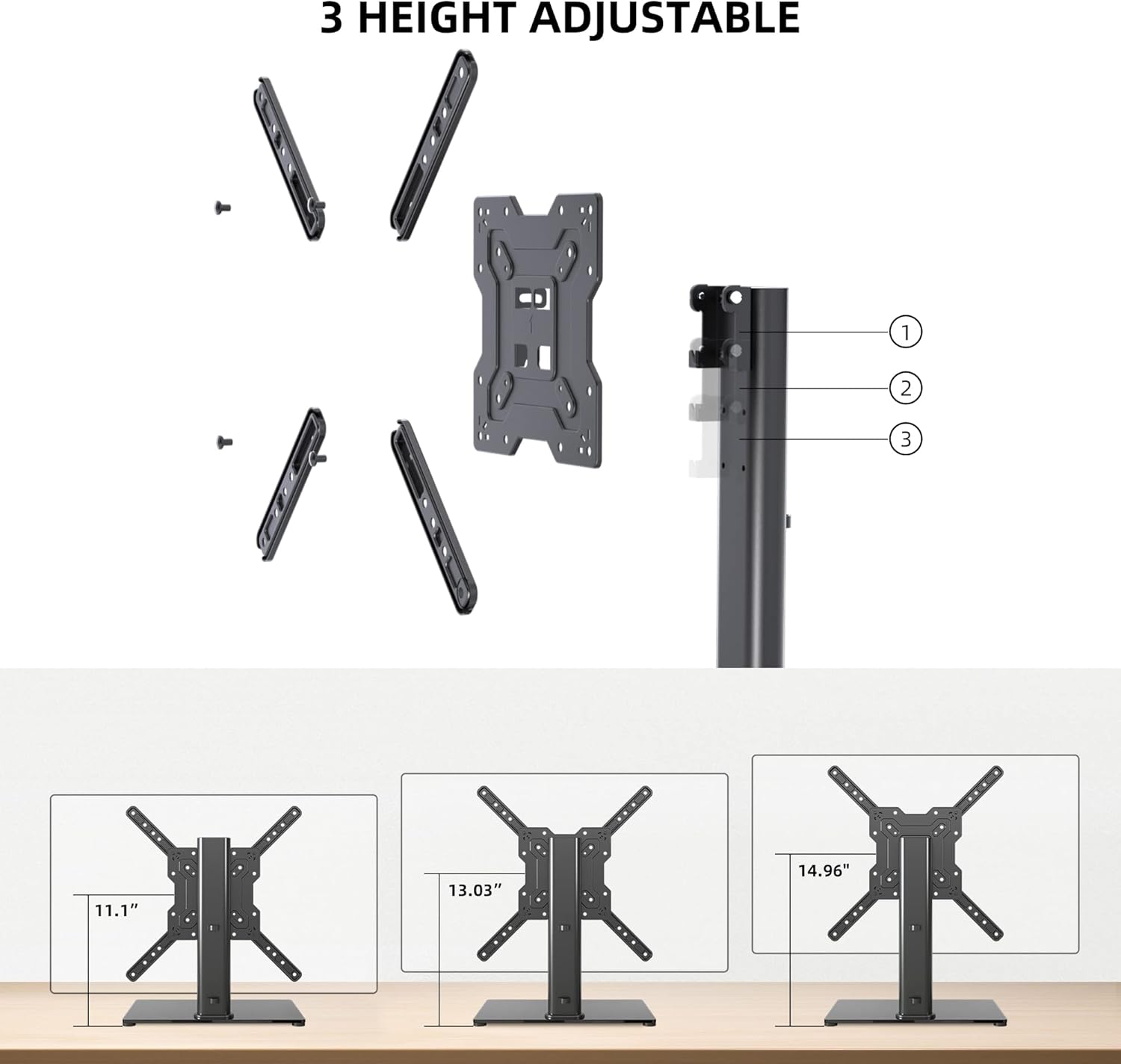
Image: Visual representation of the three height settings.
4.2 Pasvirimo reguliavimas
The TV mounting plate allows for a tilt range of -12 to +5 degrees.
- Loosen the tilt adjustment screws on the side of the mounting plate.
- Gently tilt the TV to your preferred viewing kampas.
- Tighten the tilt adjustment screws to secure the TV in position.

Image: Diagram demonstrating the tilt functionality.
4.3 Kabelių valdymas
Utilize the integrated cable management system within the support column to keep cables organized and out of sight.

Vaizdas: pvzample of cable management through the stand's column.
5. Priežiūra
Reguliarus televizoriaus stovo valymas užtikrina jo ilgaamžiškumą ir saugų veikimą.
- Valymas: Wipe the tempered glass base and metal components with a soft, damp šluoste. Venkite abrazyvinių valiklių ar tirpiklių, kurie gali pažeisti apdailą.
- Patikra: Periodiškai patikrinkite visus varžtus ir jungtis, kad jie būtų tvirtai priveržti. Jei reikia, priveržkite.
- Stabilumas: Ensure the stand remains on a level surface and that the non-slip feet are intact.
6. Problemų sprendimas
If you encounter issues during assembly or use, refer to the following common solutions.
- Televizorius nelygus: Ensure the stand is on a flat surface. Check that the TV mounting plate is securely attached and that the VESA screws are tightened evenly.
- Screws Too Long/Short: The kit includes various screw lengths and spacers. Refer to your TV's manual for recommended screw sizes for VESA mounting. Use the appropriate spacers to ensure a secure fit without over-tightening or damaging the TV.
- Mount Blocks Ports: Before final mounting, always verify that the mounting plate does not obstruct any necessary ports on your TV. If it does, adjust the TV's position on the VESA plate or consider using longer spacers if safe and compatible.
- Stovas jaučiasi nestabilus: Confirm that all assembly bolts are fully tightened. Ensure the tempered glass base is placed on a solid, flat surface and that the non-slip feet are properly installed.
7. Specifikacijos
| Funkcija | Specifikacija |
|---|---|
| Modelis | TS102 |
| Suderinami televizoriaus dydžiai | Nuo 17 iki 55 colių |
| Svorio talpa | 88 svarai (40 kg) |
| VESA suderinamumas | 100x100mm iki 400x400mm |
| Aukščio reguliavimas | 3 levels (11.1", 13.03", 14.96") |
| Pakreipimo kampas | -12° iki +5° |
| Pagrindo matmenys | 10.24" x 15.75" |
| Medžiaga | Grūdintas stiklas, plienas |
| Spalva | Juoda |
| Prekės svoris | 9.86 svaro |

Image: Technical specifications and dimensions.
8. Garantija ir palaikymas
XINLEI products are designed for durability and performance. For warranty information or technical support, please refer to the product packaging or contact XINLEI customer service directly.
Please have your model number (TS102) and purchase information ready when contacting support.


