1. Įvadas
This manual provides essential instructions for the safe and efficient operation of your RONGTA SE4770 Rugged PDA Barcode Scanner. This device is a high-performance mobile handheld terminal designed for various applications including retail, warehouse management, logistics, and inventory control. It combines the functionality of an Android 11 smartphone with an integrated Zebra SE4770 barcode scanner, offering robust performance and durability.
Please read this manual thoroughly before using the device and retain it for future reference.
2. Produktas baigtasview
2.1 Įrenginio komponentai
The RONGTA SE4770 features a rugged design with a 6-inch HD touch screen and an integrated barcode scanner. Key components include:
- Priekinis ekranas: 6-inch FHD+ 1080P HD screen for clear visual interaction.
- Galinis skydas: Integrated Zebra SE4770 barcode scanner, camera, and battery compartment.
- Šoniniai mygtukai: Power button, volume controls, and dedicated scan buttons.
- Prievadai: USB-C prievadas įkrovimui ir duomenų perdavimui.

2.1 pav.: Priekinė ir galinė dalys view of the RONGTA SE4770 PDA Barcode Scanner, showing the display and rear scanner module.
2.2 Pagrindinės savybės
- Operacinė sistema: Android 11 for a familiar and versatile user experience.
- Procesorius: Octa-core 2.0GHz CPU for high performance and stability.
- Atmintis ir saugojimas: 4GB RAM + 64GB ROM, expandable via microSD card (not included).
- Ekranas: 6-inch FHD+ (1080P) HD touch screen, visible in strong outdoor light, supports multi-touch with gloves or wet hands.
- Brūkšninio kodo skaitytuvas: Integrated Zebra SE4770 for fast and accurate scanning of 1D, 2D, and QR barcodes, even if blurred, dirty, or worn.
- Patvarumas: IP68 rated for water and dust resistance, and 1.5m drop resistance.
- Baterija: 5000mAh large capacity battery with QC3.0 18W fast charging. Features a SuperCap power change solution for seamless battery swaps without shutdown.
- Ryšys: 2.4G/5G Dual-band Wi-Fi, 4G Full Network support, and Bluetooth 5.1.
- Kamera: 1600W+500W Pixel Camera (details on usage in Operating Instructions).
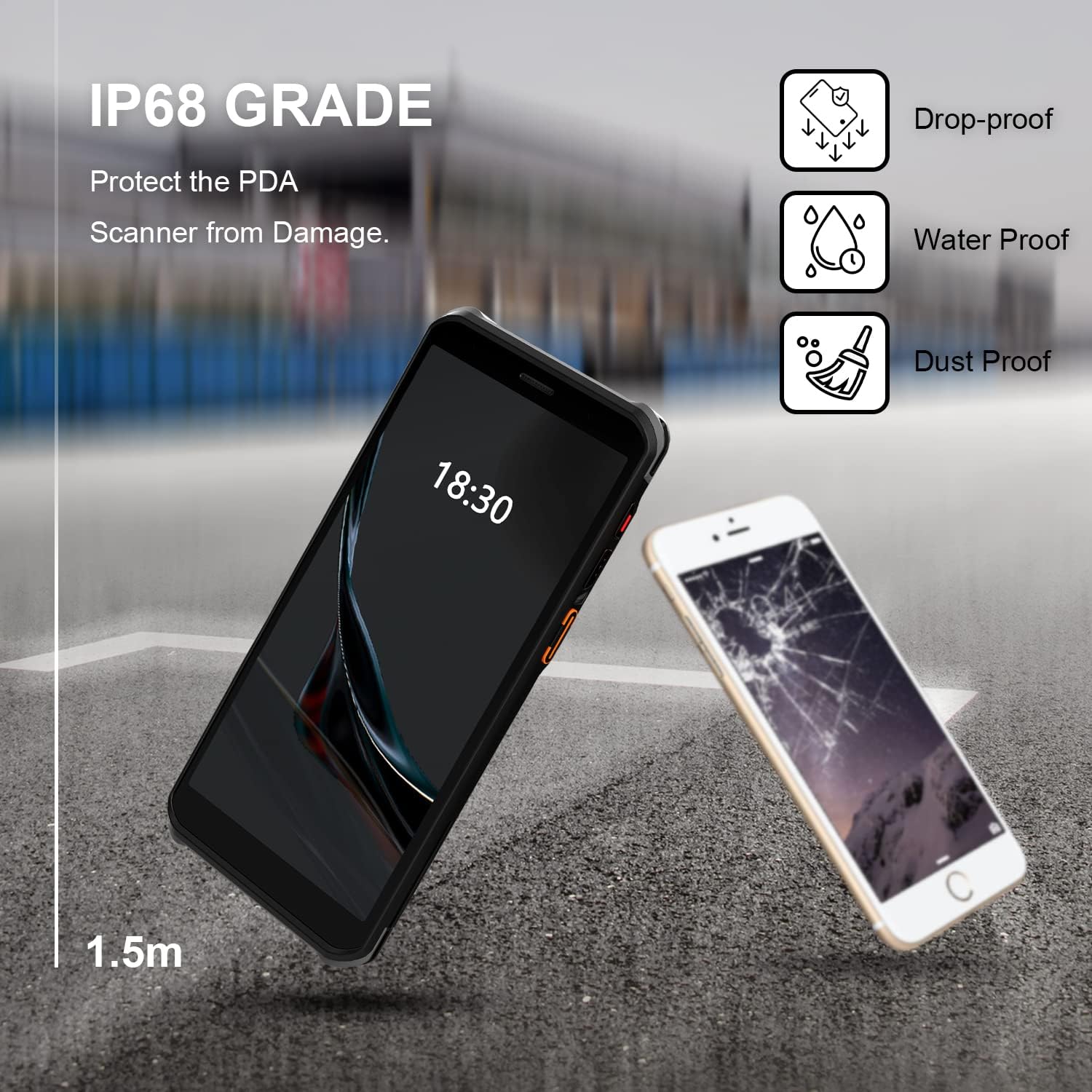
Figure 2.2: The RONGTA SE4770 PDA is designed with IP68 water and dust resistance and 1.5m drop protection, ensuring durability in demanding environments.

Figure 2.3: The device supports 2.4G/5G Dual-band WIFI and Bluetooth 5.1 for reliable wireless connectivity.
3. Sąranka
3.1 Išpakavimas ir pirminė apžiūra
Carefully remove all components from the packaging. Verify that all items are present and undamaged. The package should include the RONGTA SE4770 PDA, a USB-C cable, a power adapter, and a hand-strap belt.
3.2 Baterijos įdėjimas ir įkrovimas
- Raskite baterijų skyrių įrenginio gale.
- If the battery is not pre-installed, insert the 5000mAh Lithium-Ion battery, ensuring correct orientation.
- Saugiai uždarykite akumuliatoriaus skyrių.
- Connect the USB-C cable to the device's charging port and the other end to the power adapter. Plug the adapter into a power outlet.
- Allow the device to charge fully before first use. The 18W fast charging feature will expedite this process.

Figure 3.1: The device charging, indicating battery status.
3.3 Įjungimas / išjungimas
- Norėdami įjungti: Press and hold the Power button on the side of the device until the RONGTA logo appears on the screen.
- Norėdami išjungti: Paspauskite ir palaikykite maitinimo mygtuką, kol pasirodys maitinimo parinkčių meniu. Pasirinkite „Išjungti“.
- Norėdami paleisti iš naujo: Press and hold the Power button until the power options menu appears. Select 'Restart'.
3.4 Pradinė „Android“ sąranka
Upon first power-on, follow the on-screen prompts to complete the initial Android 11 setup. This typically includes selecting your language, connecting to a Wi-Fi network, setting up a Google account (optional), and configuring security settings.
4. Naudojimo instrukcijos
4.1 Brūkšninių kodų skaitytuvo naudojimas
The RONGTA SE4770 is equipped with a high-performance Zebra SE4770 scanner capable of reading various 1D, 2D, and QR barcodes.
- Open an application that requires barcode input (e.g., inventory management software, POS application).
- Point the scanner window, located on the top rear of the device, towards the barcode.
- Press one of the dedicated scan buttons on the side of the device. A red aiming beam will appear.
- Align the aiming beam with the center of the barcode. The device will emit a beep or vibrate upon successful scan, and the data will be entered into the active field of your application.

Figure 4.1: A user scanning a package barcode using the RONGTA SE4770 PDA.

Figure 4.2: The SE4770 Zebra scanner in use, demonstrating fast and accurate scanning in a warehouse environment.
4.2 Naršymas „Android 11“ sistemoje
The device operates on Android 11, providing a familiar interface. Use touch gestures to navigate:
- Bakstelėkite: Norėdami pasirinkti elementą arba atidaryti programą.
- Perbraukimas: Norėdami slinkti per sąrašus arba perjungti pagrindinius ekranus.
- Žiupsnelis, norint priartinti: Norėdami priartinti arba atitolinti vaizdus ir web puslapių.
- Pranešimai: Braukite žemyn nuo ekrano viršaus, kad pasiektumėte pranešimus ir greituosius nustatymus.
4.3 Ryšys
Įrenginys palaiko įvairias ryšio parinktis:
- „Wi-Fi“: Go to Settings > Network & internet > Wi-Fi to connect to available wireless networks. Supports 2.4GHz and 5GHz bands.
- Bluetooth: Go to Settings > Connected devices > Connection preferences > Bluetooth to pair with Bluetooth-enabled devices like headsets or printers.
- Mobilieji duomenys (4G): If equipped with a SIM card slot (check device specifications), insert a compatible SIM card to access mobile data.
4.4 Kameros naudojimas
The device includes a camera for capturing images or videos. Open the Camera application from the home screen or app drawer. Tap the screen to focus and press the shutter button to take a photo or start/stop video recording.
5. Priežiūra
5.1 Prietaiso valymas
Norint išlaikyti optimalų našumą ir išvaizdą:
- Wipe the screen and device body with a soft, lint-free cloth.
- Įsisenėjusioms dėmėms šiek tiek pamirkykiteampNuvalykite šluostę vandeniu arba ekrano valikliu. Venkite stiprių cheminių medžiagų ar abrazyvinių medžiagų.
- Ensure the scanner window is clean and free of dust or debris for accurate scanning.
5.2 Akumuliatoriaus priežiūra
Proper battery care extends the lifespan of your device:
- Charge the battery regularly using the provided charger.
- Venkite dažnai visiškai iškrauti akumuliatorių.
- Jei įrenginį ketinate laikyti ilgesnį laiką, įkraukite akumuliatorių maždaug iki 50 % ir laikykite vėsioje, sausoje vietoje.
- The SuperCap power change solution allows for hot-swapping batteries without device shutdown, ensuring continuous operation.
5.3 Programinės įrangos naujiniai
Periodically check for software updates to ensure your device has the latest features and security patches. Go to Settings > System > System update.
6. Problemų sprendimas
This section addresses common issues you might encounter with your RONGTA SE4770 PDA.
| Problema | Galima priežastis | Sprendimas |
|---|---|---|
| Įrenginys neįsijungia | Žemas arba išsikrovęs akumuliatorius; įrenginio gedimas. | Įkraukite įrenginį bent 30 minučių. Jei jis vis tiek neįsijungia, susisiekite su palaikymo tarnyba. |
| Skaitytuvas neskaito brūkšninių kodų | Dirty scanner window; incorrect aiming; unsupported barcode type; application issue. | Clean the scanner window. Ensure the aiming beam covers the entire barcode. Verify the barcode type is supported. Restart the scanning application or the device. |
| „Wi-Fi“ / „Bluetooth“ ryšio problemos | Out of range; incorrect password; interference. | Move closer to the Wi-Fi router or Bluetooth device. Re-enter the password. Restart Wi-Fi/Bluetooth on the device. |
| Įrenginys lėtas arba nereaguoja | Too many applications running; low storage; software glitch. | Close unnecessary applications. Clear cache. Restart the device. Consider a factory reset if issues persist (backup data first). |
7. Specifikacijos
Detailed technical specifications for the RONGTA SE4770 PDA Barcode Scanner:
- Gaminio matmenys: 3.03 x 0.51 x 6.41 colio
- Prekės svoris: 10.6 uncijos
- Baterijos: Reikalinga 1 ličio jonų baterija (pridedama)
- Maitinimo šaltinis: Maitinamas baterijomis
- Gamintojas: RONGTA
- Suderinami įrenginiai: Desktop, Laptop, Smartphone (for data transfer/management)
- Ryšio technologija: Bluetooth, Wi-Fi (2.4G/5G Dual-band), 4G
- Operacinė sistema: Android 11
- Procesorius: Aštuonių branduolių 2.0 GHz
- Atmintis: 4 GB RAM
- Saugykla: 64 GB ROM
- Ekrano dydis: 6 inches FHD+ (1080P) HD Touch Screen
- Skaitytuvas: Zebra SE4770 (1D, 2D, QR)
- Patvarumas: IP68 Water and Dust Resistant, 1.5m Drop Protection
- Baterijos talpa: 5000 mAh
- Įkrovimas: QC3.0 18W Fast Charge
8. Garantija ir palaikymas
For warranty information and technical support, please refer to the documentation included with your purchase or visit the official RONGTA website. If you encounter any issues not covered in this manual, please contact RONGTA customer service for assistance.