1. Įvadas
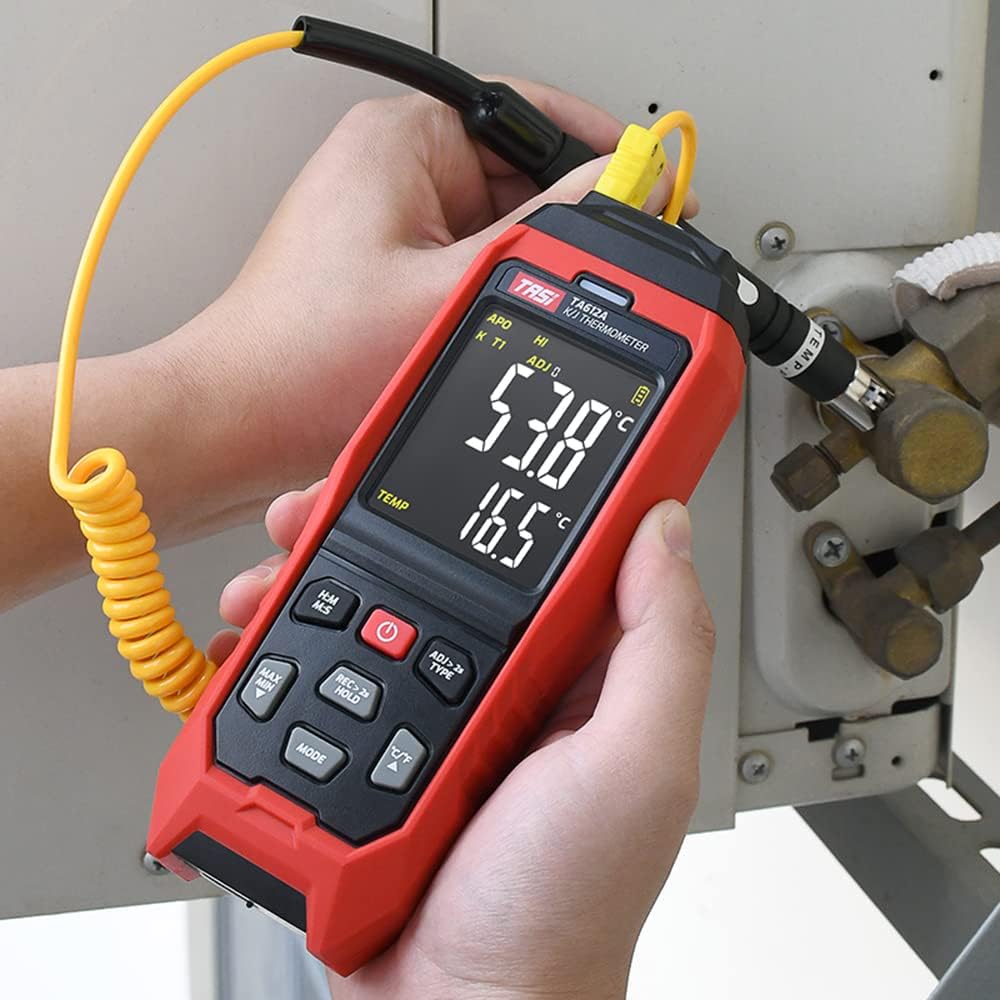
The TASI TA612C is a portable digital thermometer designed for precise temperature measurement using K/J type thermocouples. This model supports four channels, allowing simultaneous measurement of multiple points. It features a VA digital color display, data hold function, MAX/MIN value tracking, extensive data storage capabilities, an alarm buzzer, and automatic shutdown for convenient and efficient operation. The TA612C also includes a USB interface for data upload and real-time measurement.
2. Pakuotės turinys
Išpakuodami patikrinkite pakuotės turinį, kad įsitikintumėte, jog yra visos dalys ir jos nepažeistos.
- 1 x TASI TA612C Thermometer
- 4 x K-type Thermocouple Probes
- 1x USB laidas
- 1 x saugojimo krepšys
- 1 x Naudotojo vadovas (anglų kalba)

3. Produkto ypatybės
- 4-Channel Measurement: Simultaneously monitor temperatures from up to four different locations using K/J type thermocouples.
- Platus temperatūros diapazonas: Measures temperatures from -200℃ to 1372℃ (-328℉ to 2501℉).
- VA Digital Color Display: Provides clear and easy-to-read temperature values and operational status.
- Duomenų sulaikymo funkcija: Freezes the current temperature reading on the display.
- MAX/MIN Value Tracking: Records and displays the maximum and minimum temperatures measured during a session.
- Platus duomenų saugojimas: Stores up to 5000 groups of temperature data.
- USB Data Logger: Allows data upload to a computer and real-time measurement monitoring via USB connection.
- Adjustable Probe Error Compensation (ADJ): Compensates for probe inaccuracies within a range of -9℃ to 9℃.
- Aukštos/žemos temperatūros pavojaus signalas: Configurable alarm limits (default 1300℃/-200℃) with dual sound and light alerts.
- Automatinis išjungimas: Taupo baterijos veikimo laiką, automatiškai išsijungia po tam tikro neveiklumo laikotarpio.

4. Sąranka
4.1 Maitinimo šaltinis
The TA612C thermometer can be powered by three AA/LR06 batteries (not included) or via a 5V 1A USB power source. Ensure batteries are inserted with correct polarity. For continuous operation or data transfer, connect the device using the provided USB cable.
4.2 Connecting Thermocouple Probes
The device supports K/J type thermocouples. Four K-type probes are included in the package. Connect the thermocouple probes to the corresponding input jacks (T1, T2, T3, T4) at the top of the device. Ensure a secure connection for accurate readings.
5. Naudojimo instrukcijos
5.1 Maitinimo įjungimas/išjungimas
- Paspauskite Maitinimo mygtukas (
 ), kad įjungtumėte įrenginį.
 - Paspauskite ir palaikykite Maitinimo mygtukas for approximately 2 seconds to turn the device off.
5.2 Ekranas baigtasview
The VA color display provides comprehensive information. Refer to the diagram below for key indicators:

5.3 Pagrindinis matavimas
Once powered on and probes are connected, the device will automatically begin displaying temperature readings for each active channel. The sampling rate is approximately 1 time per second.
5.4 Duomenų sulaikymas
Paspauskite REC > 2s HOLD button briefly to activate/deactivate the data hold function. The 'HOLD' indicator will appear on the display when active.
5.5 MAX/MIN Value
Paspauskite MAX MIN button to cycle through current, maximum (MAX), and minimum (MIN) temperature readings. The corresponding indicator will show on the display.
5.6 Matavimo vienetų perjungimas (°C/°F)
Paspauskite ° C / ° F mygtuką, kad perjungtumėte Celsijaus ir Farenheito temperatūros vienetus.
5.7 Duomenų saugykla
The TA612C can store up to 5000 groups of temperature data. To manually record data, press and hold the REC > 2s HOLD button for more than 2 seconds. The 'REC' indicator will flash, and the data group number will increment. The device stores the temperature values of the thermocouple channels, not ambient temperature.

5.8 Signalizacijos nustatymai
The device has default high/low alarm limits of 1300℃ and -200℃. Consult the full user manual for detailed instructions on how to adjust these alarm thresholds. When an alarm condition is met, the device will provide both sound and light alerts.
5.9 Probe Error Compensation (ADJ)
The TA612C allows for probe error compensation (ADJ) within a range of -9℃ to 9℃. This feature helps to fine-tune the accuracy of readings for specific probes. Refer to the detailed user manual for steps on how to access and adjust this setting.
6. Data Management (USB)
The TA612C model features a USB interface for data connectivity. Connect the thermometer to a computer using the provided USB cable. This allows for:
- Duomenų įkėlimas: Transfer stored temperature data from the device to your computer for analysis and record-keeping.
- Matavimas realiuoju laiku: Monitor live temperature readings on your computer screen, which can be useful for long-term logging or detailed observation.
Software for data management is typically available from the manufacturer's website, as indicated in the included user manual.
7. Priežiūra
7.1 Valymas
Prietaisui valyti naudokite minkštą, damp cloth. Do not use abrasive cleaners, solvents, or immerse the device in water. Ensure the device is powered off and disconnected from any power source before cleaning.
7.2 Saugykla
When not in use, store the thermometer and its probes in the provided storage bag in a cool, dry place, away from direct sunlight and extreme temperatures. Remove batteries if the device will not be used for an extended period to prevent leakage.
7.3 Akumuliatoriaus keitimas
When the battery indicator shows low power, replace the three AA/LR06 batteries. Ensure the device is powered off before opening the battery compartment and observe correct polarity when inserting new batteries.
8. Problemų sprendimas
- Įrenginys neįsijungia: Check battery installation and ensure batteries are not depleted. If using USB power, verify the cable and power source.
- Netikslūs rodmenys: Ensure thermocouple probes are correctly and securely connected. Check for any visible damage to the probes. Consider using the ADJ compensation feature if a known offset exists.
- Ekranas tuščias arba mirga: Replace batteries or connect to USB power. If the issue persists, contact customer support.
- Duomenų perdavimo problemos: Ensure the USB cable is properly connected to both the device and the computer. Verify that the correct software/drivers are installed on your computer.
- Alarm not working: Check alarm settings to ensure limits are correctly configured and the alarm function is enabled.
For issues not covered here, please refer to the comprehensive user manual or contact KKnoon customer support.
9. Techninės specifikacijos
| Parametras | Specifikacija |
|---|---|
| Modelis | TA612C |
| Kanalas | 4 kanalai |
| Duomenų saugykla | 5000 Grupės |
| Data Upload & Real-time Measurement | Supported (USB) |
| Medžiaga | ABS (Acrylonitrile Butadiene Styrene), PC (Polycarbonate) |
| K/J Type Measurement Range | -200 ~ 1372 ℃ / -328 ~ 2501 ℉ |
| Tikslumas | ±0.2% + 0.7℃ |
| High/Low Alarm Limit (Default) | 1300℃ / -200℃ |
| ADJ Compensation Range | -9 ℃ ~ 9 ℃ |
| Samplingo norma | Approx. 1 time/s |
| Maitinimo šaltinis | 3 x AA/LR06 Batteries (not included) or USB 5V 1A |
| Prekės dydis | 177 x 70 x 35 mm (6.97 x 2.76 x 1.38 colio) |
| Prekės svoris | 565 g (1.25 svaro) |
| Ekrano tipas | Digital VA Color Display |
| Ryšio technologija | USB |
10. Saugos informacija
Please read and understand all safety instructions before using this device. Failure to follow these instructions may result in electric shock, fire, or personal injury.
- Nenaudokite prietaiso, jei jis atrodo pažeistas arba neveikia tinkamai.
- Nebandykite taisyti ar modifikuoti įrenginio. Visus techninės priežiūros darbus patikėkite kvalifikuotiems specialistams.
- Ensure the correct type of thermocouple probes (K or J) are used and properly connected.
- Saugokite, kad prietaisas nepatektų į ekstremalią temperatūrą, drėgmę ar tiesioginius saulės spindulius.
- Saugokite įrenginį nuo stiprių elektromagnetinių laukų.
- Remove batteries if the device is not used for a long period to prevent battery leakage.
- Išmeskite baterijas ir prietaisą pagal vietinius reikalavimus.
11. Garantija ir palaikymas
For warranty information, technical support, or service inquiries, please refer to the contact details provided in the original product packaging or visit the official KKnoon websvetainėje. Išsaugokite pirkimo kvitą kaip pirkimo įrodymą garantiniams reikalavimams.