1. Įvadas
This manual provides detailed instructions for the safe and effective use of your TOPTRO X5 Projector. Please read this manual thoroughly before operating the device and retain it for future reference. The TOPTRO X5 Projector is designed to deliver a high-quality visual experience with advanced connectivity features.

Image 1.1: TOPTRO X5 Projector with accessories and a sample projection.
2. Pagrindinės savybės
- Native 1080P & 4K Support: Delivers clear, high-definition images with support for 4K video input and a 15000:1 dynamic contrast ratio.
- High Brightness & Color Range: Features 460 ANSI lumens (18000 Lumens) and 90% NTSC technology for vibrant colors.
- Itin greitas 5G belaidis internetas: Equipped with an advanced 5G WiFi chip for stable and smooth wireless screen mirroring.
- Dvikryptis „Bluetooth 5.1“: Connects to external Bluetooth speakers/headphones or functions as a Bluetooth speaker for mobile devices.
- Large Screen & Keystone Correction: Supports 50-300 inch projection size with 4:3/16:9 aspect ratio and 4P/4D keystone correction for image alignment.
- Platus suderinamumas: Connects to TV sticks, PCs, laptops, Android/iOS phones, PS4, Switch, and supports direct playback of Microsoft Office and Adobe PDF files iš USB.

2.1 vaizdas: Baigtaview of TOPTRO X5 Projector's core features.
3. Sąrankos vadovas
3.1 Įdėjimas
Position the projector on a stable, flat surface. Ensure adequate ventilation around the device. The projection distance will determine the screen size, with support for 50 to 300 inches. For optimal image quality, project onto a smooth, light-colored surface or a dedicated projector screen.
3.2 Maitinimo jungtis
- Prijunkite maitinimo laidą prie projektoriaus maitinimo įvesties prievado.
- Kitą maitinimo laido galą prijunkite prie tinkamo elektros lizdo.
- Paspauskite maitinimo mygtuką ant projektoriaus arba nuotolinio valdymo pulto, kad įjungtumėte įrenginį.
3.3 Fokuso reguliavimas
After powering on, adjust the focus ring on the projector lens until the projected image appears sharp and clear. This may need to be re-adjusted if the projector's distance to the screen changes.
4. Ryšys
4.1 Wireless Screen Mirroring (5G WiFi)
The TOPTRO X5 supports both 2.4G and 5G WiFi for stable and fast screen mirroring from compatible devices (iOS, Android, Windows). To connect:
- Navigate to the 'Screen Mirroring' or 'WiFi Display' option in the projector's menu.
- Ensure your mobile device or computer is connected to the same WiFi network as the projector.
- On your device, activate its screen mirroring function (e.g., 'Screen Mirroring' for iOS, 'Smart View'/'Cast' for Android, 'Project' for Windows).
- Pasirinkite projektoriaus pavadinimą iš galimų įrenginių sąrašo, kad užmegztumėte ryšį.

Image 4.1: Wireless screen mirroring via 2.4G/5G dual-band WiFi.
4.2 Bidirectional Bluetooth 5.1
The projector's Bluetooth 5.1 allows for both transmitting and receiving audio.
Transmitter Mode (Connect to external audio devices):
- Eikite į „Bluetooth“ nustatymus projektoriaus meniu.
- Įjunkite „Bluetooth“ ir ieškokite netoliese esančių įrenginių.
- Iš sąrašo pasirinkite „Bluetooth“ garsiakalbį arba ausines, kad suporuotumėte.
Receiver Mode (Use projector as a Bluetooth speaker):
- Activate 'Speaker Mode' in the projector's Bluetooth settings.
- On your mobile device, search for Bluetooth devices and select the projector's name (e.g., 'X5-Bluetooth-XXXX').
- Pair your device to play audio through the projector's built-in speakers.

Image 4.2: Bidirectional Bluetooth 5.1 connectivity options.
4.3 Laidinės jungtys
The projector features multiple ports for wired connectivity:
- HDMI: Connects to laptops, gaming consoles (PS4, Switch), TV sticks, and other HDMI-enabled devices.
- USB: Skirtas leisti mediją files directly from a USB flash drive. Supports Microsoft Office (Excel, Word, PPT) and Adobe PDF files.
- AV prievadas: Skirta senesniems įrenginiams prijungti naudojant AV kabelį.
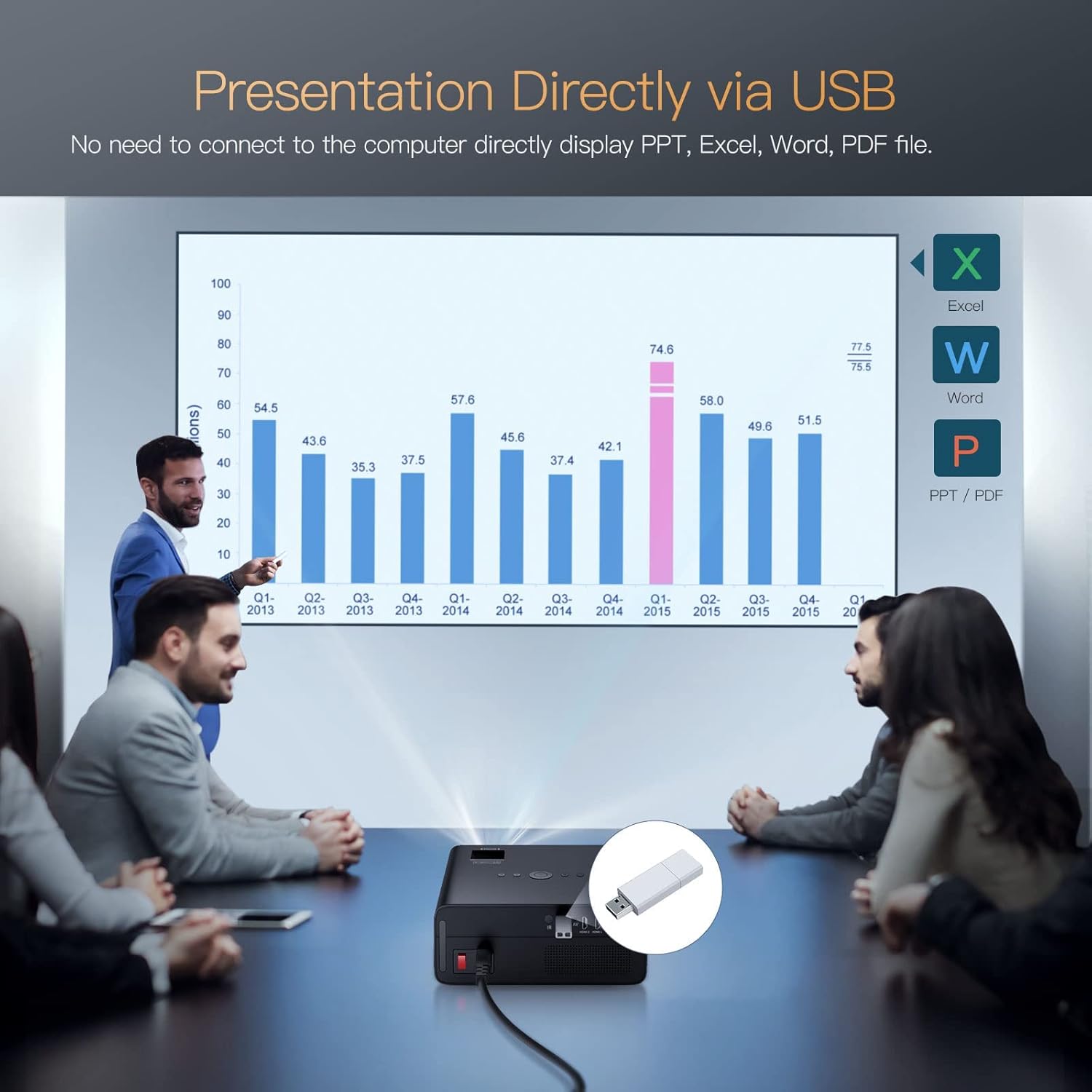
Image 4.3: Direct presentation from USB drive.
5. Operacija
5.1 Pagrindinė navigacija
Use the included remote control to navigate the projector's menu, select input sources, adjust volume, and access various settings. The projector also has physical buttons for basic controls.
5.2 Image Adjustment (Keystone & Zoom)
The TOPTRO X5 features 4P/4D keystone correction to adjust the image shape and size, ensuring a rectangular projection even when the projector is not perfectly aligned with the screen. Use the remote control to access these settings and make adjustments. The projector also supports a zoom function to resize the image without moving the unit.

Image 5.1: 4D and 4P Digital Keystone Correction in action.
6. Priežiūra
6.1 Valymas
- Objektyvas: Projektoriaus objektyvą švelniai nuvalykite minkštu, nepūkuotu audiniu, specialiai skirtu optiniams lęšiams. Venkite abrazyvinių medžiagų ar stiprių cheminių medžiagų.
- Išorė: Projektoriaus išorę nuvalykite minkšta, sausa šluoste. Nenaudokite skystų valiklių tiesiai ant įrenginio.
- angos: Periodically check and clean the ventilation openings to ensure proper airflow and prevent overheating. Use a soft brush or compressed air to remove dust.
6.2 Saugykla
Kai projektoriaus nenaudojate ilgesnį laiką, laikykite jį vėsioje, sausoje ir be dulkių aplinkoje. Naudokite originalią pakuotę arba apsauginį dėklą, kad išvengtumėte pažeidimų.
7. Problemų sprendimas
- Nėra galios: Ensure the power cord is securely connected to both the projector and the power outlet. Check if the power outlet is functional.
- Nėra paveiksliuko: Verify the input source is correctly selected in the projector's menu. Check all cable connections (HDMI, AV, USB) for proper seating.
- Neryškus vaizdas: Adjust the focus ring on the lens. Ensure the projection surface is flat and the projector is within the recommended distance. Use keystone correction if the image is distorted.
- Nėra garso: Check the volume settings on both the projector and the connected source device. If using Bluetooth, ensure it's correctly paired. If using wired audio, check cable connections.
- „Wi-Fi“ / „Bluetooth“ ryšio problemos: Ensure both devices are within range. Restart the projector and the connected device. Check for any interference from other wireless devices.
- Image Discoloration or Burn-in: If you observe persistent discoloration or 'burn-in' on the projected image, this may indicate an issue with the internal components. If this occurs, please contact TOPTRO customer support for assistance.
8. Specifikacijos
| Funkcija | Specifikacija |
|---|---|
| Prekės ženklas | TOPTRO |
| Modelis | X5 |
| Gimtoji raiška | 1920 x 1080 (natūrali 1080P) |
| Palaikoma rezoliucija | Up to 3840 x 2160 Pixels (4K) |
| Ryškumas | 18000 liumenų (460 ANSI liumenų) |
| Kontrasto santykis | 15000:1 |
| Ekrano technologija | LCD |
| Vaizdo kraštinių santykis | 16:9, 4:3 |
| Belaidis ryšys | 2.4G & 5G Dual-band WiFi, Bluetooth 5.1 (Bidirectional) |
| Techninės įrangos sąsaja | AV Port, HDMI, USB (2 ports) |
| Ypatingos savybės | 90% NTSC Wide Color Gamut, 4P/4D Keystone Correction, Wireless Screen Mirroring, Direct USB File Playback (Office/PDF) |
| Montavimo tipas | Priekyje / gale ant stalo, priekyje / gale ant lubų |
| Gaminio matmenys | 26 x 22.75 x 11.2 cm |
| Prekės svoris | 3.17 kg |
| Maitinimo šaltinis | Laidinis elektrinis (220 vatai) |
| Atnaujinimo dažnis | 60 Hz |
9. Garantija ir palaikymas
TOPTRO provides comprehensive support for your X5 Projector:
- Grąžinimo politika: 6-Month return period.
- Remonto tarnyba: 3-Year repair warranty.
- Techninė pagalba: Lifetime professional technical support.
For any inquiries or assistance, please contact TOPTRO customer service through the official channels provided at the point of purchase or on the TOPTRO websvetainę.


