1. Įvadas
Thank you for choosing the Geevon TX16-3 Remote Outdoor Sensor. This sensor is designed to transmit temperature and humidity data wirelessly to a compatible Geevon weather station (models 208665, 86113, etc.). Please read this manual carefully before setup and operation to ensure proper functionality and longevity of your device.
2. Saugos informacija
- Nelaikykite jutiklio ekstremaliose temperatūrose, kurios yra už jo veikimo diapazono ribų.
- Avoid direct exposure to water or heavy rain. While designed for outdoor use, excessive moisture can damage internal components.
- Do not attempt to disassemble or repair the unit. This will void the warranty.
- Baterijas laikykite vaikams nepasiekiamoje vietoje. Panaudotas baterijas išmeskite atsakingai, laikydamiesi vietinių taisyklių.
- Ensure proper battery polarity when installing.
3. Pakuotės turinys
- 1 x Geevon TX16-3 Remote Outdoor Sensor
- 1 x Naudotojo vadovas (šis dokumentas)
4. Produktas baigtasview
The Geevon TX16-3 is a compact, battery-powered remote sensor featuring an LCD display for local temperature and humidity readings. It transmits data wirelessly to a compatible main weather station unit.
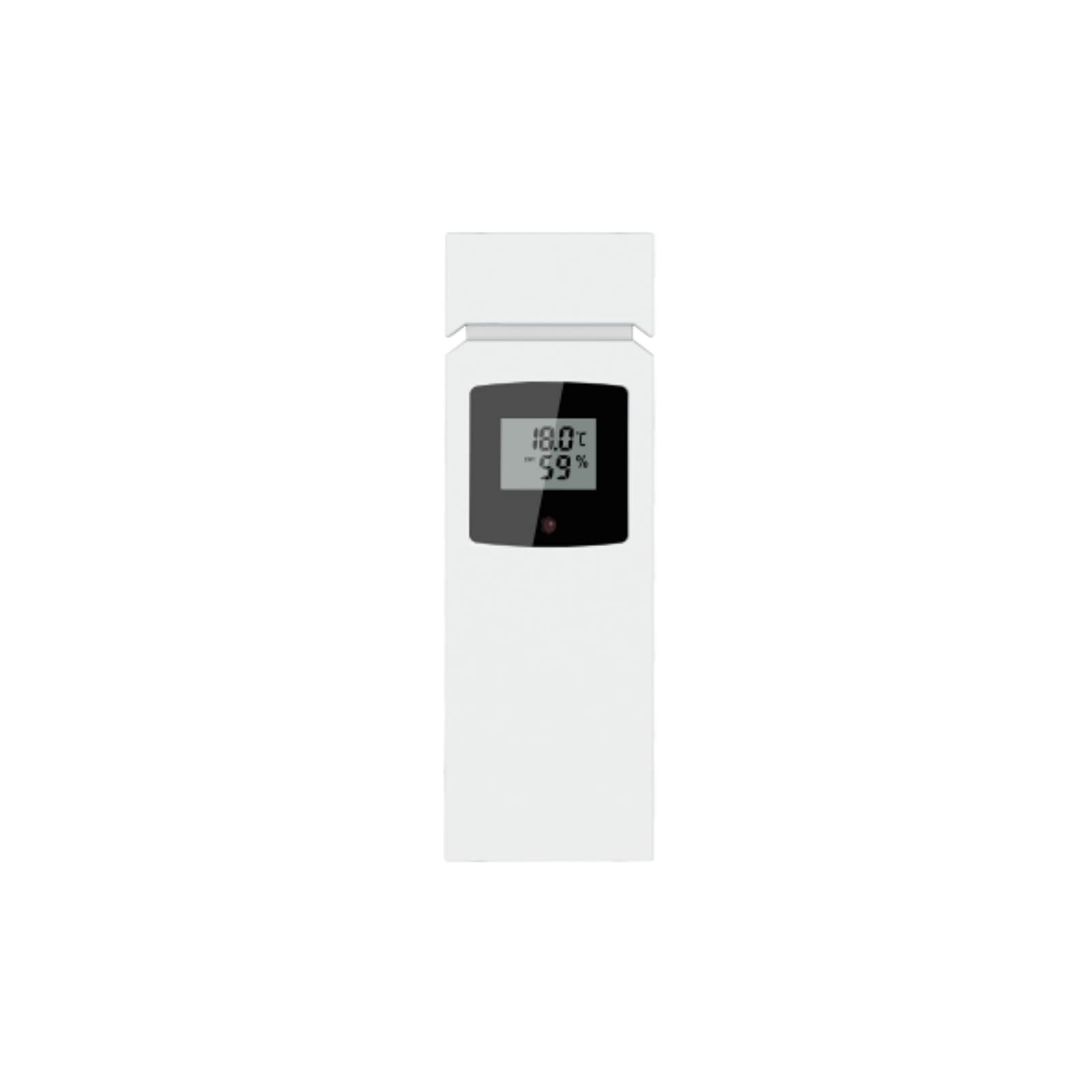
Šiame paveikslėlyje parodyta priekinė dalis view of the Geevon TX16-3 remote outdoor sensor. It is a rectangular, white device with a small LCD screen at the top, displaying temperature and humidity readings. Below the screen, there is a brand logo. The sensor features a clean, modern design suitable for outdoor placement.
Pagrindinės funkcijos:
- LCD display for current temperature and humidity.
- 433 MHz wireless transmission.
- Up to 200 ft (60 m) transmission range in open air.
- Data updates every 30 seconds.
5. Sąranka
5.1 Akumuliatoriaus įdėjimas
- Raskite baterijų skyriaus dangtelį jutiklio gale.
- Nustumkite dangtelį.
- Insert two (2) AAA batteries (not included) according to the polarity markings (+ and -) inside the compartment.
- Replace the battery compartment cover, ensuring it is securely closed to protect against moisture.
5.2 Jutiklio montavimas
For optimal performance and accurate readings, consider the following when mounting the sensor:
- Vieta: Choose a shaded area, away from direct sunlight, as direct sun exposure can cause inaccurate temperature readings.
- Aukštis: Jutiklį sumontuokite maždaug 1.5–1.8 metro (5–6 pėdų) aukštyje virš žemės.
- Apsauga: While designed for outdoor use, placing it under an overhang or in a sheltered spot can extend its lifespan.
- Kliūtys: Ensure there are minimal obstructions (e.g., thick walls, large metal objects) between the sensor and the main weather station unit to maximize wireless range.
- Use a screw or nail (not included) through the designated mounting hole on the back of the sensor to secure it to a wall or post.
5.3 Susiejimas su pagrindiniu įrenginiu
After battery installation, the sensor will automatically begin transmitting data. To pair it with your Geevon weather station (e.g., models 208665, 86113):
- Ensure your main weather station unit is powered on and within range of the sensor.
- Refer to your main weather station's instruction manual for specific pairing instructions. Typically, there is a 'SEARCH' or 'CHANNEL' button to initiate a search for outdoor sensors.
- The sensor's data (temperature and humidity) should appear on the main unit's display within a few minutes.
6. Operacinis
6.1 LCD ekranas
The sensor's integrated LCD display shows the current outdoor temperature and humidity readings directly. This allows for quick local checks without needing to consult the main weather station.
6.2 Duomenų perdavimas
The TX16-3 sensor transmits data every 30 seconds using a 433 MHz wireless signal. The effective transmission range is up to 200 feet (60 meters) in an open area. Environmental factors such as walls, electronic interference, and large metal objects can reduce this range.
7. Priežiūra
7.1 Akumuliatoriaus keitimas
When the battery icon appears on the sensor's LCD display or the main weather station unit, it indicates that the batteries are low and need replacement. Follow the battery installation steps in Section 5.1 to replace the two AAA batteries.
7.2 Valymas
Nuvalykite jutiklio išorę minkšta,amp cloth. Do not use abrasive cleaners, solvents, or immerse the unit in water. Ensure the LCD screen remains clean for clear visibility.
8. Problemų sprendimas
- No display on sensor:
Check battery installation. Ensure batteries are inserted with correct polarity and are not depleted. Replace batteries if necessary. - No outdoor data on main weather station:
- Ensure the sensor is within the 200 ft (60 m) transmission range of the main unit.
- Check for obstructions between the sensor and the main unit.
- Re-initiate the sensor search function on your main weather station (refer to its manual).
- Pakeiskite lauko jutiklio baterijas.
- Įsitikinkite, kad šalia nėra stiprių elektromagnetinių trukdžių.
- Netikslūs temperatūros / drėgmės rodmenys:
- Ensure the sensor is mounted in a shaded area, away from direct sunlight or heat sources.
- Verify that the sensor is not exposed to excessive moisture.
- Compare readings with another reliable thermometer/hygrometer. If discrepancies persist, contact customer support.
9. Specifikacijos
| Modelio numeris | TX16-3 |
| Maitinimo šaltinis | 2 x AAA baterijos (į komplektą neįeina) |
| Perdavimo dažnis | 433 MHz |
| Transmisijos diapazonas | Iki 60 m (200 pėdų) atviroje erdvėje |
| Duomenų atnaujinimo intervalas | Kas 30 sekundžių |
| Ekrano tipas | LCD |
| Medžiaga | ABS, metalas, plastikas |
| Matmenys (I x P x A) | 4.72 x 1.18 x 0.79 colio (12 x 3 x 2 cm) |
| Svoris | 2.11 uncijų (0.06 kg) |
10. Garantija ir palaikymas
Geevon products are designed for reliability and performance. For warranty information, please refer to the documentation included with your main weather station unit or visit the official Geevon website. If you encounter any issues not covered in this manual, or require further assistance, please contact Geevon customer support through their official channels.


