1. Įvadas
Thank you for choosing the Baseus Bowie H2 True Wireless Earphones. This manual provides detailed instructions on how to set up, operate, maintain, and troubleshoot your earphones to ensure optimal performance and longevity. Please read this manual thoroughly before using the product.
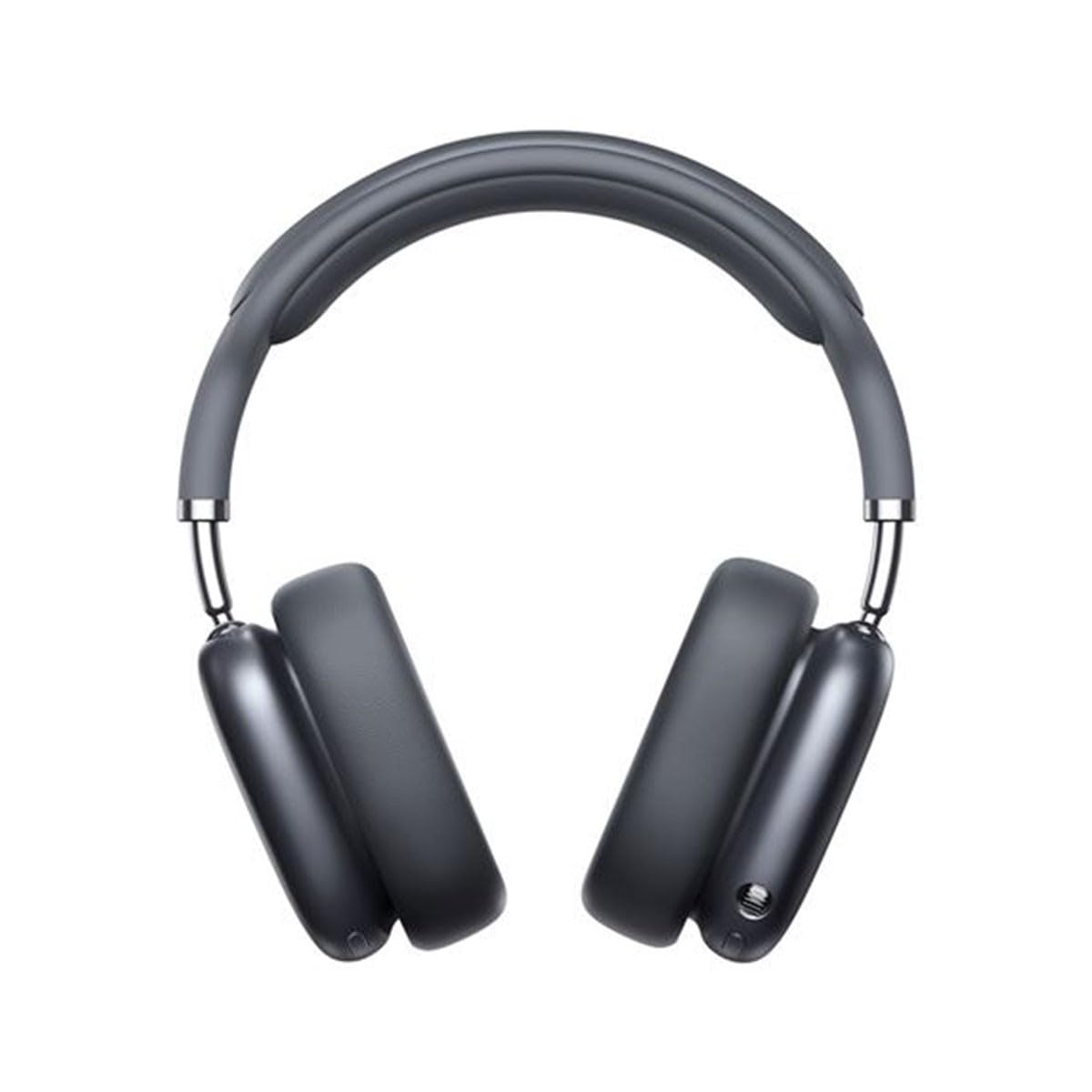
Image 1.1: Baseus Bowie H2 product overview. Please note that while this image displays over-ear headphones, the product described in this manual is the Baseus Bowie H2 True Wireless Earphones (in-ear type).
2. Kas yra dėžutėje
Carefully unpack the product and ensure all items are present and in good condition. The package should contain:
- Baseus Bowie H2 True Wireless Earphones (Left and Right)
- Belaidžio įkrovimo dėklas
- USB įkrovimo laidas
- Vartotojo vadovas

2.1 pav.: pvz.ample of Baseus headphones in a case. The Baseus Bowie H2 True Wireless Earphones come with a compact wireless charging case.
3. Sąranka
3.1 Ausinių ir dėklo įkrovimas
Before first use, fully charge the earphones and the charging case. Place the earphones into the charging case. Connect the USB charging cable to the charging port on the case and plug the other end into a USB power adapter (not included) or a computer's USB port. The indicator light on the case will show charging status and turn off or change color when fully charged.
3.2 Bluetooth poravimas
- Įsitikinkite, kad ausinės yra įkrautos.
- Open the charging case. The earphones will automatically enter pairing mode, and an indicator light (usually on the earphones or case) will flash, indicating they are ready to pair.
- Savo įrenginyje (išmaniajame telefone, planšetiniame kompiuteryje, nešiojamajame kompiuteryje) įjunkite „Bluetooth“.
- Ieškokite available Bluetooth devices. Select "Baseus Bowie H2" from the list.
- Once connected, the indicator light will stop flashing, and you may hear a confirmation tone.
- If pairing fails, place the earphones back into the case, close it, and then reopen to re-enter pairing mode.
4. Ausinių valdymas
4.1 Ausinių dėvėjimas
Gently insert the earphones into your ear canals. Adjust them for a comfortable and secure fit to ensure optimal sound quality and noise isolation. The left (L) and right (R) earphones are marked.

4.1 vaizdas: priekis view of Baseus headphones. For the Bowie H2 earphones, ensure a snug fit in the ear canal.
4.2 Jutikliniai valdikliai
The Baseus Bowie H2 earphones feature touch controls for various functions. The specific touch gestures may vary slightly, but common functions include:
- Leisti / pristabdyti: Vienas paspaudimas ant bet kurios ausinės.
- Kitas takelis: Dukart palieskite dešinę ausinę.
- Ankstesnis takelis: Dukart palieskite kairę ausinę.
- Atsiliepti / Baigti skambutį: Vienas paspaudimas ant bet kurios ausinės.
- Atmesti skambutį: Ilgai paspauskite bet kurią ausinę.
- Suaktyvinti „Voice Assistant“: Tris kartus palieskite bet kurią ausinę.
Refer to the quick start guide included in your package for precise touch control mapping.

4.2 pav.: Viršus view of Baseus headphones. The touch control areas are typically located on the outer surface of the earphones.
5. Priežiūra
Proper maintenance ensures the longevity and performance of your Baseus Bowie H2 earphones.
- Valymas: Ausinėms ir įkrovimo dėklui valyti naudokite minkštą, sausą, nepūkuotą šluostę. Nenaudokite abrazyvinių valiklių, alkoholio ar cheminių tirpiklių.
- Saugykla: Kai nenaudojate, visada laikykite ausines įkrovimo dėkle, kad apsaugotumėte jas nuo dulkių, nešvarumų ir pažeidimų.
- Venkite vandens: While the earphones may have some water resistance, avoid submerging them in water or exposing them to excessive moisture.
- Temperatūra: Nelaikykite ausinių ilgą laiką itin aukštoje temperatūroje (karštyje ar šaltyje) arba tiesioginiuose saulės spinduliuose.
6. Problemų sprendimas
If you encounter issues with your Baseus Bowie H2 earphones, try the following solutions:
| Problema | Sprendimas |
|---|---|
| Ausinės nesusijungia |
|
| Nėra garso iš vienos ausinės |
|
| Įkrovimo problema |
|
| Mažas garsumas arba prasta garso kokybė |
|
7. Specifikacijos
Key technical specifications for the Baseus Bowie H2 True Wireless Earphones (Model: NGTW260013):
- Modelio numeris:
- NGTW260013
- Prekinis ženklas:
- Baseus
- Ryšio technologija:
- Belaidis ryšys („Bluetooth“)
- Bluetooth versija:
- 5.2
- Ausų išdėstymas:
- Ausyje
- Formos faktorius:
- Ausyje
- Valdymo tipas:
- Palieskite valdymą
- Garso tvarkyklės tipas:
- Dinaminis vairuotojas
- Įtraukti komponentai:
- Belaidžio įkrovimo dėklas
- Medžiaga:
- Plastikiniai
- Prekės svoris:
- 582 g (Note: This weight is unusually high for in-ear earphones and may refer to the package weight or a different product variant.)
- Gaminio matmenys:
- 50 x 50 x 28 cm (Note: These dimensions are unusually large for in-ear earphones and may refer to the package dimensions or a different product variant.)
- Suderinami įrenginiai:
- Išmanieji telefonai, planšetiniai kompiuteriai, nešiojamieji kompiuteriai, išmanieji garsiakalbiai
8. Garantija ir palaikymas
Baseus products are designed with quality and reliability in mind. For specific warranty information, please refer to the warranty card included with your purchase or visit the official Baseus websvetainė. Jei jums reikia techninės pagalbos arba turite klausimų, neaptartų šiame vadove, susisiekite su „Baseus“ klientų aptarnavimo tarnyba oficialiais kanalais.
Išsaugokite pirkimo įrodymą, kad galėtumėte kreiptis dėl garantijos.


