1. Įvadas
This manual provides detailed instructions for the BIGBIG WON BLITZ Wireless Game Controller and its accompanying charging base. The controller is designed for use with Nintendo Switch, PC (Windows 10/11), Android, and iOS devices, offering a versatile gaming experience across multiple platforms.
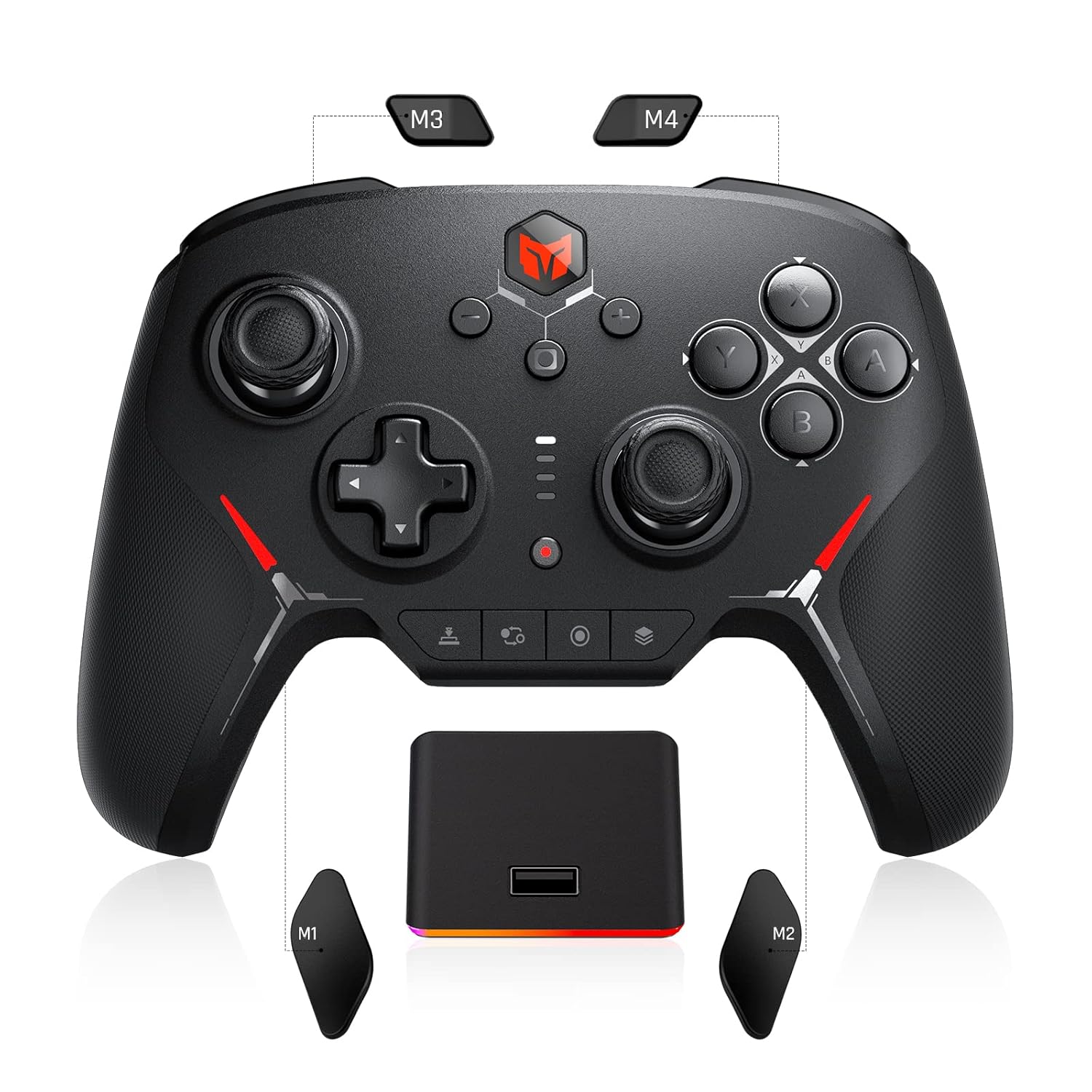
1.1 vaizdas: Baigtaview of the BIGBIG WON BLITZ Wireless Game Controller and Charging Base.
2. Pakuotės turinys
Patikrinkite, ar pakuotėje yra visi reikalingi daiktai:
- BIGBIG WON BLITZ Wireless Game Controller
- RGB Magnetic Charging Base
- USB-C įkrovimo laidas
- Vartotojo vadovas (šis dokumentas)
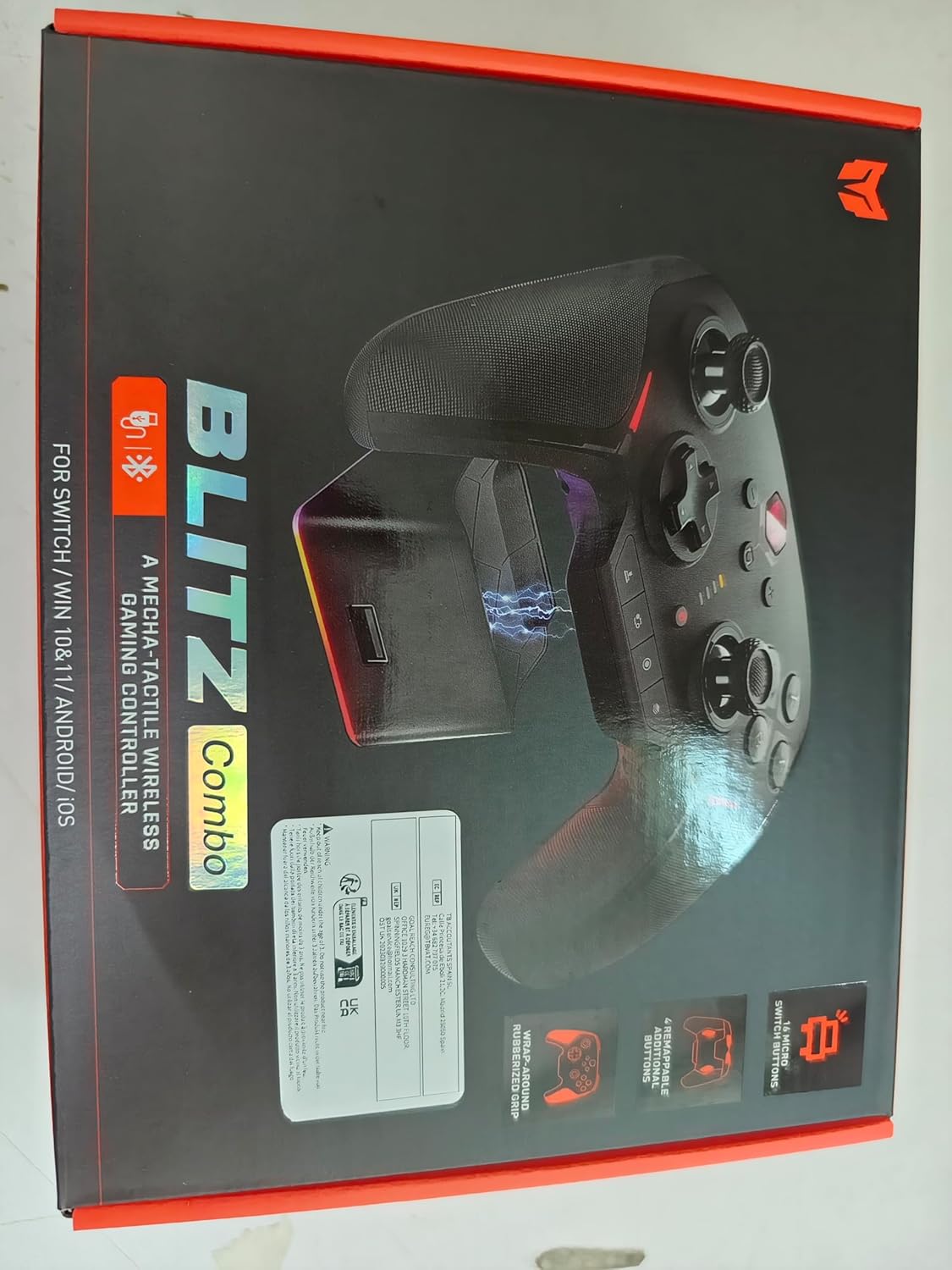
Image 2.1: The product packaging for the BIGBIG WON BLITZ Controller.
3. Produkto ypatybės
3.1 Ultra-Responsive Mechanical Controls
The controller features 16 mechanical buttons designed for faster actuation compared to standard controllers, providing durable and consistent performance. It supports up to 4 custom profiles for instant switching between game settings.

3.1 pav.: Vidinis view of the mechanical switches, highlighting their design for rapid response.
3.2 Zero-Deadzone ALPS Joysticks
Equipped with zero-deadzone ALPS joysticks, the controller ensures precise input for all movements, enhancing control accuracy during gameplay.

3.2 pav.: Išsamus view of an ALPS joystick, emphasizing its textured cap for grip.
3.3 Dual Rumble Motors and 6-Axis Gyroscope
Dual rumble motors provide vibration feedback, and 6-axis motion control allows for responsive in-game actions, mirroring movements for an immersive experience.

Image 3.3: Illustration of the controller's internal rumble motors and their vibration patterns.

Image 3.4: The controller in use, demonstrating 6-axis gyroscope functionality with a game.
3.4 Remappable Buttons and Macros
The controller includes 16 mechanical buttons and 4 fully remappable buttons. Users can assign macros for complex command sequences, set turbo functions for rapid-fire actions, or remap any button to suit their play style. Extra back buttons facilitate advanced moves without repositioning thumbs from the joysticks.

Image 3.5: The controller's display showing various on-board configurations for different games.
3.5 Anti-Slip Rubber Grips
The controller is equipped with anti-slip rubber grips to ensure a secure and comfortable hold during extended gaming sessions.
4. Sąranka ir prijungimas
4.1 Prijungimas prie „Nintendo Switch“
- Vieno mygtuko pažadinimas: To connect to a Nintendo Switch or Switch OLED, simply pick up the controller. It will automatically attempt to reconnect to the last paired Switch console.
- NFC Sensor: The controller includes an NFC sensor for Amiibo compatibility. Hold your Amiibo figure near the designated NFC touchpoint on the controller to activate its in-game functions.

Image 4.1: The controller's one-button wake-up feature for Nintendo Switch.
4.2 Connecting to PC, Android, and iOS Devices
The controller supports both Bluetooth wireless and wired connections.
- „Bluetooth“ ryšys: Activate Bluetooth on your PC, Android, or iOS device. Put the controller into pairing mode (refer to the controller's on-screen display for specific instructions). Select the controller from your device's Bluetooth settings to pair.
- Laidinis ryšys: Connect the controller to your PC using the provided USB-C cable. The controller will be recognized automatically.

Image 4.2: Illustration of the controller's dual-connection modes for various platforms.
5. Naudojimo instrukcijos
5.1 Button Functions and Remapping
The controller's mechanical buttons offer precise input. Utilize the on-board configuration options to remap buttons, assign macros, or enable turbo functions. Consult the controller's integrated display for detailed instructions on customizing button layouts.
5.2 Gyroscope and Motion Control
For compatible games, particularly on Nintendo Switch, the 6-axis gyroscope enables motion-based controls. Tilt and move the controller to interact with the game environment.
5.3 Vibracijos grįžtamasis ryšys
The dual rumble motors provide haptic feedback, enhancing immersion by simulating in-game events through vibrations. Vibration intensity can typically be adjusted via the controller's settings or in-game options.
5.4 NFC funkcionalumas
The integrated NFC sensor allows for interaction with compatible NFC devices, such as Nintendo Amiibo figures, to unlock in-game content or features.
6. Įkrovimas
The BIGBIG WON BLITZ controller can be charged using the included RGB Magnetic Charging Base or directly via a USB-C cable.
- Įkrovimo bazės naudojimas: Place the controller onto the RGB Magnetic Charging Base. Ensure the contact points align for proper charging. The base's RGB lighting indicates charging status.
- Tiesioginis įkrovimas per USB-C: Connect the USB-C cable to the controller's port and to a power source (e.g., PC, USB wall adapter).
A full charge provides over 15 hours of battery life.

Image 6.1: The controller securely docked on its RGB magnetic charging stand.
7. Priežiūra
Kad užtikrintumėte valdiklio ilgaamžiškumą ir optimalų veikimą:
- Keep the controller and charging base clean and free from dust. Use a soft, dry cloth for cleaning.
- Saugokite, kad prietaisas nepatektų į ekstremalias temperatūras ar tiesioginius saulės spindulius.
- Do not attempt to disassemble the controller or charging base, as this may void the warranty.
8. Problemų sprendimas
If you encounter issues with your BIGBIG WON BLITZ controller, refer to the table below for common problems and solutions:
| Problema | Galimas sprendimas |
|---|---|
| Valdiklis neįsijungia. | Ensure the controller is fully charged. Connect it to the charging base or directly via USB-C cable. |
| Nepavyksta prisijungti per „Bluetooth“. | Ensure the controller is in pairing mode. Check your device's Bluetooth settings and try re-pairing. Ensure no other devices are interfering. |
| Mygtukai arba valdymo svirtys nereaguoja. | Restart the controller and the connected device. Check for any physical obstructions. If the issue persists, perform a factory reset (refer to the controller's on-screen menu for this option). |
| NFC function not working. | Ensure the Amiibo is placed correctly over the NFC touchpoint. Verify that the game supports Amiibo functionality. |
| Vibration feedback is weak or absent. | Check the controller's vibration settings and in-game options. Ensure the game supports rumble features. |
9. Specifikacijos
- Modelio numeris: C2 Pro Set
- Matmenys: 5.91 x 3.94 x 1.57 colio
- Svoris: 1.23 svaro
- Baterija: Reikalinga 1 ličio polimero baterija (pridedama)
- Ryšys: Belaidis („Bluetooth“), laidinis (USB-C)
- Suderinamumas: Nintendo Switch 1/2, Windows 10/11, iOS, Android
- Ypatingos savybės: Mechanical Buttons, ALPS Joysticks, NFC Sensor, 6-axis Gyroscope, Dual Rumble Motors, Remappable Buttons, Macro Functionality, RGB Magnetic Charging Stand
10. Oficialus produkto vaizdo įrašas
Peržiūrėkite oficialų produkto vaizdo įrašą, kad pamatytumėte jo vaizdinę versijąview of the BIGBIG WON BLITZ Wireless Game Controller's features and functionality.
10.1 vaizdo įrašas: reklaminis vaizdo įrašasasing the mechanical wireless controller's features.
11. Garantija ir palaikymas
For warranty information or technical support, please refer to the contact details provided on the product packaging or visit the official BIGBIG WON websvetainėje. Išsaugokite pirkimo įrodymą garantiniams reikalavimams.


