Įvadas
This manual provides essential information for setting up, operating, and maintaining your Coocaa 32R3G Roku LED HD Smart TV. The Coocaa 32R3G offers a comprehensive entertainment experience, featuring Roku OS for quick access to popular streaming services and combining linear television with streaming content. Enjoy high-resolution HD images with HDR10 and HLG support. Its integrated triple tuner allows reception of traditional television via satellite, cable, or antenna, including Timeshift functionality via USB. With multiple HDMI inputs and digital audio ports, the TV easily connects to various external devices.
Svarbi saugos informacija
Prieš naudodami televizorių, atidžiai perskaitykite visas saugos instrukcijas. Išsaugokite šį vadovą ateičiai.
- Maitinimo šaltinis: Televizorių junkite tik prie nurodyto maitinimo šaltinio.
- Vėdinimas: Užtikrinkite tinkamą vėdinimą aplink televizorių. Neužblokuokite ventiliacijos angų.
- Vanduo ir drėgmė: Saugokite televizorių nuo lietaus ar drėgmės. Nestatykite ant televizoriaus daiktų, pripildytų skysčių.
- Šiluma: Laikykite televizorių atokiau nuo šilumos šaltinių, tokių kaip radiatoriai, šildytuvai, viryklės ar kiti šilumą skleidžiantys prietaisai.
- Valymas: Prieš valydami atjunkite televizorių nuo elektros lizdo. Naudokite minkštą, sausą šluostę. Nenaudokite skystų ar aerozolinių valiklių.
- Montavimas: Follow the instructions for wall mounting or stand installation carefully. Ensure the TV is securely placed to prevent falling.
- Žaibas: Atjunkite televizorių nuo elektros tinklo žaibuojant arba kai jis ilgą laiką nenaudojamas.
Pakuotės turinys
Patikrinkite, ar pakuotėje yra visi toliau išvardyti daiktai:
- Coocaa 32R3G Roku LED HD Smart TV
- Nuotolinio valdymo pultas
- Televizoriaus stovas (pagrindas)
- Maitinimo laidas
- Vartotojo vadovas (šis dokumentas)
Sąranka
1. Installing the TV Stand or Wall Mounting
If you are placing the TV on a surface, attach the included stand according to the instructions provided in the separate stand assembly guide. Ensure all screws are tightened securely.
For wall mounting, use a VESA-compatible wall mount kit (sold separately) and follow the wall mount manufacturer's instructions. Always ensure the wall can support the weight of the TV.
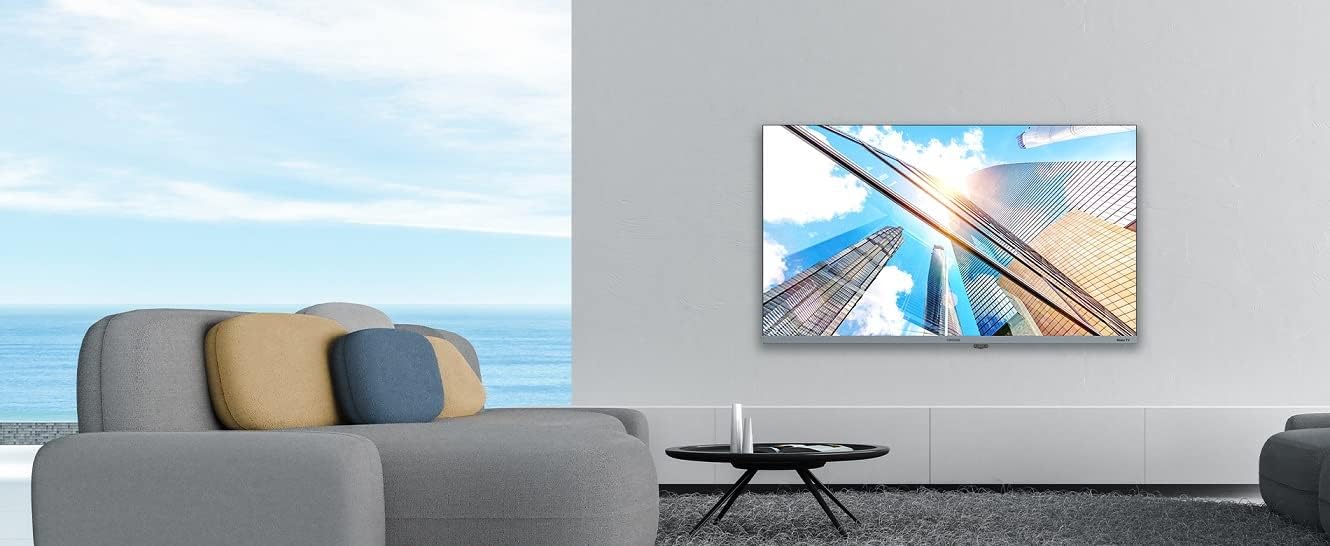
Image: Coocaa 32R3G TV displayed in a modern living room, mounted on a wall. This illustrates a typical installation scenario for the television.
2. Išorinių įrenginių prijungimas
Connect your external devices such as cable/satellite boxes, gaming consoles, or Blu-ray players to the HDMI ports on the back of the TV. For traditional antenna or cable connections, use the RF input.
- HDMI: Didelės raiškos garsui ir vaizdui.
- USB: For media playback or Timeshift functionality.
- Antenna/Cable (RF): Tradiciniams transliavimo signalams.
- Skaitmeninė garso išvestis: Skirta prijungti prie išorinių garso sistemų.
- Ausinių lizdas: Privačiam pasiklausymui.
3. Įjungimas ir pradinė sąranka
- Prijunkite maitinimo laidą prie televizoriaus, o tada – prie sieninio lizdo.
- Paspauskite maitinimo mygtuką nuotolinio valdymo pulte arba televizoriuje.
- Follow the on-screen instructions for the Roku OS guided setup. This includes selecting your language, connecting to your Wi-Fi network, and activating your Roku account.
Televizoriaus valdymas
1. Roku OS Home Screen and Navigation
The Roku OS provides an intuitive home screen for quick access to your favorite streaming services, connected inputs, and free live TV channels. Use the directional pad on your remote to navigate through menus and select options.

Image: The Coocaa 32R3G Roku TV home screen, showing various streaming application icons like Netflix, Disney+, and inputs such as 'Kabelbox' (Cable Box) and 'Spielkonsole' (Game Console). This illustrates the user interface for accessing content.
2. Nuotolinio valdymo funkcijos
The included remote control is designed for ease of use, offering all necessary functions to control your TV, including quick access buttons to popular streaming channels.
- Galia: Įjungia arba išjungia televizorių.
- Pagrindinis puslapis: Grąžina į „Roku“ pagrindinį ekraną.
- Krypties pagalvėlė: Naršo meniu ir pasirenka elementus.
- Gerai/Įveskite: Patvirtina pasirinkimus.
- Atgal: Grįžta į ankstesnį ekraną.
- Garsumo didinimas / sumažinimas: Reguliuoja garso lygį.
- Nutildyti: Nutildo arba įjungia garsą.
- Kanalas aukštyn/žemyn: Perjungia kanalus (tiesioginei transliacijai).
- Momentinis pakartojimas: Vaizdo įrašo atkūrimo metu peršoka kelias sekundes atgal.
- Žvaigždutė (*): Atidaro dabartinio turinio parinkčių meniu.
- Greitos prieigos mygtukai: Dedicated buttons for popular streaming services (e.g., Netflix, Disney+).
3. Streaming Services and Live TV
Access a wide range of streaming services directly from the Roku home screen. The integrated triple tuner allows you to watch traditional live television via satellite (DVB-S), cable (DVB-C), or antenna (DVB-T).
- Kanalų parduotuvė: Add new streaming channels from the Roku Channel Store.
- Multi-Channel Search: Ieškokite content by title, actor, or genre across various streaming services and live TV.
- Laiko poslinkis: Use a connected USB drive to pause and rewind live TV.
4. Voice Control and Roku Mobile App
The Coocaa 32R3G supports various voice assistants, including Apple AirPlay, Apple Home, Alexa, and Google Home, allowing for convenient voice control.
Download the free Roku mobile app (available for iOS and Android) to control your TV, use voice search, and enjoy private listening through headphones connected to your mobile device.
Priežiūra
Proper care and maintenance will ensure the longevity of your Coocaa 32R3G TV.
- Ekrano valymas: Švelniai nuvalykite ekraną minkštu, nepūkuotu skudurėliu. Jei dėmės sunkiai įveikiamos, šiek tiek nuvalykite.ampNuvalykite šluostę vandeniu arba specializuotu ekrano valikliu (nepurkškite tiesiai ant ekrano).
- Spintelės valymas: Televizoriaus korpusą nuvalykite minkštu, sausu skudurėliu. Nenaudokite abrazyvinių valiklių ar tirpiklių.
- Vėdinimas: Kad išvengtumėte perkaitimo, laikykite ventiliacijos angas švarias nuo dulkių ir šiukšlių.
- Maitinimo laidas: Reguliariai tikrinkite maitinimo laidą, ar nėra pažeidimų.
Trikčių šalinimas
Jei kyla problemų dėl televizoriaus, žr. šiuos dažniausiai pasitaikančius sprendimus:
| Problema | Galimas sprendimas |
|---|---|
| Nėra galios |
|
| Nėra vaizdo, bet yra garsas |
|
| Nėra garso, bet yra vaizdas |
|
| Nuotolinio valdymo pultas neveikia |
|
| Nepavyksta prisijungti prie „Wi-Fi“ |
|
Specifikacijos
| Prekės ženklas | kakavos |
| Modelio numeris | 32R3G |
| Ekrano dydis | 80 centimetro (apie 32 colio) |
| Ekrano technologija | LED |
| Rezoliucija | 720p |
| Atnaujinimo dažnis | 50 Hz |
| Operacinė sistema | Roku OS |
| Ryšio technologija | Wi-Fi |
| Ports/Interfaces | 2x HDMI, 2x USB (USB 2.0, USB 1.0), Headphone Jack, Digital Audio Out |
| Ypatingos savybės | Integrated Speaker, HDR10, HLG Support, Triple Tuner (DVB-T/C/S), Timeshift via USB |
| Krašto santykis | 16:9 |
| Gaminio matmenys (D x P x A) | 7x72x42 cm |
| Spalva | Juoda |
Garantija ir palaikymas
For warranty information and technical support, please refer to the warranty card included with your product or visit the official Coocaa websvetainėje. Išsaugokite pirkimo kvitą kaip pirkimo įrodymą.


