1. Įvadas
The Keychron Q5 Pro is a highly customizable 96% layout wireless mechanical keyboard designed for a premium typing experience. It features QMK/VIA support for key remapping, a full aluminum body, double-gasket design, hot-swappable switches, and KSA Double-Shot PBT keycaps. This manual provides detailed instructions for setting up, operating, and maintaining your Keychron Q5 Pro keyboard.

2. Pakuotės turinys
Verify that all items are present in your Keychron Q5 Pro package:
- 1x Fully Assembled Keyboard (including Aluminum Case, PCB, PC Plate, Sound Absorbing Foam, Case Foam, Battery, Silicone Gaskets, Bottom Case)
- 1x C tipo–C tipo kabelis
- 1x A tipo–C tipo adapteris
- 1x jungiklio traukiklis
- 1x raktų dangtelio traukiklis
- 1x Atsuktuvas
- 1x šešiabriaunis raktas
- 14x tarpikliai (10 sumontuoti ir 4 dėžutėje)
- 7 komplektai x stabilizatoriai
- 1 set x Keycaps (Double-Shot KSA PBT)
- 1 rinkinys x jungikliai

3. Sąranka
3.1 Pradinis įkrovimas
Before first use, connect the keyboard to a power source using the provided USB Type-C cable to fully charge the internal 4000mAh battery. The charging indicator will show the charging status.

3.2 Connecting Wirelessly (Bluetooth)
- Locate the mode switch on the back of the keyboard. Slide it to the 'BT' position for Bluetooth mode.
- Savo įrenginyje (kompiuteryje, planšetiniame kompiuteryje, išmaniajame telefone) įjunkite „Bluetooth“ ir ieškokite galimų įrenginių.
- Select 'Keychron Q5 Pro' from the list of devices to pair.
- The keyboard can connect to up to 3 devices. Use Fn + 1, Fn + 2, or Fn + 3 to switch between paired devices.
3.3 Connecting Wired (USB)
- Locate the mode switch on the back of the keyboard. Slide it to the 'Cable' position for wired mode.
- Connect the provided USB Type-C cable from the keyboard to your computer's USB port.
- Jūsų operacinė sistema automatiškai atpažins klaviatūrą.
3.4 Operating System Compatibility Switch
The Keychron Q5 Pro includes a switch to toggle between Windows and macOS layouts. Ensure this switch is set to your operating system for correct key functionality.

4. Naudojimo instrukcijos
4.1 QMK/VIA Key Remapping
The Keychron Q5 Pro supports QMK/VIA, an open-source software that allows you to remap keys and program macros. This includes customizing the rotary knob functions.
- Atsisiųskite VIA programinę įrangą iš oficialios „Keychron“ svetainės websvetainę.
- Connect the keyboard in wired mode to your computer. Key remapping can only be performed in wired mode.
- Launch the VIA software and follow the on-screen instructions to customize key assignments and macros.
- Once programmed, the custom keymap will function in both wired and wireless modes.
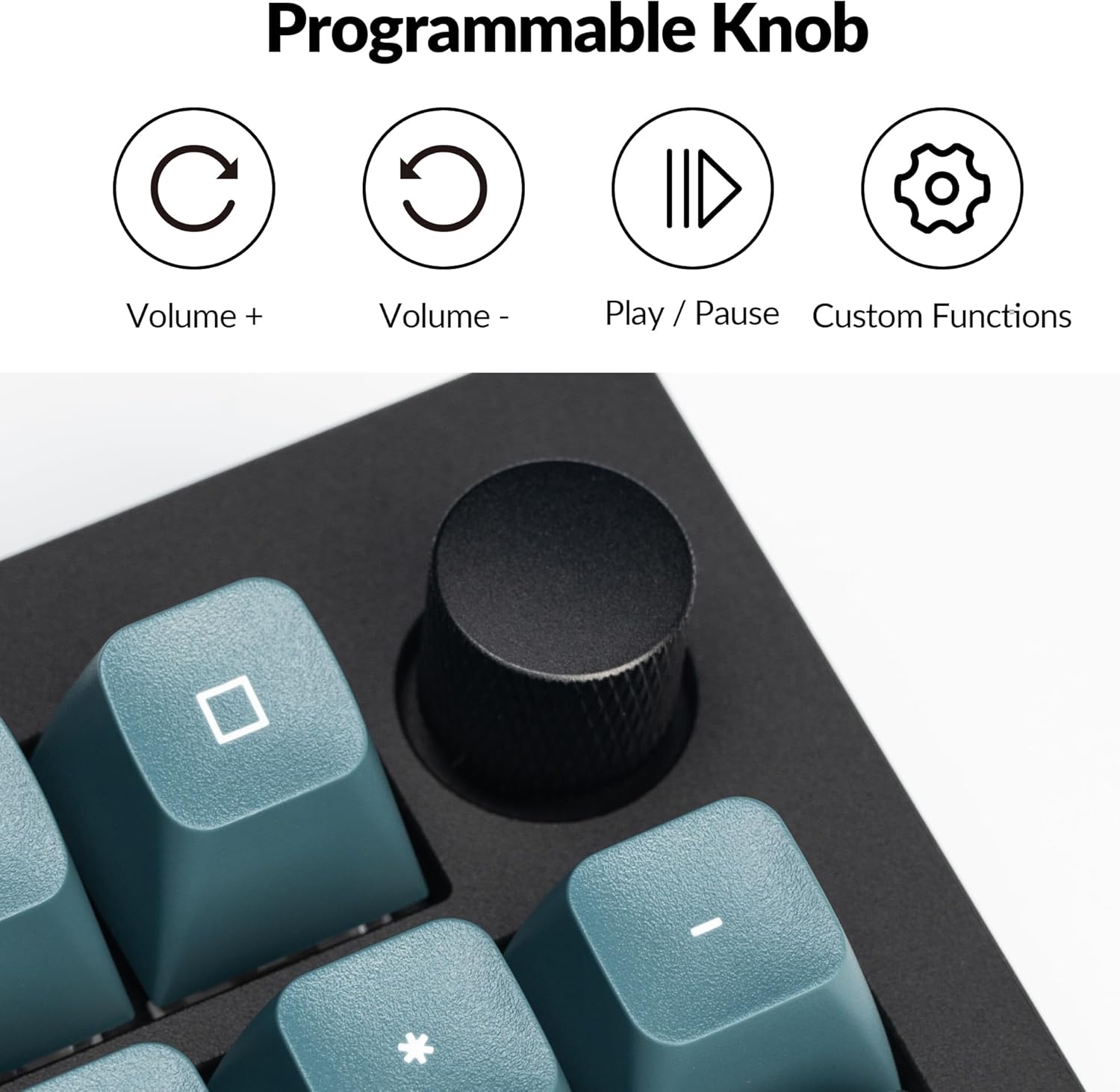
4.2 Programmable Rotary Knob
The rotary knob on the Keychron Q5 Pro offers versatile control. By default, it controls volume (rotate) and play/pause (press). Its functions can be customized using the VIA software.
- Sukti pagal laikrodžio rodyklę: Padidinti garsumą
- Sukti prieš laikrodžio rodyklę: Sumažinti garsumą
- Paspauskite: Leisti / pristabdyti mediją
- Custom functions can be assigned via VIA software.

4.3 Karštuoju būdu keičiami jungikliai
The Q5 Pro features hot-swappable sockets, allowing you to change mechanical switches without soldering. This supports most 3-pin and 5-pin MX-style mechanical switches.
- Išjunkite klaviatūrą arba atjunkite ją nuo kompiuterio.
- Norėdami atsargiai nuimti norimą klavišo dangtelį, naudokite pateiktą klavišo dangtelio traukiklį.
- Use the provided switch puller to gently grip and pull the switch vertically out of its socket.
- Suderinkite naujo jungiklio kaiščius su spausdintinės plokštės skylėmis. Įsitikinkite, kad kaiščiai yra tiesūs.
- Press the new switch firmly into the socket until it clicks into place.
- Uždėkite klavišo dangtelį.


4.4 Keycaps and Backlighting
The Q5 Pro comes with KSA profile double-shot PBT keycaps, known for their durability and oil resistance. The keyboard features south-facing RGB backlighting, which is optimized for non-shine-through keycaps.

5. Priežiūra
5.1 Valymas
- Bendras valymas: Klaviatūros paviršiui nuvalyti naudokite minkštą, sausą šluostę. Jei nešvarumai sunkiai įveikiami, šiek tiek pamirkykite.amplt šluostę nuvalykite vandeniu arba švelniu valymo tirpalu.
- Klaviatūros dangtelių valymas: Klaviatūros dangtelius galima nuimti naudojant pridedamą klavišų dangtelių traukiklį ir nuvalyti švelniu muilu ir vandeniu. Prieš vėl pritvirtindami, įsitikinkite, kad jie yra visiškai sausi.
- Dulkių šalinimas: Suslėgtu oru pašalinkite dulkes ir šiukšles tarp klaviatūros dangtelių ir jungiklių.
5.2 stabilizatoriai
The Q5 Pro utilizes screw-in stabilizers for enhanced key stability. If a large key (e.g., Spacebar, Shift, Enter) feels wobbly or rattles, the stabilizers may need lubrication or adjustment. Refer to online resources or Keychron support for detailed stabilizer maintenance guides.

6. Problemų sprendimas
- Klaviatūra nereaguoja: Ensure the keyboard is charged. Check the mode switch (BT/Cable) and ensure it's set correctly. If in Bluetooth mode, re-pair the device. If in wired mode, try a different USB port or cable.
- Raktai neregistruojami: If a specific key is not working, try hot-swapping the switch with a known working one to determine if the issue is with the switch or the PCB socket. Ensure switches are fully seated.
- Bluetooth ryšio problemos: Ensure the keyboard is within range of your device. Remove and re-pair the keyboard in your device's Bluetooth settings. Ensure no other devices are interfering with the connection.
- QMK/VIA programinė įranga neaptinka klaviatūros: Ensure the keyboard is connected in wired mode. Download the latest VIA software and firmware from the official Keychron websvetainę.
- Foninis apšvietimas neveikia: Check the keyboard's backlight settings. Ensure the brightness is turned up. If specific LEDs are not working, it may indicate a hardware issue.
7. Specifikacijos
| Funkcija | Detalė |
|---|---|
| Modelio numeris | Q5P-M3 |
| Išdėstymas | 96 % |
| Ryšys | Bluetooth 5.1 (Wireless), USB Type-C (Wired) |
| Apklausos rodiklis | 1000 Hz (laidinis), 90 Hz (belaidis) |
| Jungikliai | Hot-swappable K Pro Brown Switch (3-pin & 5-pin MX style compatible) |
| Klaviatūros | KSA Profile Dvigubo šūvio PBT |
| Korpuso Medžiaga | Full Aluminum |
| Tarpiklių dizainas | Double-Gasket |
| Baterija | 4000mAh ličio polimeras |
| Operacinės sistemos suderinamumas | macOS, Windows, Linux |
| Foninis apšvietimas | Į pietus nukreiptas RGB |
| Gaminio matmenys | 16.06 x 5.71 x 1.41 colio |
| Prekės svoris | 4.76 svaro |
7.1 Keychron K Pro Switch Features

7.2 Sprogo View iš komponentų

8. Garantija ir palaikymas
For warranty information, technical support, or further assistance, please visit the official Keychron websvetainėje arba susisiekite su jų klientų aptarnavimo tarnyba. Išsaugokite pirkimo įrodymą garantiniams reikalavimams.
- Oficialus Websvetainė: www.keychron.com
- Palaikymo el. paštas: Kreipkitės į pareigūną website for current support contact information.


