1. Įvadas
Ačiū, kad pirkoteasing the ADLER AD 1195 Alarm Clock. This device is designed to provide accurate timekeeping, multiple alarm settings, and environmental information including temperature and humidity. Please read this manual carefully before using the product to ensure proper operation and to maximize its lifespan.
2. Pakuotės turinys
- ADLER AD 1195 Alarm Clock
- Vartotojo vadovas
3. Produktas baigtasview
Familiarize yourself with the components of your ADLER AD 1195 Alarm Clock.

3.1 pav.: priekis view of the ADLER AD 1195 Alarm Clock, displaying time, temperature, humidity, and date.
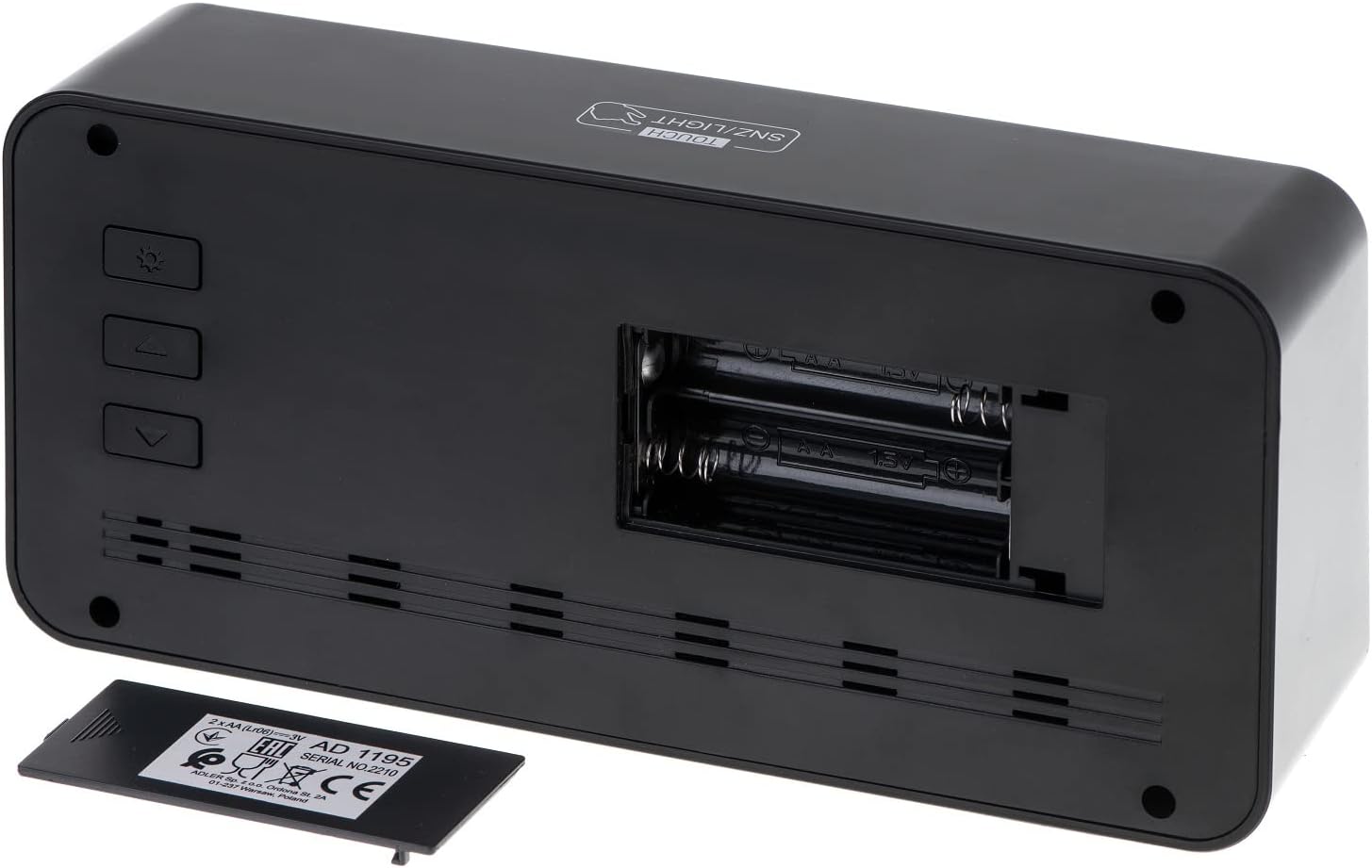
3.2 pav.: galinis view of the alarm clock, showing the battery compartment and control buttons.
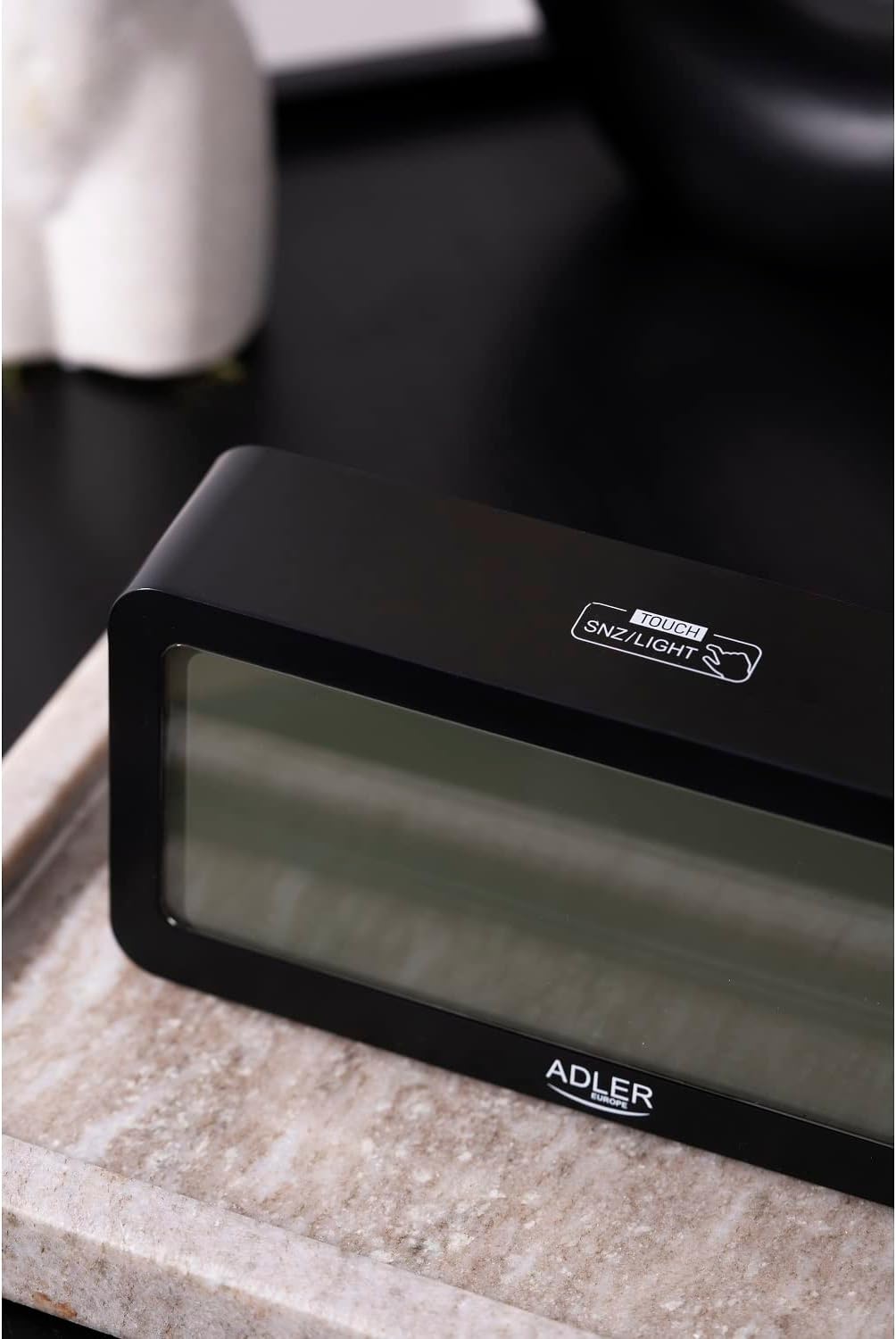
3.3 paveikslas: viršuje view, showing the snooze/light touch area.
Pagrindiniai komponentai:
- Skaitmeninis ekranas: Shows time, date, day of the week, indoor temperature, and humidity.
- TOUCH SNZ/LIGHT Button: Located on the top, used for snooze function and activating backlight.
- Control Buttons (Rear): Typically include MODE, UP, and DOWN buttons for setting adjustments.
- Baterijų skyrius: Located on the rear, requires 2 x AA batteries.
4. Sąranka
4.1 Akumuliatoriaus įdėjimas
- Open the battery compartment cover on the back of the alarm clock.
- Insert two (2) AA batteries, ensuring correct polarity (+ and -).
- Saugiai uždarykite akumuliatoriaus skyriaus dangtelį.
The display will illuminate, and the clock will be ready for initial setup.
5. Naudojimo instrukcijos
5.1 Laiko ir datos nustatymas
- Paspauskite REŽIMAS button repeatedly until the time setting mode is activated (e.g., hour digits flashing).
- Naudokite UP ir ŽEMYN buttons to adjust the flashing value (hour, minute, year, month, day).
- Paspauskite REŽIMAS again to confirm the setting and move to the next parameter.
- Kai visi nustatymai bus atlikti, paspauskite REŽIMAS norėdami išeiti iš nustatymo režimo.
5.2 Signalų nustatymas
The ADLER AD 1195 supports three separate alarm settings (AL1, AL2, AL3).
- Įprastame laiko rodinyje paspauskite REŽIMAS to cycle through display modes until you reach an alarm setting (e.g., AL1).
- Paspauskite ir palaikykite REŽIMAS to enter alarm setting mode for the selected alarm. The hour digits will flash.
- Naudokite UP ir ŽEMYN mygtukus, kad nustatytumėte norimą žadintuvo valandą ir minutę.
- Paspauskite REŽIMAS to confirm and move to the next alarm setting or exit.
- Norėdami įjungti arba išjungti žadintuvą, trumpai paspauskite UP button when the alarm time is displayed. An alarm icon will appear/disappear on the screen.
5.3 Snaudimo ir foninio apšvietimo funkcija
Kai skamba žadintuvas, palieskite TOUCH SNZ/LIGHT area on the top of the clock to activate the snooze function. The alarm will pause for a few minutes and sound again. To turn off the alarm completely, press any other button on the back of the clock.
To activate the backlight for a few seconds, simply touch the TOUCH SNZ/LIGHT area when the alarm is not sounding. The display has an adjustable backlight, allowing users to choose from different brightness levels for optimal viewing.
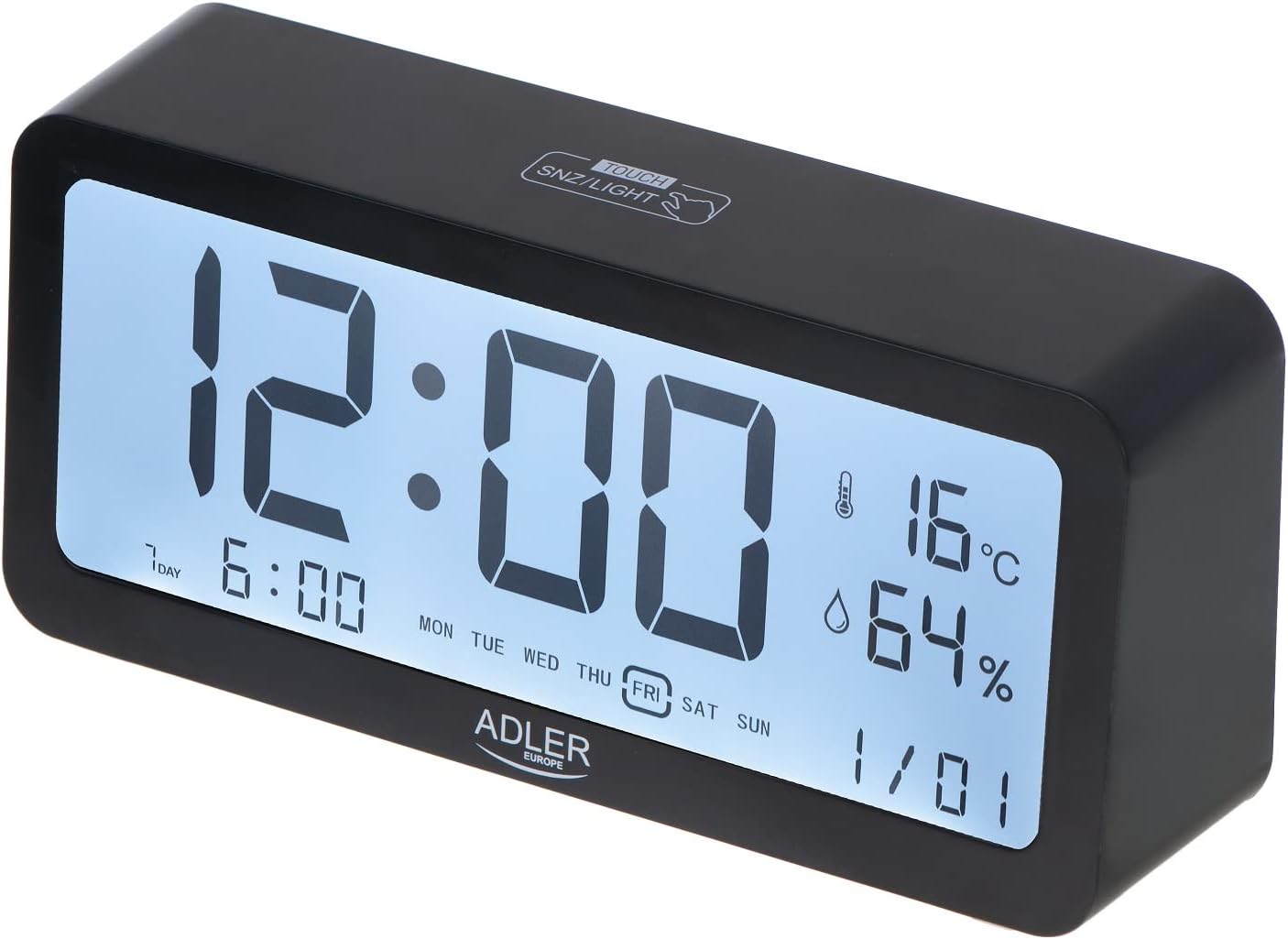
Figure 5.1: Illuminated display for easy readability.
5.4 Temperatūros ir drėgmės rodymas
The clock continuously displays the current indoor temperature in Celsius and relative humidity percentage. No special action is required to view šie rodmenys.
6. Priežiūra
6.1 Valymas
Laikrodį valykite minkšta, sausa šluoste. Nenaudokite abrazyvinių valiklių ar tirpiklių, nes jie gali pažeisti paviršių ar ekraną.
6.2 Akumuliatoriaus keitimas
When the display dims or functions become erratic, it is time to replace the batteries. Follow the instructions in Section 4.1 for battery installation. Always replace both batteries at the same time with new ones.
7. Problemų sprendimas
| Problema | Galima priežastis | Sprendimas |
|---|---|---|
| Ekranas tuščias arba blankus. | Baterijos išsikrovė arba įdėtos neteisingai. | Pakeiskite baterijas naujomis AA baterijomis, užtikrindami teisingą poliškumą. |
| Signalizacija neskamba. | Žadintuvas neįjungtas arba garsumas per mažas. | Ensure the alarm icon is displayed. Check if there's a volume setting (if applicable, though not specified for this model). |
| Neteisingas laikas / data. | Laikas / data neteisingai nustatyti įdėjus bateriją arba nutrūkus elektros tiekimui. | Norėdami iš naujo nustatyti laiką ir datą, žr. 5.1 skyrių. |
8. Specifikacijos
| Funkcija | Detalė |
|---|---|
| Prekės ženklas | Adleris |
| Modelio numeris | AD 1195 black |
| Spalva | Juoda |
| Gaminio matmenys | 19.2 x 3.81 x 9.3 cm (I x P x A) |
| Prekės svoris | 190 g |
| Medžiaga | Plastikinis stiklas |
| Maitinimo šaltinis | Battery Powered (2 x AA batteries) |
| Ekrano tipas | Skaitmeninis |
| Ypatingos savybės | Clear illuminated display, 3 Alarm Settings, Multiple alarm time settings, Comprehensive display information (Time, Date, Temperature, Humidity) |
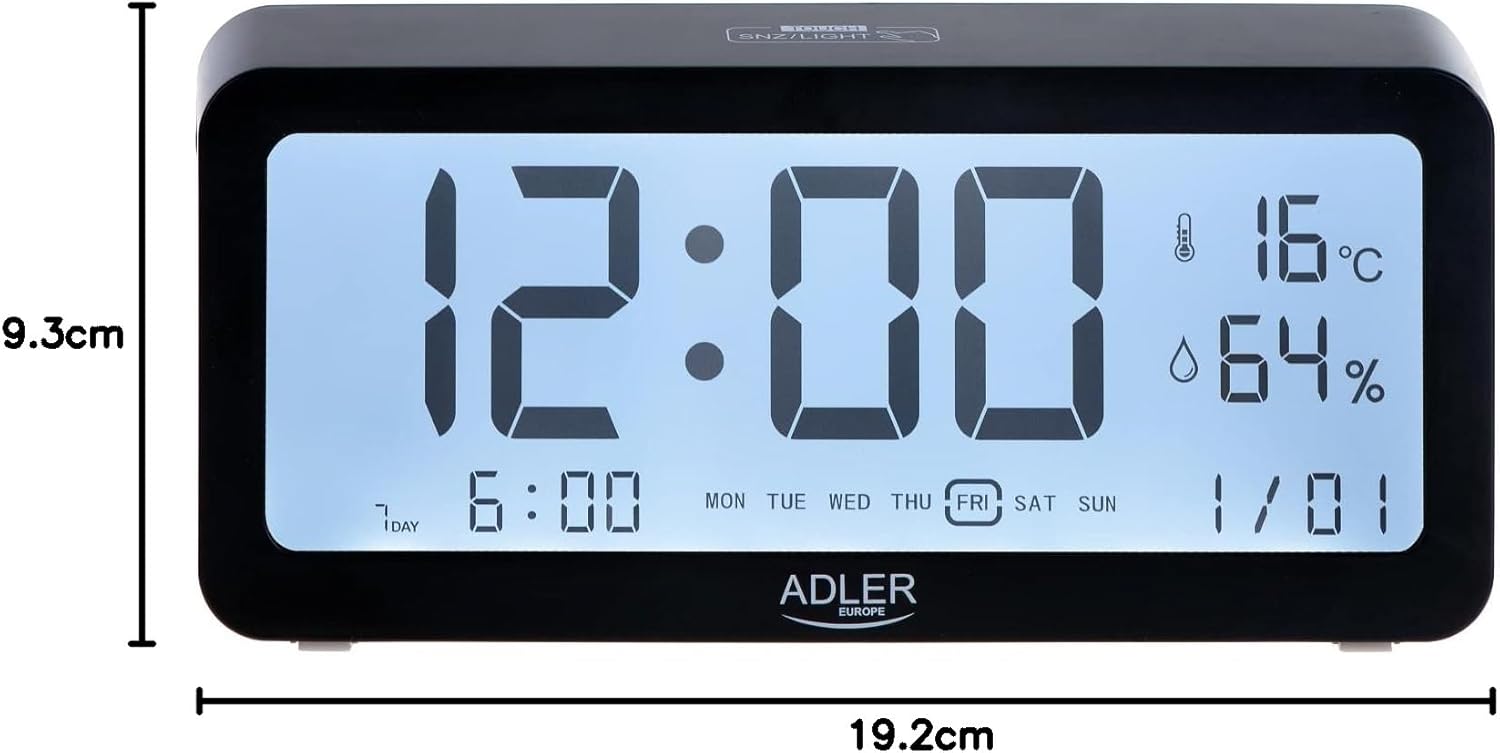
8.1 pav.: Gaminio matmenys.
9. Garantija ir palaikymas
For warranty information and technical support, please refer to the product packaging or contact Adler customer service directly. Contact details can typically be found on the manufacturer's official websvetainėje arba ant produkto mažmeninės pakuotės.
Adler Europe Group
ul. Ordona 2A
01-237 Varšuva, Lenkija
Tel.: +48 728 595 006
El. paštas: info@adlereurope.com


