1. Įvadas
Ačiū, kad pirkoteasing the Audiocrazy AC-BM101 Portable AM/FM Bluetooth Radio. This device is designed to provide high-quality audio reception and playback, offering both traditional AM/FM radio functionality and modern Bluetooth connectivity. Its portable design allows for versatile use in various environments, powered by either AC or batteries. Please read this manual thoroughly before using the product to ensure proper operation and to maximize its lifespan.
2. Svarbi saugos informacija
- Saugokite radijo imtuvą nuo lietaus, drėgmės ar ekstremalių temperatūrų.
- Avoid placing the radio near heat sources such as radiators, heat registers, stoves, or other apparatus (including ampkeltuvai), kurie gamina šilumą.
- Naudokite tik gamintojo nurodytus priedus/priedus.
- Atjunkite šį įrenginį žaibuojant arba kai nenaudojate ilgą laiką.
- Visus techninės priežiūros darbus patikėkite kvalifikuotam techninės priežiūros personalui. Techninė priežiūra reikalinga, kai aparatas buvo kaip nors pažeistas, pvz., pažeistas maitinimo laidas arba kištukas, į aparatą išsiliejo skystis ar įkrito daiktai, aparatas buvo paveiktas lietaus ar drėgmės, neveikia normaliai. , arba buvo numestas.
- Tinkamai išmeskite baterijas laikydamiesi vietinių taisyklių.
3. Pakuotės turinys
Atidžiai patikrinkite pakuotę, kad įsitikintumėte, jog visos prekės yra pakuotėje ir yra geros būklės:
- Audiocrazy AC-BM101 Portable AM/FM Bluetooth Radio
- Maitinimo laidas
- Maitinimo adapteris
- Vartotojo vadovas (šis dokumentas)
4. Produktas baigtasview
Familiarize yourself with the components and controls of your Audiocrazy AC-BM101 radio.
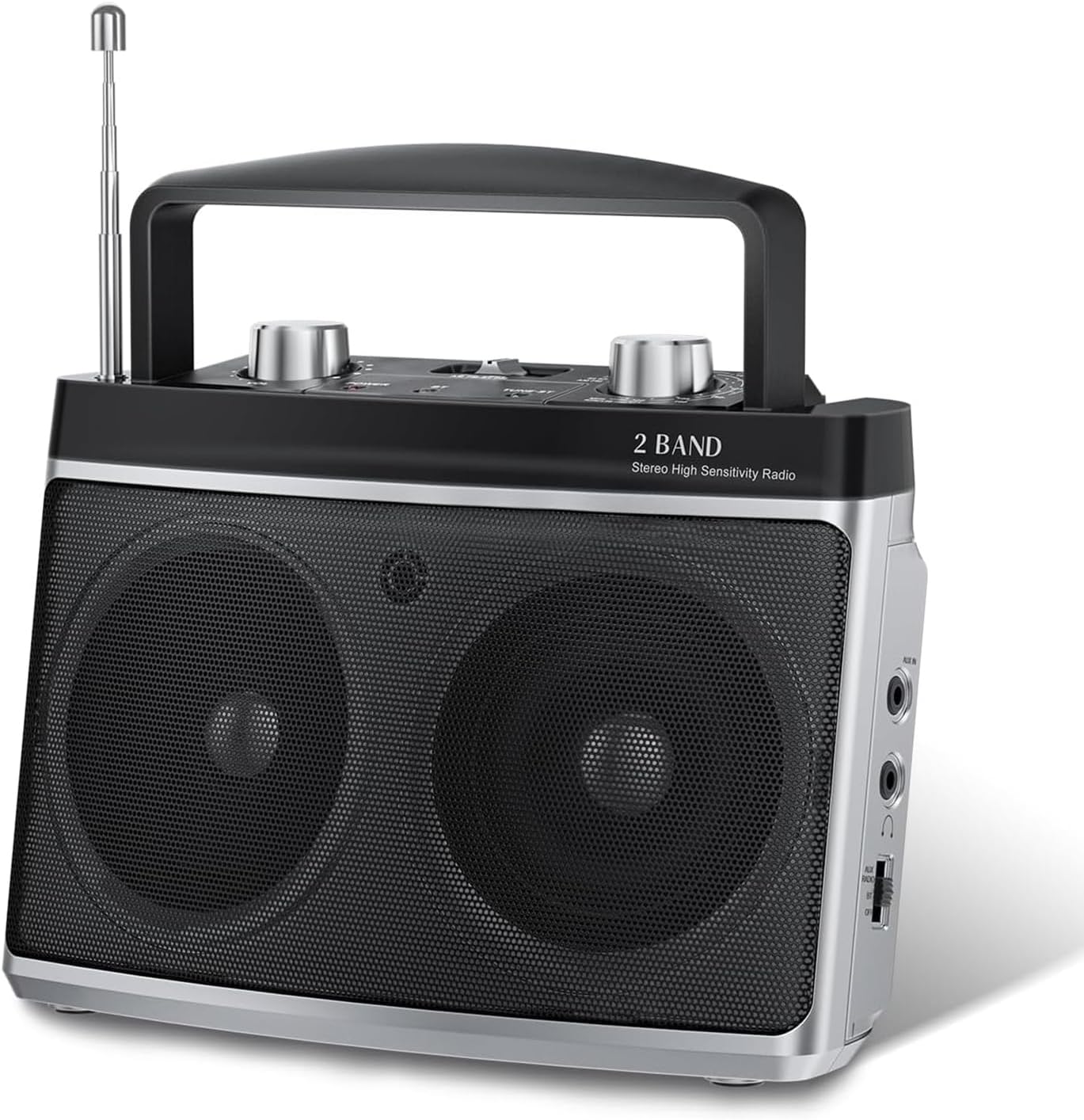
4.1 paveikslas: Priekyje view of the Audiocrazy AC-BM101 radio, showing the dual speakers, tuning knob, volume knob, and extended telescopic antenna.
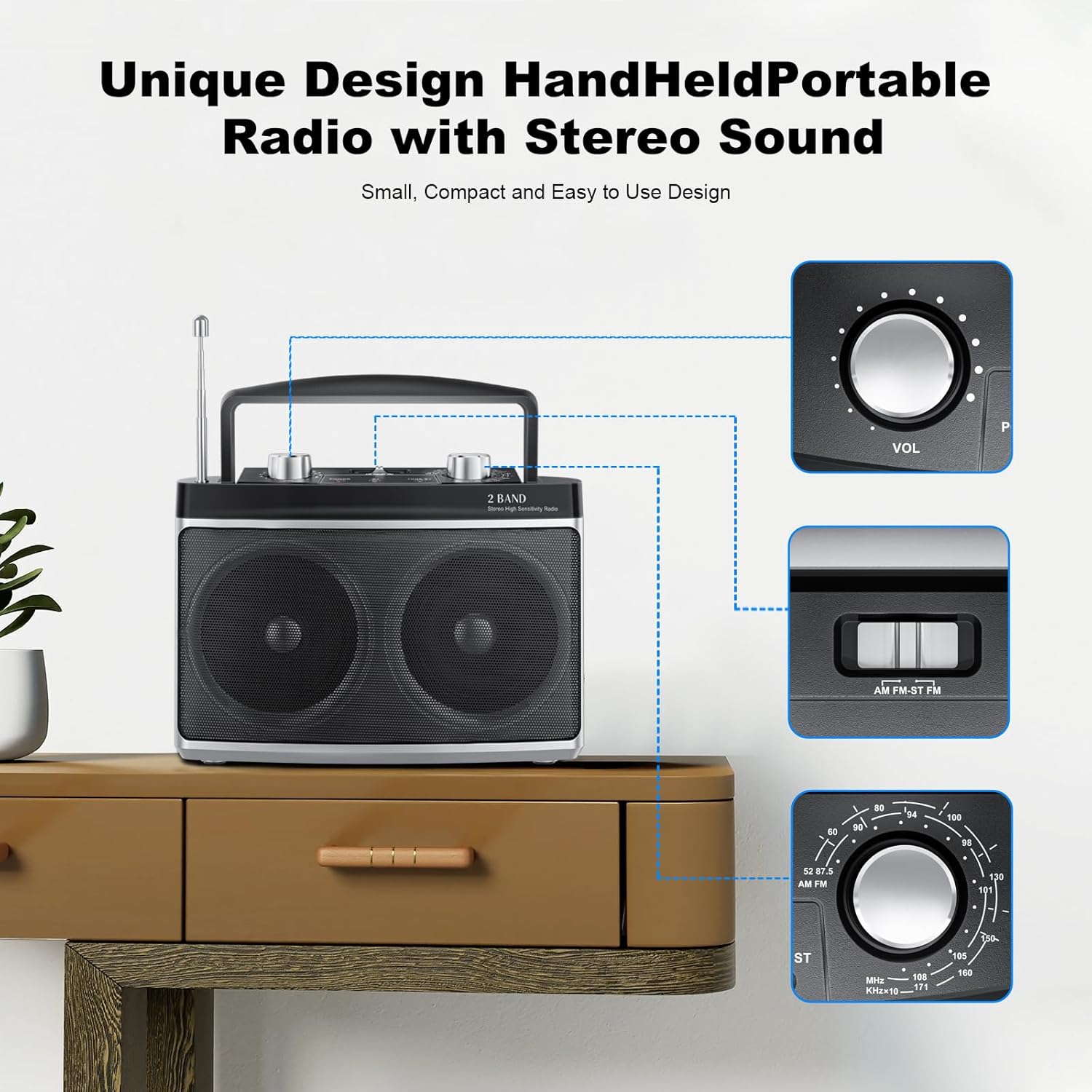
4.1 Priekinio ir viršutinio skydelio valdikliai
- Teleskopinė antena: For FM reception. Extend fully for best signal.
- Garsumo rankenėlė (VOL): Reguliuoja garso išvesties lygį.
- Derinimo rankenėlė: Naudojamas AM arba FM radijo dažniams pasirinkti.
- AM/FM/BT Switch: Selects between AM radio, FM radio, or Bluetooth mode.
- Dažnio ekranas: Rodo dabartinį radijo dažnį.
- Garsiakalbiai: Dual speakers for stereo sound output.

4.2 paveikslas: Išsamus view of the main control knobs and switches on the top panel.
4.2 Side and Rear Panel Ports
- AUX prievadas: 3.5 mm įvestis išoriniams garso įrenginiams prijungti.
- Ausinių lizdas: 3.5 mm išvestis privačiam klausymuisi.
- Kintamosios srovės įvestis: Maitinimo adapterio prijungimui.
- Baterijų skyrius: Holds 2 x D-size batteries (not included) for portable use.
5. Sąranka
5.1 Radijo maitinimas
Your Audiocrazy AC-BM101 radio can be powered by either AC (wall outlet) or DC (batteries).
5.1 paveikslas: Powering options: AC plug-in and DC battery operation.
AC Power (Wall Outlet):
- Insert the power cord into the AC Power Input port on the back of the radio.
- Plug the other end of the power cord into a standard AC wall outlet (120V/60Hz).
- The radio is now ready for use with AC power.
DC Power (Batteries):
- Atidarykite baterijų skyriaus dangtelį radijo imtuvo gale.
- Insert 2 x D-size batteries (not included), ensuring correct polarity (+/-) as indicated inside the compartment.
- Saugiai uždarykite akumuliatoriaus skyriaus dangtelį.
- The radio is now ready for portable use with battery power.
Pastaba: When both AC power and batteries are connected, the radio will prioritize AC power. Remove batteries if the radio will not be used for an extended period to prevent leakage.
5.2 Antenos sąranka
- For FM reception, fully extend the telescopic antenna. Adjust its direction for optimal signal reception.
- For AM reception, the radio uses a built-in ferrite bar antenna. Rotate the entire radio for best AM signal reception.
6. Naudojimo instrukcijos
6.1 Įjungimas / išjungimas ir garsumo valdymas
- To turn on the radio, rotate the Volume Knob (VOL) clockwise until you hear a click.
- Adjust the volume by rotating the Volume Knob (VOL) clockwise to increase or counter-clockwise to decrease.
- To turn off the radio, rotate the Volume Knob (VOL) counter-clockwise until you hear a click.
6.2 AM/FM radijo veikimas
- Slide the AM/FM/BT switch to the "AM" or "FM" position.
- For FM, extend the telescopic antenna. For AM, position the radio for best reception.
- Rotate the Tuning Knob to scan for radio stations. The frequency display will show the selected frequency.
- Fine-tune the knob for clear reception.
6.3 Bluetooth veikimas
Connect your Bluetooth-enabled device to the radio for wireless audio streaming.

6.1 paveikslas: The radio supports Bluetooth connectivity and features a 3.5mm headphone jack for private listening.
- Slide the AM/FM/BT switch to the "BT" (Bluetooth) position. The radio will enter pairing mode, indicated by an audible prompt or indicator light (if present).
- Savo „Bluetooth“ įrenginyje (pvz., išmaniajame telefone, planšetiniame kompiuteryje) įjunkite „Bluetooth“ ir ieškokite galimų įrenginių.
- Select "AC-BM101" (or similar name) from the list of found devices to pair.
- Once paired, you can play audio from your device through the radio's speakers.
6.4 AUX įvesties veikimas
Use the AUX input to connect non-Bluetooth audio devices.
- Connect one end of a 3.5mm audio cable (not included) to the AUX In port on the radio.
- Kitą garso kabelio galą prijunkite prie išorinio įrenginio (pvz., MP3 grotuvo, CD grotuvo) ausinių lizdo arba garso išvesties.
- Ensure the AM/FM/BT switch is not in the "BT" position. The radio will automatically switch to AUX mode when a cable is inserted.
- Play audio from your external device. Adjust volume on both the radio and the external device as needed.
6.5 Ausinių naudojimas
For private listening, connect standard 3.5mm headphones (not included) to the Headphone Jack on the radio. The internal speakers will automatically mute when headphones are connected.
7. Priežiūra
- Valymas: Radijo imtuvą valykite minkštu, sausu skudurėliu. Nenaudokite abrazyvinių valiklių, vaško ar tirpiklių.
- Saugykla: If storing the radio for an extended period, remove the batteries to prevent leakage and store in a cool, dry place.
- Antenos priežiūra: Su teleskopine antena elkitės atsargiai, kad ji nesulinktų ir nesulūžtų.
8. Problemų sprendimas
| Problema | Galima priežastis | Sprendimas |
|---|---|---|
| Nėra galios | Power cord not connected; Batteries dead or incorrectly inserted; Volume knob off. | Ensure power cord is securely plugged in. Replace batteries or check polarity. Rotate volume knob clockwise to turn on. |
| Prastas radijo priėmimas | Antenna not extended/positioned correctly; Weak signal area; Interference. | Fully extend FM antenna and adjust direction. For AM, rotate the radio. Move radio to a different location away from electronic devices. |
| Bluetooth neprisijungia | Radio not in BT mode; Device Bluetooth off; Device too far; Already paired to another device. | Slide switch to BT. Ensure Bluetooth is enabled on your device. Move device closer to radio. Disconnect from other Bluetooth devices. |
| Nėra garso iš AUX įvesties | AUX cable not fully inserted; External device volume too low; Radio not in AUX mode. | Ensure AUX cable is fully inserted into both devices. Increase volume on external device. Ensure BT mode is off. |
9. Specifikacijos
| Funkcija | Detalė |
|---|---|
| Modelio numeris | AC-BM101 |
| Prekės ženklas | Audiocrazy |
| Gaminio matmenys | 7.32 x 3.38 x 5.35 colio (18.59 x 8.59 x 13.59 cm) |
| Prekės svoris | 1.83 svaro (0.83 kg) |
| Spalva | Sidabras |
| Derintuvo technologija | AM/FM |
| Dažnių diapazonas | FM: 87–108 MHz, AM: 520–1710 kHz |
| Ryšio technologija | „Bluetooth 5.0“, pagalbinis (3.5 mm) |
| Ypatingos savybės | Portable, Stereo Sound with Dual Speakers, Headphone Jack |
| Maitinimo šaltinis | AC Power Supply / DC Battery (2 x D-size batteries, not included) |
| Įtraukti komponentai | Radio unit, Power Cord, Power Adapter |
10. Garantija ir palaikymas
Audiocrazy products are designed for reliability and performance. For specific warranty details, please refer to the warranty card included with your purchase or contact Audiocrazy customer support.
If you encounter any issues or have questions regarding your AC-BM101 radio, please contact our customer support team for assistance. Contact information can typically be found on the product packaging or on the official Audiocrazy websvetainę.


