1. Įvadas
This manual provides instructions for the proper use and care of your Audiocrazy Portable AM/FM Radio with Bluetooth. Please read this manual thoroughly before operating the device to ensure optimal performance and longevity.
2. Kas yra dėžutėje
- Audiocrazy Portable AM/FM Radio
- Maitinimo adapteris
- Naudotojo vadovas (šis dokumentas)
3. Produkto ypatybės
- AM/FM radijo imtuvas: Wide frequency range (FM 87-108MHz, AM 520-1710KHz) for clear reception.
- Bluetooth 5.0 ryšys: Belaidžiam garso transliavimui iš suderinamų įrenginių.
- 3 vatų garsiakalbis: Delivers clear audio output.
- Ausinių lizdas: Standartinis 3.5 mm lizdas privačiam klausymuisi.
- AUX įvestis: Skirta išoriniams garso šaltiniams prijungti per 3.5 mm laidą.
- Dvi maitinimo parinktys: Operates via AC power adapter or 4 AA batteries (not included).
- Nešiojamas dizainas: Kompaktiškas ir lengvas lengvam transportavimui.
- Patogūs valdikliai: Large tuning dial and volume knob for simple operation.
4. Sąranka
4.1 Radijo maitinimas
The radio can be powered in two ways:
- Kintamosios srovės maitinimas: Connect the provided power adapter to the AC input port on the back of the radio and then plug it into a standard wall outlet.
- Baterijos galia: Open the battery compartment on the back of the radio. Insert 4 AA batteries (not included), ensuring correct polarity (+/-). Close the battery compartment securely.

Vaizdas: Galinis view of the radio, illustrating the battery compartment for 4 AA batteries and the AC power input port.
4.2 Antenos reguliavimas
For optimal AM/FM reception, extend the telescopic antenna fully. Adjust its direction for the clearest signal. For AM reception, the radio has a built-in antenna, but rotating the unit itself may improve reception.

Image: The radio with its telescopic antenna extended, demonstrating its capability to receive various AM and FM frequencies.
5. Naudojimo instrukcijos
5.1 Pagrindiniai valdikliai
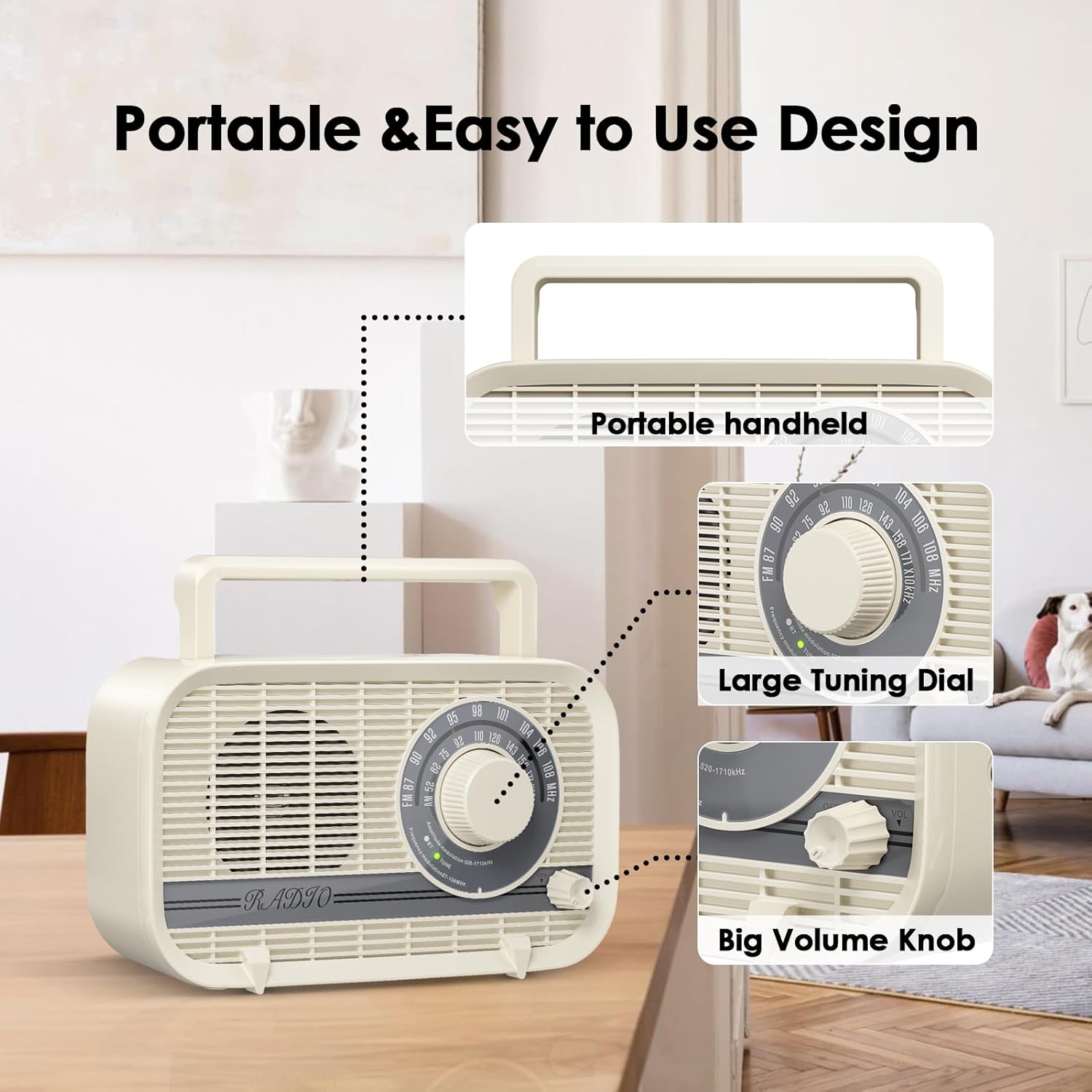
Vaizdas: priekis view of the radio with labels pointing to the portable handle, the large tuning dial, and the volume knob.
- Maitinimo įjungimas / išjungimas ir garsumas: Rotate the large knob on the front right to turn the radio on or off and adjust the volume level.
- Juostos parinkiklis: Use the switch on the side or front panel to select between AM, FM, or Bluetooth modes.
- Tiuningas: Rotate the large tuning dial on the front to select your desired AM or FM station.
5.2 Radijo veikimas (AM/FM)
- Turn the radio on using the volume knob.
- Select either AM or FM using the band selector switch.
- Slowly rotate the tuning dial until you hear your desired station clearly. Adjust the antenna for better reception if needed.
5.3 Bluetooth veikimas
- Switch the band selector to 'BT' or 'Bluetooth' mode. The radio will enter pairing mode, indicated by a flashing light or audio prompt.
- On your smartphone or other Bluetooth-enabled device, go to Bluetooth settings and search for available devices.
- Select 'Audiocrazy Radio' (or similar name) from the list to pair. Once paired, the indicator light will become solid, and you will hear a confirmation sound.
- Start playing audio on your connected device. The sound will now play through the radio's speaker.
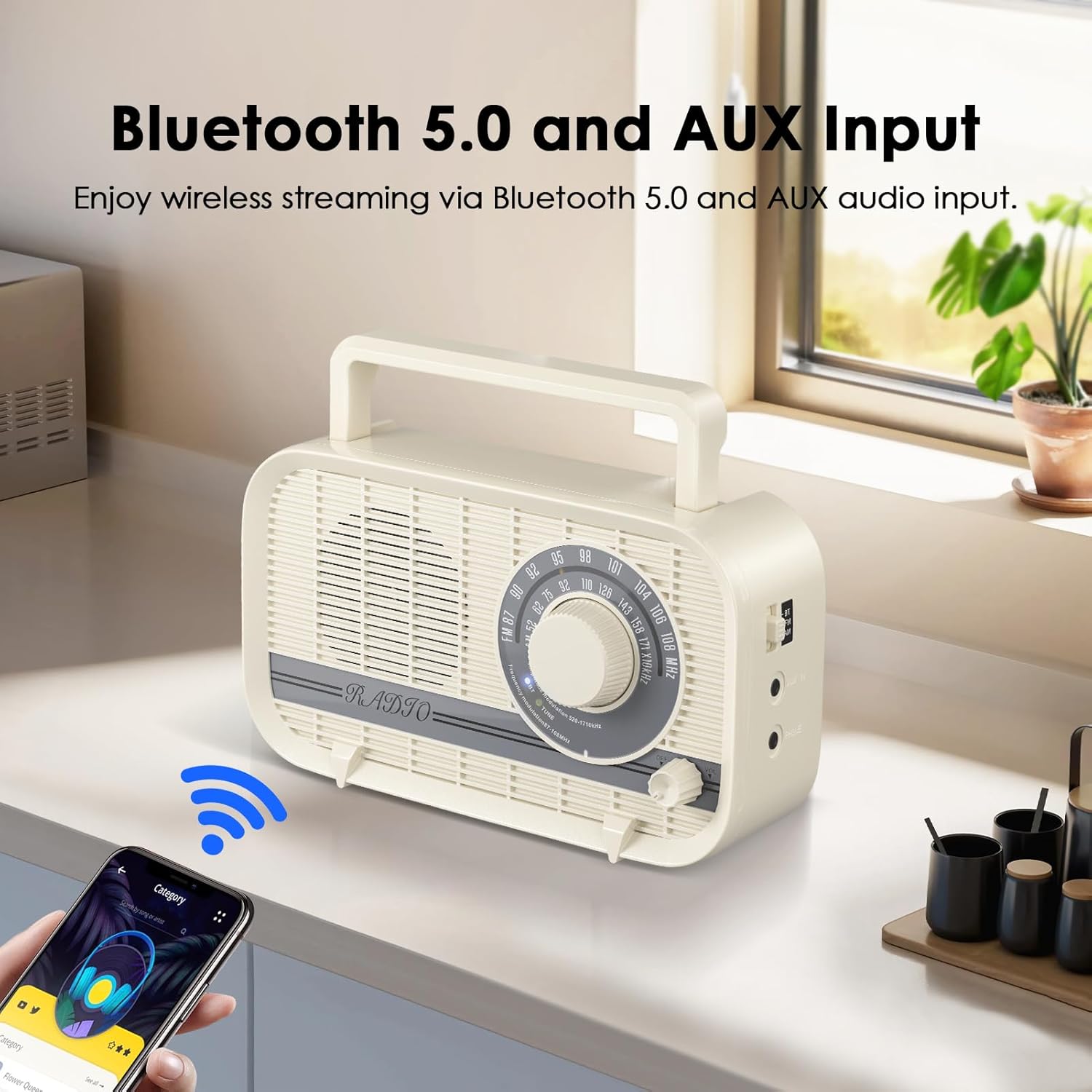
Image: The radio displaying a Bluetooth connection icon, with a smartphone nearby showing a music player interface.
5.4 Ausinių lizdo naudojimas
To listen privately, plug any standard 3.5mm headphones into the 'PHONE' jack located on the side of the radio. The radio's speaker will automatically mute when headphones are connected.

Image: A person wearing headphones, with an inset showing a headphone plug being inserted into the radio's headphone jack.
5.5 AUX įvesties naudojimas
Connect an external audio device (e.g., MP3 player) to the 'AUX IN' port on the side of the radio using a 3.5mm audio cable (not included). Switch the band selector to 'AUX' mode. Audio from the external device will play through the radio's speaker.
Vaizdo įrašas: Viršijimasview of the Audiocrazy radio's features, including AM/FM reception, AUX input, headphone jack, Bluetooth connectivity, speaker performance, and dual power supply options.
6. Priežiūra
- Valymas: Radijo imtuvą valykite minkštu, sausu skudurėliu. Nenaudokite abrazyvinių valiklių ar tirpiklių.
- Akumuliatoriaus priežiūra: Jei radijo imtuvas ilgą laiką nebus naudojamas, išimkite baterijas, kad išvengtumėte elektrolito pratekėjimo.
- Saugykla: Radijo imtuvą laikykite vėsioje, sausoje vietoje, toliau nuo tiesioginių saulės spindulių ir ekstremalių temperatūrų.
7. Problemų sprendimas
| Problema | Galima priežastis | Sprendimas |
|---|---|---|
| Nėra galios | Baterijos išsikrovė arba įdėtos neteisingai; kintamosios srovės adapteris neprijungtas arba sugedęs. | Replace batteries, check battery polarity, ensure AC adapter is securely connected and functional. |
| Prastas radijo priėmimas | Antenna not extended or positioned correctly; weak signal in the area. | Fully extend and adjust the telescopic antenna. For AM, rotate the radio. Try moving the radio to a different location. |
| Bluetooth neprisijungia | Radio not in Bluetooth mode; device not in pairing mode; radio already connected to another device. | Ensure radio is in Bluetooth mode. Put your device in pairing mode. Disconnect from other Bluetooth devices. Restart both radio and device. |
| No sound from speaker (headphones unplugged) | Volume too low; radio muted; incorrect mode selected. | Increase volume. Ensure headphones are unplugged. Verify correct mode (AM/FM/BT/AUX) is selected. |
8. Specifikacijos
| Funkcija | Detalė |
|---|---|
| Modelio numeris | Audiocrazy-001 |
| Gaminio matmenys | 8.66"L x 3"W x 5"H (220x75x128 mm) |
| Prekės svoris | 1.37 svarai (0.62 kg) |
| Palaikomos radijo juostos | AM (520–1710 kHz), FM (87–108 MHz) |
| Ryšio technologija | Bluetooth 5.0 |
| Garsiakalbio išvestis | 3 vatų |
| Maitinimo šaltinis | AC Powered (Adapter Included), 4 AA Batteries (Not Included) |
| Ypatingos savybės | Built-In AM Antenna, Lightweight, Portable, Headphone Jack, AUX Input |

Image: The radio shown with its physical dimensions indicated for length, width, and height.
9. Garantija ir palaikymas
Audiocrazy products are designed for reliability and performance. For warranty information or technical support, please refer to the contact details provided on the product packaging or visit the official Audiocrazy websvetainėje. Išsaugokite pirkimo kvitą kaip pirkimo įrodymą garantiniams reikalavimams.


