Įvadas
The RetroSound Europa DIN Radio Motor 2 combines classic European radio aesthetics from the 1960s and 70s with modern audio technology. This unit is designed for easy installation in vehicles requiring a DIN-sized radio. It features integrated shafts for simplified assembly and includes a universal DIN mounting kit. This manual provides instructions for the proper setup, operation, and maintenance of your RetroSound Europa DIN Radio Motor 2.

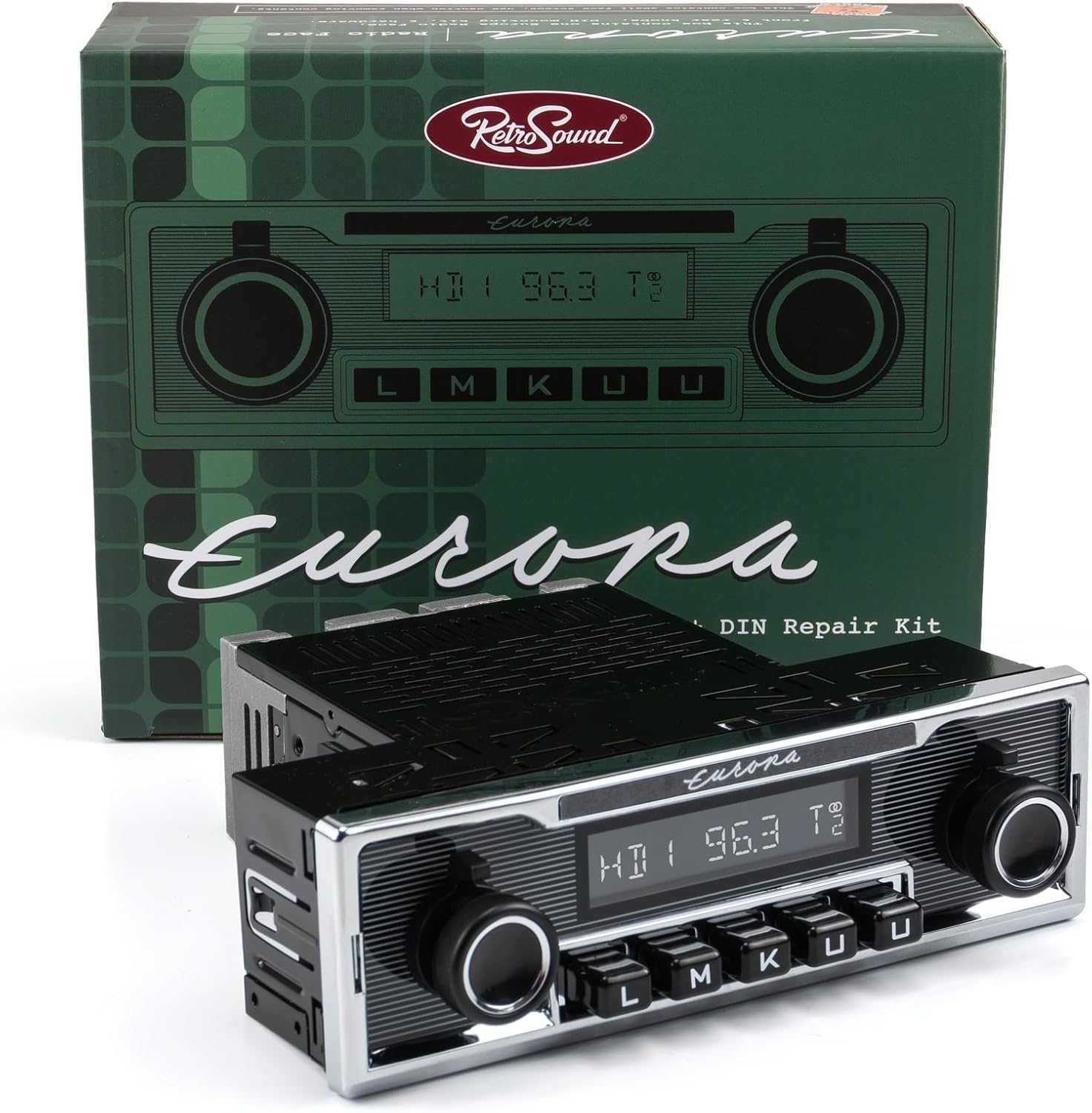
Image: The RetroSound Europa DIN Radio Motor 2 unit shown with its retail packaging, highlighting its classic design.
Sąranka ir diegimas
The RetroSound Europa DIN Radio Motor 2 requires assembly and proper electrical connection. Follow these steps for installation:
- Surinkimas: The unit features integrated shafts for simplified assembly. Attach the faceplate and knobs according to the included assembly guide.
- Montavimas: Use the universal DIN mounting kit to secure the radio into your vehicle's dashboard opening. Ensure a snug and stable fit.
- Laidų jungtys: Connect the included wiring harness to the radio's rear ports. Refer to the diagram below for specific connections.
- Power/Speakers: Connect the main harness for power supply and speaker outputs.
- Antena: Connect your vehicle's antenna cable to the radio's antenna input.
- Išorinis mikrofonas: Plug in the included Bluetooth microphone for hands-free calling.
- USB prievadas: Prijunkite USB įrenginius, kad galėtumėte atkurti medijos failus arba juos įkrauti.
- Line Out (Front/Rear): Use these RCA outputs to connect external ampgelbėtojai.
- Žemųjų dažnių garsiakalbio išvestis: Connect a dedicated subwoofer ampgyvesnis.
- Radijo valdikliai: Connect any optional steering wheel control interfaces if applicable.
- Pradinis įjungimas: After all connections are secure, turn on your vehicle's ignition to power the radio.

Vaizdas: Galinis view of the RetroSound Europa DIN Radio Motor 2, showing labeled connection points for power, speakers, antenna, external microphone, USB, and RCA line outputs.
Naudojimo instrukcijos
Familiarize yourself with the controls and functions of your RetroSound Europa DIN Radio Motor 2.
Vaizdas: priekis view of the RetroSound Europa DIN Radio Motor 2, displaying the display, control knobs, and push-buttons.
Pagrindinės funkcijos:
- Maitinimo įjungimas/išjungimas: Press the left knob to turn the unit on or off.
- Garsumo valdymas: Rotate the left knob to adjust the volume level.
- Šaltinio pasirinkimas: Use the push-buttons or right knob to cycle through available audio sources (AM/FM, Bluetooth, USB, Auxiliary).
- Ekranas: The 32,000-color display shows current station, track information, or menu options. The color is adjustable to match your vehicle's gauge color.
Radio Tuner (AM/FM RDS):
- Tiuningas: Use the right knob to manually tune frequencies or seek for stations.
- Išankstiniai nustatymai: The unit supports 30 presets. Press and hold a preset button to save the current station. Briefly press to recall a saved station.
- Tuner Frequencies: Selectable tuner frequencies are available for USA, EUR, AUS, JAP, and RUS regions. Adjust this setting in the system menu if needed.
Bluetooth Connectivity (Version 5.0):
The unit features built-in Bluetooth for hands-free calling and audio streaming.
- Poravimas:
- Įsitikinkite, kad jūsų mobiliajame įrenginyje įjungtas „Bluetooth“.
- Select "Bluetooth" as the source on the radio.
- Ieškokite available devices on your phone and select "RetroSound Europa" (or similar).
- Jei būsite paraginti, patvirtinkite susiejimą abiejuose įrenginiuose.
- Skambinimas laisvų rankų įranga: Once paired, calls will route through the radio and the external microphone.
- Garso transliacija: Play audio from your paired device directly through the radio.
USB and Auxiliary Input:
- USB prievadas: Connect USB flash drives for audio playback. The USB port also provides 2.1-amp device charging. It is compatible with Made for iPod/iPhone and Android devices.
- Pagalbinė įvestis: Connect portable audio devices using a 3.5mm auxiliary cable (cable not included).

Image: The RetroSound Europa DIN Radio Motor 2 installed in a vehicle's dashboard, demonstrating its integrated appearance.
Priežiūra
To ensure the longevity and optimal performance of your RetroSound Europa DIN Radio Motor 2, follow these simple maintenance guidelines:
- Valymas: Use a soft, dry cloth to clean the unit's faceplate and display. Avoid abrasive cleaners or solvents, which can damage the finish.
- Aplinkos sąlygos: Saugokite įrenginį nuo per didelio drėgmės kiekio, tiesioginių saulės spindulių, per didelių temperatūrų ir ilgalaikio poveikio.
- Jungtys: Periodiškai patikrinkite visas laidų jungtis, kad įsitikintumėte, jog jos yra tvirtos ir be korozijos.
Trikčių šalinimas
If you encounter issues with your RetroSound Europa DIN Radio Motor 2, refer to the following common problems and solutions:
- Nėra galios:
- Check all power connections and ensure they are securely attached.
- Patikrinkite, ar neperdegęs automobilio radijo imtuvo saugiklis.
- Įsitikinkite, kad uždegimas įjungtas.
- Nėra garso:
- Patikrinkite garsiakalbių jungtis.
- Įsitikinkite, kad garsumas nėra nustatytas iki minimumo arba išjungtas.
- Patikrinkite, ar pasirinktas teisingas garso šaltinis.
- „Bluetooth“ poravimo problemos:
- Ensure Bluetooth is enabled on both the radio and your mobile device.
- Delete previous pairings from your phone's Bluetooth settings and try pairing again.
- Restart both the radio and your mobile device.
- Prastas radijo ryšys:
- Patikrinkite antenos jungtį.
- Įsitikinkite, kad antena yra visiškai ištiesta (jei taikoma).
- Kitų elektroninių prietaisų keliami trukdžiai gali turėti įtakos priėmimui.
For persistent issues, contact RetroSound customer support or consult a qualified car audio technician.
Specifikacijos
Below are the technical specifications for the RetroSound Europa DIN Radio Motor 2 (Model: EUR-M2):
| Funkcija | Specifikacija |
|---|---|
| Modelio numeris | EUR-M2 |
| Prekės ženklas | „RetroSound“ |
| Derintuvo technologija | AM/FM RDS |
| Palaikomos radijo juostos | AM, FM (USA/EUR/AUS/JAP/RUS selectable frequencies) |
| Išankstiniai nustatymai | 30 (AM/FM) |
| Bluetooth versija | 5.0 (with external microphone) |
| Ampgyvybingesnė galia | 300-watt peak, 25 watts RMS x 4 channels (Mosfet) |
| USB prievadas | Rear-mounted, 2.1-amp device charging, compatible with iPod/iPhone/Android |
| Pagalbinis įėjimas | Yes (for portable devices) |
| Išankstiniai išėjimai | Dual RCA (for external amplifiers), Dedicated Subwoofer Output |
| Ekranas | 32,000 color adjustable |
| Prekės svoris | 3.4 svaro |
| Ryšio technologija | Pagalbinis, „Bluetooth“, RCA, USB |
| Maitinimo šaltinis | Corded Electric (Vehicle 12V) |
| Nekintamoji atmintis | Taip |
Informacija apie garantiją
Specific warranty details for the RetroSound Europa DIN Radio Motor 2 are typically provided with the product packaging or on the manufacturer's official website. Please refer to these sources for the most accurate and up-to-date warranty terms and conditions. Generally, RetroSound products come with a limited warranty covering manufacturing defects for a specified period from the date of purchase.
Palaikymas
For further assistance, technical support, or to inquire about replacement parts, please contact RetroSound customer service. You can typically find contact information, FAQs, and additional resources on the official RetroSound websvetainė:
Visit RetroSound Official Websvetainę
When contacting support, please have your product model number (EUR-M2) and purchase details readily available.


