Įvadas
Thank you for choosing the Roberts Radio Digital Play11. This portable radio offers high-quality audio with DAB, DAB+, and FM reception. Designed for ease of use, it features a headphone jack for personal listening and flexible power options. This manual provides essential information for setting up, operating, and maintaining your device.
Saugos informacija
Prieš naudodami šį gaminį, perskaitykite ir supraskite visas saugos instrukcijas. Išsaugokite šias instrukcijas ateičiai.
- Saugokite radijo imtuvą nuo lietaus, drėgmės ar ekstremalių temperatūrų.
- Venkite įrenginio statyti šalia šilumos šaltinių arba tiesioginiuose saulės spinduliuose.
- Use only the specified power supply (USB-C cable) or 4 x AA batteries.
- Nebandykite ardyti ar modifikuoti įrenginio. Visus techninės priežiūros darbus patikėkite kvalifikuotiems darbuotojams.
- Ensure proper ventilation; do not cover ventilation openings.
- Atsakingai išmeskite baterijas pagal vietinius reikalavimus.
Kas yra dėžutėje
Išpakuodami įsitikinkite, kad yra visi šie daiktai:
- Roberts Radio Digital Play11
- Greitos pradžios vadovas
- USB-C maitinimo laidas
- Saugos ir garantijos lapelis
Produktas baigtasview
Familiarize yourself with the main components and controls of your Play11 radio.

Vaizdas: priekis view of the Roberts Play11 radio with labels indicating the On/Off button, Volume knob, Antenna, LCD Display, Select knob, Favourites button, Info/Menu button, Mode button, and Next/Previous buttons.
- Įjungimo/išjungimo mygtukas: Įjungia arba išjungia įrenginį.
- Garsumo rankenėlė: Reguliuoja garso išvesties lygį.
- Antena: Ištieskite, kad radijo ryšys būtų optimalus.
- LCD ekranas: Rodo stoties informaciją, laiką ir meniu parinktis.
- Pasirinkite rankenėlę: Naršo meniu ir patvirtina pasirinkimus.
- Favourites (2 sec) Button: Press and hold to save a favourite station; short press to recall.
- Info | Menu Button: Displays station information; press and hold to access the main menu.
- Režimo mygtukas: Switches between DAB, DAB+, and FM modes.
- Next | Previous Buttons: Navigates through stations or menu options.
- Ausinių lizdas: For private listening (3.5mm AUX Out Port).
- USB-C prievadas: Dėl maitinimo.

Vaizdas: Stambus planas view of the Roberts Play11 radio, highlighting the 3.5mm headphone jack on the side for personal listening.
Sąranka
1. Maitinimo šaltinis
The Play11 can be powered by either batteries or the included USB-C power cable.

Vaizdas: Galinis view of the Roberts Play11 radio, illustrating the battery compartment for 4x AA batteries (not included) and the USB-C power input port.
- Baterijos veikimas: Open the battery compartment on the rear of the radio. Insert 4 x AA (LR6) batteries, ensuring correct polarity. Close the compartment securely. Batteries are not included.
- Veikimas iš tinklo: Connect the supplied USB-C power cable to the USB-C port on the radio and plug the other end into a suitable USB power adapter (not supplied).
2. Antena
Extend the telescopic antenna fully for optimal reception in both DAB/DAB+ and FM modes.
3. Pradinis įjungimas
Paspauskite Įjungta/Išjungta button to power on the radio. If this is the first time using the radio, it will automatically perform a full scan for DAB/DAB+ stations.
Naudojimo instrukcijos
Switching Modes (DAB/DAB+/FM)
Paspauskite Režimas button repeatedly to cycle between DAB, DAB+, and FM radio modes.
DAB / DAB + radijas
- Stočių paieška: After initial power-on, the radio will automatically scan. To perform a manual scan, press and hold the Informacija | Meniu button, navigate to "Full Scan" using the Pasirinkite knob, and press Pasirinkite patvirtinti.
- Stočių pasirinkimas: Pasukite Pasirinkite knob to browse available stations. Press the Pasirinkite knob to tune into the desired station.
- Saving Presets (Favourites): Nustatykite norimą stotį. Paspauskite ir palaikykite Favourites (2 sec) button until "Preset Store" appears. Rotate the Pasirinkite knob to choose a preset number (1-10) and press Pasirinkite išsaugoti.
- Išankstinių nustatymų atšaukimas: Trumpai paspauskite Favourites (2 sec) mygtuką. Pasukite Pasirinkite knob to choose the desired preset and press Pasirinkite prisiderinti.
FM radijas
- Stočių paieška: FM režimu paspauskite ir palaikykite Next | Previous mygtukus, kad automatiškai ieškotumėte kitos prieinamos stoties.
- Rankinis derinimas: Pasukite Pasirinkite rankenėlę, kad rankiniu būdu nustatytumėte konkretų dažnį.
- Saving Presets (Favourites): Nustatykite norimą stotį. Paspauskite ir palaikykite Favourites (2 sec) button until "Preset Store" appears. Rotate the Pasirinkite knob to choose a preset number (1-10) and press Pasirinkite išsaugoti.
- Išankstinių nustatymų atšaukimas: Trumpai paspauskite Favourites (2 sec) mygtuką. Pasukite Pasirinkite knob to choose the desired preset and press Pasirinkite prisiderinti.
Naudojant ausines
Connect standard 3.5mm headphones to the headphone jack on the side of the radio for private listening. The internal speaker will automatically mute when headphones are connected.
Priežiūra
- Valymas: Radijo imtuvą valykite minkštu, sausu skudurėliu. Nenaudokite abrazyvinių valiklių ar tirpiklių.
- Baterijos keitimas: When using batteries, replace all four AA batteries simultaneously when the low battery indicator appears on the display. Ensure correct polarity.
- Saugykla: Jei radijo imtuvą ilgesnį laiką laikysite, išimkite baterijas, kad jos neištekėtų.
Trikčių šalinimas
| Problema | Galima priežastis | Sprendimas |
|---|---|---|
| Nėra galios | Batteries are flat or incorrectly inserted; USB-C cable not connected properly. | Replace batteries, ensuring correct polarity. Check USB-C cable connection and power adapter. |
| Prastas DAB/FM priėmimas | Antenna not fully extended; weak signal area; interference. | Fully extend the telescopic antenna. Try repositioning the radio. Perform a full scan for DAB stations. |
| Nėra garso | Volume too low; headphones connected; unit muted. | Increase volume. Disconnect headphones. Check if the unit is muted (though this model doesn't have a dedicated mute button, ensure volume is not at zero). |
| Mygtukai nereaguoja | Laikinas programinės įrangos triktis. | Turn the radio off and on again. If problem persists, remove power source (batteries/USB-C) for a few minutes, then reconnect. |
Specifikacijos
| Modelis | PLAY11BK |
| Tunerio tipas | DAB, DAB+, FM |
| Išankstiniai nustatymai | 10 DAB, 10 FM |
| Maitinimo šaltinis | 4 x AA batteries (not included) or USB-C (4.5 Volts) |
| Techninės įrangos sąsaja | C tipo USB |
| Ausinių lizdas | 3.5 mm |
| Ekrano tipas | LCD |
| Matmenys (IxPxH) | 17.4 x 6 x 11 cm |
| Svoris | 357 g |
| Medžiaga | Plastic, Polycarbonate (PC) |
Garantija ir palaikymas
Your Roberts Radio Digital Play11 comes with a 2-year warranty. Please refer to the included Safety and Warranty leaflet for detailed terms and conditions. For technical support or service inquiries, please visit the official Roberts Radio websvetainėje arba susisiekite su klientų aptarnavimo skyriumi.
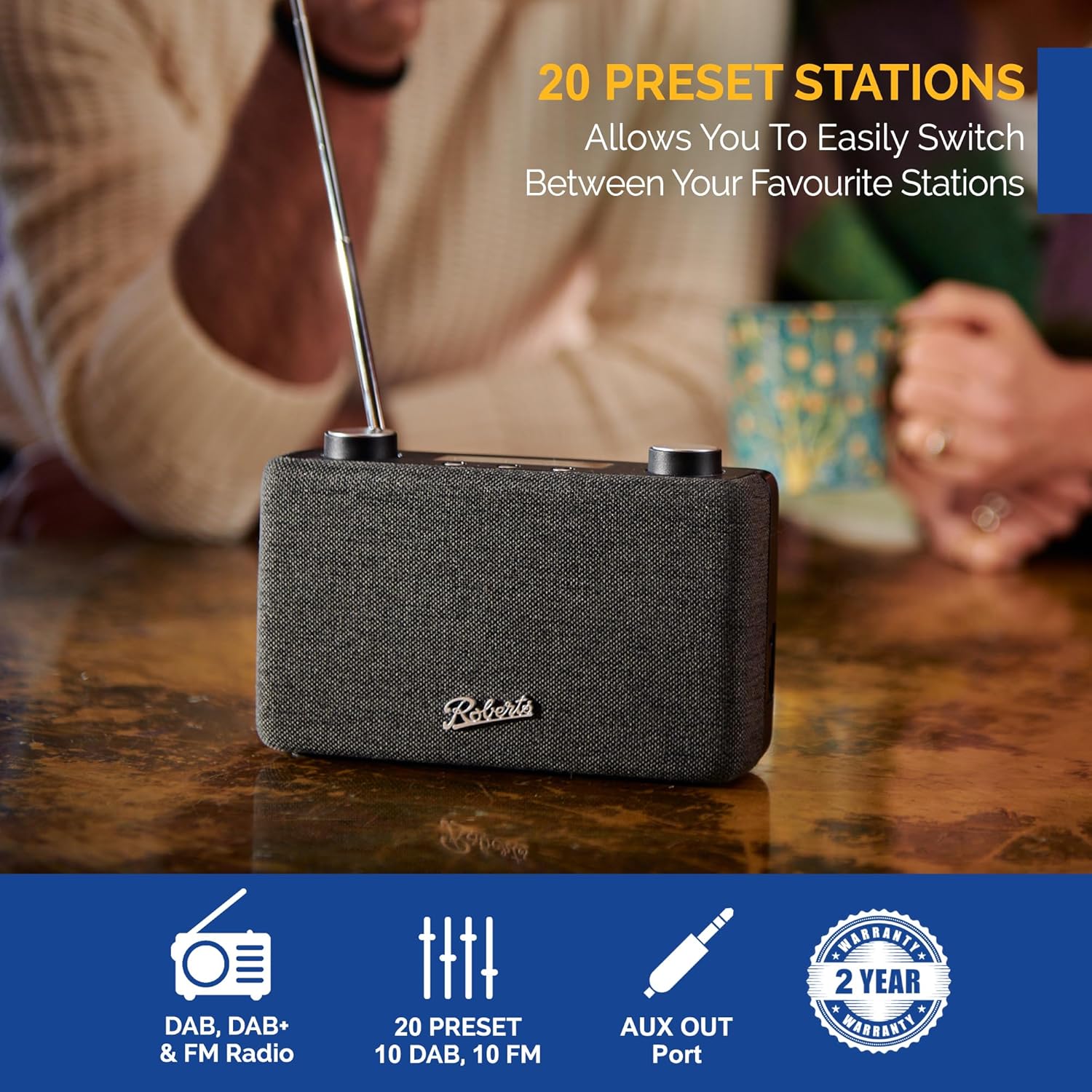
Image: The Roberts Play11 radio displayed alongside icons indicating DAB/DAB+ & FM Radio, 20 Presets, AUX Out Port, and a 2-Year Warranty badge.


