Įvadas
Thank you for choosing The Voice Hollywood Wireless Headphones. These headphones are designed to provide a superior audio experience with the convenience of wireless connectivity. Featuring HD Ultra Max Sound, a comfortable adjustable headband, and a tri-fold design for portability, they are optimized for seamless integration with Siri and Google Assistant. This manual provides detailed instructions for setup, operation, maintenance, and troubleshooting to ensure optimal performance and longevity of your device.
Saugos informacija
- Saugokite ausines nuo ekstremalių temperatūrų, drėgmės ar ėsdinančių medžiagų.
- Venkite klausytis dideliu garsu ilgą laiką, kad nepažeistumėte klausos.
- Do not use the headphones while driving, cycling, or in situations where inability to hear ambient sounds could be dangerous.
- Laikykite ausines atokiau nuo vaikų ir naminių gyvūnėlių.
- Only use the provided charging cable and accessories.
- Nebandykite ardyti ar modifikuoti ausinių. Tai panaikins garantiją.
Pakuotės turinys
Prašome patikrinti, ar pakuotėje yra visi reikalingi daiktai:
- The Voice Hollywood Wireless Headphones
- C tipo USB įkrovimo laidas
- 3.5 mm garso kabelis (AUX)

Figure 1: Included components and key features of the headphones.
Produktas baigtasview
The Hollywood Wireless Headphones feature an ergonomic design for extended comfort and intuitive controls for ease of use. The over-ear cups provide a comfortable fit, and the adjustable headband ensures a secure fit for various head sizes. The tri-fold design allows for compact storage and portability.

2 pav.: priekis view iš ausinių.

Figure 3: Headphones in folded position for portability.
Valdikliai ir prievadai
Refer to Figure 1 for a visual guide to the controls and ports. The main controls are located on the ear cups and include:
- Maitinimo mygtukas: Naudojamas įjungti / išjungti ir inicijuoti „Bluetooth“ susiejimą.
- Garsumo didinimo / kito takelio mygtukas: Trumpai paspauskite, kad padidintumėte garsumą, ilgai paspauskite kitą takelį.
- Garsumo mažinimo / ankstesnio takelio mygtukas: Trumpas paspaudimas – garsumui sumažinti, ilgas – ankstesniam takeliui.
- Daugiafunkcis mygtukas (MFB): Leisti / pristabdyti, atsiliepti / baigti skambučius, įjungti balso asistentą.
- C tipo USB prievadas: Ausinėms įkrauti.
- 3.5 mm garso lizdas: Laidiniam prijungimui naudojant AUX laidą.
- Integruotas mikrofonas: Skambinimas laisvų rankų įrangai ir balso asistento komandoms.
Sąranka
Ausinių įkrovimas
Before first use, fully charge your headphones. A full charge typically takes approximately 2-3 hours.
- Connect the small end of the USB Type-C charging cable to the charging port on the headphone ear cup.
- Prijunkite didesnį USB kabelio galą prie USB maitinimo adapterio (nepridedamas) arba kompiuterio USB prievado.
- The LED indicator light will illuminate during charging and turn off or change color once fully charged.
"Bluetooth" poravimas
Pair your headphones with your Bluetooth-enabled device (e.g., smartphone, tablet, computer).
- Įsitikinkite, kad ausinės išjungtos.
- Press and hold the Power button for approximately 5-7 seconds until the LED indicator light flashes blue and red alternately, indicating pairing mode.
- Savo įrenginyje įjunkite „Bluetooth“ ir ieškokite naujų įrenginių.
- Select "Hollywood" from the list of available devices.
- Once successfully paired, the LED indicator will flash blue slowly or turn solid blue.
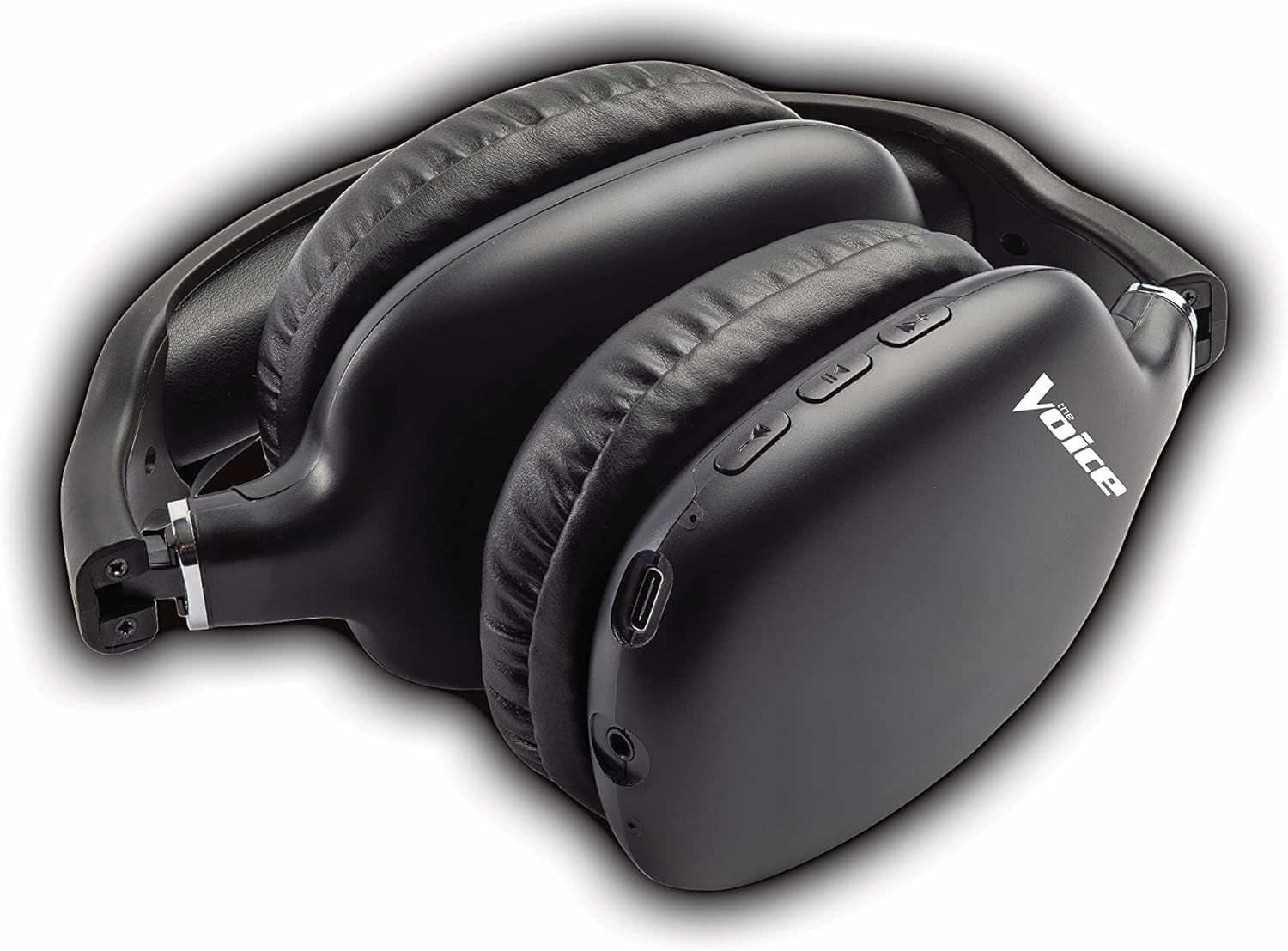
Figure 4: Headphones paired with a smartphone.
Laidinis ryšys (AUX režimas)
You can use the headphones with non-Bluetooth devices or when the battery is depleted using the included 3.5mm audio cable.
- Plug one end of the 3.5mm audio cable into the audio jack on the headphone ear cup.
- Kitą galą prijunkite prie savo įrenginio 3.5 mm garso išvesties lizdo.
- Ausinės automatiškai persijungs į laidinį režimą.
Naudojimo instrukcijos
Maitinimo įjungimas/išjungimas
- Maitinimas: Paspauskite ir palaikykite maitinimo mygtuką maždaug 3 sekundes, kol LED indikatorius mirksės mėlynai.
- Išjungti: Paspauskite ir palaikykite maitinimo mygtuką maždaug 3 sekundes, kol užges LED indikatorius.
Muzikos atkūrimas
- Leisti / pristabdyti: Trumpai paspauskite daugiafunkcį mygtuką (MFB).
- Kitas takelis: Ilgai paspauskite garsumo didinimo mygtuką.
- Ankstesnis takelis: Ilgai paspauskite garsumo mažinimo mygtuką.
- Pagarsink: Trumpai paspauskite garsumo didinimo mygtuką.
- Patildyti: Trumpai paspauskite garsumo mažinimo mygtuką.
Skambučių valdymas
- Atsiliepti / Baigti skambutį: Trumpai paspauskite daugiafunkcį mygtuką (MFB).
- Atmesti skambutį: Long press the Multi-function Button (MFB).
- Perrink paskutinį numerį: Double-press the Multi-function Button (MFB).
Balso asistento aktyvinimas
- Aktyvinkite „Siri“ / „Google“ asistentą: Triple-press the Multi-function Button (MFB).
Video 1: Demonstrates the adjustable and padded comfort, built-in mic, and connectivity to Google or Siri for The Voice Hollywood Wireless Headphones.

Figure 5: User enjoying audio with the headphones, highlighting comfort and usability.
Priežiūra
Valymas
Regular cleaning helps maintain the headphones' appearance and functionality.
- Ausų kaušelius ir galvos juostą nuvalykite minkštu, sausu, nepūkuotu skudurėliu.
- Įsisenėjusiam purvui šiek tiek pamirkykiteampNuvalykite šluostę vandeniu ir švelniu muilu, tada nedelsdami nusausinkite.
- Nenaudokite abrazyvinių valiklių, alkoholio ar cheminių tirpiklių.
Sandėliavimas
When not in use, store your headphones in a cool, dry place, away from direct sunlight and extreme temperatures. Utilize the tri-fold feature for compact storage.
Trikčių šalinimas
Jei kyla problemų dėl ausinių, dažniausiai pasitaikančias problemas ir sprendimus rasite toliau pateiktoje lentelėje.
| Problema | Galima priežastis | Sprendimas |
|---|---|---|
| Ausinės neįsijungia | Senka baterija | Pilnai įkraukite ausines. |
| Nepavyksta susieti su įrenginiu | Ausinės neįjungtos susiejimo režimu; Įrenginio „Bluetooth“ išjungtas; Per toli nuo įrenginio | Įsitikinkite, kad ausinės yra susiejimo režime (mirksi raudonai / mėlynai). Įjunkite / išjunkite įrenginio „Bluetooth“. Perkelkite ausines arčiau įrenginio (ne toliau kaip 10 metrų). |
| Nėra garso | Volume too low; Not connected; Incorrect audio source | Increase volume on headphones and device. Ensure headphones are properly paired/connected. Check audio output settings on your device. |
| Garso iškraipymas | Interference; Device volume too high | Move away from other wireless devices. Lower the volume on your device. |
| Mikrofonas neveikia | Not connected; Device settings | Ensure headphones are properly paired. Check microphone input settings on your device. |
Specifikacijos
| Funkcija | Detalė |
|---|---|
| Modelio pavadinimas | Holivudas |
| Ryšio technologija | Wireless, Wired (Bluetooth) |
| Ausų išdėstymas | Virš ausies |
| Formos faktorius | Virš ausies |
| Valdymo tipas | Voice Control, Built-in buttons and microphone |
| Dažnių diapazonas | 20 Hz–20 kHz |
| Prekės svoris | 13.4 uncijos |
| Matmenys (paketas) | 9.65 x 8.35 x 3.58 colio |
| Modelio numeris | VHOL-6/2069 |
| UPC | 841133120698 |
Garantija ir palaikymas
The Voice Hollywood Wireless Headphones come with a standard manufacturer's warranty. For detailed warranty information, technical support, or service inquiries, please refer to the warranty card included in your product packaging or visit the official The Voice Electronics website. Do not attempt to repair the product yourself.


