Įvadas
Thank you for choosing the Agunto AGU-OC1 Outdoor Security Camera. This manual provides detailed instructions for setting up, operating, and maintaining your camera to ensure optimal performance and security for your property. The AGU-OC1 is designed for outdoor surveillance, featuring 1080p video resolution, advanced night vision, motion and sound detection, and seamless integration with smart home systems like Google Assistant.

1 pav.: priekis view of the Agunto AGU-OC1 Outdoor Security Camera.
Saugos informacija
- Ensure the camera is installed in a location where it is protected from direct tamperingas.
- Use only the provided USB-C cable and power adapter.
- Nelaikykite fotoaparato ekstremaliose temperatūrose, kurios yra už jo veikimo diapazono ribų.
- Venkite laikyti fotoaparatą šalia stiprių elektromagnetinių laukų.
- Prieš valydami ar atlikdami techninę priežiūrą, atjunkite maitinimą.
Pakuotės turinys
Patikrinkite pakuotę, ar joje yra šie daiktai:
- Agunto AGU-OC1 Outdoor Security Camera
- USB-C Power Cable (3 meters)
- Tvirtinimo varžtai ir sieniniai kaiščiai
- Vartotojo vadovas (šis dokumentas)
Sąranka
1. Kameros montavimas
The Agunto AGU-OC1 is designed for wall mounting. Choose a location that provides the desired viewkampu ir yra pasiekiamoje vietoje nuo maitinimo lizdo.
- Mark the drilling points on the wall using the camera's mounting base as a template.
- Pažymėtose vietose išgręžkite skyles. Jei reikia, įkiškite kaiščius.
- Secure the mounting base to the wall using the provided screws.
- Attach the camera to the mounted base and adjust the angle as needed. The camera features a 180-degree rotatable function for optimal positioning.

2 pav.: Kampinis view of the Agunto AGU-OC1, showing its mounting bracket.

Figure 3: The camera installed outdoors, demonstrating its weather resistance.
2. Maitinimo prijungimas
Connect the provided 3-meter USB-C cable to the camera's USB-C port and plug the other end into a suitable power adapter (not always included, but implied by "Elektrisch met snoer" and "USB-C").

Figure 4: USB-C power connection for the Agunto AGU-OC1 camera.
3. Programėlės diegimas ir susiejimas
Norėdami kontroliuoti ir view your camera, you will need to install the dedicated Agunto app on your smartphone or tablet. The app is available for both iOS and Android devices.
- Download the "Agunto Smart" app from the App Store (iOS) or Google Play Store (Android).
- Atidarykite programą ir susikurkite naują paskyrą arba prisijunkite, jei ją jau turite.
- Follow the in-app instructions to add your new AGU-OC1 camera. This typically involves scanning a QR code on the camera or entering a device ID.
- Ensure your smartphone is connected to a 2.4GHz Wi-Fi network during the pairing process, as the camera uses Wi-Fi connectivity.
Fotoaparato valdymas
Tiesiogiai View ir Įrašymas
Once paired, you can access the live video feed from your camera through the Agunto Smart app. From the live view ekrane galite:
- View realaus laiko footage.
- Manually record video clips or capture screenshots.
- Access recorded events stored on a microSD card (if installed) or cloud storage (if subscribed).
Naktinis matymas
The AGU-OC1 features advanced night vision capabilities, providing clear images even in low-light conditions. It supports color night vision for enhanced detail up to 10 meters.
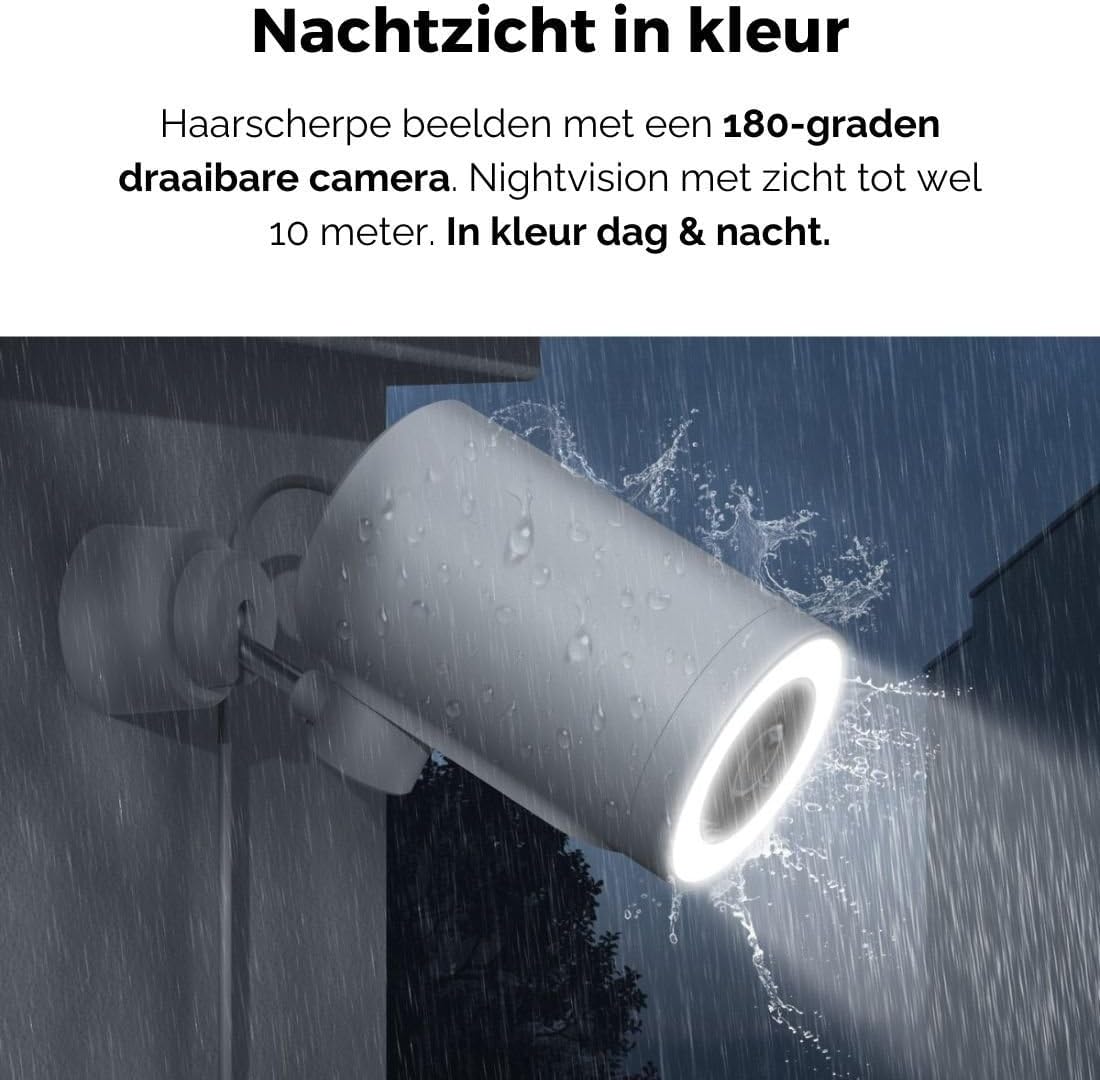
Figure 5: The camera's color night vision in action, providing clear images in the dark.
Judesio ir garso aptikimas
The camera is equipped with intelligent motion and sound detection. When activity is detected, you will receive instant notifications on your smartphone or tablet, allowing you to monitor your property effectively.
You can customize detection zones and sensitivity settings within the app to minimize false alarms.
„Google Assistant“ integracija
The Agunto AGU-OC1 seamlessly integrates with Google Assistant. You can link your camera to Google Home and stream live footage to compatible devices such as Google Nest Hub or Chromecast-enabled displays by voice command.
Example komanda: "Hey Google, show me the backyard camera."
Priežiūra
- Valymas: Švelniai nuvalykite fotoaparato objektyvą ir korpusą minkštu, sausu skudurėliu. Nenaudokite stiprių cheminių medžiagų ar abrazyvinių valiklių.
- Programinės įrangos atnaujinimai: Regularly check the Agunto Smart app for firmware updates. Keeping your camera's software up-to-date ensures optimal performance, security, and access to new features.
- Kabelio apžiūra: Periodically inspect the USB-C cable for any signs of wear or damage, especially if exposed to outdoor elements.
Trikčių šalinimas
| Problema | Galimas sprendimas |
|---|---|
| Kamera neįsijungia. | Check the USB-C cable connection and ensure the power adapter is plugged into a working outlet. Try a different outlet or adapter if available. |
| Nepavyksta prisijungti prie „Wi-Fi“. | Ensure your Wi-Fi network is 2.4GHz. Check Wi-Fi signal strength at the camera's location. Restart your router and the camera. Re-attempt pairing through the app. |
| Prasta vaizdo kokybė. | Clean the camera lens. Ensure adequate lighting. Check your internet connection speed. |
| Judesio aptikimas neveikia. | Verify motion detection is enabled in the app settings. Adjust sensitivity and detection zones. Ensure there are no obstructions blocking the camera's view. |
| Pranešimų negauta. | Check app notification settings on your phone. Ensure the app has permission to send notifications. Verify your phone has an active internet connection. |
Specifikacijos
| Funkcija | Detalė |
|---|---|
| Modelio numeris | AGU-OC1 |
| Efektyvi vaizdo raiška | 1080 pikselių |
| Medžiaga | Plastikiniai |
| Vattage | 4 vatų |
| Prekės matmenys (I x P x A) | 10 x 4.4 x 7.3 centimetro |
| Prekės svoris | 78 gramų |
| Ryšio technologija | Wireless, Wired (USB-C) |
| Ypatingos savybės | Night Vision (Color), Motion Detection, Sound Detection, 180-degree rotatable |
| Naudojimo aplinka | Lauke |
| Suderinami įrenginiai | Smartphone (via Agunto Smart app), Google Assistant devices |
| Maitinimo šaltinis | Laidinis elektrinis (USB-C) |
| Montavimo tipas | Sieninis laikiklis |
Garantija ir palaikymas
Agunto products are designed for reliability and performance. For information regarding warranty coverage, technical support, or service, please refer to the warranty card included with your product or visit the official Agunto website. You can also contact Agunto customer support through the contact information provided on their website or within the Agunto Smart app.
For the latest information and FAQs, please visit: Agunto Official Store


