Įvadas
Thank you for choosing the ZEBRONICS Zeb-Rainbow 400 Multimedia Speaker. This manual provides essential information for the proper setup, operation, and maintenance of your speaker system. Please read it carefully before use and retain it for future reference.
Saugos instrukcijos
- Saugokite įrenginį nuo lietaus ar drėgmės, kad išvengtumėte gaisro ar elektros smūgio.
- Do not open the speaker cabinet. Refer all servicing to qualified personnel.
- Užtikrinkite tinkamą vėdinimą aplink įrenginį. Neužblokuokite jokių ventiliacijos angų.
- Saugokite maitinimo laidą, kad ant jo neužeitų ar nesuspaustų.
- Atjunkite įrenginį žaibuojant arba kai nenaudojate ilgą laiką.
- Keep the product away from direct sunlight, heat sources, and strong magnetic fields.
Pakuotės turinys
Pažymėkite langelį prie šių elementų:
- Žemųjų dažnių garsiakalbio blokas
- Palydoviniai garsiakalbiai (4 vnt.)
- Nuotolinio valdymo pultas
- Audio Input Cable (3.5mm to RCA)
- Vartotojo vadovas
Produktas baigtasview
The ZEBRONICS Zeb-Rainbow 400 is a 4.1 channel multimedia speaker system designed for versatile audio playback. It features multiple connectivity options including Bluetooth, AUX, USB, and FM radio. The system includes a powerful subwoofer and four satellite speakers for an immersive audio experience, complemented by integrated RGB lighting.
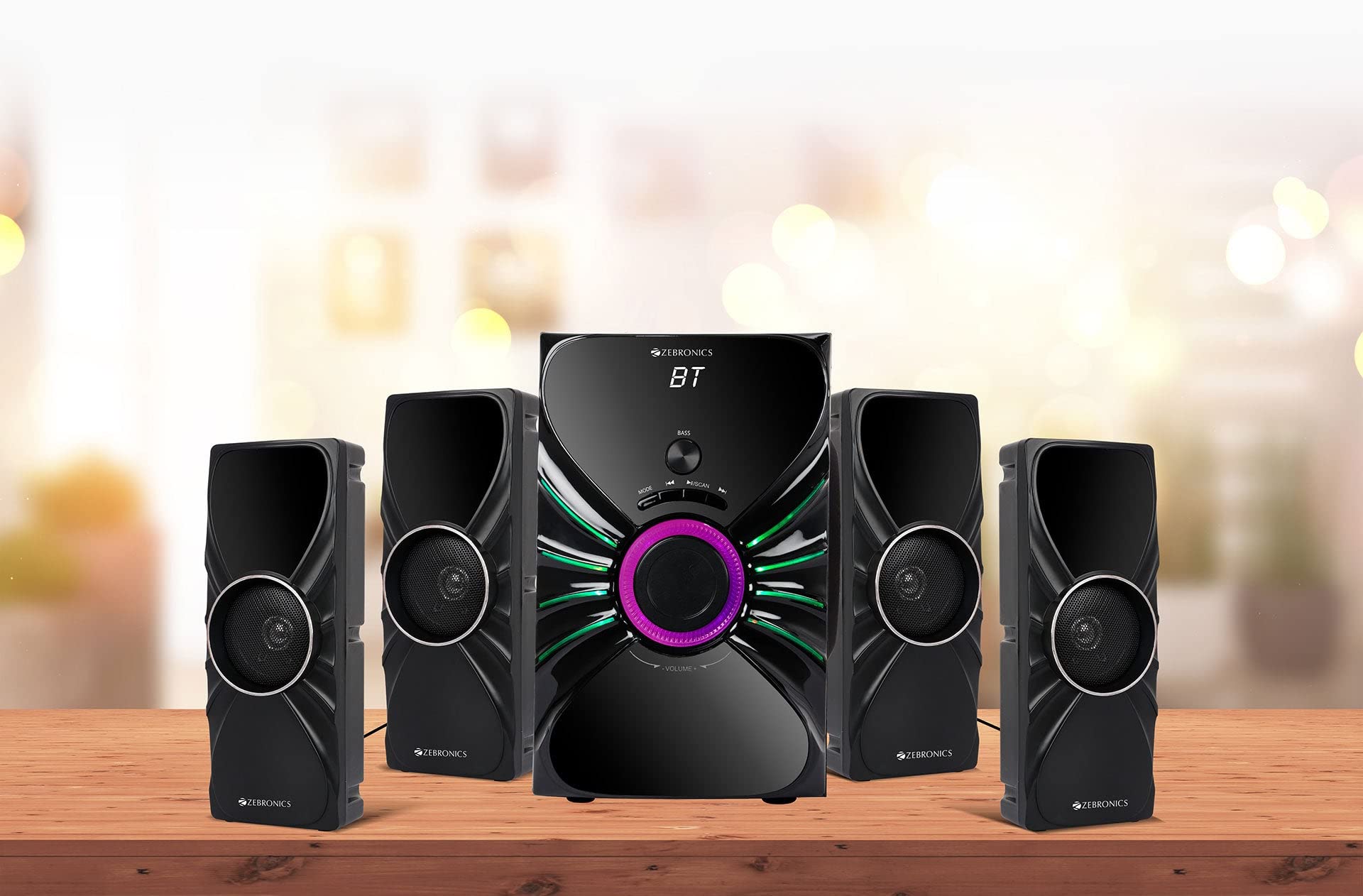
Image: The complete ZEBRONICS Zeb-Rainbow 400 multimedia speaker system, showing the subwoofer, four satellite speakers, and remote control.
Sąranka
1. Išpakavimas
Atsargiai išimkite visus komponentus iš pakuotės. Išsaugokite pakavimo medžiagas būsimam transportavimui ar saugojimui.
2. Garsiakalbio išdėstymas
Place the subwoofer on a stable, flat surface, preferably on the floor for optimal bass response. Position the four satellite speakers around your listening area for a balanced sound field. Ensure adequate space for ventilation.

Image: A visual representation of the 4.1 speaker setup, illustrating the subwoofer and four satellite speakers.
3. Connecting Satellite Speakers
Connect each of the four satellite speakers to the corresponding output ports on the rear panel of the subwoofer unit. Ensure the connections are secure.
4. Garso šaltinių prijungimas
- AUX įvestis: Use the provided 3.5mm to RCA cable to connect your audio device (e.g., smartphone, tablet, PC) to the AUX input ports on the subwoofer.
- USB įvestis: Įdėkite USB atmintinę, kurioje yra MP3 garso įrašų files į žemųjų dažnių garsiakalbio USB prievadą.
5. Maitinimo prijungimas
Connect the power cable to the subwoofer unit and then plug it into a standard AC power outlet.
Naudojimo instrukcijos
1. Maitinimo įjungimas/išjungimas
Press the Power button on the front panel of the subwoofer or on the remote control to turn the speaker system on or off.
2. Režimo pasirinkimas
Press the 'MODE' button on the front panel or remote control to cycle through the available input modes: Bluetooth (BT), AUX, USB, and FM Radio.

Image: Close-up of the subwoofer's front panel, showing the control buttons (Mode, Play/Pause, Next/Previous, Bass, Volume) and the integrated RGB lighting.
3. Garsumo valdymas
Rotate the 'VOLUME' knob on the front panel of the subwoofer or use the Volume Up/Down buttons on the remote control to adjust the overall sound level. The 'BASS' knob can be used to adjust the bass intensity.
4. „Bluetooth“ režimas
- Switch the speaker to Bluetooth mode using the 'MODE' button. The display will show 'BT'.
- Įjunkite „Bluetooth“ savo mobiliajame įrenginyje arba kompiuteryje.
- Ieškokite available devices and select "Zeb-Rainbow 400" to pair.
- Once paired, you can play audio from your device through the speakers.
5. AUX režimas
Connect your audio source using the 3.5mm to RCA cable. Switch the speaker to AUX mode. Audio from your connected device will play automatically.
6. USB režimas
Insert a USB flash drive into the USB port. The speaker will automatically switch to USB mode and begin playing MP3 files from the drive. Use the Play/Pause, Next, and Previous buttons to control playback.
7. FM radijo režimas
- Perjunkite garsiakalbį į FM režimą.
- Press and hold the 'SCAN' button (often combined with Play/Pause) to automatically scan and save available FM stations.
- Use the Next/Previous buttons to navigate through the saved stations.
8. Nuotolinio valdymo pultas
The included remote control provides full functionality for power, mode selection, volume, track control, and FM station tuning. Ensure the remote has working batteries and is pointed towards the subwoofer's sensor.

Image: The ZEBRONICS Zeb-Rainbow 400 subwoofer unit shown with its remote control, highlighting the main controls.
9. RGB lemputės
The subwoofer features integrated RGB lights. These lights typically cycle through various colors and patterns automatically. Refer to the remote control for any specific buttons to change light modes, if available.
Priežiūra
1. Valymas
Wipe the speaker surfaces with a soft, dry cloth. Do not use abrasive cleaners, waxes, or solvents as they may damage the finish. Avoid spraying liquids directly onto the speakers.
2. Sandėliavimas
Jei garsiakalbius ilgesnį laiką sandėliuosite, atjunkite juos nuo maitinimo lizdo ir laikykite vėsioje, sausoje vietoje, toliau nuo tiesioginių saulės spindulių ir ekstremalių temperatūrų.
Trikčių šalinimas
| Problema | Galima priežastis | Sprendimas |
|---|---|---|
| Nėra galios | Power cable not connected; Power outlet faulty; Unit switched off | Ensure power cable is securely connected. Check power outlet with another device. Press the Power button. |
| Nėra garso | Volume too low; Incorrect input mode; Audio cable loose/faulty; Device volume low | Increase volume. Select correct input mode. Check audio cable connections. Increase volume on connected device. |
| Bluetooth neprisijungia | Speaker not in BT mode; Device not in pairing mode; Interference | Switch speaker to BT mode. Ensure device Bluetooth is on and searching. Move devices closer. Restart both devices. |
| Nuotolinio valdymo pultas neveikia | Batteries depleted; Obstruction; Remote not pointed at sensor | Replace batteries. Remove any obstructions. Point remote directly at the subwoofer's IR sensor. |
| Prastas FM priėmimas | Silpnas signalas; Antenos padėtis | Adjust the position of the FM antenna. Rescan for stations. |
Specifikacijos
| Funkcija | Specifikacija |
|---|---|
| Prekės ženklas | ZEBRONIKA |
| Modelio numeris | Zeb Rainbow 400 |
| Gaminio matmenys (IxPxH) | 21x39x32 cm |
| Prekės svoris | 9 kg 350 g |
| Ryšio technologija | Pagalbinis, „Bluetooth“, USB, belaidis |
| Maitinimo šaltinis | AC |
| Suderinami įrenginiai | Išmanusis telefonas, planšetinis kompiuteris |
| Subwoofer Drive Size | 16.51 cm |

Image: A visual highlighting the 16.51 cm subwoofer drive of the ZEBRONICS Zeb-Rainbow 400.
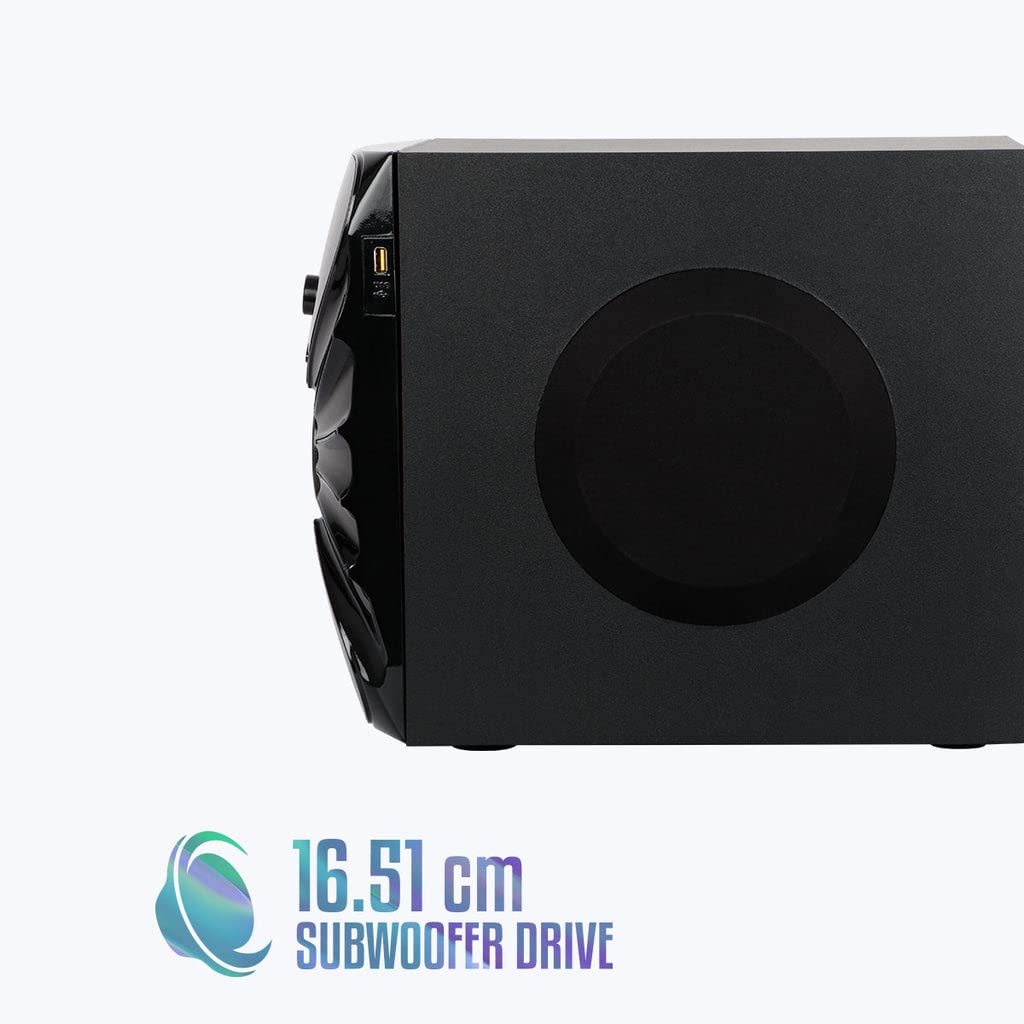
Vaizdas: Šoninė view of the ZEBRONICS Zeb-Rainbow 400 subwoofer, showing the USB port and overall dimensions.
Garantija ir palaikymas
This product comes with a minimum six-month seller warranty. For any issues or support, please contact your seller or refer to the official ZEBRONICS support channels. Keep your purchase receipt for warranty claims.


