Įvadas
This manual provides detailed instructions for the installation, operation, and maintenance of your Luqeeg 10-inch Touch Screen Car Stereo. This multimedia player features wireless CarPlay, Android Auto, GPS navigation, Wi-Fi connectivity, and AHD rear camera support, specifically designed as a replacement for 2010-2014 Ford Mustang vehicles. Please read this manual thoroughly before use to ensure proper functionality and safety.
Saugos informacija
- Prieš montuodami įsitikinkite, kad transporto priemonė išjungta, o akumuliatorius atjungtas, kad išvengtumėte trumpojo jungimo.
- Installation should be performed by a qualified professional if you are unfamiliar with car audio systems.
- Nenaudokite įrenginio taip, kad tai atitrauktų jūsų dėmesį nuo vairavimo. Visada teikite pirmenybę eismo saugumui.
- Venkite įrenginio ilgalaikio laikymo tiesioginiuose saulės spinduliuose, itin aukštose temperatūrose ar drėgmės.
- Naudokite tik nurodytus maitinimo laidus ir priedus, kad išvengtumėte pažeidimų ar gaisro.
Pakuotės turinys
Patikrinkite, ar jūsų pakuotėje yra visi toliau išvardyti daiktai:
- 1 x Car Stereo Unit (10-inch Touch Screen)
- 10 x Wiring Harnesses
- 1 x Protocol Box
- 2 x User Manuals (this document)
- 1 x AHD galinio vaizdo kamera

Vaizdas: Viršview of all included components for the Luqeeg car stereo system.
Specifikacijos
| Operacinė sistema | Android 11 |
| CPU | 8 šerdys |
| RAM | 2 GB |
| ROM | 32 GB |
| Ekrano dydis | 10.0 colių |
| Ekrano raiška | 1024 x 600 |
| Ryšys | „Bluetooth 5.0“, „Wi-Fi“, USB |
| Mobilusis ryšys | Wireless CarPlay (iOS), Android Auto (Android phone image projection) |
| Galinio kameros palaikymas | 1080HD AHD Camera (included) |
| Vairo valdymas | Assistance supported |
| Taikomas modelis | Replacement for Ford Mustang 2010-2014 |
| Matmenys (I x P x A) | 25.4 x 25.4 x 25.4 cm |
| Svoris | 1.84 kg |
Sąranka ir diegimas
This section outlines the general steps for installing the car stereo. Specific vehicle wiring diagrams may vary. Refer to your vehicle's service manual for detailed wiring information.
- Paruošimas: Park your vehicle on a level surface, turn off the engine, and disconnect the negative terminal of the car battery.
- Pašalinti seną įrenginį: Carefully remove the existing car stereo and dashboard trim. Use appropriate tools to avoid damaging the interior.
- Prijunkite laidų pynes: Connect the provided wiring harnesses to the new car stereo and the vehicle's existing wiring. Ensure all connections are secure. The protocol box should be integrated as per the wiring diagram.
- Prijunkite GPS anteną: GPS anteną sumontuokite vietoje, kur nėra view of the sky, typically on the dashboard or under the windshield. Connect it to the stereo unit.
- Prijunkite „Wi-Fi“ anteną: Connect the Wi-Fi antenna to the designated port on the stereo.
- Įdiekite galinio vaizdo kamerą: Mount the AHD rear camera at the rear of your vehicle, ensuring a clear view. Route the camera cable to the stereo unit and connect it to the "CAM IN" or equivalent port.
- Bandymo jungtys: Before fully reassembling the dashboard, reconnect the car battery and turn on the ignition. Power on the stereo and test basic functions: audio, touch screen response, radio, Bluetooth, and rear camera display.
- Saugus vienetas: Once confirmed working, securely mount the new car stereo into the dashboard opening. Reinstall all trim pieces.
- Galutinis patikrinimas: Perform a final check of all functions and ensure no warning lights are illuminated on the dashboard.
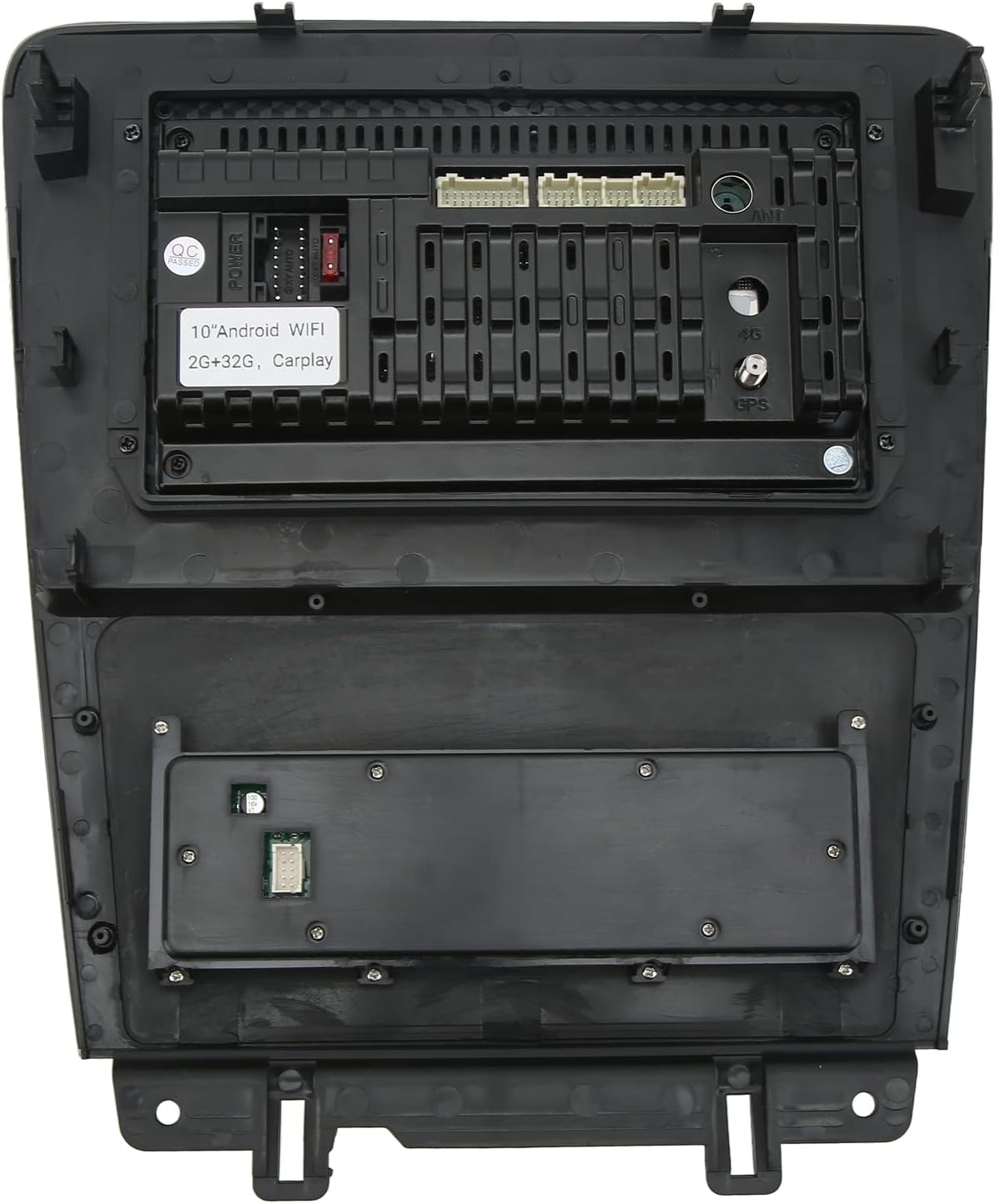
Image: Rear panel connections of the car stereo.

Image: Luqeeg car stereo installed in a vehicle, showing the user interface.
Naudojimo instrukcijos
Pagrindinė operacija
- Maitinimo įjungimas/išjungimas: Press and hold the power button (usually a physical knob or on-screen icon) to turn the unit on or off. A short press may mute/unmute audio.
- Garsumo valdymas: Use the physical knob or on-screen controls to adjust the volume.
- Jutiklinis ekranas: The 10-inch screen supports multi-touch gestures for navigation and control.
- Vairo valdikliai: If properly connected, your vehicle's steering wheel controls can operate basic functions like volume, track change, and mode selection.
Wireless CarPlay (iOS) & Android Auto
This unit supports wireless connection for both Apple CarPlay and Android Auto, allowing seamless integration with your smartphone.
- Įsitikinkite, kad jūsų išmaniajame telefone įjungti „Bluetooth“ ir „Wi-Fi“.
- Automobilio stereo sistemoje eikite į „CarPlay“ arba „Android Auto“ programėlę.
- Follow the on-screen prompts to pair your phone via Bluetooth. Once paired, the system will automatically establish a Wi-Fi connection for CarPlay/Android Auto.
- Your phone's compatible apps (navigation, music, messages) will appear on the stereo screen.
GPS navigacija ir „Wi-Fi“
The unit comes with built-in GPS and Wi-Fi capabilities.
- GPS: The pre-installed navigation app can be used offline with downloaded maps or online when connected to Wi-Fi. Ensure the GPS antenna has a clear signal.
- „Wi-Fi“: Connect to a Wi-Fi network (e.g., mobile hotspot) to access online maps, download apps from the Play Store, stream media, or browse the internet. Go to Settings > Network & Internet > Wi-Fi to connect.
Bluetooth funkcija
Bluetooth 5.0 allows for hands-free calling and wireless audio streaming.
- On the stereo, open the Bluetooth application.
- Įjunkite „Bluetooth“ savo išmaniajame telefone ir ieškokite galimų įrenginių.
- Select the stereo's Bluetooth name (e.g., "Luqeeg Car Stereo") from your phone's list and pair.
- Once connected, you can make/receive calls and play music wirelessly through the car speakers.
Galinės kameros ekranas
Į komplektą įeina AHD galinė kamera, užtikrinanti aiškų vaizdą. view važiuojant atbuline eiga.
- When the vehicle is shifted into reverse gear, the stereo screen will automatically display the rear camera feed.
- The camera features 1080HD resolution and IP67 waterproofing for clear vision in various conditions.
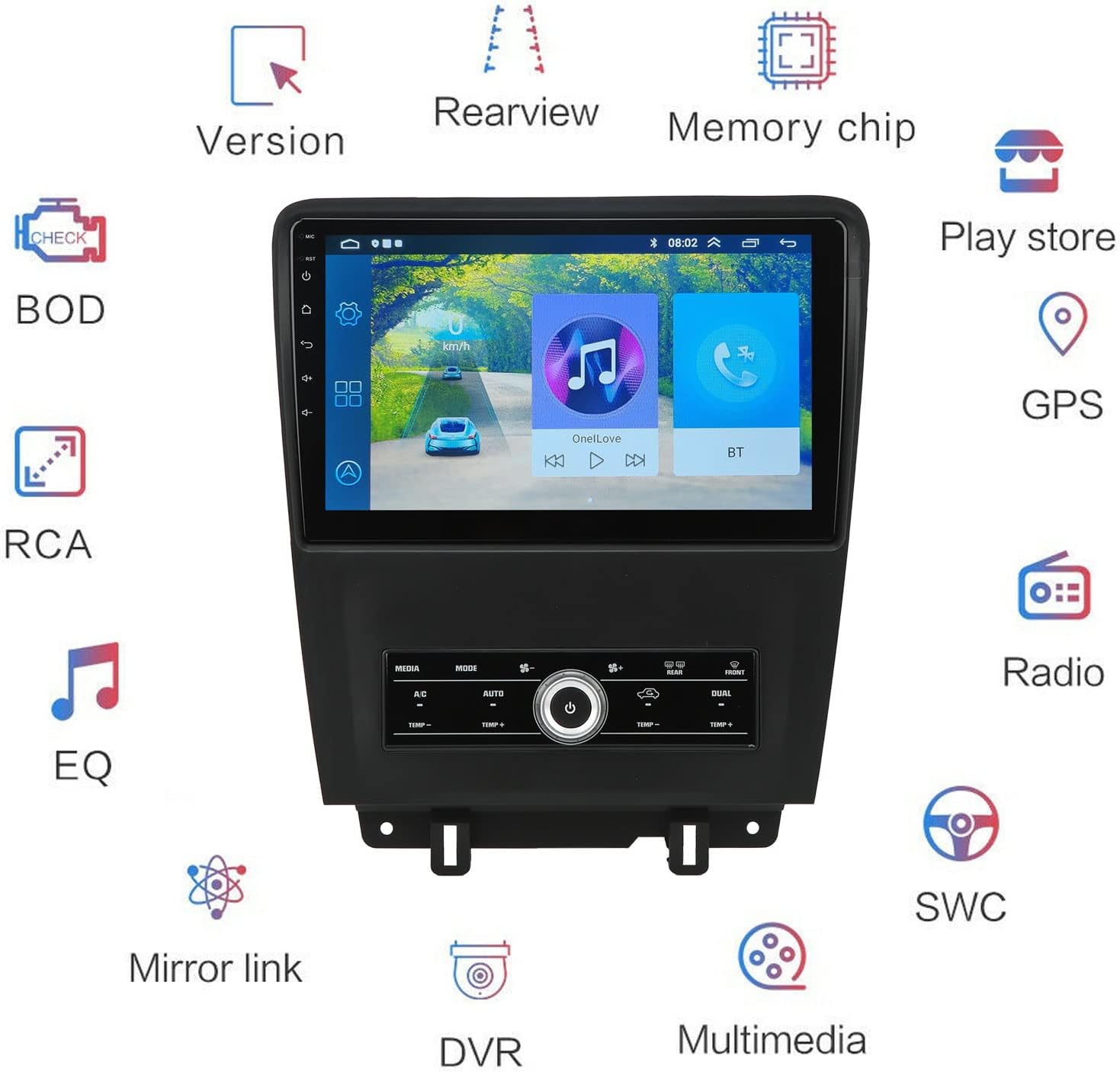
Paveikslėlis: Viršujeview diagram of the car stereo.
Priežiūra
- Ekrano valymas: Šiek tiek naudokite minkštą, be pūkelių šluostę dampnuplaukite vandeniu arba ekranų valikliu, specialiai skirtu elektronikai. Nenaudokite abrazyvinių valiklių ar tirpiklių.
- Programinės įrangos atnaujinimai: Periodiškai tikrinkite, ar yra programinės įrangos atnaujinimų, per sistemos nustatymus arba gamintojo websvetainę, kad būtų užtikrintas optimalus našumas ir prieiga prie naujų funkcijų.
- Bendra priežiūra: Keep the unit free from dust and debris. Avoid placing heavy objects on the unit or exposing it to excessive force.
Trikčių šalinimas
| Problema | Galima priežastis | Sprendimas |
|---|---|---|
| Įrenginys neįsijungia. | Atsilaisvinęs maitinimo laidas, perdegęs saugiklis, automobilio akumuliatoriaus problema. | Check power wiring, inspect vehicle fuses, ensure battery is charged. |
| Nėra garso. | Per mažas garsumas, įjungtas nutildymas, garsiakalbio laidų problema. | Padidinkite garsumą, patikrinkite nutildymo būseną, patikrinkite garsiakalbių jungtis. |
| Jutiklinis ekranas nereaguoja. | Programinės įrangos triktis, ekrano pažeidimas. | Paleiskite įrenginį iš naujo. Jei problema išlieka, susisiekite su palaikymo tarnyba. |
| GPS signalas silpnas arba dingęs. | Antenna obstruction, poor antenna placement. | Įsitikinkite, kad GPS antena turi laisvą view dangaus. Patikrinkite antenos jungtį. |
| „CarPlay“ / „Android Auto“ neprisijungia. | Bluetooth/Wi-Fi off on phone, incorrect pairing, phone software issue. | Ensure phone's Bluetooth/Wi-Fi is on. Re-pair the device. Update phone OS. |
| Galinė kamera nerodo vaizdo. | Kamera neprijungta, sugedusi kamera, atbulinės eigos paleidiklio laido problema. | Check camera connection. Ensure vehicle is in reverse. Verify reverse trigger wire. |
Garantija ir palaikymas
The Luqeeg 10-inch Touch Screen Car Stereo comes with a manufacturer's warranty of 2 years.
- Garantijos aprėptis: This warranty covers defects in materials and workmanship under normal use. It does not cover damage caused by improper installation, accident, misuse, abuse, neglect, or unauthorized modification.
- Garantijos reikalavimas: To claim warranty service, please contact your retailer or the manufacturer directly with your proof of purchase.
- Techninė pagalba: For technical assistance or further inquiries, please refer to the contact information provided with your purchase or visit the official Luqeeg websvetainę.