1. Įvadas
The ACETECH Bifrost BT is an advanced airsoft tracer unit designed for use with airsoft pistols and rifles. It features Bluetooth APP control, RGB LED lighting effects, and supports various BB types, including standard, green, and red tracer BBs. The unit simulates muzzle flash with multi-color flare effects, enhancing the airsoft experience, especially in low-light conditions. It includes a 14mm Counter Clockwise (CCW) negative thread and an 11mm adapter (M14- to M11+) for broad compatibility.

Image: The ACETECH Bifrost BT Tracer Unit shown with its retail packaging and the included 11mm adapter.
2. Kas įskaičiuota
Your ACETECH Bifrost BT package should contain the following items:
- Bifrost BT Tracer Unit
- M14- to M11+ Adaptor
- Aleno raktas
- Naudotojo vadovas (šis vadovas)
3. Sąranka
Follow these steps to set up your Bifrost BT Tracer Unit:
- Pradinis įkrovimas: Before first use, charge the Bifrost BT for at least 3 hours to ensure optimal battery performance. The charging port is a USB-C type. A charging cable is not included to support environmental sustainability.
- Siūlų suderinamumas: The tracer unit features a 14mm Counter Clockwise (CCW) negative thread. If your airsoft gun has an 11mm positive thread, use the included M14- to M11+ Adaptor.
- Montavimas:
- If your airsoft gun has a 14mm CCW thread, directly screw the Bifrost BT Tracer Unit onto the barrel.
- If your airsoft gun has an 11mm positive thread, first screw the M14- to M11+ Adaptor onto your gun's barrel, then screw the Bifrost BT Tracer Unit onto the adaptor.

Vaizdas: Stambus planas view of the Bifrost BT's control buttons and USB-C charging port.
4. Naudojimo instrukcijos
4.1 Galios valdymas
- Pabudimas: The tracer unit features intelligent power control. It will wake up automatically by shaking.
- Miegojimo rezimas: The unit will enter sleep mode if idle for over 5 minutes to conserve battery.
4.2 BB Support and Tracer Function
The Bifrost BT supports standard airsoft BBs, green tracer BBs, and red tracer BBs. Its built-in RGB LED provides a colored BB track function even with standard BBs.
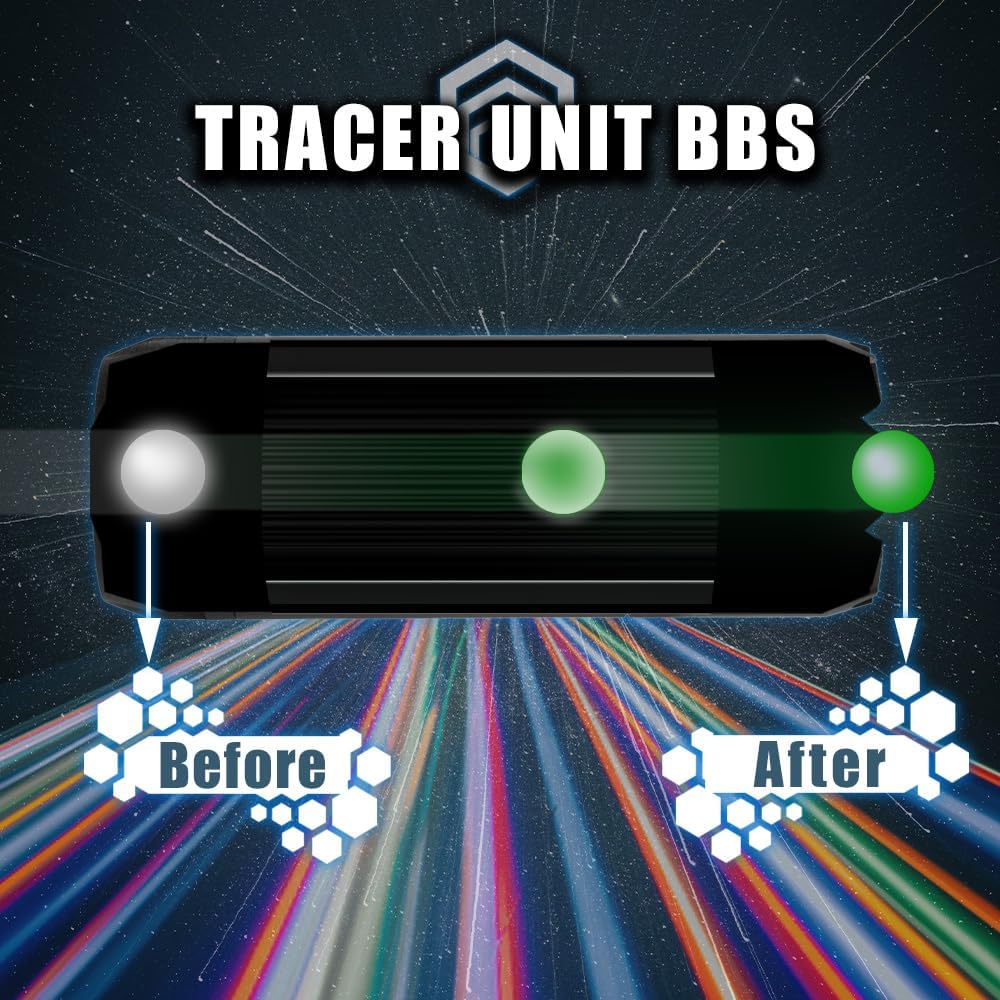
Image: Visual representation of how the tracer unit illuminates BBs.
4.3 Lighting Functions (Flare Effect)
The Bifrost BT simulates muzzle flash with a multi-color flare effect. The intensity and visibility of the flare effect are dependent on the volume of gas or fog around the front end of the unit; a greater volume results in a better effect. There are 11 different color flare options available.
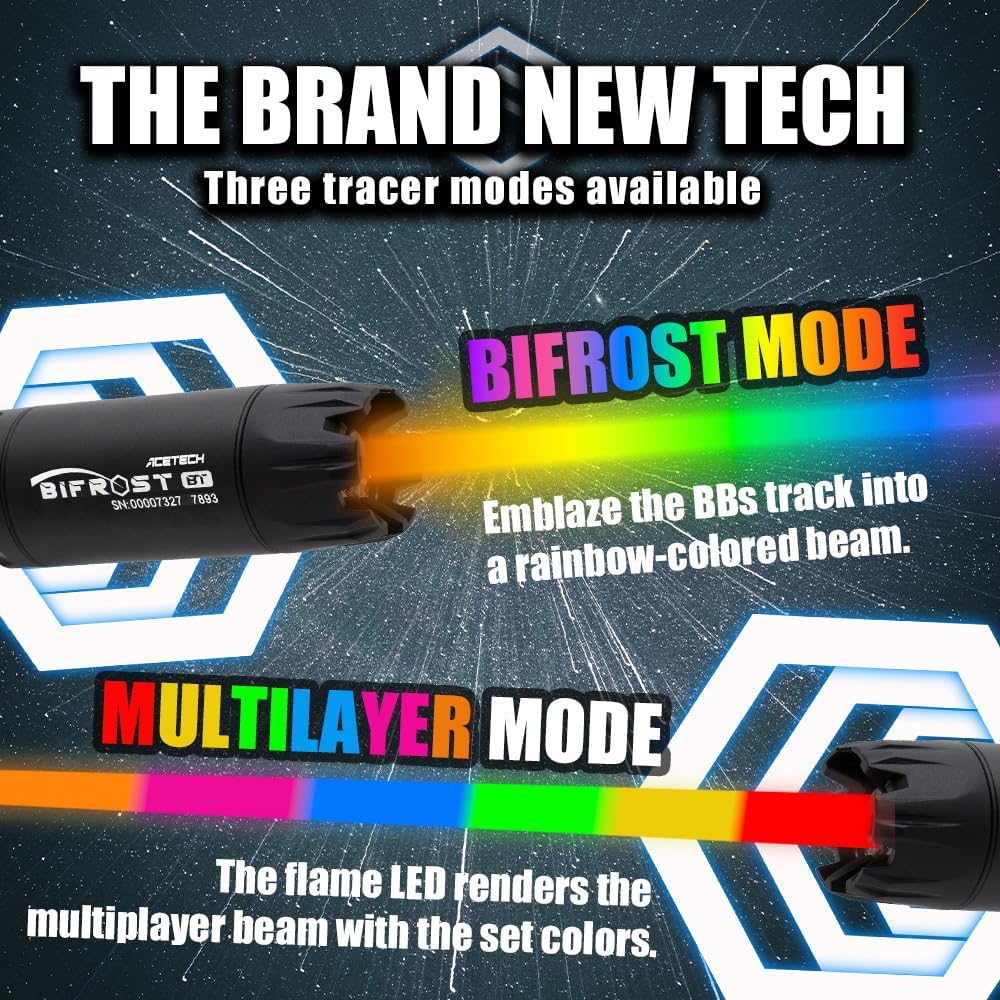
Vaizdas: pvzamples of Bifrost Mode and Multilayer Mode lighting effects.

Vaizdas: pvzamples of Mono Flame Mode with various single-color flare effects.
4.4 Acesoft APP Control and Chronograph
The Bifrost BT can be controlled via the Acesoft APP, available for both iOS and Android devices. The app allows for easy setup of tracer functions, customized flame modes, and includes a built-in chronograph function for measuring BB velocity.

Image: Interface of the Acesoft APP for controlling the tracer unit.
5. Priežiūra
- Akumuliatoriaus priežiūra: If the tracer unit is not in use for an extended period, charge the battery at least every 2 months to prevent complete discharge. Complete battery discharge is not covered under warranty.
- Valymas: Keep the unit clean from dirt and debris, especially around the LED and barrel opening, to ensure optimal performance. Use a soft, dry cloth for cleaning.
6. Problemų sprendimas
- Įrenginys neįsijungia:
- Įsitikinkite, kad įrenginys visiškai įkrautas.
- Shake the unit to wake it from sleep mode.
- Tracer Effect Not Visible:
- Ensure you are using tracer BBs (green or red) or that the RGB LED function is enabled for standard BBs via the app.
- Check the lighting settings in the Acesoft APP.
- Verify the unit is securely attached and aligned with the barrel.
- Programos ryšio problemos:
- Įsitikinkite, kad jūsų mobiliajame įrenginyje įjungtas „Bluetooth“.
- Make sure the tracer unit is powered on and within range.
- Restart the Acesoft APP and/or your mobile device.
- Flare Effect Weak:
- The flare effect is enhanced by gas or fog. Ensure environmental conditions are suitable for a pronounced effect.
- Check flare settings in the Acesoft APP.
7. Specifikacijos

Image: Detailed specifications of the Bifrost BT Tracer Unit.
| Funkcija | Detalė |
|---|---|
| Matmenys | 32 mm (skersmuo) x 90 mm (ilgis) |
| Weight (w/o adaptor) | 71g |
| Siūlas | 14mm Counter Clockwise Negative (M14-) with M11+ Adaptor |
| Baterijos tipas | Ličio jonų baterija |
| Įkroviklio prievadas | USB-C |
| RPS Support | Up to 35 Rounds Per Second |
| Supported BBs | Standard BBs, Green Tracer BBs, Red Tracer BBs |
| Medžiaga | Aliuminis |
| Spalva | Juoda |
8. Garantija ir palaikymas
The ACETECH Bifrost BT Tracer Unit comes with a 1-year Repair Service against Manufacturer Defects. Please note that defects resulting from a completely discharged battery are not covered by this warranty.
For technical support, warranty claims, or any other inquiries, please contact ACETECH customer service through their official channels or the retailer where the product was purchased.


