1. Įvadas
Ačiū, kad pirkoteasing the ZEBRONICS Juke BAR 9102 PRO 240W Dolby Soundbar. This manual provides essential information for the proper setup, operation, and maintenance of your soundbar system. Please read this manual thoroughly before use to ensure optimal performance and safety.
2. Saugos instrukcijos
- Maitinimo šaltinis: Naudokite tik nurodytą maitinimo adapterį. Įsitikinkite, kad įtampatage yra suderinamas su jūsų vietiniu maitinimo šaltiniu.
- Vėdinimas: Neužblokuokite jokių ventiliacijos angų. Palikite pakankamai vietos aplink įrenginį tinkamam oro cirkuliavimui.
- Vanduo ir drėgmė: Do not expose the soundbar or subwoofer to water, rain, or moisture. Avoid placing objects filled with liquids, such as vases, on or near the unit.
- Šilumos šaltiniai: Laikykite įrenginį atokiau nuo šilumos šaltinių, tokių kaip radiatoriai, šildytuvai, viryklės ar kiti šilumą skleidžiantys prietaisai.
- Valymas: Prieš valydami atjunkite maitinimą. Naudokite minkštą, sausą šluostę. Nenaudokite skystų ar aerozolinių valiklių.
- Aptarnavimas: Nemėginkite patys aptarnauti šio gaminio. Visą techninę priežiūrą patikėkite kvalifikuotam aptarnavimo personalui.
- Vieta: Place the soundbar on a stable, flat surface or mount it securely on a wall as instructed.
3. Pakuotės turinys
Patikrinkite, ar pakuotėje yra visi toliau išvardyti daiktai:
- Soundbar - 1 Unit
- Žemųjų dažnių garsiakalbis - 1 vnt.
- Nuotolinio valdymo pultas - 1 vnt.
- QR Code User Manual - 1 Unit (Digital access)
- Wall Mount Bracket and Fasteners
4. Produktas baigtasview
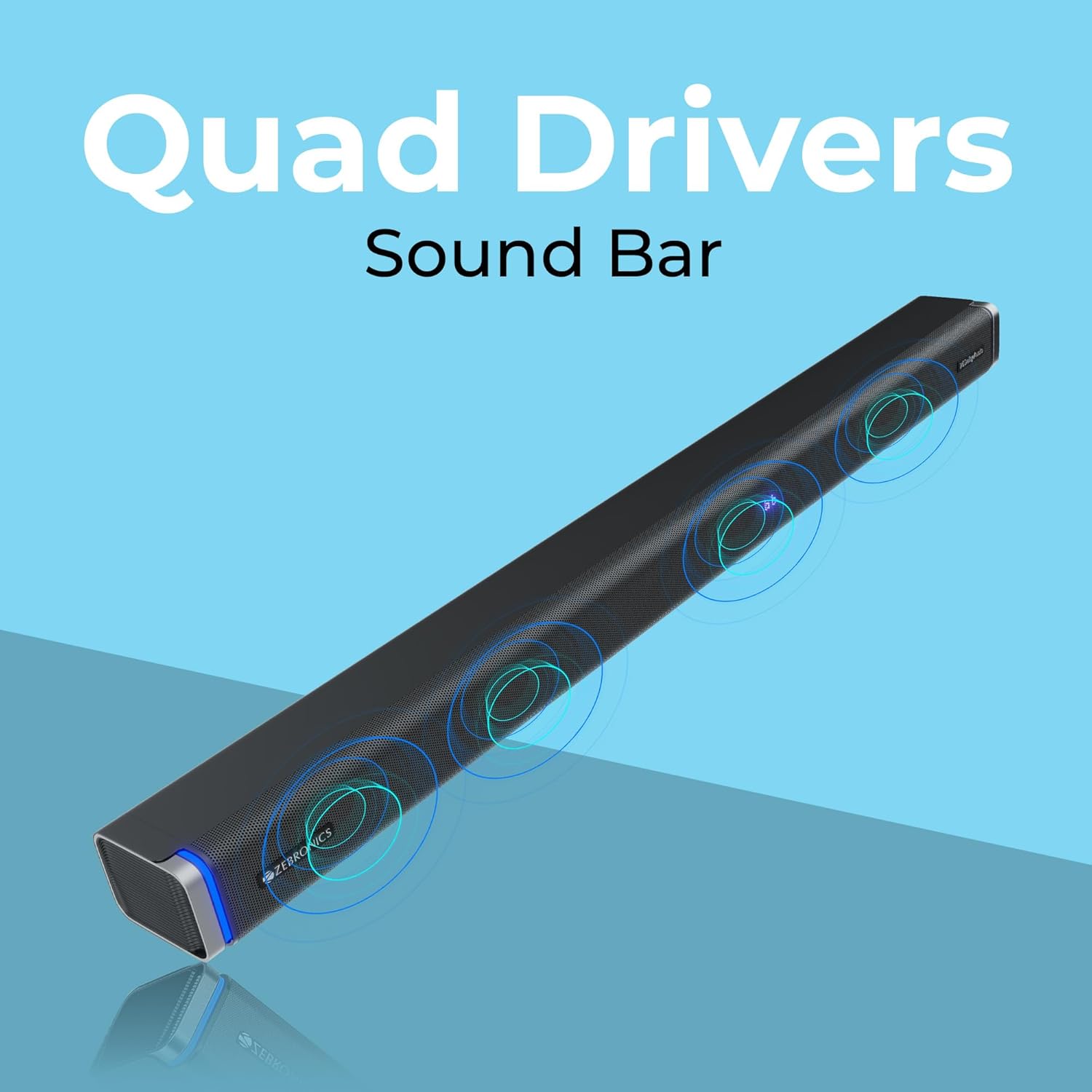
The ZEBRONICS Juke BAR 9102 PRO is a 240W output Dolby soundbar system designed to enhance your audio experience. It features a soundbar with quad drivers and a powerful 6.5-inch wired subwoofer.



5. Sąranka
5.1 Pradinis išdėstymas
- Place the soundbar centrally below your television.
- Position the subwoofer on the floor near the soundbar for optimal bass response.
5.2 Maitinimo jungtis
- Connect the power cable to the soundbar's power input.
- Connect the power cable to the subwoofer's power input.
- Plug both power cables into a suitable wall outlet.
5.3 Žemųjų dažnių garsiakalbio prijungimas
The subwoofer connects to the soundbar via a wired connection. Ensure the subwoofer cable is securely connected to both units.
6. Naudojimo instrukcijos
6.1 Maitinimo įjungimas/išjungimas
Press the power button on the soundbar or the remote control to turn the unit on or off. The LED display will indicate the power status.
6.2 Garsumo valdymas
Use the volume up (+) and volume down (-) buttons on the soundbar or remote control to adjust the audio level.
6.3 Režimo pasirinkimas
Press the 'Mode' button on the soundbar or remote control to cycle through available input modes (Bluetooth, HDMI ARC, Optical, AUX, USB). The LED display will show the current mode (e.g., 'BT' for Bluetooth, 'ARC' for HDMI ARC).
6.4 Ekvalaizerio (EQ) režimai
The soundbar features 3D EQ alternatives. Use the EQ button on the remote to switch between modes. The LED display will show 'E1', 'E2', 'E3' for different sound profiles, and '3D' for the virtual 5.1 effect. Common EQ modes include:
- E1: Muzikos režimas
- E2: Filmo režimas
- E3: News/Voice mode
- 3D: Virtual Surround Sound mode
6.5 RGB LED lemputės
The soundbar includes RGB LED lights. These can be controlled and changed using the remote control to suit your preference.
7. Ryšio parinktys
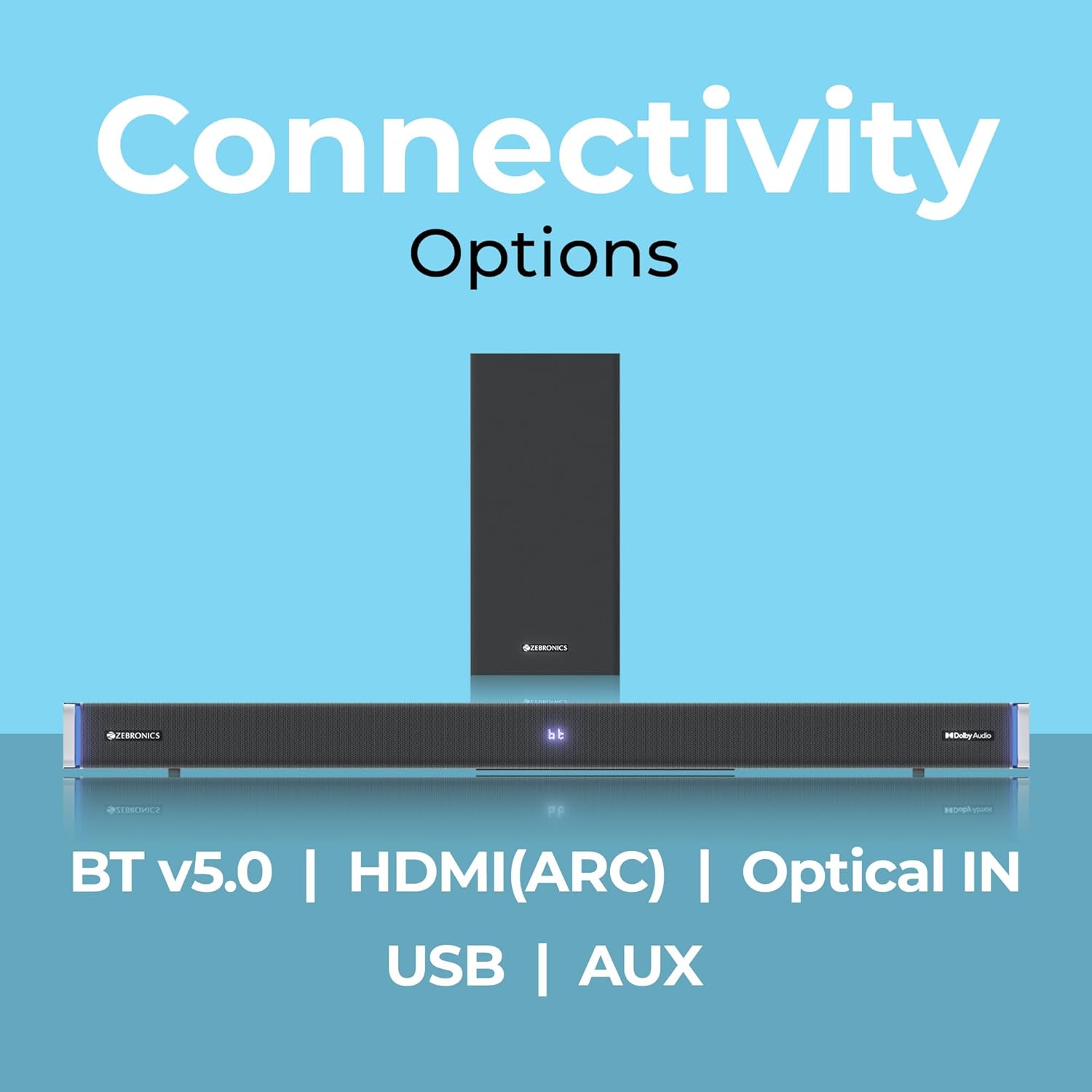
The ZEBRONICS Juke BAR 9102 PRO offers multiple connectivity options for versatile use.
7.1 Bluetooth v5.0
- Press the 'Mode' button until 'BT' appears on the LED display.
- On your mobile device or computer, search for Bluetooth devices and select 'ZEB-JUKE BAR 9102 PRO'.
- Once paired, audio will stream wirelessly to the soundbar.
7.2 HDMI (ARC)
- Connect an HDMI cable (ARC compatible) from the HDMI ARC port on your television to the HDMI ARC port on the soundbar.
- Select 'ARC' mode on the soundbar.
- Ensure your TV's audio output is set to HDMI ARC.
7.3 Optical IN
- Connect an optical cable from your audio source (e.g., TV, DVD player) to the 'Optical IN' port on the soundbar.
- Select 'OPT' mode on the soundbar.
7.4 3.5 mm AUX laidas
- Connect a 3.5mm AUX cable from your audio source to the 'AUX' port on the soundbar.
- Select 'AUX' mode on the soundbar.
7.5 USB atkūrimas
- Insert a USB pen drive (up to 32GB, supporting MP3 audio format) into the USB port on the soundbar.
- Select 'USB' mode on the soundbar. The soundbar will automatically begin playing compatible audio files.
8. Sienų montavimas
The soundbar can be wall-mounted to save space. A wall mount bracket and fasteners are included in the package.
- Determine the desired mounting location on the wall, ensuring it is structurally sound and can support the weight of the soundbar.
- Mark the positions for drilling holes using the wall mount bracket as a template.
- Išgręžkite kreipiamąsias skyles ir, jei reikia, įstatykite tinkamus sieninius inkarus.
- Secure the wall mount bracket to the wall using the provided fasteners.
- Carefully attach the soundbar to the mounted bracket. Ensure it is securely fastened before releasing.
Pastaba: Professional installation is recommended for wall mounting to prevent damage or injury.
9. Priežiūra
9.1 Valymas
Wipe the surfaces of the soundbar and subwoofer with a soft, dry, lint-free cloth. Do not use abrasive cleaners, waxes, or solvents as they may damage the finish.
9.2 Saugykla
Jei įrenginį ilgesnį laiką sandėliuosite, atjunkite jį nuo maitinimo šaltinio ir laikykite vėsioje, sausoje vietoje, toliau nuo tiesioginių saulės spindulių ir ekstremalių temperatūrų.
10. Problemų sprendimas
| Problema | Galima priežastis | Sprendimas |
|---|---|---|
| Nėra galios | Maitinimo laidas neprijungtas; Maitinimo lizdas neaktyvus | Ensure power cables are securely connected and the outlet is functional. |
| Nėra garso | Neteisingas įvesties režimas; per mažas garsumas; netinkamai prijungti laidai | Select the correct input mode. Increase volume. Check all audio cables for secure connection. |
| Bluetooth poravimo problemos | Garso juosta neįjungta susiejimo režimu; Įrenginys per toli; Trukdžiai | Ensure soundbar is in 'BT' mode. Move device closer. Restart both devices. |
| Nuotolinio valdymo pultas neveikia | Išsikrovusios baterijos; kliūtis tarp nuotolinio valdymo pulto ir garso juostos | Pakeiskite nuotolinio valdymo pulto baterijas. Pašalinkite visas kliūtis. |
| Iškraipytas garsas | Volume too high; Poor audio source quality; Incorrect EQ setting | Sumažinkite garsumą. Išbandykite kitą garso šaltinį. Sureguliuokite ekvalaizerio nustatymus. |
11. Specifikacijos
| Funkcija | Detalė |
|---|---|
| Modelio pavadinimas | ZEB-JUKE BAR 9102 PRO |
| Išėjimo galia | 240 vatai (RMS) |
| Žemųjų dažnių garsiakalbio skersmuo | 6.5 colių |
| Garso tvarkyklės dydis | 5.5 cm (Quad Drivers) |
| Ryšys | Bluetooth v5.0, HDMI (ARC), Optical IN, 3.5mm AUX, USB |
| Erdvinio garso konfigūracija | Virtualus 5.1 |
| Dažnio atsakas | 20 Hz–20 kHz |
| Signalo ir triukšmo santykis | 65 dB |
| Varža | 15 omai |
| Kontrolės metodas | Nuotolinio valdymo pultas |
| Gaminio matmenys (garso juosta) | Maždaug 98.5 centimetrų pločio x 17.3 gylio x 40.2 aukščio |
| Prekės svoris | 5.8 kg |
| Maitinimo šaltinis | Su laidu elektra |
| Ypatingos savybės | Dolby Audio, LED Display, RGB LED Lights, Wall Mountable |
12. Garantija ir palaikymas
12.1 Informacija apie garantiją
This ZEBRONICS product comes with a 1 metų garantija from the date of purchase. The warranty covers manufacturing defects under normal use. Please retain your purchase receipt for warranty claims.
12.2 Pagalba klientams
For technical assistance, troubleshooting, or warranty inquiries, please contact ZEBRONICS customer support. Refer to the official ZEBRONICS website or the QR Code User Manual for contact details.


