Įvadas
This manual provides essential information for the safe and effective use of your Essager USB-C 100W Fast Charging Cable with Digital Display. This high-performance cable is designed for rapid charging and efficient data transfer, featuring a convenient digital display to monitor charging status.

Image: The Essager USB-C 100W Fast Charging Cable, showcasing its braided design and the digital display on one of the connectors.
Pagrindinės savybės
- Greitas įkrovimas: Supports up to 100W (20V/5A) Power Delivery for rapid charging of compatible USB-C devices.
- Greitas duomenų perdavimas: Capable of data transfer speeds up to 480Mbps, suitable for syncing files ir žiniasklaida.
- Skaitmeninis maitinimo ekranas: Integrated digital display shows real-time charging wattage, allowing for easy monitoring.
- Platus suderinamumas: Compatible with fast charging protocols such as Quick Charge 3.0 and Samsung Fast Charge.
- Padidintas patvarumas: Constructed with a braided nylon exterior to minimize breakage and increase longevity.
- E-Marker Chip: Built-in E-Marker chip ensures safe and stable charging by regulating power delivery and protecting connected devices.

Image: The Essager cable highlighting its 100W fast charge capability and Type-C to Type-C design.

Vaizdas: Stambus planas view of the cable's connector, illustrating the internal E-Marker chip and its role in maintaining low temperatures during fast charging.
Sąranka ir prijungimas
- Nustatyti uostus: Ensure both your charging adapter/power source and your device (smartphone, tablet, laptop, etc.) have compatible USB-C ports.
- Prijunkite prie maitinimo šaltinio: Insert one end of the Essager USB-C cable into a compatible USB-C power adapter or port on a power bank/computer. For optimal fast charging, use a power adapter that supports Power Delivery (PD) and can output 100W or more.
- Prisijunkite prie įrenginio: Insert the other end of the Essager USB-C cable into the USB-C charging port of your device.
- Patikrinkite ryšį: Once connected, the digital display on the cable's connector will illuminate, showing the current charging wattage.
Naudojimo instrukcijos
Įkrovimo operacija:
When the cable is properly connected to a power source and a device, the digital display on the cable's connector will show the real-time charging wattage (e.g., "100W"). This indicates that power is being delivered to your device. The actual wattage displayed may vary depending on your device's charging requirements and the power adapter's output capabilities.

Image: The Essager cable connected to a smartphone, illustrating 100W charging with a protective shield icon, emphasizing safe and efficient power delivery.
Data Transfer Operation:
To transfer data, connect one end of the cable to a USB-C port on your computer and the other end to your device. Ensure your device is set to "File Transfer" or "Data Transfer" mode if prompted. The cable supports data transfer speeds up to 480Mbps, suitable for transferring documents, photos, and videos.
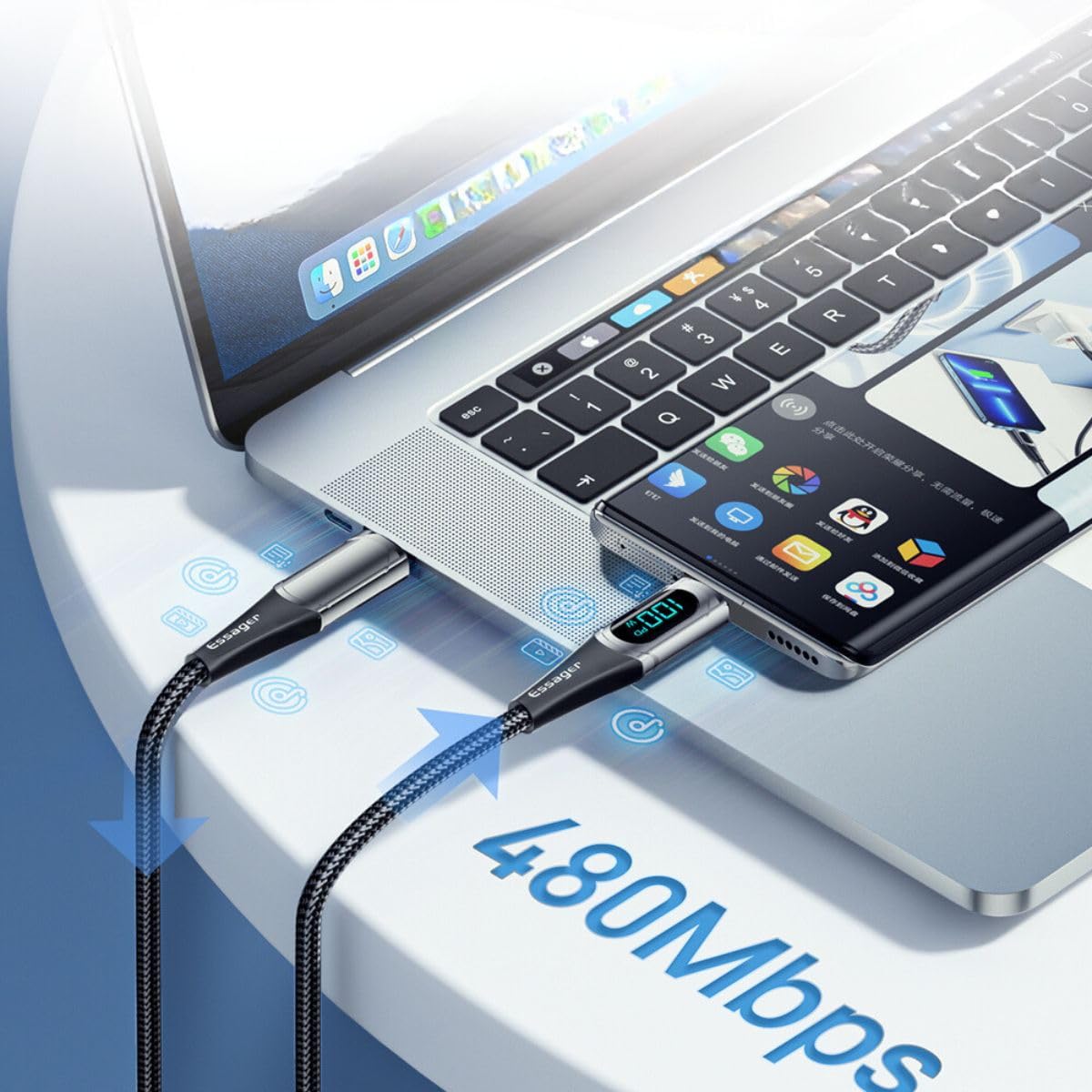
Image: The Essager cable connecting a laptop and a smartphone, demonstrating its capability for data transfer at 480Mbps.
Priežiūra ir priežiūra
- Saugykla: Laikykite laidą vėsioje, sausoje vietoje, apsaugotoje nuo tiesioginių saulės spindulių ir ekstremalių temperatūrų.
- Tvarkymas: Venkite staigių lenkimų, perlenkimų ar per didelio kabelio tempimo, ypač šalia jungčių, kad išvengtumėte vidinių pažeidimų.
- Valymas: Jei reikia, švelniai nuvalykite laidą ir jungtis minkštu, sausu skudurėliu. Nenaudokite skystų valiklių ar abrazyvinių medžiagų.
- Patikra: Periodically inspect the cable and connectors for any signs of wear, fraying, or damage. Discontinue use if damage is observed.
Trikčių šalinimas
| Problema | Galima priežastis | Sprendimas |
|---|---|---|
| Laidas neįkrauna įrenginio. | Loose connection; incompatible power source/device; damaged cable. | Ensure both ends are securely plugged in. Verify power adapter and device compatibility. Try a different power source or device. Inspect cable for damage. |
| Lėtas įkrovimo greitis. | Power adapter not powerful enough; device not supporting fast charge; background apps. | Use a Power Delivery (PD) compatible adapter with sufficient wattage (e.g., 100W). Ensure your device supports fast charging. Close unnecessary background applications. |
| Digital display not showing wattage. | Cable not connected or not drawing power; display malfunction. | Ensure cable is properly connected and device is actively charging. If still no display, the cable may be faulty. |
| Duomenų perdavimas neveikia. | Device not in data transfer mode; incorrect port; driver issues. | Check device settings to enable file transfer. Ensure you are using a data-enabled USB-C port. Update computer drivers if necessary. |
Specifikacijos
- Prekinis ženklas: ESSAGER
- Modelio numeris: ES-XCTT1-YDA01
- Didžiausia galia: 100 W (20 V / 5 A)
- Duomenų perdavimo greitis: Iki 480 Mbps
- Jungties tipas: USB-C į USB-C
- Kabelio medžiaga: Pintas nailonas
- Ypatingos savybės: Digital Power Display, E-Marker Chip
- Pakuotės matmenys: 15 x 8 x 3 cm
- Prekės svoris: 0.08 gramų
Garantija ir palaikymas
For information regarding warranty coverage, returns, or technical support, please refer to the specific terms and conditions provided by your retailer or contact Essager customer service directly. Keep your purchase receipt as proof of purchase.
Note: Availability of spare parts information is not provided by the manufacturer.


