1. Įvadas
Ačiū, kad pirkoteasing the Ledwood XTREM140 Portable Bluetooth Speaker. This manual provides important information regarding the setup, operation, maintenance, and troubleshooting of your device. Please read this manual thoroughly before using the product to ensure proper functionality and to prevent damage.
The Ledwood XTREM140 is a robust and versatile portable speaker designed for outdoor and indoor use. Its waterproof design (IPX5) allows for use in various environments, and the integrated LED light show enhances your audio experience.
2. Saugos informacija
Kad nesugadintumėte įrenginio ar nesusižalotumėte, laikykitės šių saugos priemonių:
- Nelaikykite garsiakalbio ilgą laiką tiesioginiuose saulės spinduliuose ar itin aukštose temperatūrose.
- Nemerkite garsiakalbio į vandenį. Nors jis yra atsparus vandeniui pagal IPX5 standartą, jis nėra skirtas panardinti.
- Nebandykite ardyti ar modifikuoti garsiakalbio. Tai panaikins garantiją ir gali sukelti gedimų.
- Laikykite garsiakalbį atokiau nuo stiprių magnetinių laukų.
- Naudokite tik pateiktą įkrovimo laidą ir priedus.
- Garsiakalbį valykite minkšta, sausa šluoste. Nenaudokite abrazyvinių valiklių ar tirpiklių.
3. Pakuotės turinys
Įsitikinkite, kad pakuotėje yra visi daiktai:
- Ledwood XTREM140 Portable Bluetooth Speaker
- USB-C įkrovimo laidas
- 3.5 mm AUX garso laidas
- Vartotojo vadovas (šis dokumentas)
- FestiNight Ouni LED Light (if included with your model)
4. Produktas baigtasview
Familiarize yourself with the components and controls of your Ledwood XTREM140 speaker.
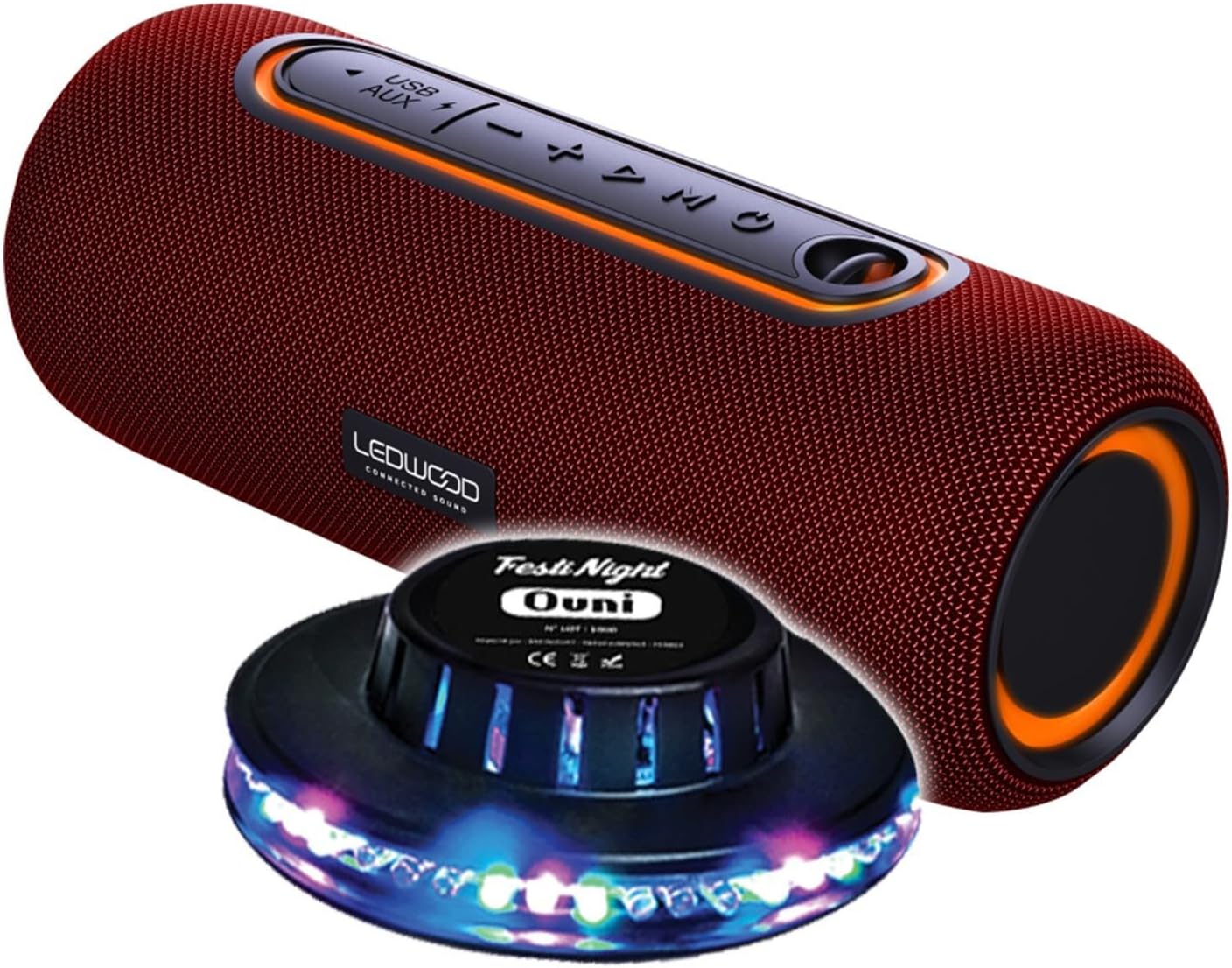
Figure 1: Ledwood XTREM140 Portable Bluetooth Speaker with included FestiNight Ouni LED light. The speaker is red with black accents and control buttons on top. The light is a black disc with multi-colored LEDs.

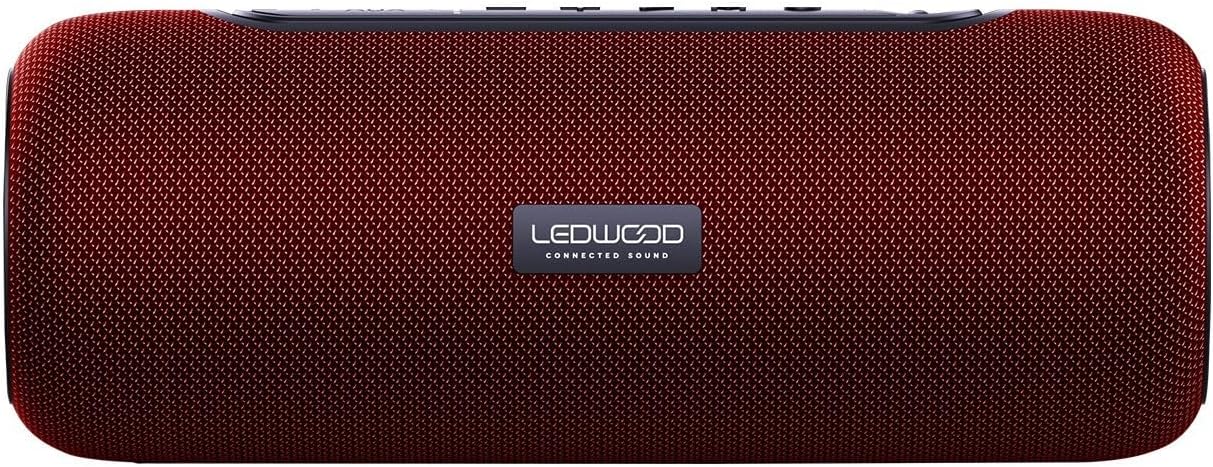
Figure 2: Ledwood XTREM140 Portable Bluetooth Speaker shown with its integrated carrying strap. The speaker is cylindrical, red, with control buttons on the top surface.
3 paveikslas: viršuje view of the Ledwood XTREM140 Portable Bluetooth Speaker, highlighting the control panel. From left to right, buttons include USB/AUX port, minus volume/previous track, play/pause, plus volume/next track, and mode button. There is also a power button.

Figure 4: A collage showing the FestiNight Ouni LED light projecting various colors and patterns. The light is a black disc with LEDs around its circumference, creating dynamic light effects.
4.1. Valdymo skydelis
- Maitinimo mygtukas: Paspauskite ir palaikykite, kad įjungtumėte/išjungtumėte.
- Režimo mygtukas (M): Press to switch between Bluetooth, AUX, and USB modes.
- Paleidimo / pauzės mygtukas (►▮▮): Paspauskite, norėdami paleisti arba pristabdyti garsą. Skambučio režimu paspauskite, norėdami atsiliepti / baigti skambučius.
- Garsumo mažinimas / Ankstesnis takelis (-): Paspauskite, jei norite sumažinti garsumą. Paspauskite ir palaikykite, jei norite grįžti į ankstesnį takelį.
- Garsumo didinimas / Kitas takelis (+): Paspauskite, jei norite padidinti garsumą. Paspauskite ir palaikykite, jei norite pereiti prie kito takelio.
- USB prievadas: USB atkūrimui.
- AUX prievadas: For wired audio connection via 3.5mm jack.
- USB-C įkrovimo prievadas: Garsiakalbio įkrovimui.
5. Sąranka
5.1. Įkraukite garsiakalbį
- Prijunkite pridėtą USB-C įkrovimo laidą prie garsiakalbio USB-C įkrovimo prievado.
- Kitą USB-C laido galą prijunkite prie USB maitinimo adapterio (nepridedamas) arba kompiuterio USB prievado.
- The charging indicator light will illuminate. Once fully charged, the light may change color or turn off. A full charge provides approximately 6 hours of playback.
5.2. Pradinis įjungimas
Paspauskite ir palaikykite Maitinimo mygtukas for a few seconds until you hear an audible prompt or see an indicator light, indicating the speaker is powered on.
6. Naudojimo instrukcijos
6.1. „Bluetooth“ ryšys
- Ensure the speaker is powered on and in Bluetooth mode (indicated by a specific sound or light). If not, press the Režimo mygtukas (M) norėdami perjungti į Bluetooth režimą.
- Savo įrenginyje (išmaniajame telefone, planšetiniame kompiuteryje, kompiuteryje) įjunkite „Bluetooth“ ir ieškokite galimų įrenginių.
- Select "XTREM140" from the list of found devices.
- Once connected, you will hear a confirmation sound. You can now play audio through the speaker.
6.2. AUX režimas
- Connect one end of the 3.5mm AUX audio cable to the speaker's AUX port.
- Kitą galą prijunkite prie savo įrenginio garso išvesties lizdo.
- Paspauskite Režimo mygtukas (M) perjungti į AUX režimą.
- Dabar garsas bus grojamas per prijungto įrenginio garsiakalbį.
6.3. USB atkūrimas
- Įdėkite USB atmintinę su garso įrašu fileį garsiakalbio USB prievadą.
- Paspauskite Režimo mygtukas (M) norėdami perjungti į USB režimą.
- Garsiakalbis automatiškai pradės leisti garsą files iš USB atmintinės.
6.4. Tikrojo belaidžio stereo (TWS) funkcija
The TWS function allows you to pair two XTREM140 speakers together for a stereo sound experience.
- Ensure both XTREM140 speakers are powered on and in Bluetooth pairing mode.
- Viename iš garsiakalbių paspauskite ir palaikykite Atkūrimo/pauzės mygtukas for a few seconds until you hear a pairing sound. The speakers will automatically connect to each other.
- Susieję prijunkite savo įrenginį prie vieno iš garsiakalbių per „Bluetooth“, kaip aprašyta 6.1 skyriuje.
- Dabar abu garsiakalbiai gros garsą stereo režimu.
6.5. FestiNight Ouni LED Light Operation
If your package includes the FestiNight Ouni LED light, connect it to a USB power source. The light will automatically project multi-colored patterns, synchronizing with the music if placed near the speaker (no direct connection required for synchronization).
7. Priežiūra
7.1. Valymas
Garsiakalbį valykite minkštu, sausu, nepūkuotu skudurėliu. Nenaudokite skystų valiklių, aerozolių ar tirpiklių.
7.2. Sandėliavimas
When not in use for extended periods, store the speaker in a cool, dry place, away from direct sunlight and extreme temperatures. It is recommended to fully charge the speaker before storing it for a long time and to recharge it every few months to maintain battery health.
8. Problemų sprendimas
| Problema | Galima priežastis | Sprendimas |
|---|---|---|
| Garsiakalbis neįsijungia. | Baterija išsikrovusi. | Įkraukite garsiakalbį naudodami pateiktą USB-C laidą. |
| Nėra garso iš garsiakalbio. | Volume is too low or muted. Incorrect mode selected. Device not connected. | Increase volume on both the speaker and your connected device. Press the Mode button to select the correct input (Bluetooth, AUX, USB). Ensure Bluetooth is paired or AUX/USB cable is properly connected. |
| „Bluetooth“ ryšys nepavyksta. | Speaker is too far from the device. Interference. Speaker not in pairing mode. | Move the speaker closer to your device. Avoid obstacles. Ensure the speaker is in Bluetooth pairing mode. Forget the device on your phone and re-pair. |
| Prasta garso kokybė. | Low battery. Device volume too high (distortion). Interference. | Charge the speaker. Adjust volume levels. Move away from other electronic devices. |
| TWS susiejimas nepavyko. | Garsiakalbiai yra per toli vienas nuo kito. Vienas garsiakalbis jau prijungtas prie įrenginio. | Prieš pradėdami TWS susiejimą, įsitikinkite, kad abu garsiakalbiai yra arti vienas kito ir nėra prijungti prie jokio kito „Bluetooth“ įrenginio. |
9. Specifikacijos
| Funkcija | Detalė |
|---|---|
| Modelio pavadinimas | XTREM140 |
| Bluetooth versija | 5.0 |
| Atsparumo vandeniui įvertinimas | IPX5 |
| RMS galios išėjimas | 10W RMS |
| Total Admissible Power | 100W |
| Garsiakalbių tvarkyklės | 2 x 3.5 inch (9cm) |
| Baterijos veikimo laikas | Iki 6 valandų |
| Baterijos talpa | 5 V, 2000 mAh |
| Dažnio atsakas | 80Hz-16KHz |
| Ryšys | Bluetooth, USB, 3.5mm Jack (AUX) |
| Ypatingos savybės | TWS Function, Vocal Assistance, Multicolored UFO LED Light (FestiNight Ouni) |
| Matmenys (I x A x G) | 24.2 cm x 9.2 cm x 9.2 cm (9.53 x 3.62 x 3.62 colio) |
| Svoris | 1.6 kilogramų (3.53 svarai) |
10. Informacija apie garantiją
Ledwood products are covered by a limited warranty from the date of purchase. This warranty covers defects in materials and workmanship under normal use. It does not cover damage caused by misuse, accident, unauthorized modification, or external causes.
For specific warranty terms and conditions, please refer to the warranty card included with your product or contact Ledwood customer support.
11. Pagalba klientams
If you encounter any issues or have questions not covered in this manual, please contact Ledwood customer support:
- Websvetainė: www.ledwood.fr (Please check the official Ledwood websvetainėje, kurioje rasite naujausią kontaktinę informaciją.)
- El. paštas: Žiūrėkite produkto pakuotę arba oficialų webpalaikymo el. pašto svetainė.
- Telefonas: Žiūrėkite produkto pakuotę arba oficialų webpalaikymo telefono numerio svetainė.
When contacting support, please have your product model (XTREM140) and purchase details ready.


