1. Įvadas
This manual provides detailed instructions for the operation and maintenance of your YABER E1 Mini Projector. Please read this manual thoroughly before using the product to ensure proper function and longevity.
2. Kas yra dėžutėje
- 1x YABER E1 Projector
- 1x nuotolinio valdymo pultas
- 1x maitinimo laidas
- 1x HDMI laidas
- 1x Cleaning Kit
3. Produktas baigtasview
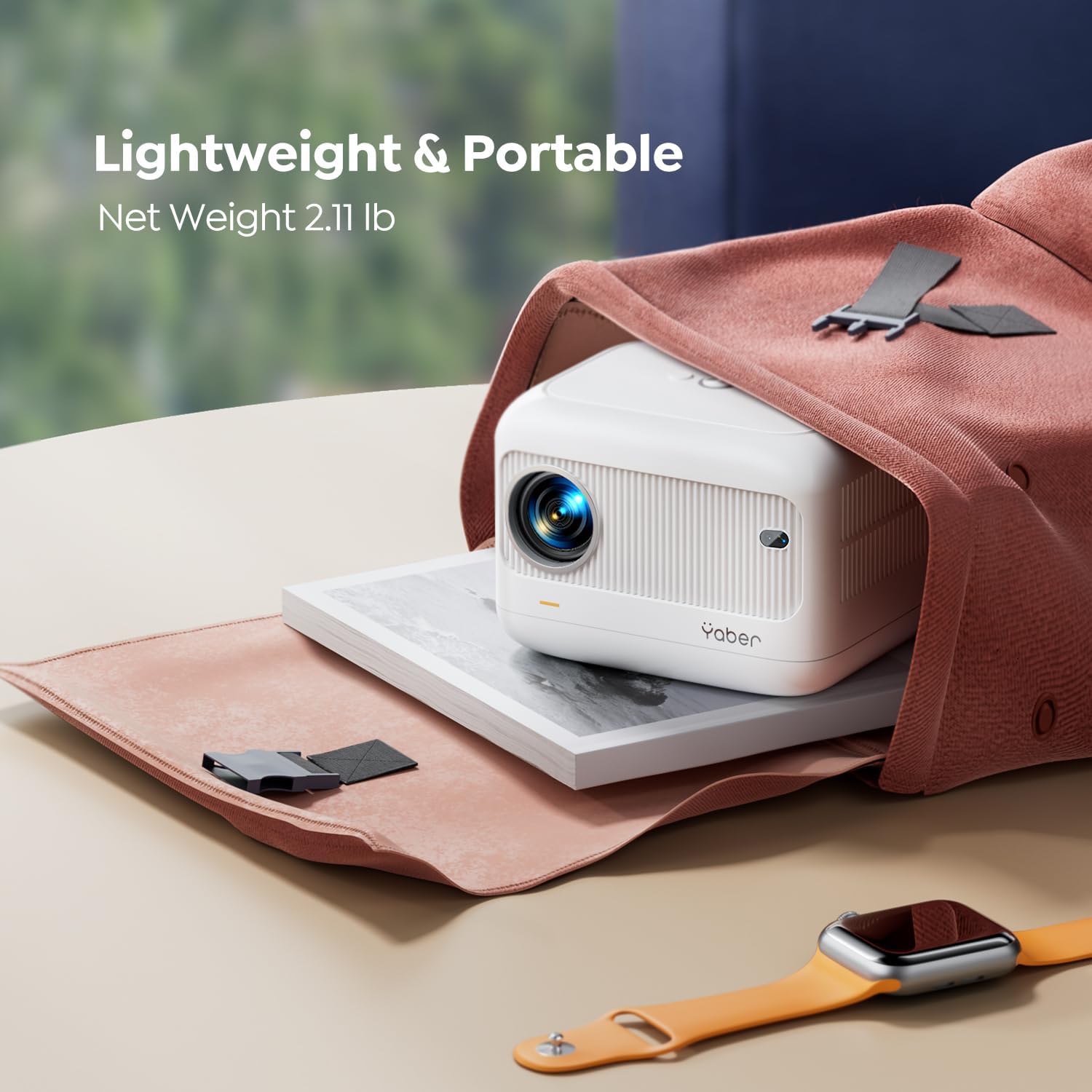
Familiarize yourself with the main components of your YABER E1 Mini Projector.

3.1 paveikslas: Priekyje view of the YABER E1 Mini Projector, showing the lens and sensor.
3.1. Prievadai ir jungtys

3.2 paveikslas: Galinis view of the YABER E1 Mini Projector, highlighting the input/output ports.
- HDMI prievadas: Connect to devices like TV sticks, laptops, gaming consoles (PS3/4/5).
- USB prievadai (x2): Prijunkite USB atmintines, kad galėtumėte atkurti medijos failus.
- 3.5 mm garso lizdas: Prijunkite išorinius garsiakalbius arba ausines.
- Maitinimo įvestis: Prijunkite pateiktą maitinimo laidą.
4. Sąranka
4.1. Įjungimas/išjungimas
- Prijunkite maitinimo laidą prie projektoriaus maitinimo įvesties, o tada – prie maitinimo lizdo.
- Paspauskite maitinimo mygtuką ant projektoriaus arba nuotolinio valdymo pulto, kad jį įjungtumėte.
- Norėdami išjungti, dar kartą paspauskite maitinimo mygtuką.
4.2. Išdėstymas ir projekcija
The projector supports a projection distance of 2.6ft to 16.4ft, allowing for screen sizes from 50 to 200 inches.

4.1 paveikslas: Example of projector placement for a bedroom setup.
4.3. Electric Focus and Keystone Correction
The YABER E1 features electric focus and ±40° keystone correction for optimal image clarity and shape.
- Use the remote control or the buttons on the projector panel to adjust the focus.
- For keystone correction, use the remote to adjust the image vertically to achieve a rectangular display.

4.2 paveikslas: Visual representation of electric keystone correction.
5. Naudojimo instrukcijos
5.1. Prisijungimas prie Wi-Fi
The projector supports both 2.4G and 5G Wi-Fi for stable and fast wireless connections.
- Navigate to the Wi-Fi settings menu on the projector.
- Pasirinkite norimą „Wi-Fi“ tinklą ir įveskite slaptažodį.
5.1 paveikslas: Illustration of dual-band Wi-Fi connectivity.
5.2. Bluetooth ryšys
Connect Bluetooth 5.2 enabled devices such as headphones or speakers for enhanced audio.
- Go to the Bluetooth settings menu.
- Enable Bluetooth and select your device from the available list to pair.

5.2 paveikslas: Projector connected to external Bluetooth speakers.
5.3. Ekrano atspindėjimas
Wirelessly mirror your smartphone (iOS/Android) or PC screen to the projector.
- Ensure both the projector and your device are connected to the same Wi-Fi network.
- Select the appropriate screen mirroring option (e.g., iOS Cast, Miracast) on the projector.
- Follow the on-screen instructions on your device to initiate mirroring.
5.4. Įvesties šaltiniai
Prijunkite įvairius įrenginius naudodami turimus prievadus:
- HDMI: TV Stick, Box, PS3/4/5, PCs, Laptops.
- USB: USB drives for media.
- 3.5 mm garsas: External speakers, headphones.

5.3 paveikslas: Diagram illustrating various compatible devices and connection types.
6. Žiniasklaidos integracija
6.1. Produktų vaizdo įrašai
Below are official product videos demonstrating key features and usage scenarios.
„6.1“ vaizdo įrašas: Official product demonstration of the YABER E1 Projector, highlighting its portability and ease of use.
„6.2“ vaizdo įrašas: Unboxing and testing of the YABER E1 Mini 1080p Projector, showcasing jo savybes ir našumą.
7. Priežiūra
7.1. Objektyvo valymas
Use the provided cleaning kit to gently clean the projector lens. Avoid using abrasive materials or harsh chemicals that could damage the lens coating.
7.2. Bendroji priežiūra
- Keep the projector in a cool, dry place away from direct sunlight and excessive dust.
- Užtikrinkite tinkamą vėdinimą aplink projektorių, kad išvengtumėte perkaitimo.
- Venkite projektoriaus numetimo ir stiprių smūgių.
8. Problemų sprendimas
For common issues like signal, sound, Bluetooth, or Wi-Fi connectivity, consult the following:
- Nėra vaizdo / prasta vaizdo kokybė:
- Patikrinkite visas kabelių jungtis (HDMI, maitinimo).
- Adjust electric focus using the remote or projector buttons.
- Perform keystone correction to ensure a rectangular image.
- Ensure the projection surface is suitable and free from obstructions.
- Nėra garso:
- Check volume levels on both the projector and the connected source device.
- Jei naudojate išorinius garsiakalbius, patikrinkite „Bluetooth“ ryšį.
- Ensure audio output settings on the source device are correctly configured.
- „Wi-Fi“ / „Bluetooth“ ryšio problemos:
- Ensure the projector and device are within range of the Wi-Fi router or each other.
- Paleiskite projektorių ir prijungtą įrenginį iš naujo.
- Verify Wi-Fi password and network selection.
For further assistance, please contact YABER customer service at service@yaber.com.
9. Specifikacijos
| Funkcija | Detalė |
|---|---|
| Gaminio matmenys | 6.26 x 4.92 x 4.61 colio |
| Prekės svoris | 3.3 svaro |
| Modelio numeris | YABER E1 |
| Ekrano raiška | 1920 x 1080 (Full HD) |
| Ryšio technologija | 3.5mm Jack, Bluetooth 5.2, HDMI, USB, Wi-Fi (2.4G & 5G) |
| Ypatingos savybės | Electric Focus, ±40° Keystone Correction, Built-in 2*6W Speakers, Wireless Screen Mirroring, Built-In Cooling System |
| Rekomenduojami naudojimo būdai | Home Cinema, Outdoor Activities, Gaming |
10. Garantija ir palaikymas
YABER offers a 1-year free replacement policy and 3-year maintenance policy. For any inquiries or support, please contact our professional customer service team 24/7 via email at service@yaber.com.


