1. Įvadas
The GALAYOU G7 Indoor Home Security Camera provides comprehensive surveillance for your indoor spaces, offering advanced features to ensure the safety and peace of mind for your family, pets, and property. This manual will guide you through the setup, operation, and maintenance of your camera.
Pagrindinės funkcijos:
- Itin 2K raiška: Provides clear and vivid image quality with 6X digital zoom.
- Pažangus naktinis matymas: Enhanced night vision with effective distance up to 33 ft using 6pcs 940nm Infrared Lights.
- 24/7 Real-Time Motion Alert & Smart Siren: Instant detection and push alerts to your phone, with an optional smart siren.
- Dvipusis garsas: Integruotas mikrofonas ir garsiakalbis nuotoliniam bendravimui.
- Saugi vietinė ir debesies saugykla: Supports up to 128GB micro SD card and encrypted AWS Cloud storage.
- Išmaniųjų namų integracija: Compatible with Amazon Alexa and Google Home for voice control and live-feed viewing.
- Nepertraukiamas įrašymas visą parą: Available to all Galayou customers without extra fees.

Image: Visual representation of the Galayou G7 camera's key features including 2K resolution, night vision, two-way audio, 24/7 recording, smart siren, optional storage, push notifications, and compatibility with Alexa.
2. Kas yra dėžutėje
Patikrinkite siuntos turinį, kad įsitikintumėte, jog yra visi reikalingi daiktai:
- Camera body (Galayou G7 Indoor Camera)
- C tipo kabelis
- Maitinimo adapteris
- Montavimo priedai
- Greitas montavimo vadovas

Image: Two Galayou G7 indoor security cameras, white with black camera faces, standing on their bases. This image represents the product as it appears out of the box.
3. Saugos informacija
Norėdami užtikrinti saugų darbą ir išvengti žalos, laikykitės šių saugos priemonių:
- This device is designed for indoor use only. Do not expose it to water or moisture.
- Naudokite tik pateiktą maitinimo adapterį.
- Keep the camera away from direct sunlight, heat sources, and strong magnetic fields.
- Nebandykite patys ardyti ar taisyti fotoaparato. Dėl pagalbos kreipkitės į klientų aptarnavimo tarnybą.
- Įsitikinkite, kad kamera yra tvirtai pritvirtinta, kad ji nenukristų.
- Laikyti vaikams ir naminiams gyvūnėliams nepasiekiamoje vietoje.
4. Produktas baigtasview
Familiarize yourself with the components of your Galayou G7 camera:
Image: A single Galayou G7 indoor camera, showing its compact design with a black camera lens and a white body and base.
Kameros komponentai:
- Kameros objektyvas: Užfiksuoja vaizdo įrašą footage.
- Infraraudonųjų spindulių šviesos diodai: Pasirūpinkite apšvietimu naktiniam matymui.
- Mikrofonas: Įrašo garsą dvipusiam ryšiui ir garso aptikimui.
- Pranešėjas: Išveda garsą dvipusiam ryšiui ir sirenai.
- „Micro SD“ kortelės lizdas: Vietiniam vaizdo įrašų saugojimui (palaiko iki 128 GB).
- Power Port (Type-C): Prijungia kamerą prie maitinimo adapterio.
- Būsenos indikatoriaus lemputė: Indicates the camera's current status (e.g., connected, recording).
5. Sąrankos vadovas
Follow these steps for initial setup of your Galayou G7 camera:

Image: A three-step visual guide for quick installation. Step 1 shows downloading the Wansview Cloud App, Step 2 shows plugging in the camera, and Step 3 shows connecting to 2.4GHz WiFi via app instructions.
- Atsisiųskite „Wans“view Cloud App:
Ieškokite "Wansview Cloud" in the App Store (iOS) or Google Play Store (Android) and download the application. Create an account or log in if you already have one.
- Įjunkite fotoaparatą:
Connect the Type-C cable to the camera's power port and plug the power adapter into a wall outlet. The camera's status indicator light will turn on.
- Pridėti fotoaparatą prie programos:
Atidarykite Wansview Cloud App. Tap the "+" icon to add a new device. Follow the on-screen instructions to connect the camera to your 2.4 GHz „Wi-Fi“ tinklas. (Note: 5GHz Wi-Fi is not supported).
- Montavimas (pasirinktinai):
The camera can be placed on a flat surface or mounted on a wall or ceiling using the included mounting accessories. Ensure the camera is positioned to cover your desired viewzonoje.
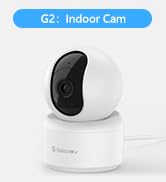
Image: A Galayou G7 camera mounted on a wall, demonstrating a possible installation method.
6. Naudojimo instrukcijos
6.1 Tiesiogiai View
Once connected, you can access the live video feed from your camera through the Wansview Cloud App. Simply select your camera from the device list to view realaus laiko footage.

Image: A side-by-side comparison demonstrating the clarity difference between 1080P Full HD and 2K 3MP (2304x1296) resolution, highlighting the superior detail of 2K.
6.2 Dvipusis garsas
The camera features a built-in microphone and speaker, allowing you to communicate remotely. Tap the microphone icon in the app to speak, and the speaker icon to listen.

Image: A split image showing a woman on her phone and a crying baby in a crib, illustrating the two-way audio feature for remote communication.
6.3 Judesio aptikimas ir įspėjimai
The camera can detect motion and send real-time alerts to your smartphone. You can customize motion detection sensitivity and set up alert schedules within the app.

Image: A smartphone displaying a "Motion alarm" notification from the Wansview Cloud app, with a live view of a person in a room, demonstrating the instant detection alert feature.
The smart siren feature can be activated to deter intruders when motion is detected.

Image: A dog in a living room with a blue overlay indicating motion detection, showing how the camera identifies movement.
6.4 Naktinis matymas
The camera automatically switches to night vision mode in low-light conditions, providing clear black-and-white video up to 33 feet.

Image: A woman in bed viewing her phone, which displays a black-and-white night vision feed of a baby sleeping, illustrating the camera's low-light capabilities.
6.5 Įrašymas ir saugojimas
The Galayou G7 supports 24/7 continuous recording. You have two options for video storage:
- „Micro SD“ kortelės saugykla: Insert a micro SD card (up to 128GB, not included) into the camera's slot for local storage.
- Saugykla debesyje: Subscribe to the Wansview Cloud service for secure, encrypted cloud storage of your video clips. A 30-day free trial may be available.

Image: A visual representation of local storage (SD card) and cloud storage options, showing video clips flowing into a cloud icon and a camera with an SD card slot.

Image: A smartphone screen displaying a timeline of continuous video recording, with multiple video frames shown above, illustrating the 24/7 continuous recording feature.
6.6 Išmaniųjų namų integracija
The Galayou G7 camera is compatible with Amazon Alexa and Google Home. You can use voice commands to view tiesioginį srautą suderinamuose išmaniuosiuose ekranuose.
- Alexa: Enable the "Wansview Cloud" skill in the Alexa app and link your account. Then, say "Alexa, show me the [Camera Name]".
- „Google Home“: Link your Wansview Cloud account in the Google Home app. Then, say "Hey Google, show me the [Camera Name]".

Image: A woman in a kitchen speaking to an Amazon Echo Show device, which displays the live feed from the Galayou camera, demonstrating Alexa integration.
6.7 Įrenginio bendrinimas
You can share access to your camera with family members or trusted individuals through the Wansview Cloud App. They will need to download the app and create an account.

Image: A collage of people using their smartphones to view camera feeds, with an overlay showing the device sharing invitation process within the app.
7. Priežiūra
- Valymas: Kameros objektyvą ir korpusą valykite minkštu, sausu audiniu. Nenaudokite skystų valiklių ar aerozolių.
- Firmware atnaujinimai: Reguliariai tikrinkite WAN įrenginiusview Cloud App for available firmware updates. Keeping your camera's firmware up-to-date ensures optimal performance and security.
- Saugyklos valdymas: Jei naudojate SD kortelę, periodiškai ją peržiūrėkiteview and delete old recordings to free up space. For cloud storage, manage your subscription and recorded events through the app.
8. Problemų sprendimas
| Problema | Galima priežastis / sprendimas |
|---|---|
| Kamera neprisijungusi / Nepavyksta prisijungti prie „Wi-Fi“ |
|
| Prasta vaizdo kokybė |
|
| Jokių įspėjimų apie judėjimą |
|
| Neveikia dvipusis garsas |
|
9. Specifikacijos
| Funkcija | Detalė |
|---|---|
| Modelio pavadinimas | G7 |
| Naudojimas viduje / lauke | Vidinis |
| Vaizdo įrašymo raiška | 1296p (2K) |
| Ryšio technologija | „Wi-Fi“ (tik 2.4 GHz) |
| Naktinio matymo diapazonas | 33 pėdų |
| Saugojimo parinktys | „Micro SD“ kortelė (iki 128 GB), debesies saugykla |
| Dvipusis garsas | Taip |
| Valdiklio tipas | „Amazon Alexa“, „Google Assistant“, programa |
| Maitinimo šaltinis | Su laidu elektra |
| Montavimo tipas | Ceiling Mount, Wall-Mounted, Stand |
| Gaminio matmenys (I x P x A) | 18.19 x 14.69 x 12.8 colio |
| Prekės svoris | 12.3 uncijos |
10. Garantija ir palaikymas
For information regarding product warranty, please refer to the warranty card included in your product packaging or the terms and conditions of your purchase. GALAYOU is committed to providing reliable products and excellent customer service.
If you encounter any issues or have questions about your Galayou G7 camera, please contact GALAYOU customer support through the Wansview Cloud App or visit the official GALAYOU webpalaikymo išteklių svetainė.
Internetiniai ištekliai:
- GALAYOU Amazon Store
- Refer to the "Quick installation guide" included in the package for more detailed steps.


