1. Įvadas
Thank you for choosing the Bewinner JX-009 Game Console Joystick. This three-dimensional joystick is designed to enhance your gaming experience, particularly for fighting games, by offering high sensitivity and no input delay. This manual provides essential information for setup, operation, maintenance, and troubleshooting to ensure optimal performance and longevity of your device.
2. Produkto ypatybės
- Didelis jautrumas: Experience precise control with quick response times for rapid attacks and smooth maneuvers.
- No Input Delay: Designed for immediate action, ensuring your commands are registered without lag.
- Patvari konstrukcija: Built with quality metal and ABS materials for a long lifespan, rated for 100 million uses.
- Smooth Combo Attacks: Fine workmanship ensures sensitive attacks and seamless execution of combo moves.
- Apsauginis dizainas: The joystick stick is engineered to prevent debris, water, and other foreign articles from entering and damaging the internal mechanism.
3. Pakuotės turinys
Patikrinkite, ar jūsų pakuotėje yra visi šie daiktai:
- 1 x Joystick Base
- 1 x Round Ball (for joystick handle)
- 1 x 5 kontaktų kabelis
- 1 x Metal Rod
- 1 x Rod Cover
- 1 x Plastic Sheet
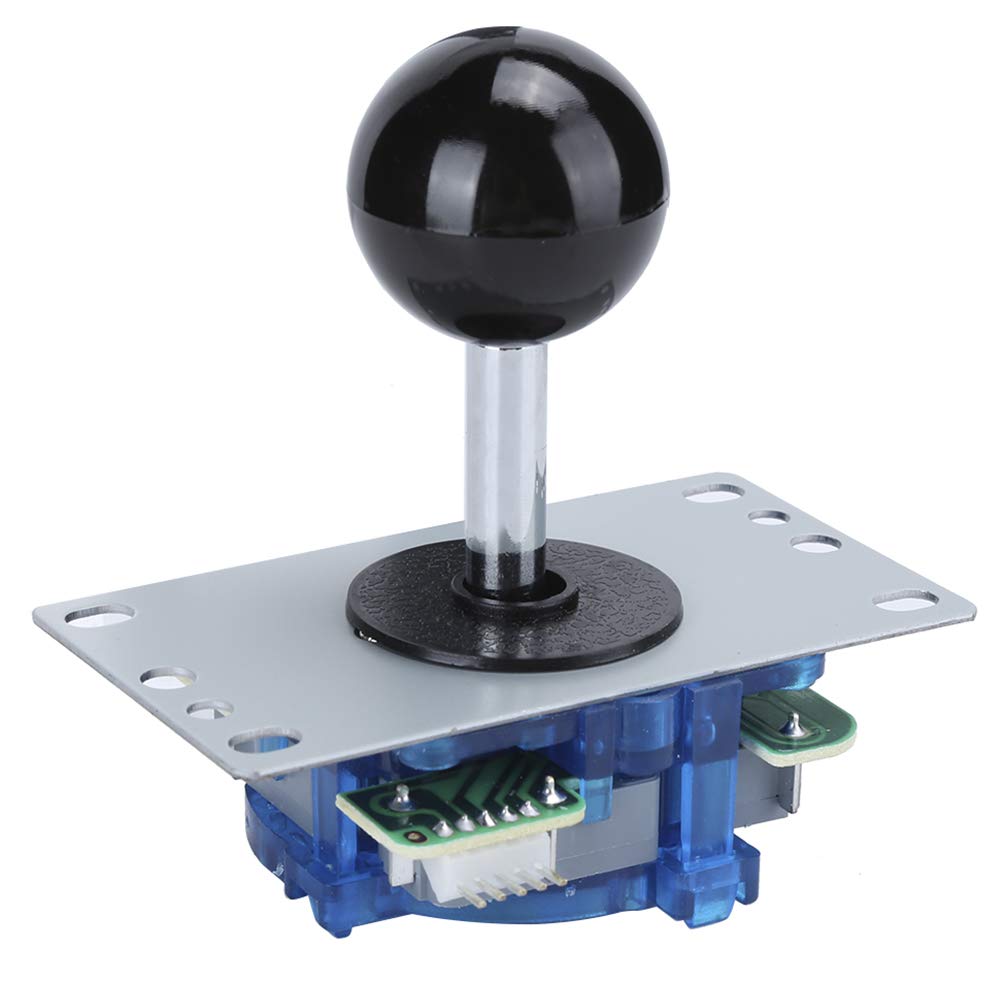
Image 3.1: The Bewinner JX-009 Game Console Joystick, showcasing the main unit and its accompanying cable and small parts.
4. Sąrankos instrukcijos
Follow these steps to set up your JX-009 Game Console Joystick:
- Assemble the Joystick: Attach the round ball to the top of the metal rod, then insert the rod into the joystick base. Secure it with the rod cover and plastic sheet as indicated in the assembly diagram (if provided with your specific arcade machine kit).
- Mount the Joystick Base: Secure the joystick base to your arcade machine or control panel using appropriate screws through the pre-drilled holes on the metal mounting plate.
- Connect the 5-Pin Cable: Locate the 5-pin connector on the underside of the joystick base. Connect the provided 5-pin cable to this port.
- Connect to Control Board: Connect the other end of the 5-pin cable to the corresponding input port on your game console's control board or interface. Ensure the connection is firm and correctly oriented.

4.1 pav.: Apatinė pusė view of the JX-009 joystick, highlighting the 5-pin connector for cable attachment.

Image 4.2: The included 5-pin cable and other small components necessary for joystick assembly and connection.
5. Naudojimo instrukcijos
Once the joystick is properly installed and connected, it is ready for use with compatible game consoles or arcade systems.
- Krypties valdymas: Move the joystick in any of the eight directions (up, down, left, right, and diagonals) to control character movement or menu navigation within your game.
- Responsive Feedback: The joystick is designed for a light hand feel and moderate elasticity, providing tactile feedback with each movement.
- Žaidimo suderinamumas: Ensure your game console or arcade system recognizes the joystick as an input device. Refer to your game system's manual for specific controller setup if needed.

Image 5.1: Close-up of the joystick stick, illustrating its design to prevent debris and water ingress.
6. Priežiūra
Proper maintenance ensures the longevity and performance of your joystick:
- Valymas: Use a soft, dry cloth to wipe the joystick and base. Avoid using abrasive cleaners or solvents, which can damage the materials.
- Dulkių prevencija: Keep the joystick covered when not in use to prevent dust and debris from accumulating, especially around the base and stick mechanism.
- Venkite skysčių poveikio: While the joystick has some protective features, avoid exposing it to excessive liquids to prevent internal damage.
- Reguliarus patikrinimas: Periodically check the cable connections for any signs of wear or looseness.
7. Problemų sprendimas
If you encounter issues with your JX-009 Game Console Joystick, refer to the following common problems and solutions:
- Joystick Not Responding:
- Ensure the 5-pin cable is securely connected to both the joystick and the control board.
- Verify that the control board itself is powered on and functioning correctly.
- Check if the game or system settings require specific controller configuration.
- Inaccurate Movement:
- Inspect the joystick for any physical obstructions or damage that might impede its movement.
- Ensure the joystick is mounted securely and not loose.
- Buttons Not Working (if applicable to your setup):
- This joystick primarily provides directional input. If you are experiencing issues with separate buttons, check their individual wiring and connections to the control board.
8. Specifikacijos
| Prekės ženklas | Bewinner |
| Modelis | JX-009 |
| Medžiaga | Metalas + ABS |
| Spalva | Black (schwarz.) |
| Gyvenimo trukmė | 100 milijonų kartų |
| Svoris | apytiksliai 175.6 g |
| Gamintojo modelio numeris | Bewinnergw50o73ve2-11 |
| Kilmės šalis | Kinija |
9. Garantija ir palaikymas
Information regarding specific warranty terms and customer support for the Bewinner JX-009 Game Console Joystick is not available in this manual. Please refer to the product packaging or the retailer's websvetainėje rasite informacijos apie garantiją ir kontaktinę informaciją, kaip kreiptis dėl pagalbos.


