1. Įvadas
Thank you for choosing the IMILAB C20 Pro Home Security Camera. This manual provides detailed instructions for setting up, operating, and maintaining your camera to ensure optimal performance. The C20 Pro offers 2K crystal clear images, 360° free rotation, infrared night vision, human detection, and two-way audio communication for comprehensive home monitoring.

Figure 1.1: IMILAB C20 Pro Home Security Camera
Prieš naudodami atidžiai perskaitykite šį vadovą ir išsaugokite jį ateičiai.
2. Pakuotės turinys
Išpakuodami patikrinkite, ar yra visi šie daiktai:
- IMILAB C20 Pro Home Security Camera
- Maitinimo adapteris
- USB kabelis
- Wall Mounting Accessories (screws, wall plugs)
- Vartotojo vadovas
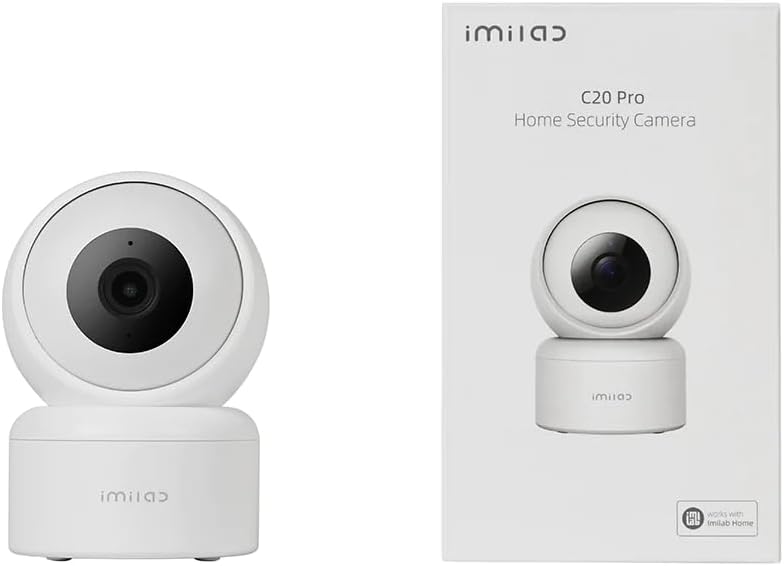
Figure 2.1: Camera and typical packaging contents. Actual packaging may vary.
3. Produktas baigtasview
Familiarize yourself with the various components of your IMILAB C20 Pro camera.

3.1 pav.: šonas View

3.2 pav.: Nugara View (showing power port, reset button, and Micro SD card slot)
- Objektyvas: Užfiksuoja vaizdo įrašą footage.
- Indikatoriaus lemputė: Shows camera status (e.g., blue for connected, orange for waiting for connection).
- Mikrofonas: Garso įvesties ir dvipusio ryšio palaikymui.
- Pranešėjas: Garso išvesčiai ir dvipusiam ryšiui.
- „Micro SD“ kortelės lizdas: Vietiniam vaizdo įrašų saugojimui (palaiko iki 64 GB, kortelė nepridedama).
- Atkūrimo mygtukas: Press and hold to reset the camera to factory settings.
- Maitinimo prievadas: Jungiamas prie maitinimo adapterio.
4. Sąranka
Follow these steps to set up your IMILAB C20 Pro camera.
- Atsisiųskite IMILAB namų programėlę: Ieškokite 'IMILAB Home' in your smartphone's app store (Google Play Store or Apple App Store) and install the application.
- Sukurti paskyrą: Open the IMILAB Home app and follow the on-screen instructions to register a new account or log in if you already have one.
- Įjunkite fotoaparatą: Connect the provided USB cable to the camera's power port and the power adapter, then plug the adapter into a power outlet. The camera's indicator light will turn orange and blink, indicating it is ready for connection.
- Pridėti įrenginį: In the IMILAB Home app, tap the '+' icon to add a new device. Select 'IMILAB C20 Pro' from the list of available devices.
- Prisijunkite prie „Wi-Fi“: Follow the app's instructions to connect the camera to your 2.4GHz Wi-Fi network. You will be prompted to scan a QR code generated by the app using the camera's lens. Hold your phone approximately 15-20 cm (6-8 inches) from the camera lens until you hear a voice prompt confirming successful scanning.
- Įdėjimas ir montavimas:
The camera can be placed on a flat surface or mounted on a wall or ceiling. For ceiling mounting, the camera supports inverted installation.

4.1 pav. Pvzample of Inverted Installation
If mounting, use the provided mounting accessories. Ensure the camera is securely fastened. In the app settings, you can enable 'Inverted Image' if the camera is mounted upside down to correct the video orientation.
5. Naudojimo instrukcijos
Once your camera is set up, you can access its features through the IMILAB Home app.
5.1 Tiesiogiai View ir panoraminio/pakreipimo valdymas
Open the IMILAB Home app and select your C20 Pro camera to view the live feed. You can use the on-screen controls to pan (horizontal) and tilt (vertical) the camera lens, providing a 360° coverage of the area.

Figure 5.1: 360° Free Rotation Capability
5.2 Dvipusis garso ryšys
The camera supports two-way audio, allowing you to speak through the camera and hear audio from its vicinity. Tap the microphone icon in the live view interface to activate this feature.
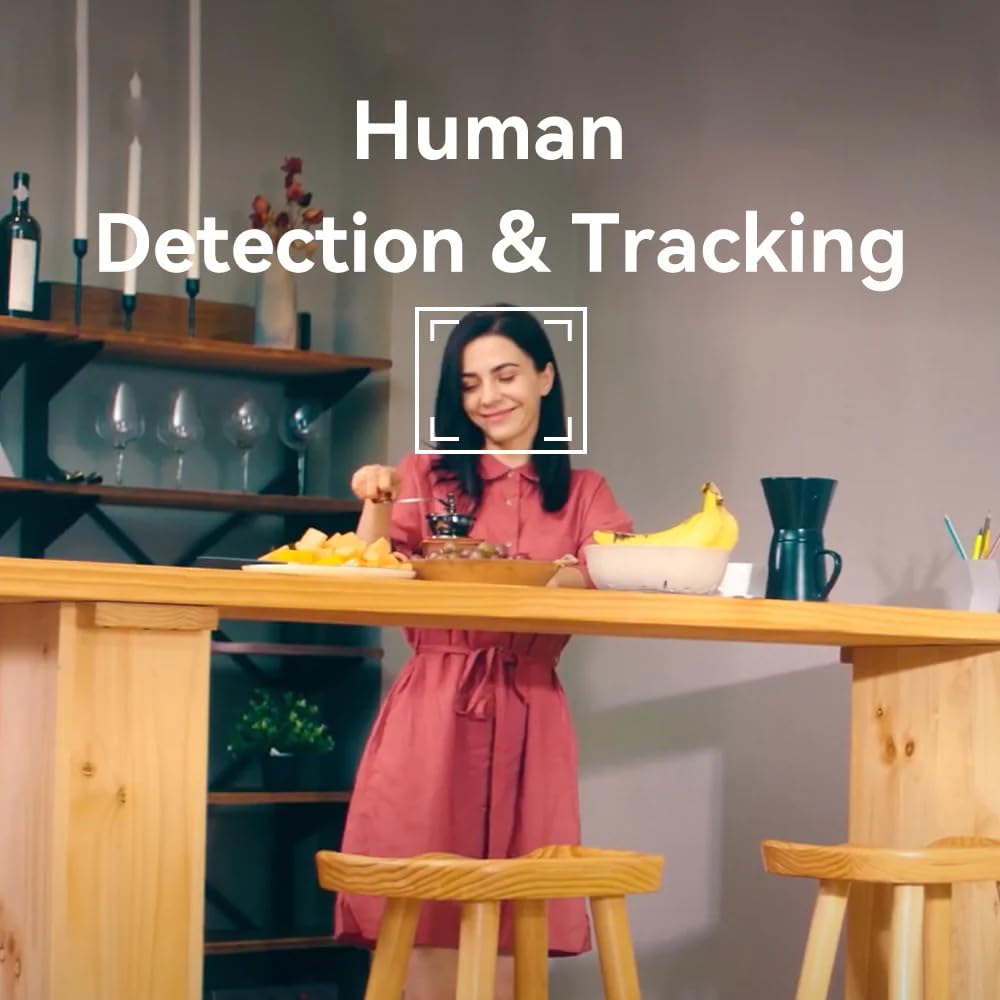
Figure 5.2: Two-Way Video Talk Feature
5.3 Human Detection & Tracking
The C20 Pro can detect human figures and track their movement within its field of view. Enable this feature in the app settings to receive alerts and automatically record relevant events.

Figure 5.3: Human Detection & Tracking in action
5.4 Infraraudonųjų spindulių naktinis matymas
Esant prastam apšvietimui, kamera automatiškai persijungia į infraraudonųjų spindulių naktinio matymo režimą, užtikrindama aiškų nespalvotą vaizdo įrašą.tage iki tam tikro atstumo.
5.5 Vaizdo įrašymas ir saugojimas
The camera supports continuous recording or event-triggered recording. Footage can be stored on a Micro SD card (purchased separately) or via cloud storage services (subscription may be required). The camera provides 2K (3MP) high-resolution video for detailed monitoring.

Figure 5.4: 2K High Resolution Video Quality
6. Priežiūra
Reguliarus fotoaparato aptarnavimas užtikrina jo ilgaamžiškumą ir optimalų veikimą.
- Valymas: Gently wipe the camera lens and body with a soft, dry cloth. Avoid using harsh chemicals or abrasive materials that could damage the surface.
- Firmware atnaujinimai: Periodically check the IMILAB Home app for available firmware updates. Keeping your camera's firmware up-to-date ensures you have the latest features and security enhancements.
- Aplinkos sąlygos: Ensure the camera is used within its specified operating temperature and humidity ranges. Avoid exposing it to extreme temperatures, direct sunlight, or excessive moisture.
7. Problemų sprendimas
If you encounter issues with your IMILAB C20 Pro camera, refer to the following common problems and solutions:
| Problema | Galima priežastis | Sprendimas |
|---|---|---|
| Fotoaparatas neprisijungęs | No power, Wi-Fi disconnected, poor Wi-Fi signal | Patikrinkite maitinimo jungtį. Paleiskite kamerą ir maršrutizatorių iš naujo. Įsitikinkite, kad kamera yra „Wi-Fi“ ryšio diapazone. |
| Nepavyksta prisijungti prie „Wi-Fi“. | Incorrect Wi-Fi password, 5GHz network, camera too far from router | Verify Wi-Fi password. Ensure you are connecting to a 2.4GHz network. Move camera closer to router. Reset camera and try again. |
| Prasta vaizdo kokybė | Insufficient bandwidth, dirty lens | Check internet speed. Clean the camera lens. Adjust video resolution in app settings. |
| No audio or two-way talk issues | Microphone/speaker blocked, app settings | Ensure nothing is obstructing the microphone or speaker. Check audio settings in the IMILAB Home app. |
| „Micro SD“ kortelė neatpažinta | Card not inserted correctly, incompatible card, faulty card | Reinsert the card. Ensure it is a compatible Micro SD card (Class 10 or higher, up to 64GB). Try formatting the card in the app or with a computer. |
If the problem persists after trying these solutions, please contact IMILAB customer support.
8. Specifikacijos
| Funkcija | Detalė |
|---|---|
| Modelio pavadinimas | CMSXJ56B C20 Pro |
| Prekės ženklas | IMILAB |
| Rezoliucija | 3 MP (2K) |
| Ryšio technologija | Belaidis ryšys (2.4 GHz „Wi-Fi“) |
| Stumti / pakreipti | 360° laisvas sukimasis |
| Naktinis matymas | Infraraudonųjų spindulių naktinis matymas |
| Ypatingos savybės | Human Detection & Tracking, Two-Way Call, Motion & Human Alerts, Sounds Detection, Inverted Installation |
| Saugojimo parinktys | Debesijos saugykla, „Micro SD“ kortelė (iki 64 GB) |
| Vaizdo įrašų suspaudimas | H.265/H.264 |
| Maitinimo šaltinis | Su laidu elektra |
| Rekomenduojamas naudojimas | Patalpų apsauga |
| Gaminio matmenys | 50 x 4999.99 x 50 cm; 250 g |
9. Garantija ir palaikymas
IMILAB products are designed for reliability and performance. For specific warranty information, please refer to the warranty card included with your product or visit the official IMILAB website. For technical support, frequently asked questions, or to report an issue, please contact IMILAB customer service through their official channels.
Oficialus Websvetainė: www.imilab.com
10. Saugos informacija
- Do not disassemble, repair, or modify the camera.
- Use only the provided power adapter and cable to avoid damage or fire.
- Keep the camera away from water, fire, and extreme temperatures.
- Venkite laikyti fotoaparatą šalia stiprių elektromagnetinių laukų.
- Įsitikinkite, kad kamera yra tvirtai pritvirtinta, kad ji nenukristų.
- This product is intended for indoor use only, despite some specifications mentioning 'Outdoor' usage, the primary recommended use is 'Indoor Security'.


