Įvadas
This manual provides instructions for the proper setup, operation, and maintenance of your MXR Phase 90 50th-Anniversary Pedal. Please read this manual thoroughly before use to ensure optimal performance and longevity of the product.
Saugos informacija
- Use only the specified power adapter (9 Volts DC, 2.1mm barrel connector, center-negative).
- Saugokite pedalus nuo drėgmės ar ekstremalių temperatūrų.
- Do not attempt to open or modify the pedal casing.
- Laikyti vaikams nepasiekiamoje vietoje.
Produktas baigtasview
The MXR Phase 90 is a classic phaser guitar effects pedal known for its distinctive modulation sound. This 50th-anniversary edition features a special gold finish and simple, single-knob operation.
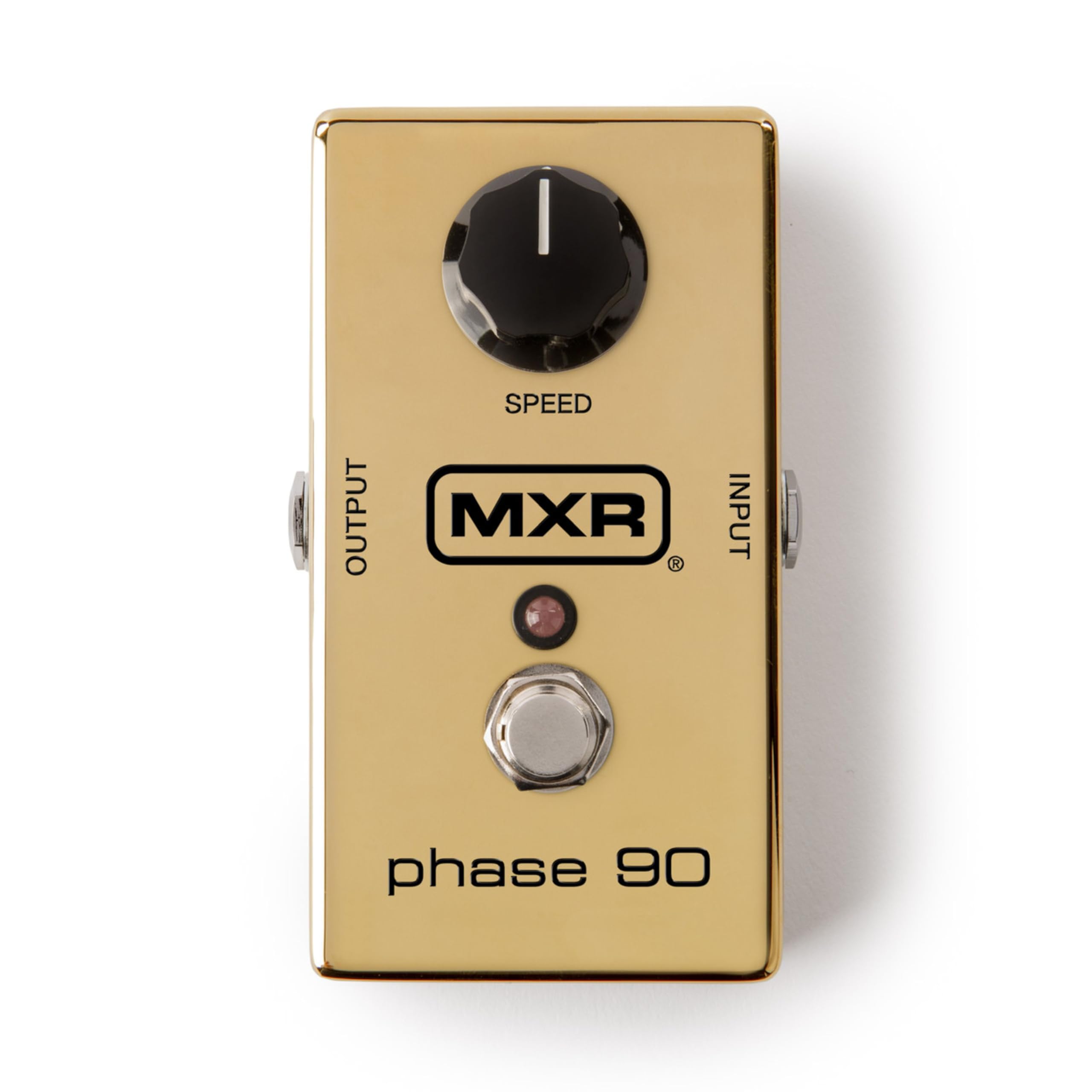
Vaizdas: Iš viršaus į apačią view of the MXR Phase 90 50th-Anniversary Pedal. The pedal is gold-colored with a single black 'SPEED' knob on the top left, an input jack on the right side, an output jack on the left side, and a footswitch with an LED indicator in the center. The MXR logo and 'phase 90' are visible on the top surface.
Sąranka
- Maitinimo jungtis: Connect a 9-volt DC AC adapter (not included) to the power input jack on the side of the pedal. Ensure the adapter has a 2.1mm barrel connector and center-negative polarity.
- Priemonės įvestis: Connect your instrument (e.g., guitar) to the INPUT jack on the right side of the pedal using a standard 1/4-inch instrument cable.
- Ampstiprintuvo išėjimas: Prijunkite OUTPUT lizdą kairėje pedalo pusėje prie savo amp„lifier“ arba kitą pedalą signalo grandinėje naudodami standartinį 6,35 mm instrumentinį kabelį.
- Vieta: Place the pedal on a stable surface or integrate it into your pedalboard.

Vaizdas: Šoninė view of the MXR Phase 90 50th-Anniversary Pedal showing the power input jack (left) and the instrument input jack (right). The pedal is gold with a black 'SPEED' knob visible on the top surface.
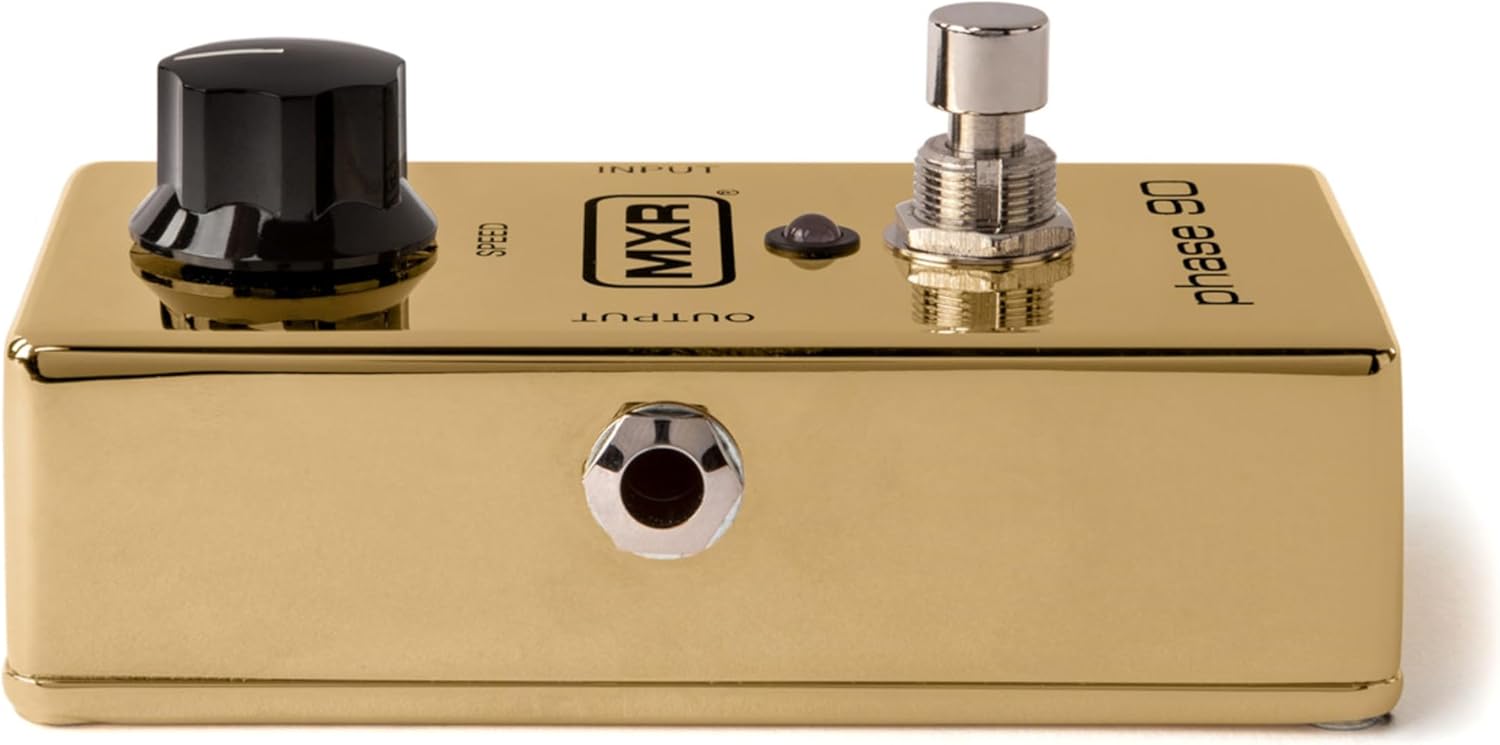
Vaizdas: Viršus view of the MXR Phase 90 50th-Anniversary Pedal, highlighting the 'INPUT' and 'OUTPUT' labels near the respective jacks. The gold finish and black 'SPEED' knob are prominent.
Naudojimo instrukcijos
Valdikliai
- SPEED rankenėlė: This is the only control on the Phase 90. Turning the knob clockwise increases the speed of the phasing effect, while turning it counter-clockwise decreases the speed. Experiment with different settings to achieve various modulation sounds, from subtle sweeps to fast, watery warbles.
- Kojinis jungiklis: Press the footswitch to engage or bypass the phasing effect. The LED indicator will illuminate when the effect is active.

Vaizdas: Stambus planas view of the black 'SPEED' knob on the MXR Phase 90 pedal. The knob has a white indicator line for setting the phase speed.

Vaizdas: Stambus planas view of the chrome footswitch and the small red LED indicator on the MXR Phase 90 pedal. The footswitch is used to activate or deactivate the effect.
Pagrindinė operacija
- Ensure all connections (power, input, output) are secure.
- Įjunkite savo ampgyvesnis.
- Press the footswitch to activate the Phase 90. The LED will light up.
- Adjust the SPEED knob to achieve your desired phasing efektas.
- To bypass the effect, press the footswitch again. The LED will turn off.
Priežiūra
- Valymas: Pedalą nuvalykite minkštu, sausu skudurėliu. Nenaudokite abrazyvinių valiklių ar tirpiklių.
- Saugykla: Store the pedal in a dry environment, away from direct sunlight and extreme temperatures, when not in use.
- Baterijos keitimas: This pedal is designed for AC adapter use. There is no internal battery compartment.
Trikčių šalinimas
Nėra garso
- Patikrinkite visas kabelių jungtis (prietaisą, ampgelbėtojas, galia).
- Įsitikinkite, kad maitinimo adapteris yra tinkamai prijungtas ir tiekia maitinimą (įjungus, turėtų užsidegti šviesos diodas).
- Test with different cables and a different power supply if available.
- Aplenkite pedalą, kad patvirtintumėte savo instrumentą ir ampkeltuvai veikia tinkamai.
Efektas neįtraukiantis
- Ensure the power adapter is connected and functional.
- Press the footswitch firmly. The LED should illuminate when the effect is active.
Nepageidaujamas triukšmas
- Įsitikinkite, kad visi kabeliai yra ekranuoti ir geros būklės.
- Check for ground loops in your setup. Try isolating the power supply.
- Ensure the power adapter is rated correctly for the pedal (9V DC, center-negative).
Specifikacijos
| Funkcija | Detalė |
|---|---|
| Modelis | M101GLD |
| Efekto tipas | Fazeris |
| Valdikliai | 1x SPEED knob |
| Įvestis | 1/4-inch Instrument Jack |
| Išvestis | 1/4-inch Instrument Jack |
| Galia | 9V DC, 2.1mm barrel connector, center-negative (AC adapter not included) |
| Matmenys | 5.5 x 4.5 x 2.5 colių (apytiksliai) |
| Svoris | 1.16 svarai (apytiksliai) |
| Spalva | Auksas |
Informacija apie garantiją
This MXR product is covered by a 2-year warranty from the date of purchase. The warranty covers defects in materials and workmanship under normal use. It does not cover damage caused by misuse, accident, modification, or unauthorized repair. Please retain your proof of purchase for warranty claims.
Palaikymas
For technical assistance, troubleshooting beyond this manual, or warranty service, please contact MXR customer support through their official website or authorized service centers. Refer to the MXR websvetainę, kurioje rasite naujausią kontaktinę informaciją.


