1. Įvadas
Thank you for choosing the THOMSON WS602DUO Bluetooth Bookshelf Speakers. This system combines elegant design with acoustic performance and versatile connectivity options. Whether used wirelessly via Bluetooth or connected to a turntable, micro-chain system, or PC, these speakers are designed to integrate seamlessly into any interior while delivering high-quality stereo sound.
This manual provides essential information for the proper setup, operation, and maintenance of your speakers. Please read it thoroughly before use and retain it for future reference.

Image 1.1: The THOMSON WS602DUO speakers, remote control, and a smartphone demonstrating wireless connectivity.
Pakuotės turinys:
- 2 x THOMSON WS602DUO Bookshelf Speakers
- 1x nuotolinio valdymo pultas
- 1x optinis laidas
- 1x maitinimo laidas
- Vartotojo vadovas
2. Sąranka
2.1 Garsiakalbių išdėstymas
For optimal sound quality, place the two speakers on a stable, flat surface, such as a bookshelf or table, ensuring they are equidistant from your listening position. Avoid placing them in enclosed spaces that might obstruct sound projection.

2.1 pav.: pvz.ample placement of a single speaker next to a television.
2.2 Maitinimo jungtis
- Connect the provided power cable to the main speaker's power input.
- Įkiškite maitinimo laidą į standartinį sieninį lizdą.
- Ensure the power switch on the main speaker is in the 'ON' position.
2.3 Garso šaltinių jungtys
The WS602DUO speakers offer multiple connectivity options:
- "Bluetooth 5.0": For wireless audio streaming from compatible devices like smartphones, tablets, or laptops.
- RCA Inputs (x2): For connecting devices such as turntables, CD players, or micro-chain systems.
- Optinė įvestis: For connecting digital audio sources like televisions or game consoles using the supplied optical cable.
Connecting via RCA:
- Identify the RCA input ports on the rear of the main speaker.
- Connect your audio source (e.g., turntable, micro-chain) to the RCA inputs using appropriate RCA cables (not always included).
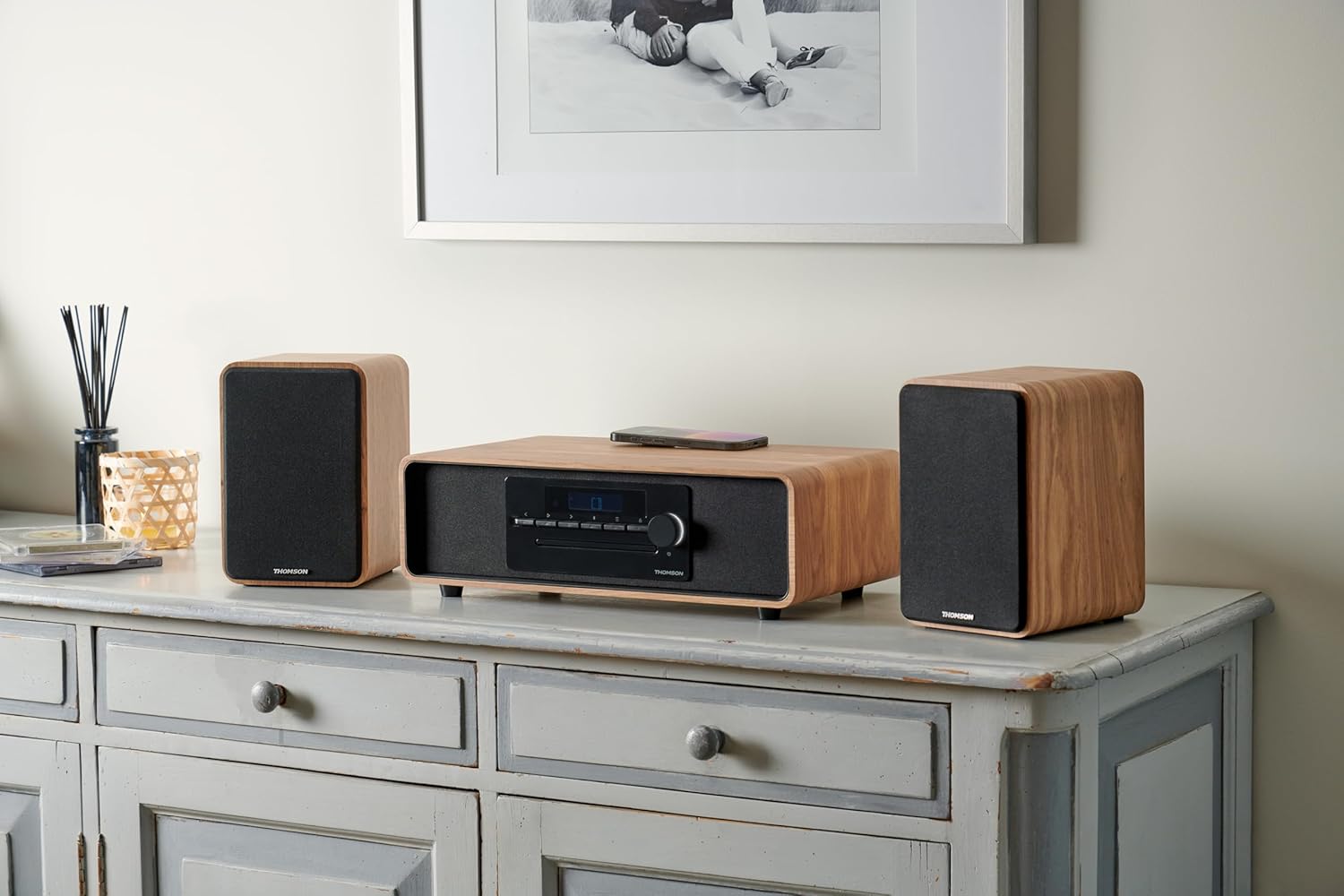
Image 2.2: Speakers connected to a micro-chain system via RCA.
Prijungimas per optinį ryšį:
- Connect one end of the supplied optical cable to the optical output of your device (e.g., TV).
- Connect the other end to the optical input port on the rear of the main speaker.
Suporavimas per Bluetooth:
- Įsitikinkite, kad garsiakalbiai įjungti.
- Select Bluetooth as the input source on the speakers (refer to Section 3.2). The Bluetooth indicator will flash, indicating pairing mode.
- On your Bluetooth-enabled device, go to Bluetooth settings and search for available devices.
- Select "THOMSON WS602DUO" from the list.
- Once connected, the Bluetooth indicator on the speakers will glow steadily.

Image 2.3: Speakers ready for Bluetooth audio streaming with a smartphone.
3. Naudojimo instrukcijos
3.1 Maitinimo įjungimas/išjungimas
Use the power switch located on the rear of the main speaker to turn the system on or off. Alternatively, the remote control can be used to put the speakers into standby mode.
3.2 Įvesties šaltinio pasirinkimas
Press the 'Source' button on the remote control or the control panel on the main speaker to cycle through the available input modes: Bluetooth, RCA 1, RCA 2, and Optical.
3.3 Garsumo valdymas
Adjust the volume using the '+' and '-' buttons on the remote control or the rotary knob on the main speaker. Ensure the volume on your connected audio source is also set to an appropriate level.
3.4 Nuotolinio valdymo pulto funkcijos
The included remote control allows for convenient operation of your speakers:
- Galia: Įjungia / išjungia garsiakalbius (budėjimo režimas).
- Šaltinis: Cycles through input modes (Bluetooth, RCA, Optical).
- Tūris +/-: Reguliuoja pagrindinį garsumą.
- Nutildyti: Nutildo arba įjungia garso išvestį.
- Play/Pause, Next/Previous Track: (Bluetooth mode only) Controls media playback on the connected Bluetooth device.
4. Priežiūra
4.1 Valymas
To clean the speaker cabinets, use a soft, dry cloth. Do not use liquid cleaners, aerosols, or abrasive materials, as these may damage the finish. For the speaker grilles, a soft brush or vacuum cleaner with a brush attachment can be used to gently remove dust.
4.2 Saugykla
When not in use for extended periods, store the speakers in a cool, dry place, away from direct sunlight and extreme temperatures. It is recommended to disconnect them from the power supply.
5. Problemų sprendimas
If you encounter any issues with your THOMSON WS602DUO speakers, please refer to the following common problems and solutions:
- Nėra garso:
- Ensure the speakers are powered on and the volume is not muted or set too low.
- Verify that the correct input source (Bluetooth, RCA, Optical) is selected.
- Check all cable connections (power, RCA, optical) are secure.
- Ensure the volume on your audio source device is also turned up.
- „Bluetooth“ poravimo problemos:
- Make sure the speakers are in Bluetooth pairing mode (indicator flashing).
- Ensure your device's Bluetooth is enabled and within range (typically up to 10 meters).
- Pabandykite atjungti ir iš naujo susieti garsiakalbius savo įrenginio „Bluetooth“ nustatymuose.
- Restart both the speakers and your Bluetooth device.
- Iškraipytas arba prasta garso kokybė:
- Check if the audio source volume is too high, causing distortion. Reduce the source volume.
- Įsitikinkite, kad visi laidai yra tinkamai prijungti ir nepažeisti.
- If using Bluetooth, move closer to the speakers to avoid interference.
- Test with a different audio source or cable to isolate the problem.
6. Specifikacijos
| Funkcija | Specifikacija |
|---|---|
| Modelio pavadinimas | WS602DUO |
| Prekės ženklas | Tomsonas |
| Garsiakalbio tipas | Knygų lentyna |
| Ryšio technologija | Bluetooth |
| Belaidžio ryšio technologija | Bluetooth |
| Maksimali garsiakalbio išvesties galia | 100 vatų |
| Dažnio atsakas | 80 Hz |
| Garso išvesties režimas | Stereo |
| Erdvinio garso kanalo konfigūracija | 2.1 |
| Suderinami įrenginiai | Home Cinema, Game Console, MP3 Player, Laptop, Smartphone, Tablet, Television |
| Ypatingos savybės | Bluetooth, Remote Control |
| Įtraukti komponentai | Nuotolinio valdymo pultas |
| Gaminio matmenys | 47D x 24.5W x 28H centimetrai |
| Prekės svoris | 4 kilogramo |
| Spalva | Nature (Light Wood) |
| Medžiaga | Mediena |
| Kontrolės metodas | Lytėjimo (lytėjimo) |
| Maitinimo šaltinis | Elektros kabelis |
| Įvesties tomastage | 230 voltų |
| Montavimo tipas | Stalo laikiklis |
| Yra atsparus vandeniui | Netiesa |
| Prekių skaičius | 2 |
7. Garantija ir palaikymas
7.1 Informacija apie garantiją
The THOMSON WS602DUO speakers come with a limited warranty. Please refer to the warranty card included in your package or contact your retailer for specific terms and conditions regarding the warranty period and coverage.
7.2 Pagalba klientams
For technical assistance, troubleshooting beyond the scope of this manual, or warranty claims, please contact THOMSON customer support or your authorized dealer. Contact information can typically be found on the manufacturer's official websvetainėje arba pirkimo kvite.


