Įvadas
The Altec Lansing Kid Safe 2-in-1 Wireless Bluetooth Headphones (Model MZX4410) are designed to provide a safe and enjoyable audio experience for children. These headphones feature volume-limiting technology to protect delicate hearing, comfortable ear cushions, and versatile connectivity options. This manual provides instructions for setup, operation, and maintenance to ensure optimal performance and longevity of your headphones.
Kas yra dėžutėje
- Altec Lansing Kid Safe 2-in-1 Wireless Bluetooth Headphones
- USB-C įkrovimo laidas
- 3.5 mm garso laidas
- Apsauginis dėklas
- Vartotojo vadovas (šis dokumentas)
Produkto savybės
- Krištolo skaidrumo garsas: High-quality audio with enhanced bass for an immersive listening experience.
- Safe Volume Limiting: Integrated technology limits maximum volume to 85dB to protect children's hearing.
- 2 viename jungiamumas: Palaiko tiek belaidį „Bluetooth“, tiek laidinį 3.5 mm garso ryšį.
- Belaidis diapazonas: Up to 30 feet of Bluetooth wireless range for unrestricted movement.
- Patogus dizainas: Soft ear cushions and an adjustable, cushioned headband ensure a comfortable fit for extended wear.
- Sulankstomas ir nešiojamas: Convenient foldable design for easy storage and transport.
- Patvari konstrukcija: Built to withstand active use.
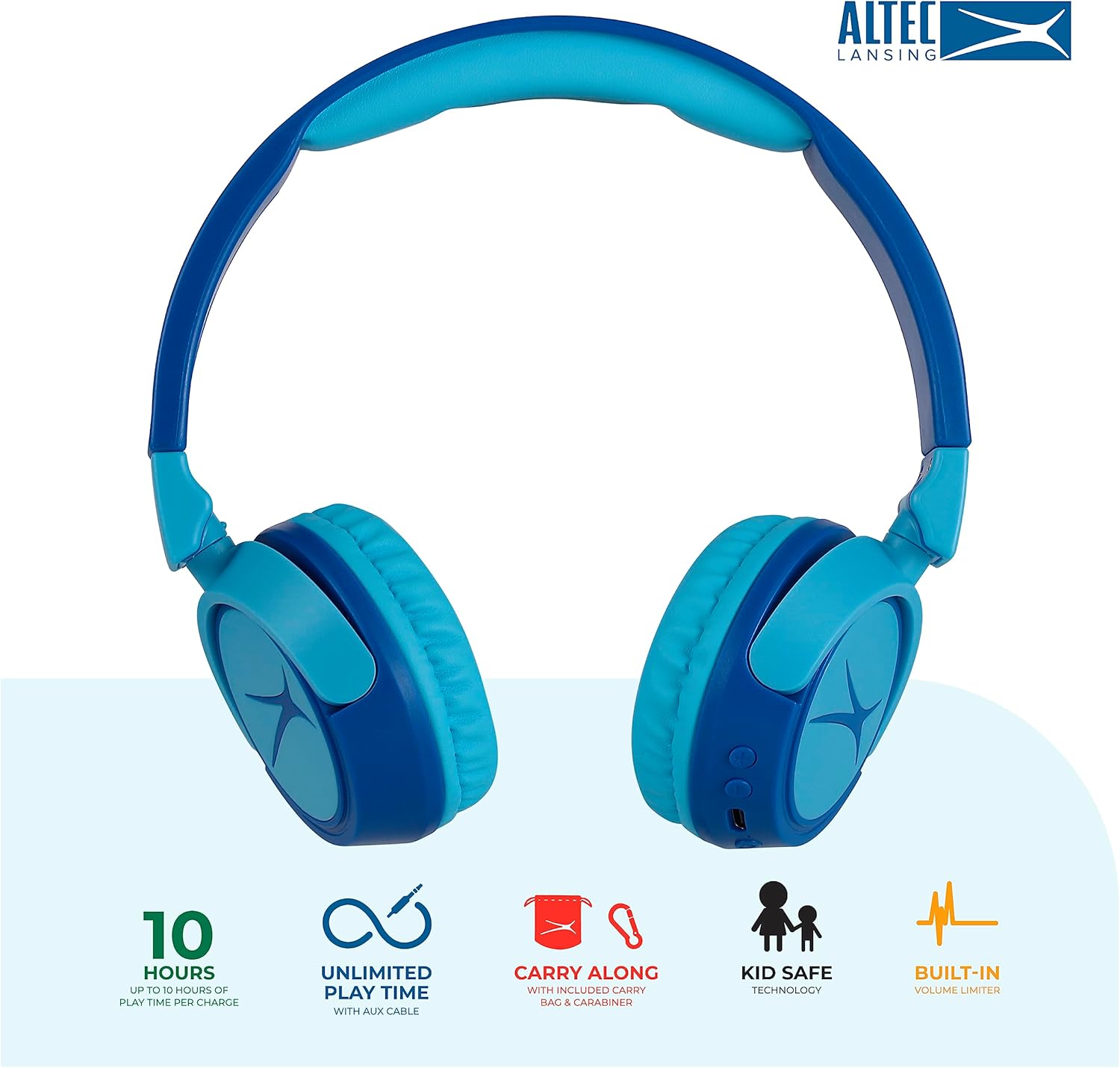
Image: Key features of the Altec Lansing Kid Safe Headphones, including battery life, wired option, portability, and safety features.

Image: Visual representation of the 85dB volume limiting technology for safe listening.
Sąrankos instrukcijos
1. Ausinių įkrovimas
- Locate the USB-C charging port on the headphone earcup.
- Connect the provided USB-C charging cable to the port on the headphones.
- Plug the other end of the USB-C cable into a compatible USB power source (e.g., computer, wall adapter).
- Įkrovimo metu LED indikatorius švies, o visiškai įkrovus pakeis spalvą arba užges.
- Pilnai įkrautas grotuvas užtikrina maždaug 10 valandų grojimo laiką.
2. „Bluetooth“ poravimas
- Įsitikinkite, kad ausinės yra įkrautos.
- Press and hold the Power button on the headphone earcup until the LED indicator flashes blue and red, indicating pairing mode.
- Savo įrenginyje (išmaniajame telefone, planšetiniame kompiuteryje, kompiuteryje) eikite į „Bluetooth“ nustatymus ir įjunkite „Bluetooth“.
- Select "Altec Lansing MZX4410" from the list of available devices.
- Prijungus, LED indikatorius ims šviesti mėlyna šviesa.
- Įjungus ausines, jos automatiškai prisijungs prie paskutinio suporuoto įrenginio, jei yra diapazone.
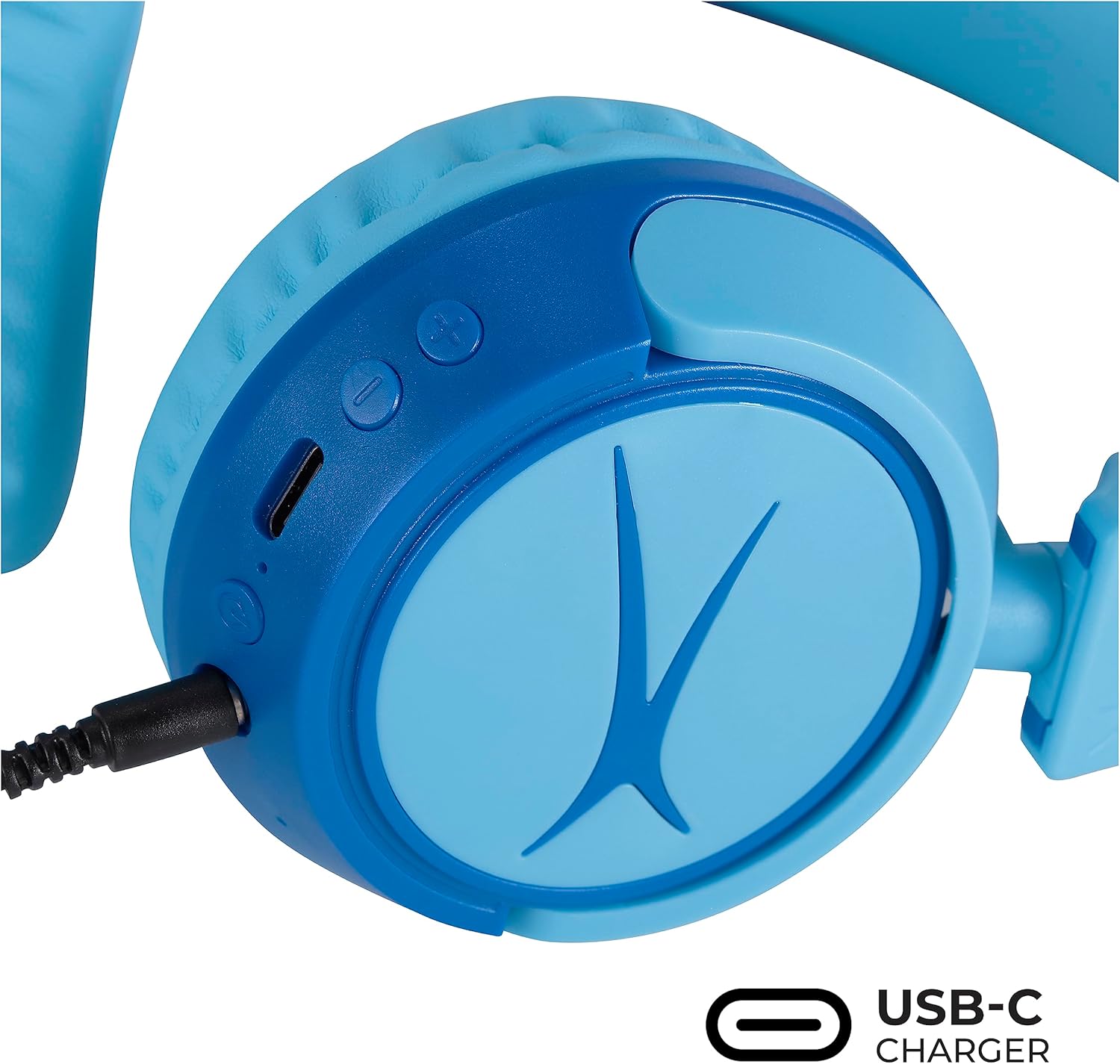
Image: Detail of the headphone controls and ports for charging and wired connection.
Naudojimo instrukcijos
Maitinimo įjungimas/išjungimas
- To power on, press and hold the Power button until the LED indicator lights up.
- Norėdami išjungti, paspauskite ir palaikykite maitinimo mygtuką, kol užges LED indikatorius.
Garsumo valdymas
- Use the '+' button to increase volume.
- Use the '-' button to decrease volume.
- The volume is limited to 85dB for hearing protection.
Žiniasklaidos valdymas
- Norėdami paleisti arba pristabdyti garso įrašą, vieną kartą paspauskite mygtuką „Groti / pristabdyti“.
- Press and hold the '+' button to skip to the next track.
- Press and hold the '-' button to go to the previous track.
Laidinis ryšys (neprivaloma)
For unlimited playtime or when Bluetooth is not available, use the provided 3.5mm audio cable:
- Plug one end of the 3.5mm audio cable into the audio jack on the headphone earcup.
- Kitą galą prijunkite prie savo įrenginio 3.5 mm garso išvesties.
- Ausinės automatiškai persijungs į laidinį režimą.

Image: The headphones are compatible with multiple devices via Bluetooth or wired connection.
Video: An official product video demonstrating the Altec Lansing Kid Safe Bluetooth Headphones.
Priežiūra
Valymas
- Ausines nuvalykite minkštu, sausu skudurėliu.
- Nenaudokite stiprių cheminių medžiagų ar abrazyvinių medžiagų.
- Ensure no moisture enters the ports.
Sandėliavimas
- Fold the headphones for compact storage.
- Store them in the provided protective case when not in use to prevent damage.
- Laikyti vėsioje, sausoje vietoje, atokiau nuo ekstremalių temperatūrų.

Image: Features highlighting the adjustable and cushioned design for comfort.
Trikčių šalinimas
- Nėra galios: Įsitikinkite, kad ausinės yra visiškai įkrautos. Prijunkite prie maitinimo šaltinio naudodami USB-C laidą.
- Nepavyksta susieti per „Bluetooth“: Make sure the headphones are in pairing mode (flashing blue/red LED). Check that Bluetooth is enabled on your device and that the headphones are within the 30-foot range. Try restarting both the headphones and your device.
- Nėra garso belaidžiu režimu: Įsitikinkite, kad ausinės sėkmingai susietos ir prijungtos prie jūsų įrenginio. Patikrinkite garsumo lygius tiek ausinėse, tiek įrenginyje.
- Nėra garso laidiniu režimu: Ensure the 3.5mm audio cable is securely plugged into both the headphones and your device. Check the volume levels on your device.
- Sound is Too Low: The headphones feature a built-in volume limiter at 85dB for safety. This is a design feature and not a malfunction.
Specifikacijos
| Funkcija | Detalė |
|---|---|
| Modelio pavadinimas | MZX4410 |
| Ryšio technologija | Belaidis („Bluetooth“), laidinis (3.5 mm lizdas) |
| Belaidžio ryšio technologija | Bluetooth |
| Bluetooth diapazonas | 30 pėdų |
| Baterijos veikimo laikas | 10 valandų |
| Garsumo riba | 85dB (Kid Safe) |
| Valdymo tipas | Medijos valdymas, lietimas |
| Ypatingos savybės | Adjustable Headband, Detachable Cable, Foldable, Lightweight, Wireless |
| Medžiaga | Plastikiniai |
| Prekės svoris | 8.8 uncijos (0.25 kilogramo) |
| Gamintojas | Altec Lansing Technologies |
| UPC | 021331082107 |
Garantija ir palaikymas
Dėl garantijos informacijos ir klientų aptarnavimo kreipkitės į oficialią „Altec Lansing“ website or contact their customer service directly. Details can typically be found on the product packaging or the Altec Lansing support portal.


